

auth-service) that provides an API (auth-api) and show how a consumer component (for example, shopping-cart) can declare it consumes that API.
Existing component entity for the authentication service (already imported into Backstage):
- Separating the API into its own
APIentity lets Backstage display API docs, ownership, and relationships independently of implementation. - It enables discoverability: teams can find APIs and see providers and consumers in the relations graph.
- Reference the provider from the
APIentity usingspec.apiProvidedBy. - Reference the API from the provider
Componentusingspec.providesApis(a list). - Both approaches are valid; choose what fits your workflow.
Example: API entity that references the provider via
apiProvidedBy and embeds an inline OpenAPI definition (shortened for clarity):
providesApis:
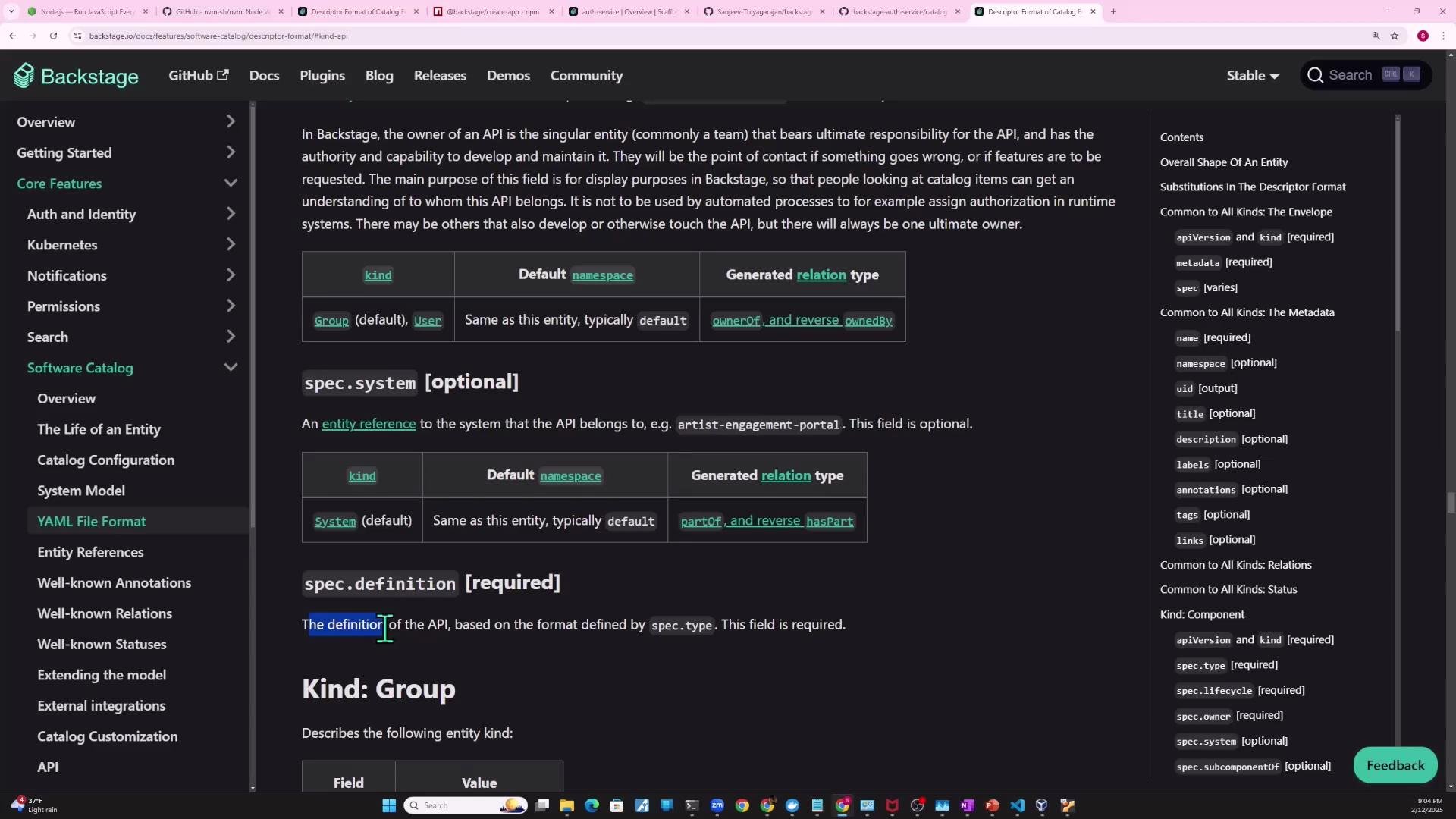
auth-service with the auth-api API entity shown earlier. Note: the definition field must follow the format described by spec.type (for openapi, that means supplying an OpenAPI document). For more details, consult the Software Catalog descriptor docs:
- After creating an
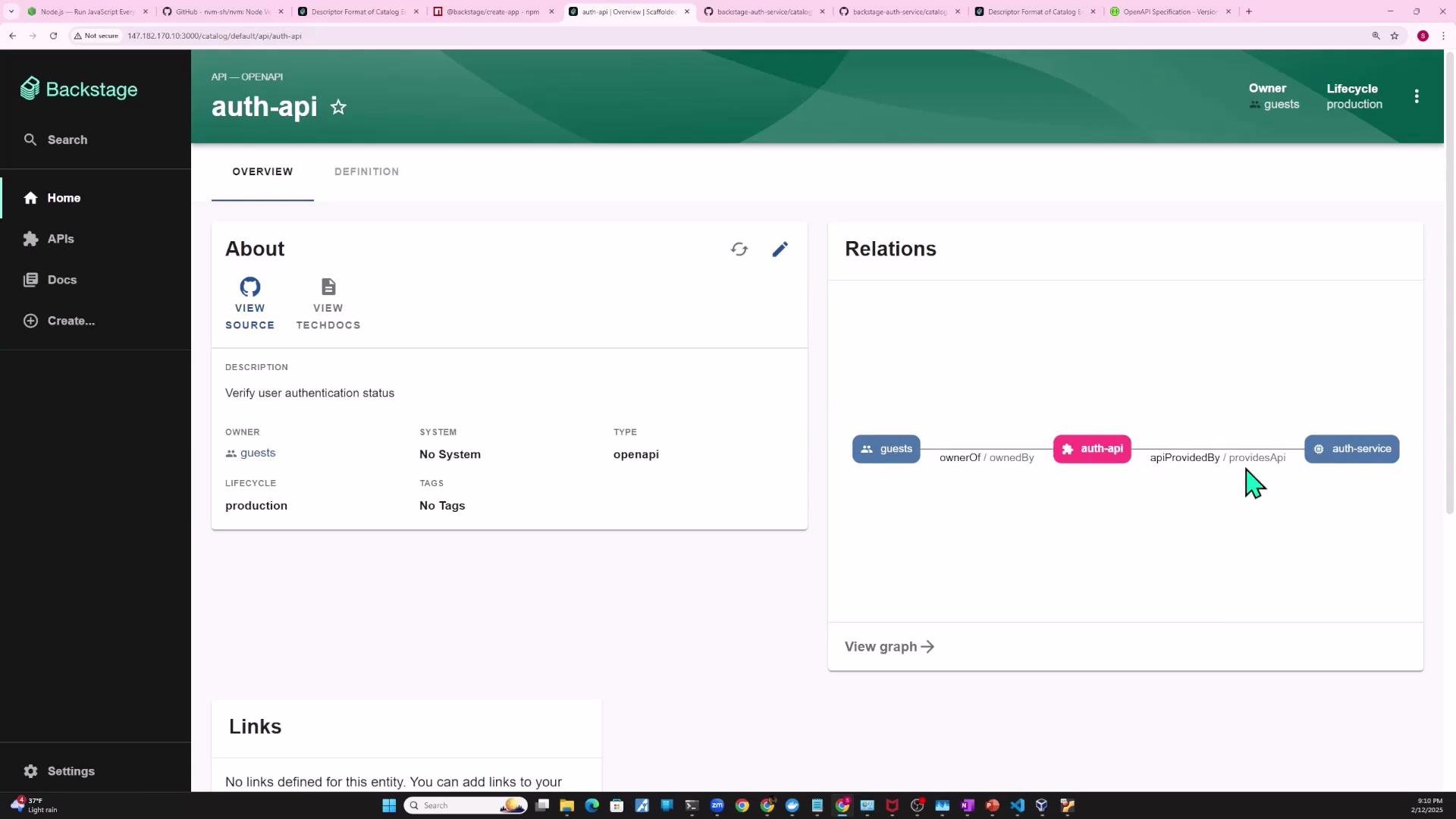
APIentity and linking it toauth-service, the API details page will show relations such asauth-service -> auth-api. - Relations make it easy to see ownership and IoC (who provides and who consumes an API).
- Small projects sometimes embed OpenAPI content inline using
definition: |. - For production or team projects, store the OpenAPI spec in the repository (for example,
openapi/auth-api-spec.yaml) and reference that file from the catalog descriptor so Backstage can fetch and render it.
$text (or $json / $text depending on parsing needs). When referencing GitHub-hosted raw files, use the raw.githubusercontent.com URL.
Correct example referencing a raw OpenAPI file with $text:
- Backstage must be allowed to fetch external raw files. If the host is not permitted in your backend config, you’ll see an error like this:
Add hosts you trust and only do this for required sources. Changes to the backend configuration require restarting the backend process.
backend.reading.allow in your app-config.yaml so Backstage can read raw files. Example:
After updating
app-config.yaml, restart the Backstage backend; otherwise changes won’t take effect and the raw file will still be blocked.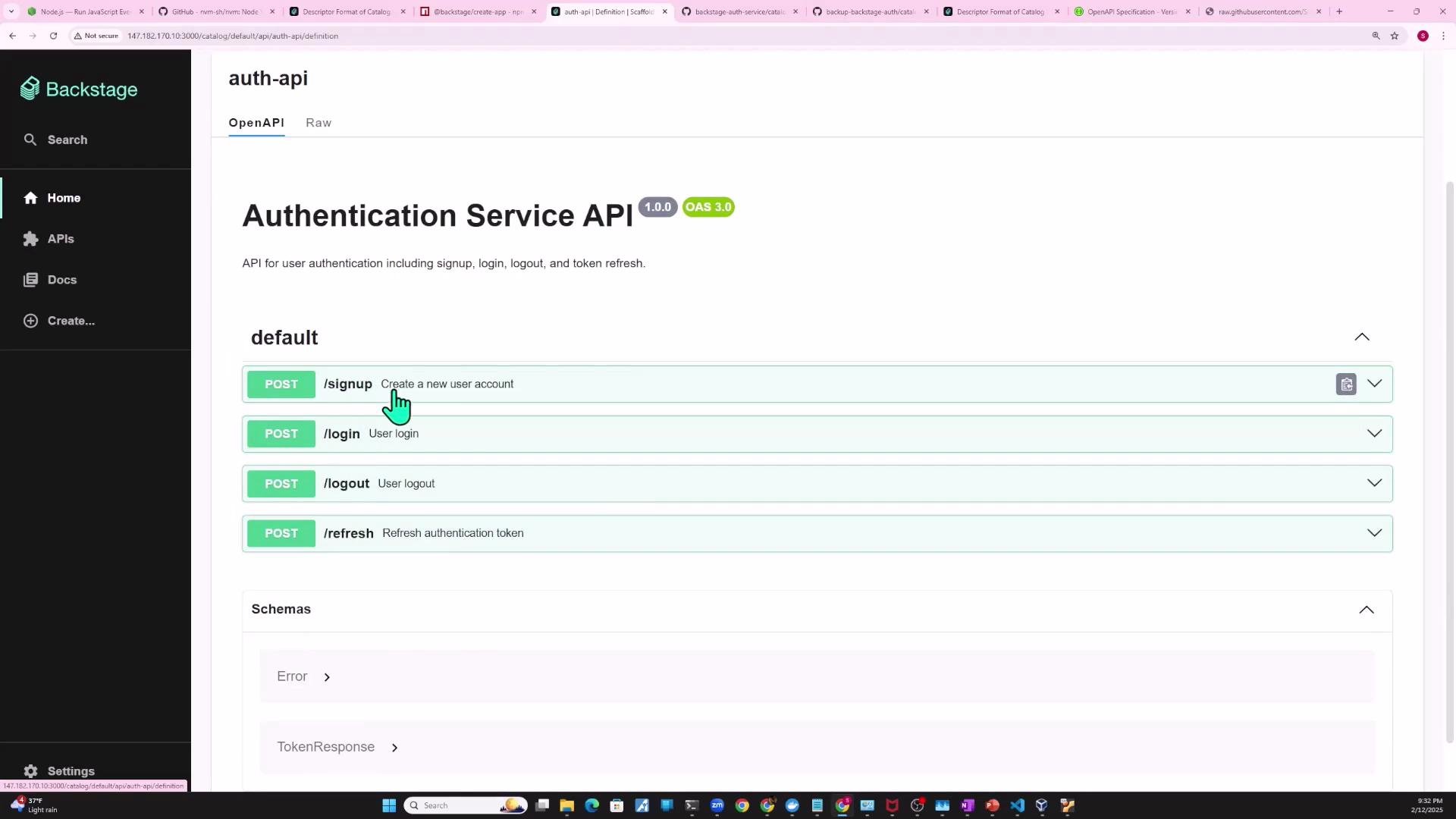
- To mark that a component consumes an API, add
spec.consumesApisto the consuming component. This is a list of API names.
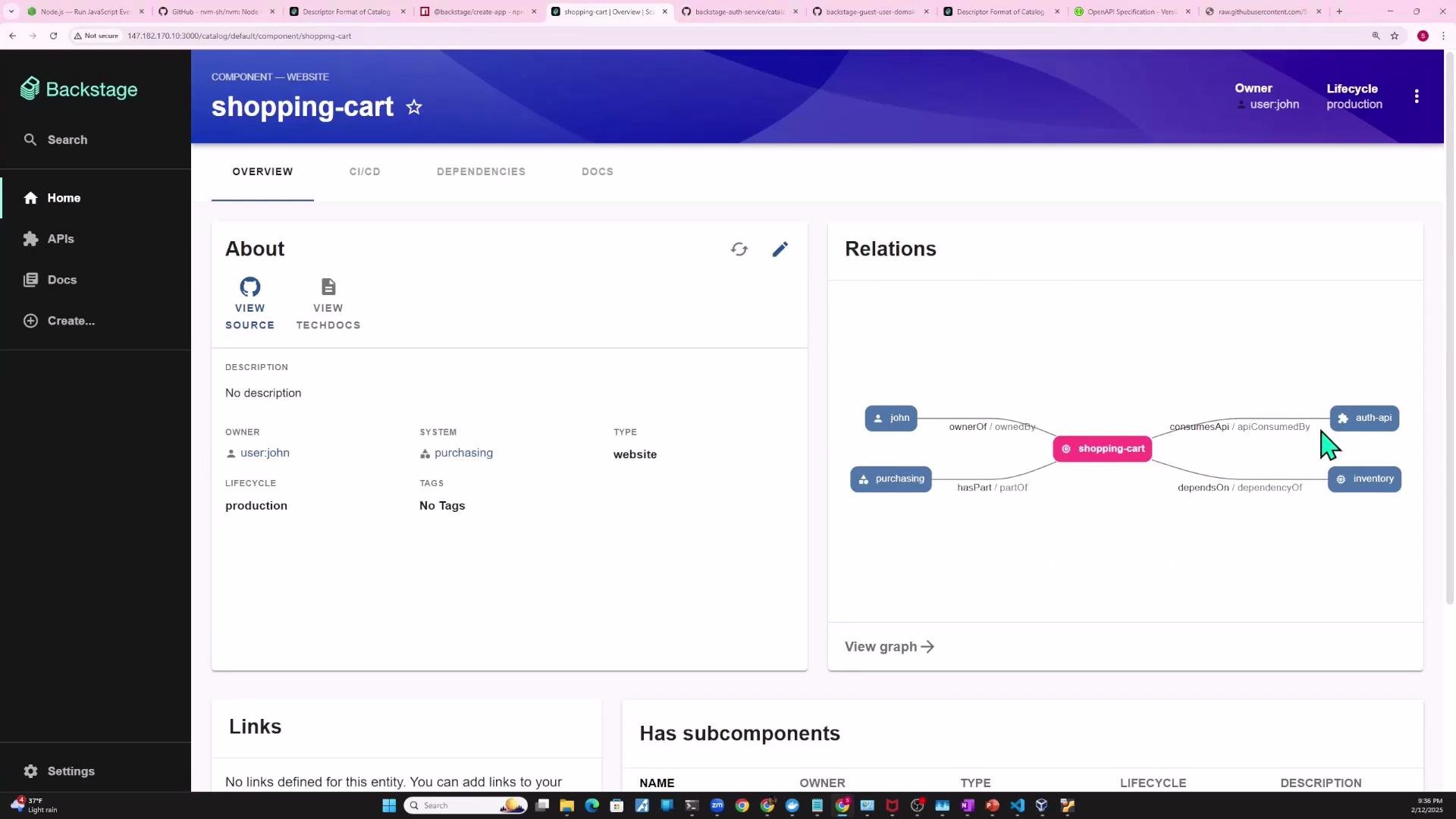
shopping-cart component declares it consumes the auth-api:
shopping-cart as a consumer of auth-api, and the auth-api page will list shopping-cart among its consumers.
Links and references
- Backstage Software Catalog descriptor format: https://backstage.io/docs/features/software-catalog/descriptor-format
- Backstage docs — APIs and OpenAPI support: https://backstage.io/docs/features/software-catalog/descriptor-format#api-entities
- GitHub raw files:
https://raw.githubusercontent.com/