

- Clone an infrastructure blueprint (Terraform code), templatize it, and publish it as a new repo.
- Register the resulting Resource entity in the Backstage catalog.
- Clone an application blueprint (Node.js + Express skeleton), templatize it, publish it as a new repo, and register the Component in the catalog.
- Wire the created Component to depend on the newly created Resource so relations appear in Backstage.
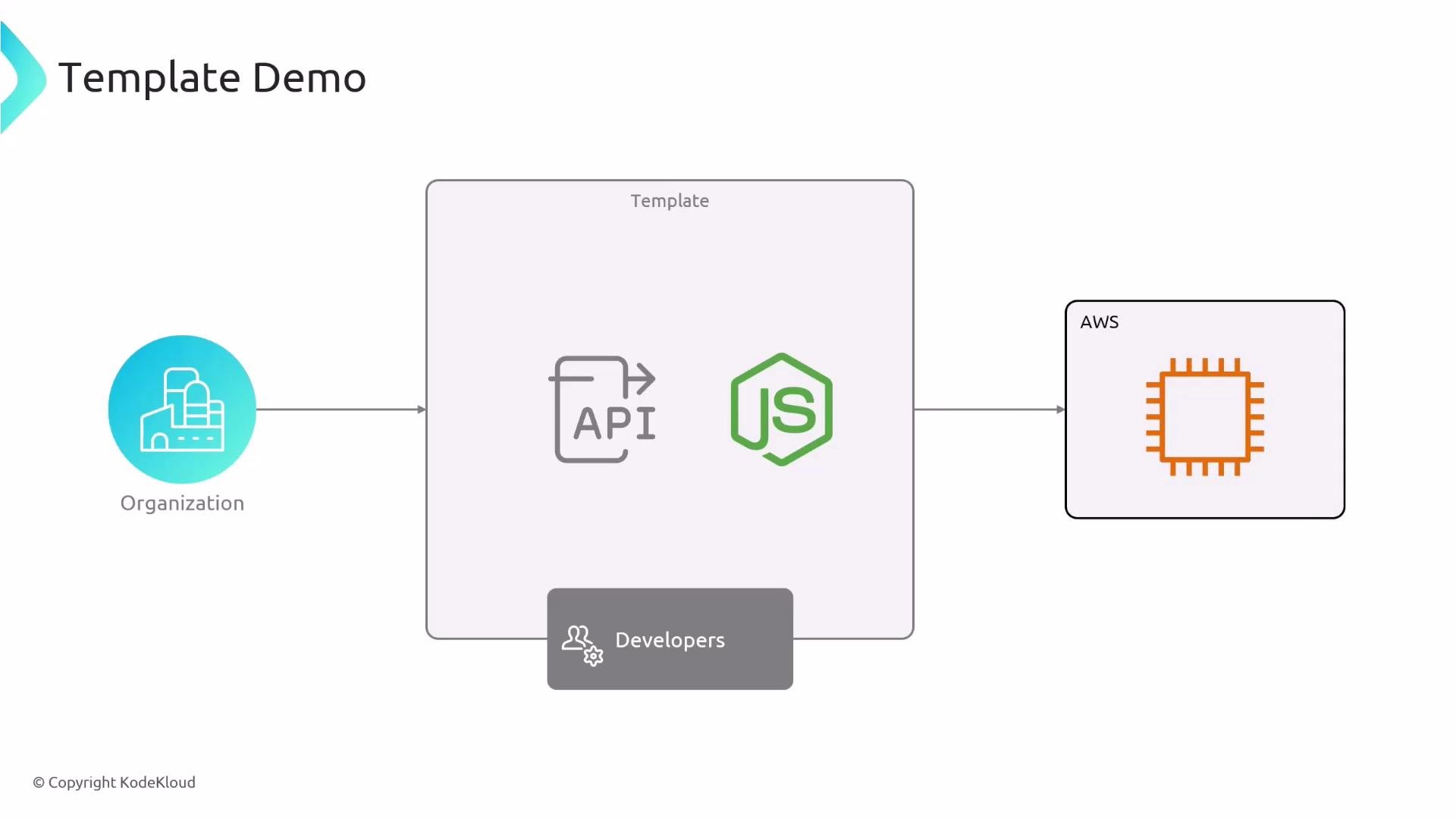
Flow overview
- Platform/infrastructure teams maintain blueprint repositories:
infrastructure-IAC— core infra managed by the infra team (VPCs, shared resources).ec2-infra-blueprint— per-app Terraform module/skeleton used by the template.backstage-express-api-blueprint— Node.js + Express app skeleton.
- A developer opens the Backstage template UI, supplies project metadata (name, owner, destination repo), and selects an EC2 instance size.
- Backstage templatizes the infra blueprint, publishes it as
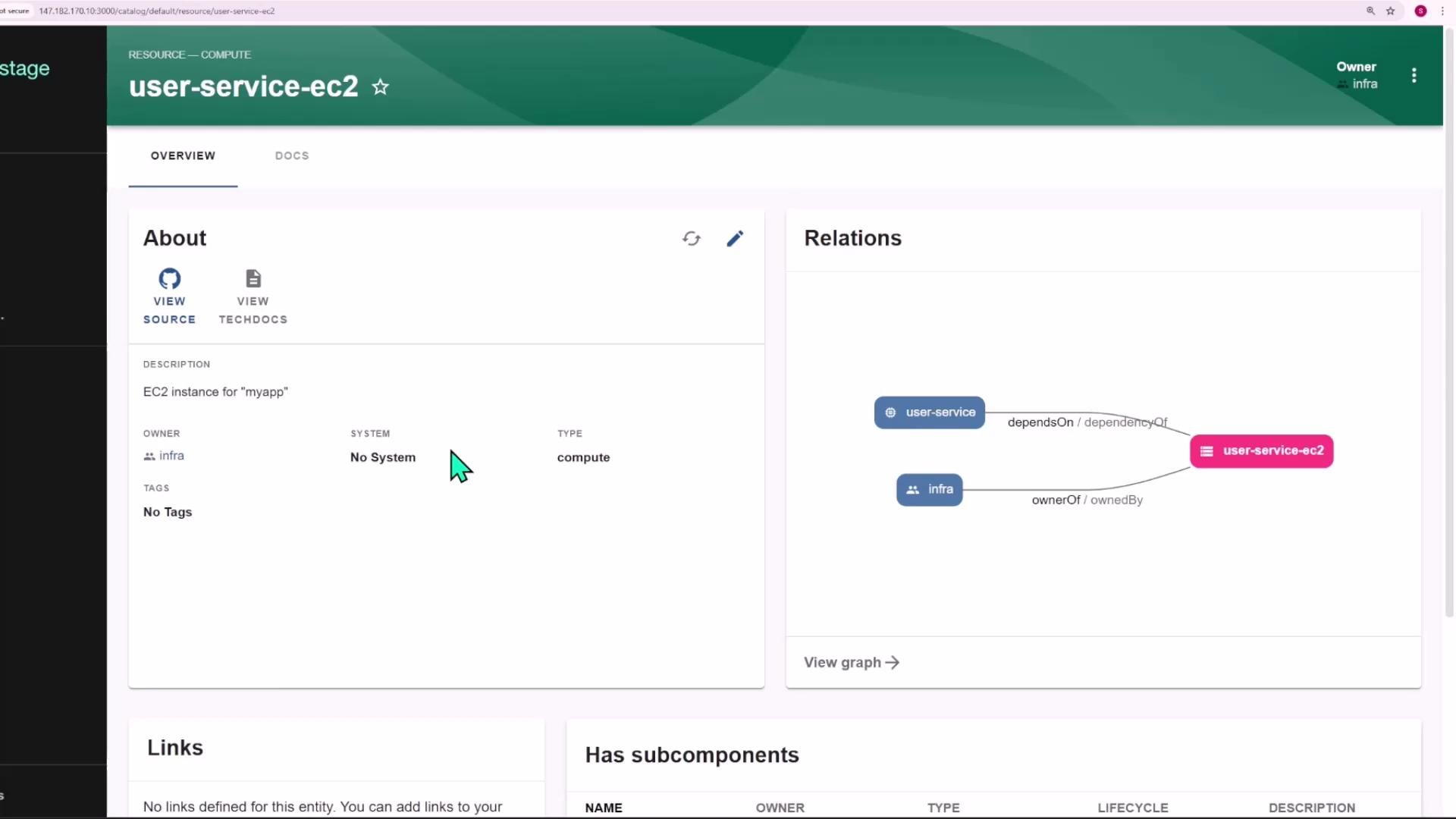
<repo>-infra, and registers a Resource entity (type:compute). - Backstage templatizes the app blueprint, publishes it as
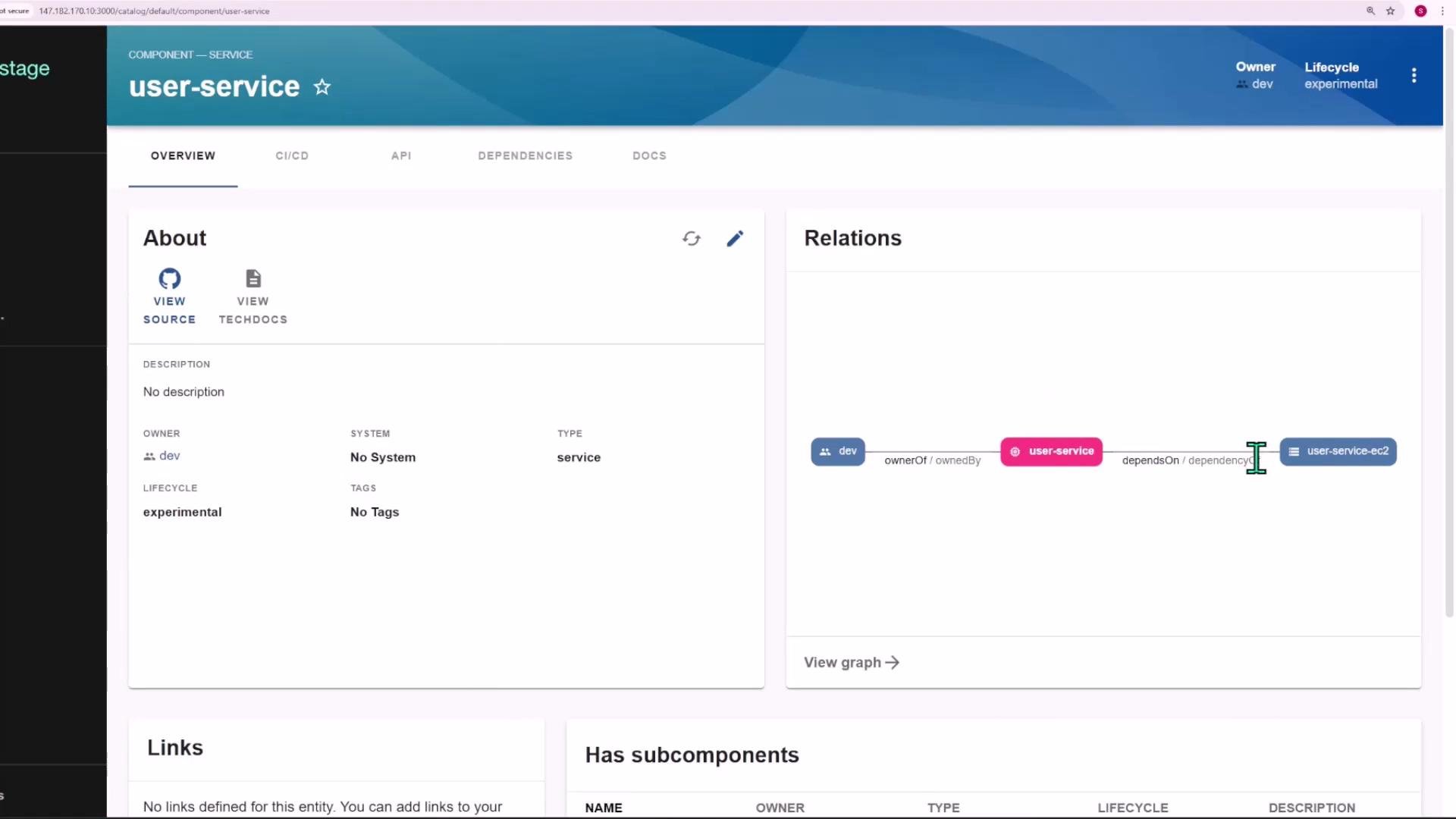
<repo>, and registers a Component entity that declares adependsOnrelation to the infra Resource. - Terraform Cloud (or another runner) performs
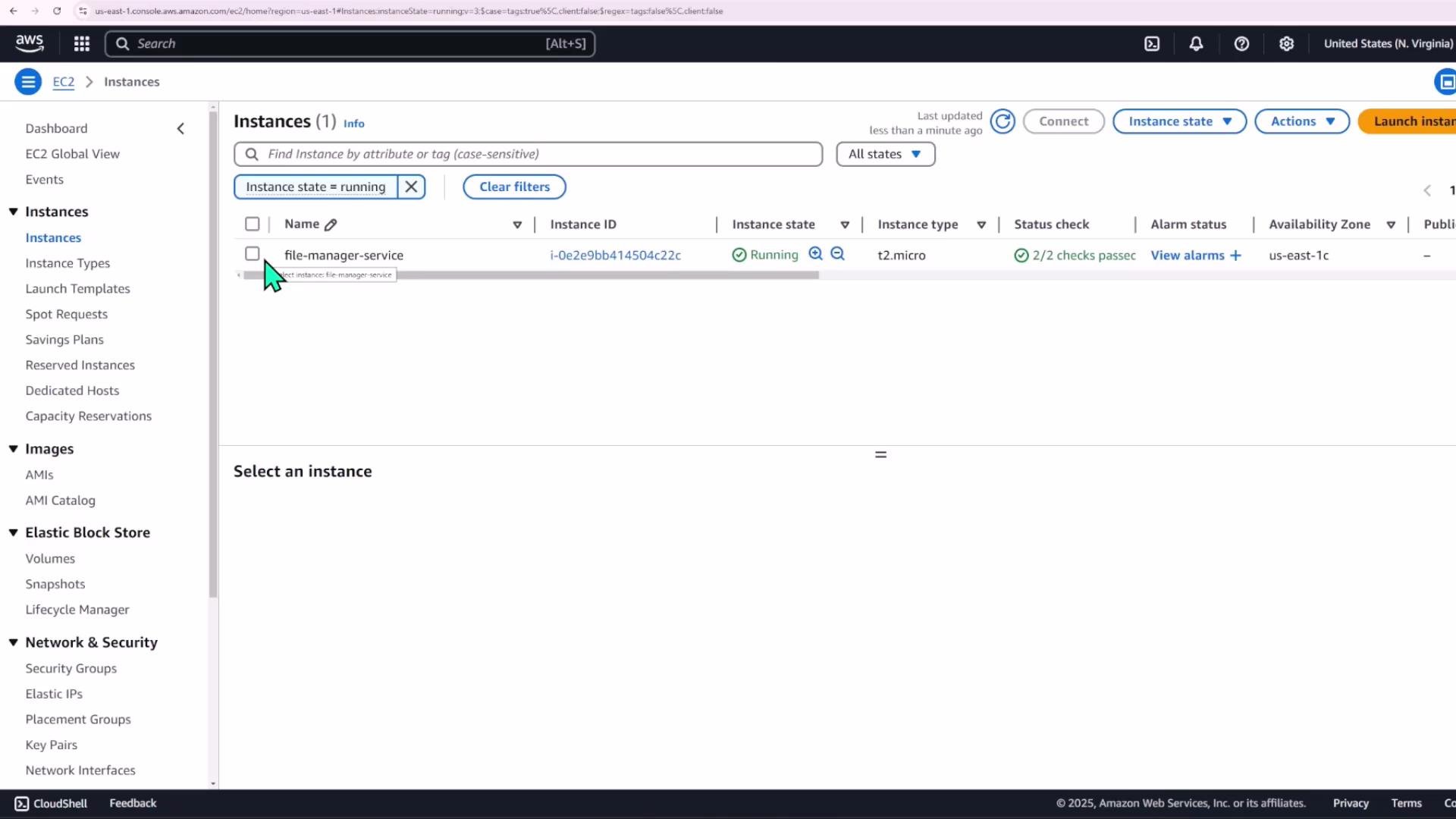
terraform applyfor the new infra repo, provisioning the EC2 instance.
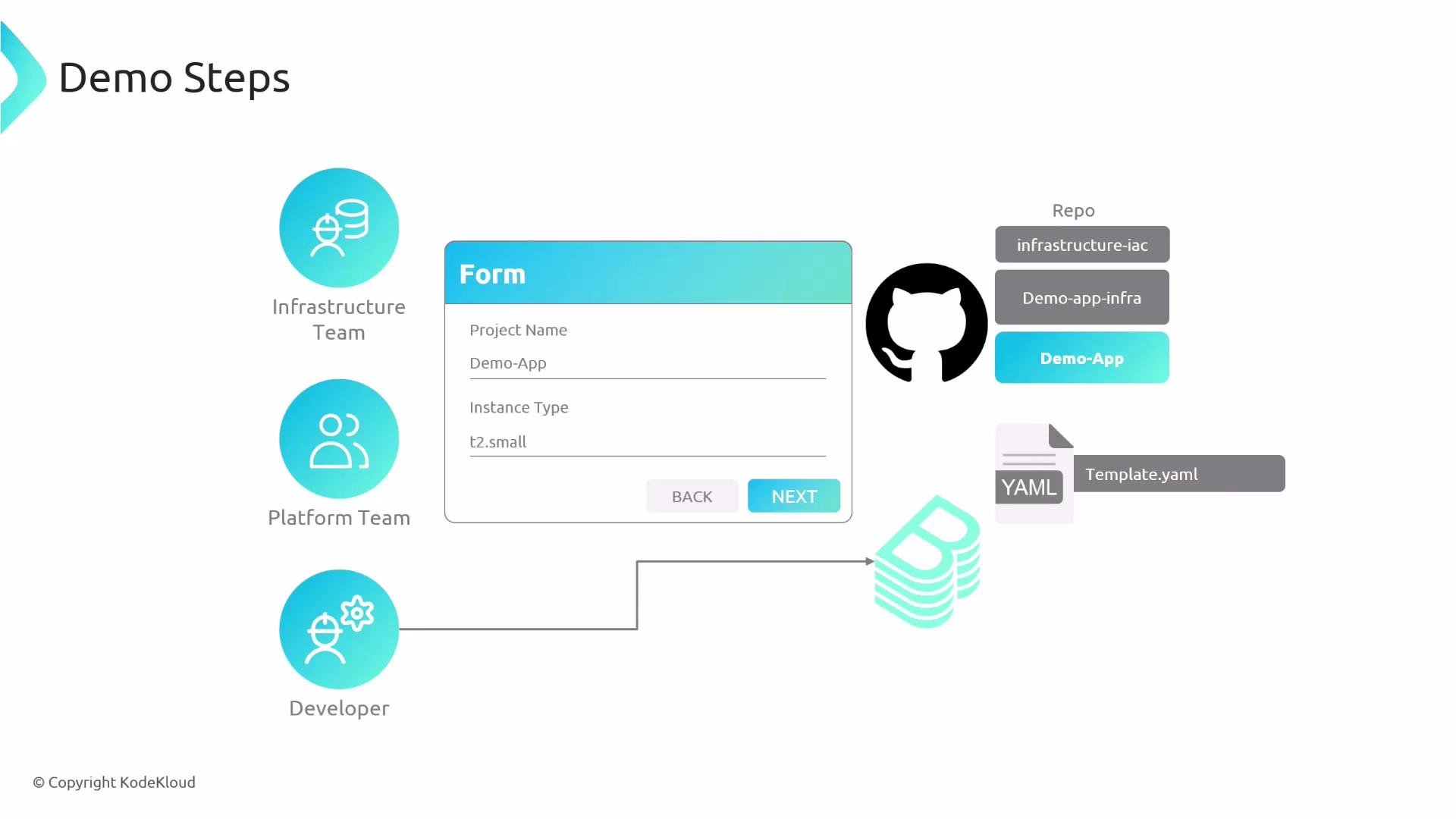
Roles and repositories
Use this quick reference for which team owns which repository:
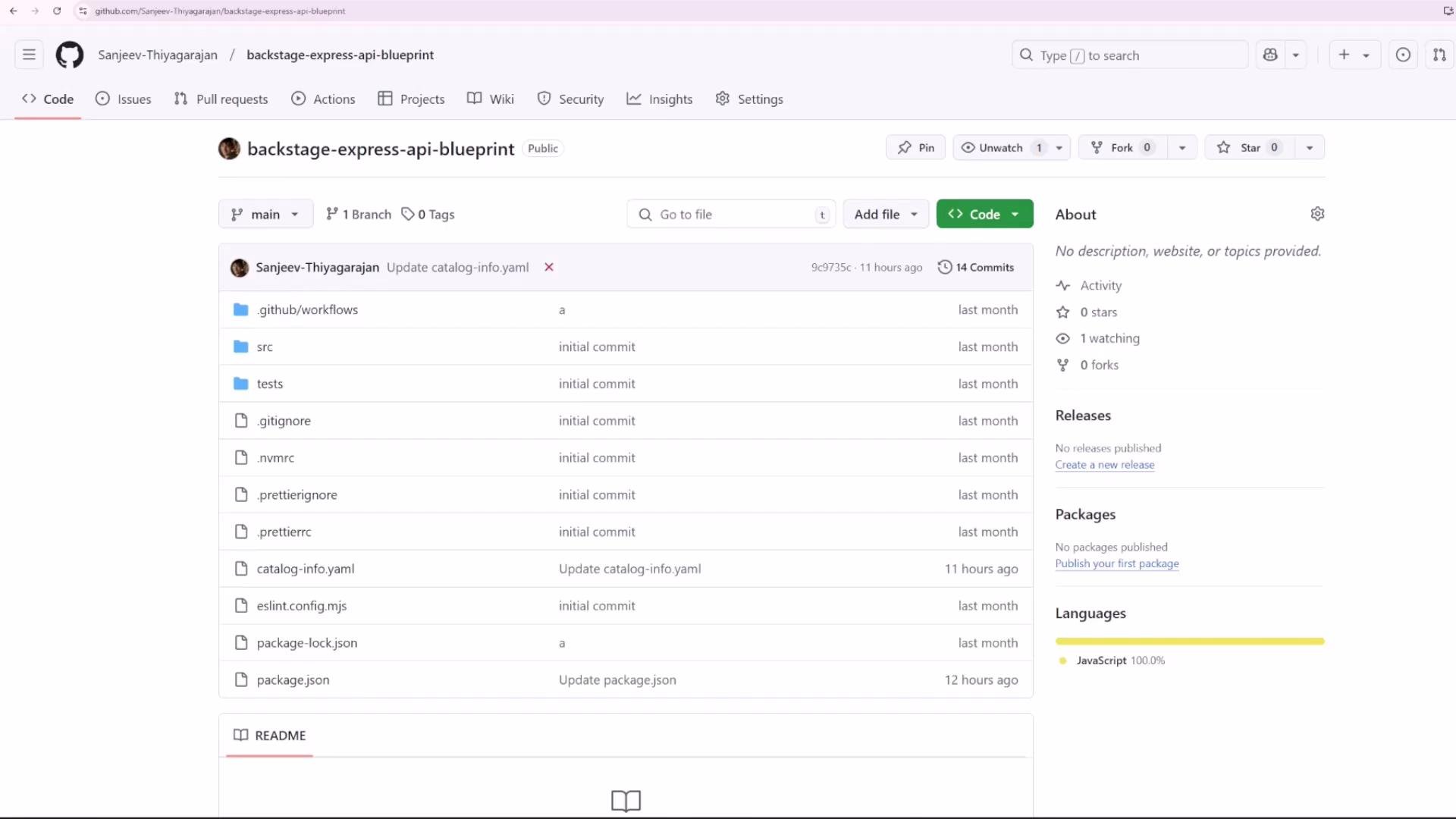
Example: here’s the Express API skeleton used as the app blueprint.
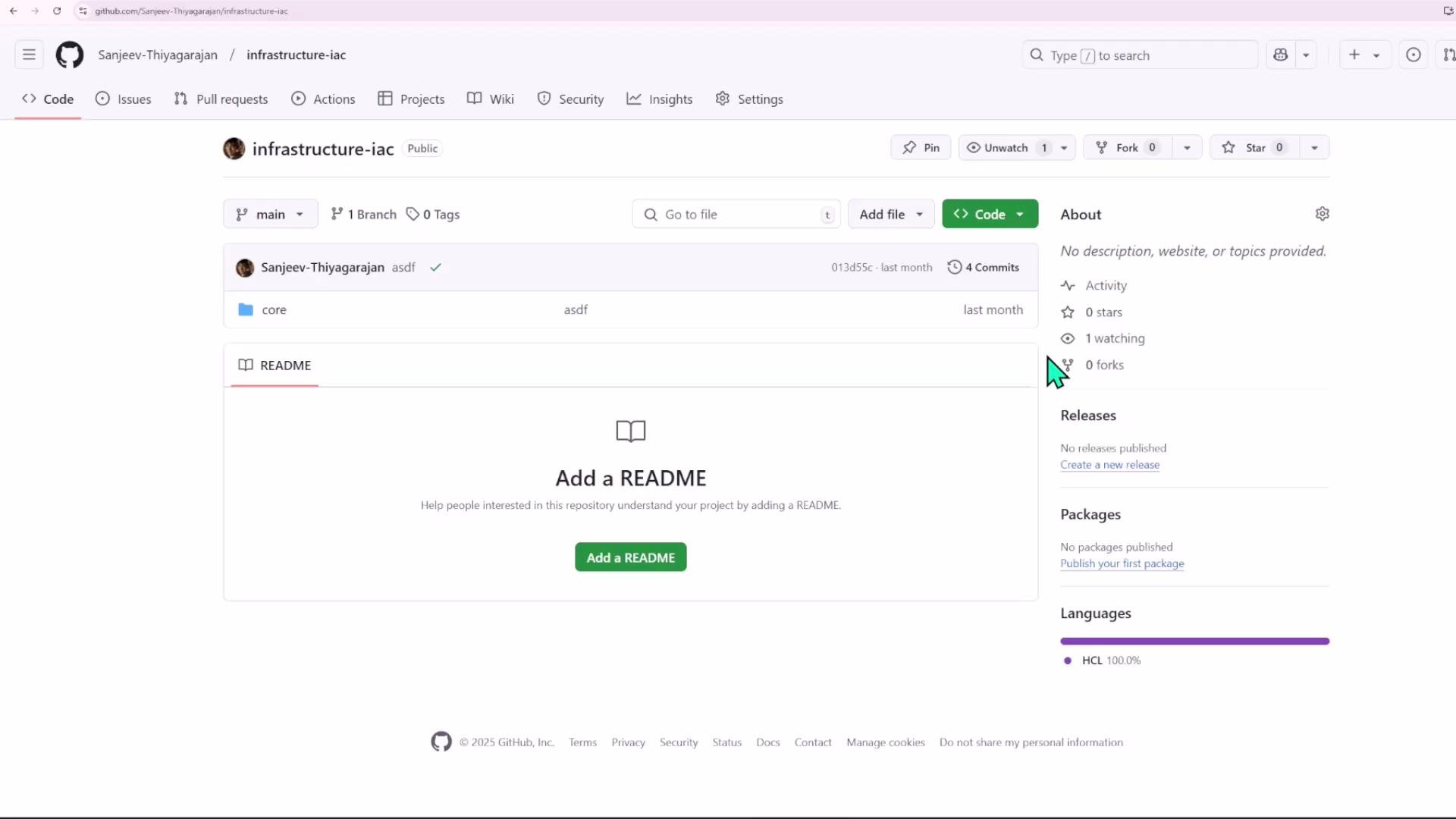
Example infra blueprint (ec2-infra-blueprint)
The infra blueprint accepts templated inputs:name— project name used for resource naming.instance_type— EC2 size chosen by the developer.
infrastructure-IAC remote state to obtain a subnet ID. An example main Terraform module (simplified):
resource.yaml in the infra blueprint):
Template form and user experience
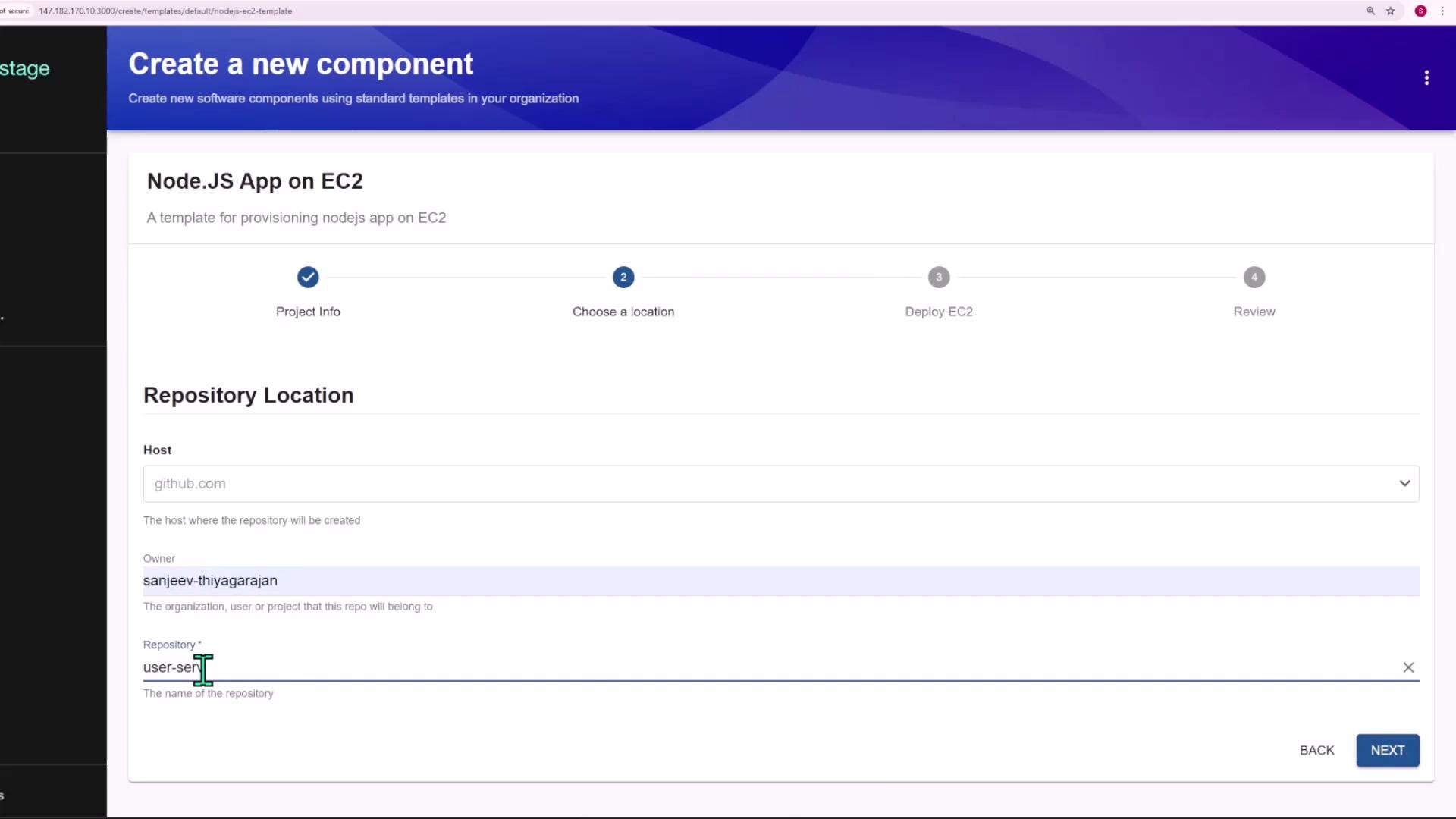
The template provides a multi-step Create flow in Backstage:- Project Info — component name and metadata.
- Choose Location — repository location / owner.
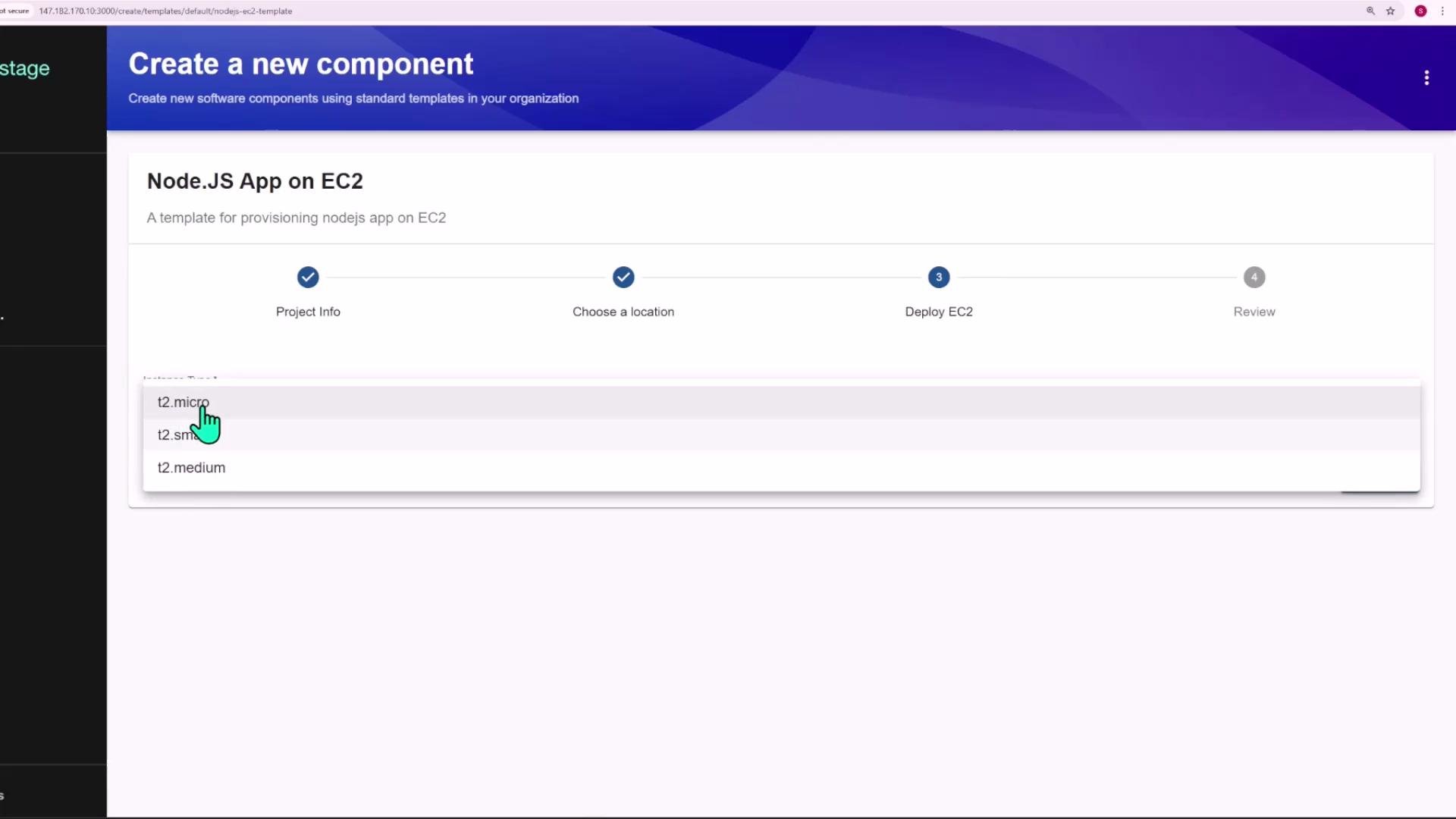
- Deploy EC2 — select instance size (e.g.,
t2.micro,t2.small,t2.medium).
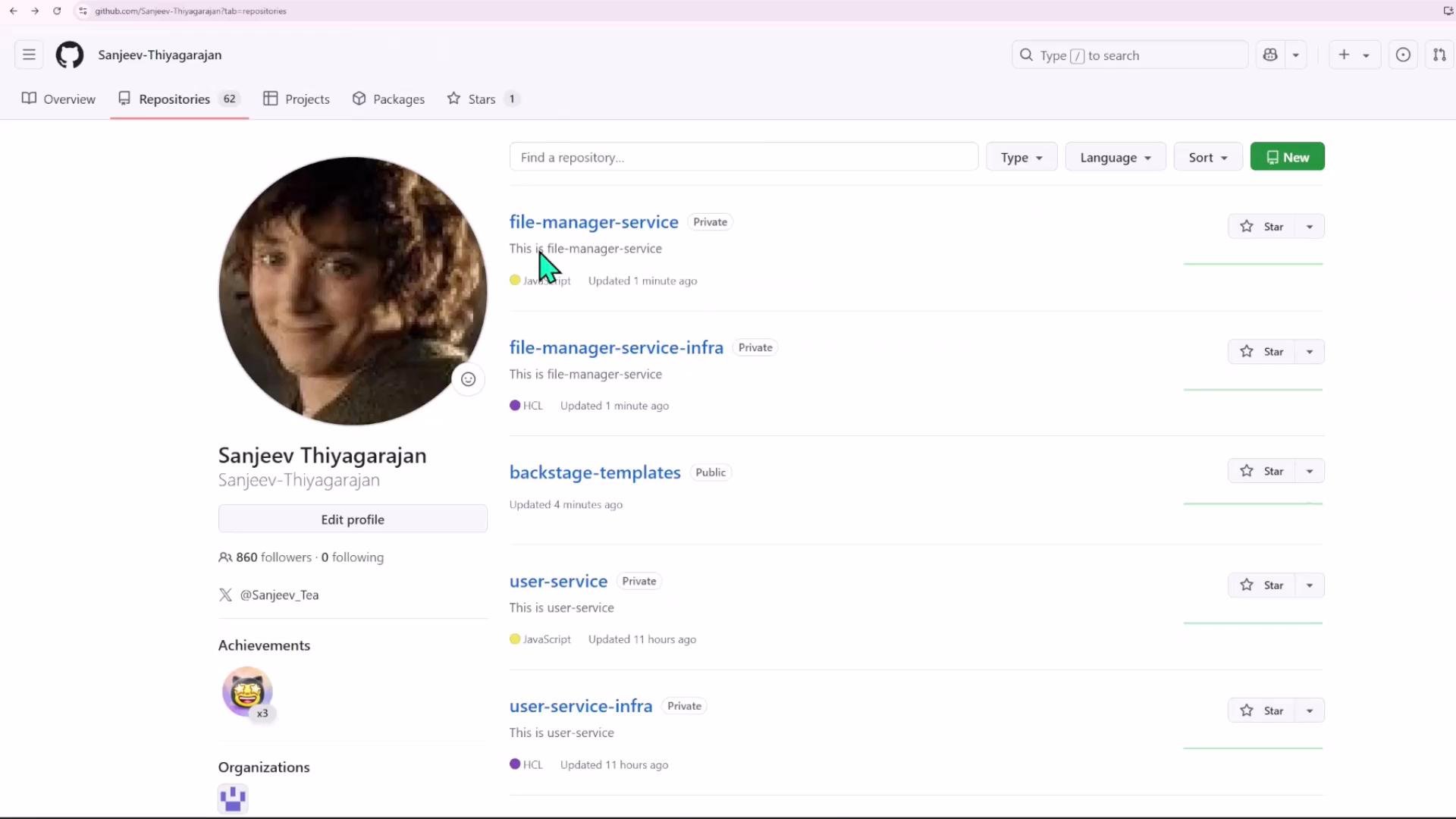
file-manager-service— application code (from the app blueprint).file-manager-service-infra— Terraform code to provision the EC2 instance (from the infra blueprint).
Template design — parameters and ordered steps
The single scaffolder template (nodejs-ec2-template) will:
- Show a three-page form (project info, repo location, deploy EC2).
-
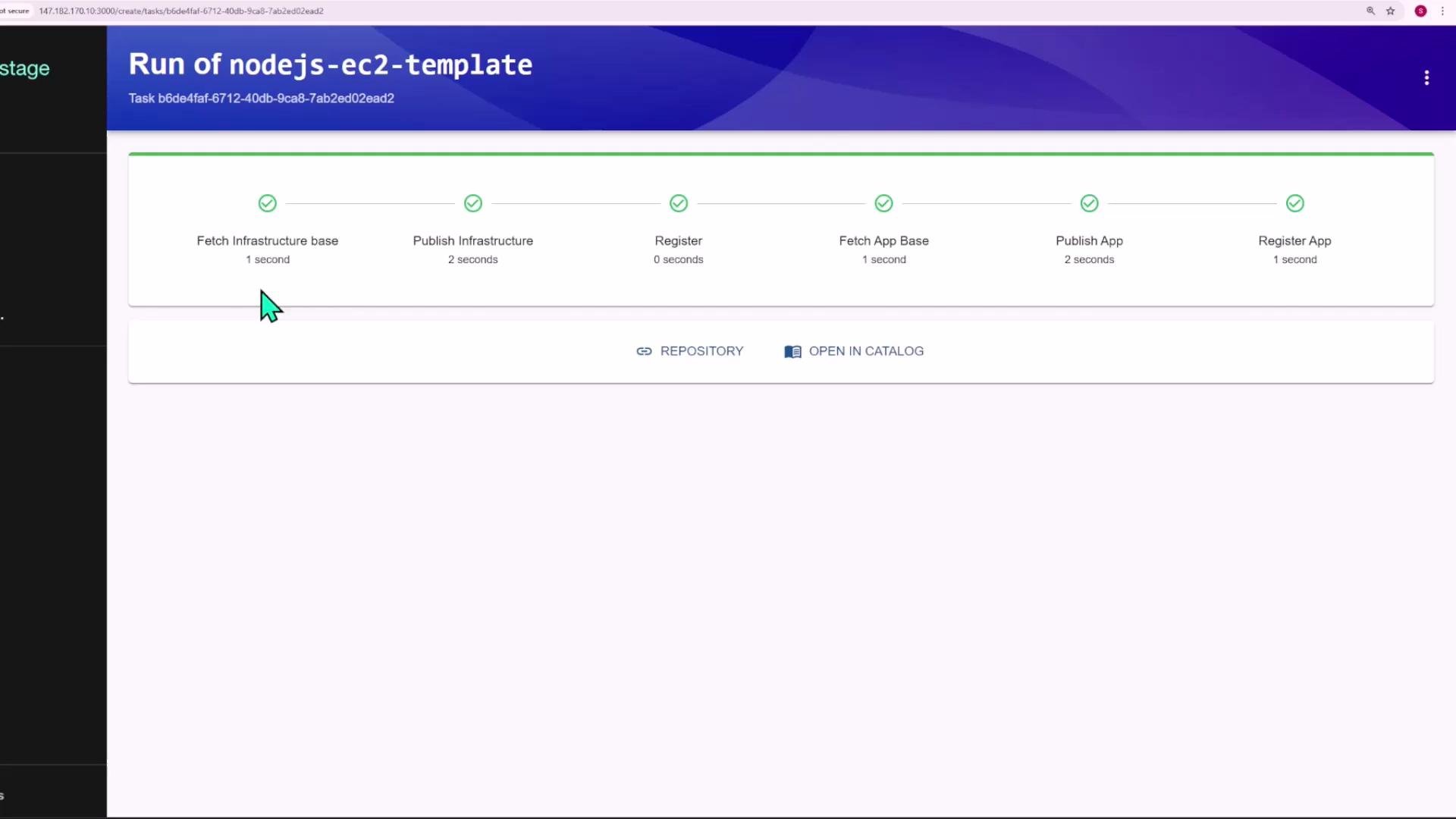
Execute the following steps, in order:
- fetch infra base (clone
ec2-infra-blueprintinto./infraand provide values) - publish infra (push
./infrato a new repo<repo>-infra) - register infra Resource (
catalog:registerusingresource.yaml) - fetch app base (clone
backstage-express-api-blueprintinto./codeand provide values) - publish app (push
./codeto<repo>) - register app Component (
catalog:registerusingcatalog-info.yaml) - provide output links (Repository, Open in Catalog)
- fetch infra base (clone
fetch:template, publish:github and catalog:register actions installed and configured.
Templatizing blueprints — key snippets
Infra blueprint: replace placeholders inmain.tf and resource.yaml with scaffolder values. Example module block (templated):
resource.yaml:
catalog-info.yaml so the Component depends on the infra Resource:
Note about Terraform execution
This example uses Terraform Cloud to detect new infra repositories and run
terraform apply. If you do not use Terraform Cloud (or a similar runner), you must add an extra step that runs Terraform (for example, a CI workflow or a scaffolder action that executes terraform init and terraform apply) after publishing the infra repository.Running the template
- Add the
nodejs-ec2-templateYAML to your templates repo and let Backstage pick it up. - From the Backstage Create flow, select Node.js App on EC2, fill out project name, owner, repo location, and instance type, then run the template.
- The template creates two Git repositories:
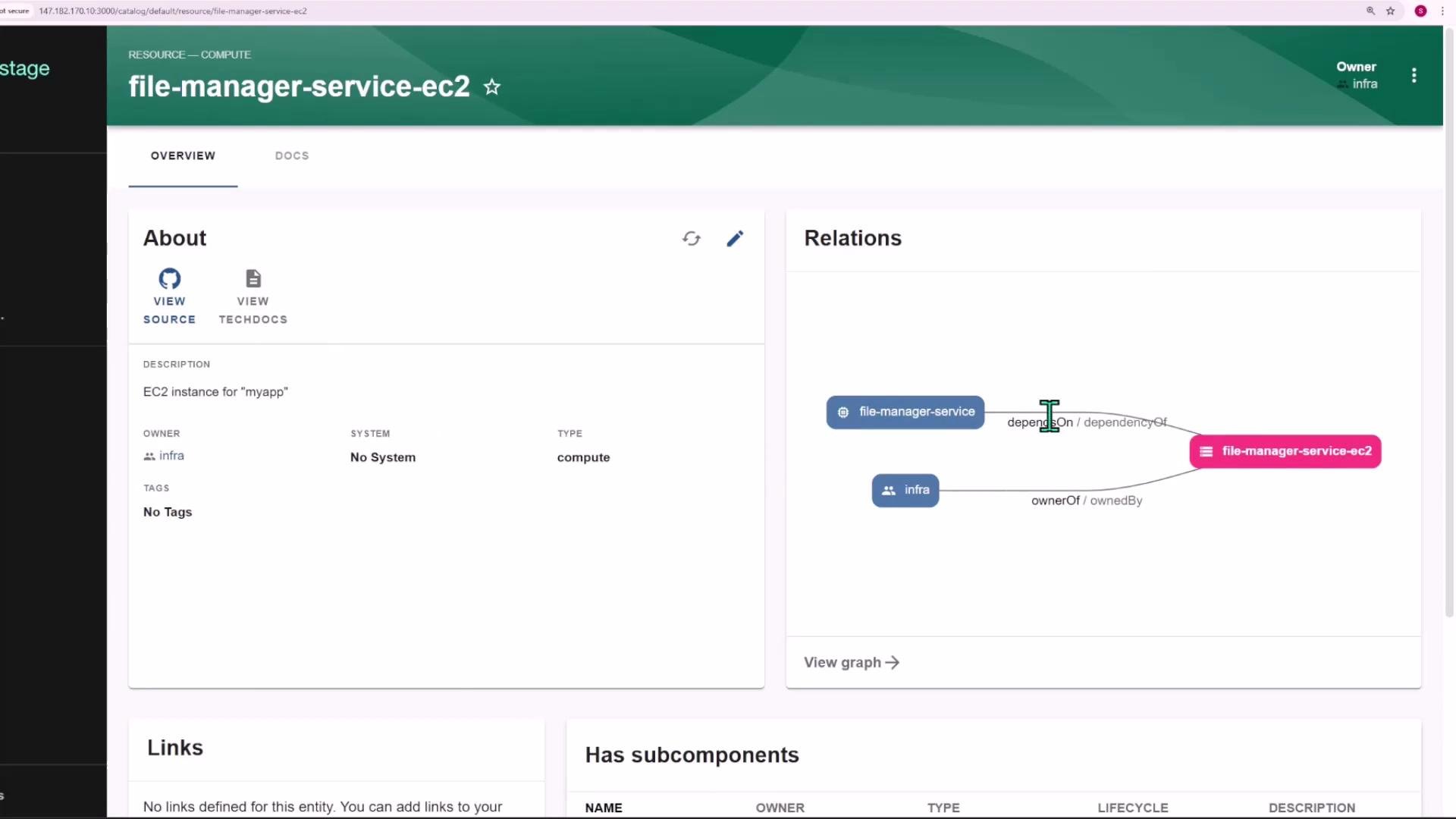
<repo>(app) and<repo>-infra(Terraform). - Catalog registration will create a Component entity for the app and a Resource entity for the EC2 instance. The Component will declare a
dependsOnrelation to the Resource.
Post-run verification
- Confirm the two GitHub repositories were created:
file-manager-service— app skeleton with templatedcatalog-info.yaml.file-manager-service-infra— containsmain.tfwithnameandinstance_typeset according to inputs.
- In Backstage catalog, inspect the Component and Resource entities. The Component should depend on the
file-manager-service-ec2Resource and relations should be visible.
Summary and next steps
- This pattern connects repository templating, GitHub publishing, Backstage catalog registration, and infrastructure provisioning.
- You can extend it to provision other resource types (databases, load balancers, clusters) by creating additional infra blueprints and wiring them into the template steps.
- Decide where Terraform should run (Terraform Cloud, CI runner, or a Backstage action) and update the scaffolder actions accordingly.