

catalog-info.yaml from a remote Git repository, and how to refresh or unregister entities from the Catalog.
Where the examples come from
A newly provisioned Backstage instance includes example entities imported via the backend configuration (app-config.yaml). At the top of the config you typically have base URLs:
catalog section to find static imports (locations). Files referenced with type: file are resolved relative to the backend process (usually packages/backend):
examples/Entities.yaml and you’ll find example entities such as an example-website component and an example API:
Registering a real component (auth service)
Below is a minimal Node.js Express service that we’ll register with Backstage:catalog-info.yaml at the root of your project describing the component. The required fields are apiVersion, kind, metadata, and spec. Example:
spec.typeis a free-form string; teams should agree on a consistent taxonomy (e.g.,service,website,library) so catalog browsing and filtering remain useful.ownershould point to an existing user or group entity in the Catalog. The default Backstage instance includes example entities such asguestandguests; this is whyguestsworks in examples.
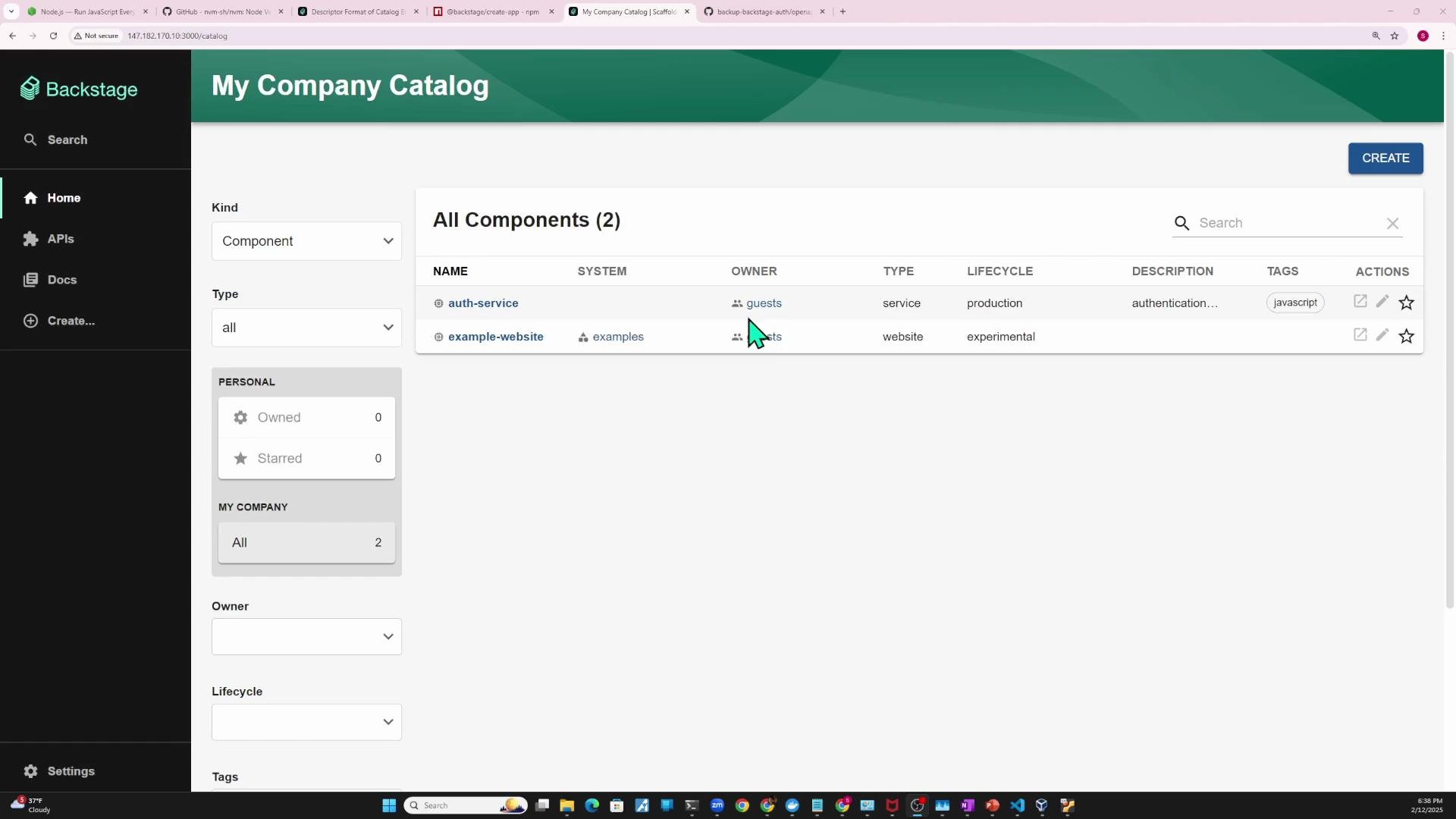
Four common ways to import a component into Backstage
- Static import from the Backstage repository (local file)
- Static import from a URL (e.g., a
catalog-info.yamlstored on GitHub) - Register via the Backstage UI (Register Existing Component)
- Automatic registration via templates or repository-scanning integrations
Static import (local file)
- Save your
catalog-info.yamlas a local entity file, for exampleexamples/auth-entity.yaml. - Add a
filelocation toapp-config.yaml(paths are relative topackages/backend):
- Restart the Backstage backend (or
yarn devin development). After the backend restarts, the new component should appear in the Catalog.
Static import (from GitHub)
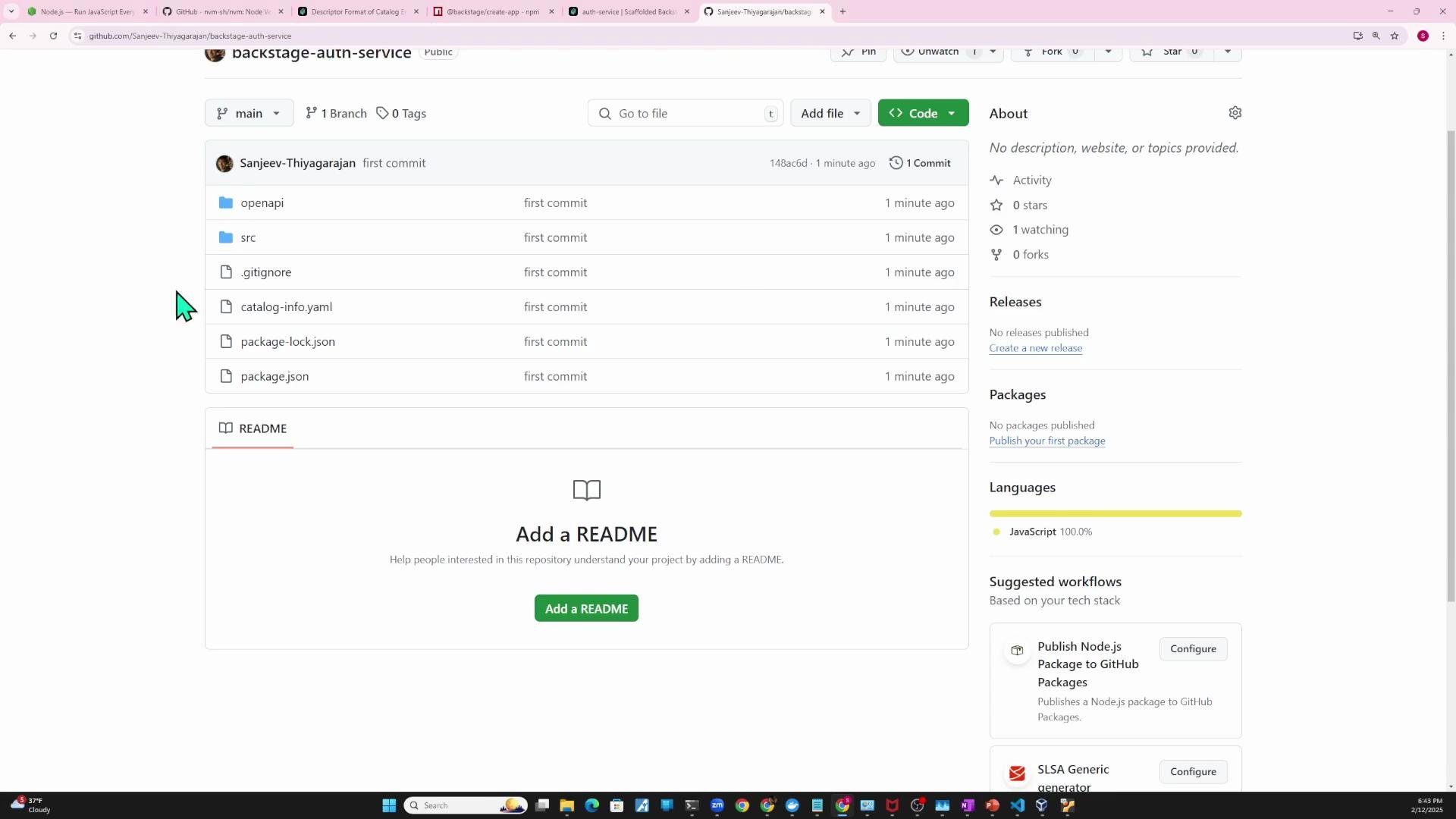
A common pattern is to keepcatalog-info.yaml in the same repository as the service and let Backstage import it via URL.
Example Git commands to push your project to GitHub:
catalog-info.yaml as a url location in app-config.yaml:
auth-service entry and the provided repository link will be clickable.
Entity updates and refresh behavior
- Backstage polls configured locations on a schedule (the default may be tens of minutes). If you change the
catalog-info.yamlin GitHub, the Catalog might not reflect the change immediately. - To fetch updates sooner, use the Catalog UI’s refresh action for the entity; this schedules a refresh run for that location.
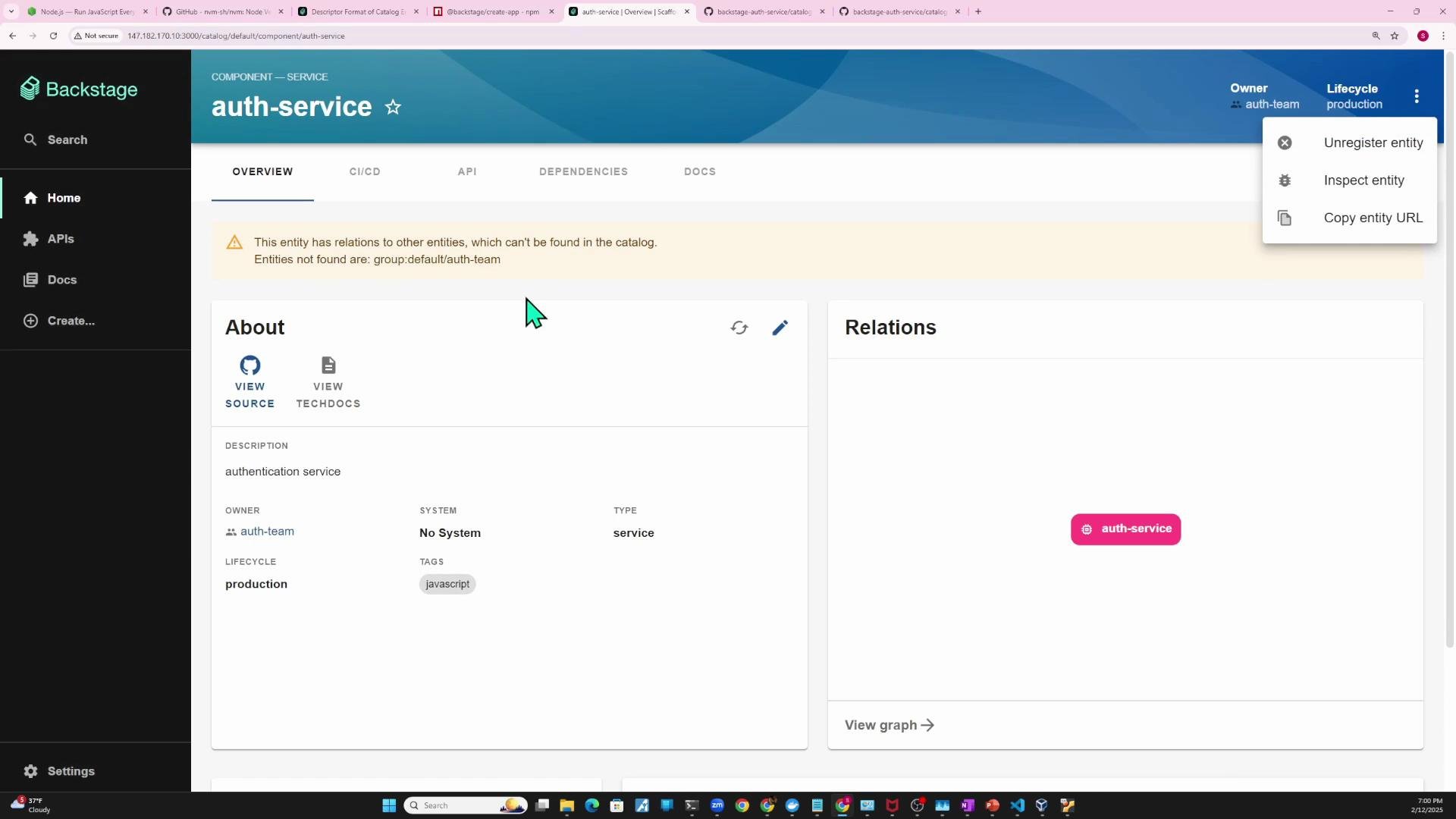
owner in GitHub from guests to auth-team:
auth-team is not present as a group entity in the Catalog, Backstage will surface a missing-relation warning on the component page. The default Backstage example includes guest and guests entities; here’s the example org.yaml that provides them:
auth-team, either add a corresponding group entity or reference an existing group location in app-config.yaml.
Inspecting and unregistering entities
- From the Catalog UI you can inspect an entity, view its raw YAML/JSON, and perform actions like unregistering the entity.
- Unregistering removes the location Backstage used to import the entity (file or URL).
Registering via the UI
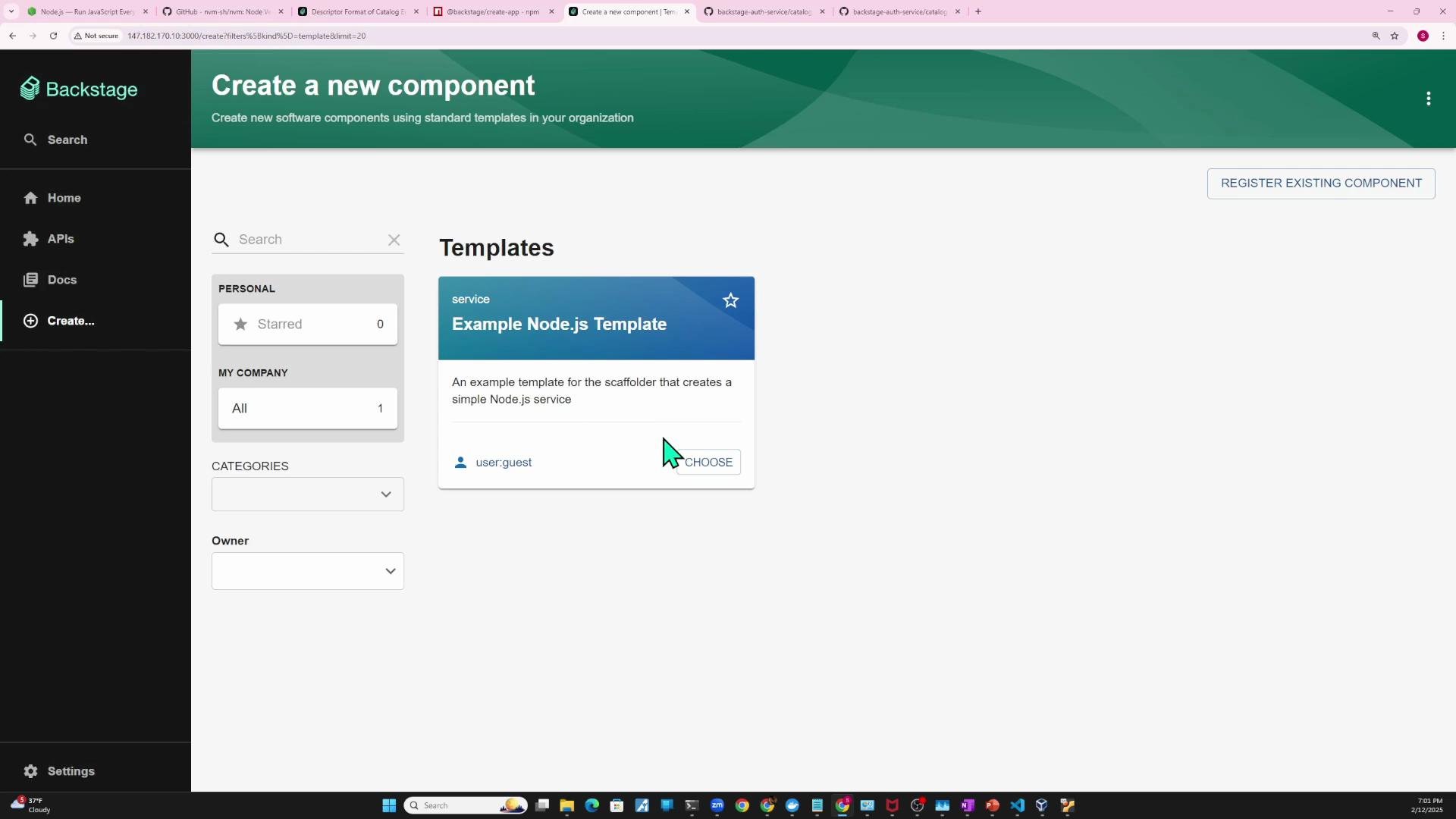
Alternatively, use the Backstage UI to “Register Existing Component” and paste the URL to yourcatalog-info.yaml. Backstage will analyze the entity and show what will be imported; you can then import it directly without editing backend config.
Templates and repository scanning
- Scaffolding templates can create and register
catalog-info.yamlautomatically when you generate new projects. - Integrations and code-host scanning allow Backstage to discover
catalog-info.yamlfiles across many repositories and import them at scale.
Summary — choosing an approach
- Add a local
filelocation inapp-config.yamland restart the backend — useful for demos and local Backstage repo examples. - Add a
urllocation pointing to a remotecatalog-info.yamland restart the backend — recommended for production repositories. - Use the Backstage UI (“Register Existing Component”) to import an entity by URL — convenient for quick imports.
- Use templates or repository-scanning integrations to auto-create and register
catalog-info.yamlfiles across many repositories.
After changing
app-config.yaml, restart the Backstage backend (or yarn dev when developing) so new locations are picked up. If you update a catalog-info.yaml in a remote repository, use the Catalog’s refresh action to fetch updates sooner than the configured polling interval.Links and references
- Backstage Catalog documentation: https://backstage.io/docs/features/software-catalog/what-is-the-software-catalog
- Backstage entity model overview: https://backstage.io/docs/features/software-catalog/descriptor-format
- Backstage scaffolder & templates: https://backstage.io/docs/features/software-templates/creating-templates