

Backstage indexes both catalog metadata and TechDocs content. Use short, natural-language queries such as
recommendation service or keyword terms like Cassandra to surface the most relevant component pages and documentation.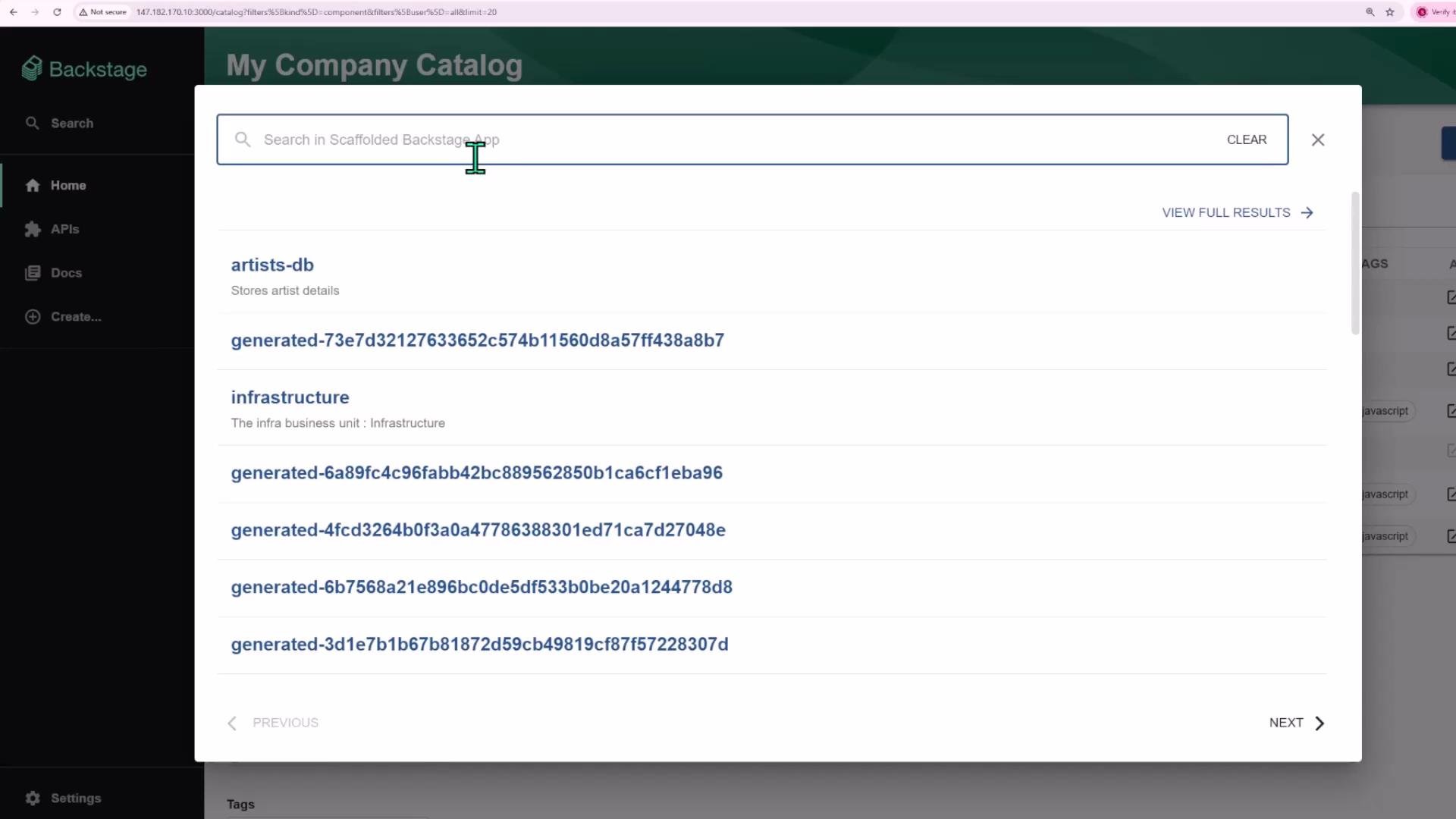
What Backstage Search Finds
Backstage search is designed to surface both top-level entities and in‑page documentation matches. Typical search targets include:
Search results show entities with metadata such as owner, lifecycle, tags, and relations. Clicking a result navigates to the entity page or the specific TechDocs page that contains your match.
Example: Finding a Component
As a simple case, searching forrecommendation service returns the matching component. Selecting that result opens the component page where you can view metadata, ownership, lifecycle, tags, and relations.
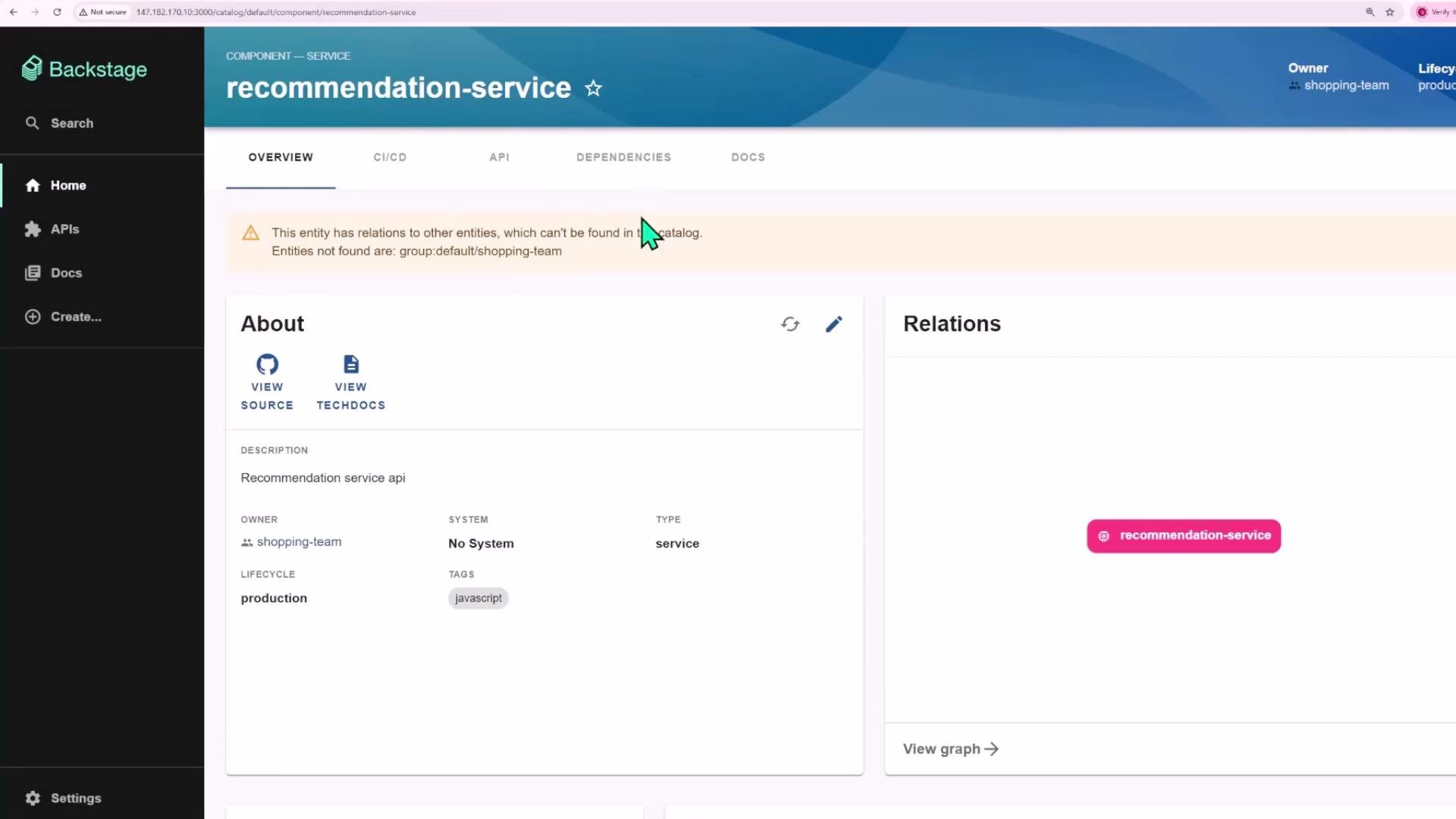
group:default/shopping-team), it will be highlighted on the component page so you can update catalog metadata or resolve broken links.
Example: Searching Inside Documentation
You can search for terms that appear inside TechDocs content. A query likeCassandra will surface TechDocs pages that mention Cassandra; you can open the result to read the surrounding documentation, code examples, and operational guidance.
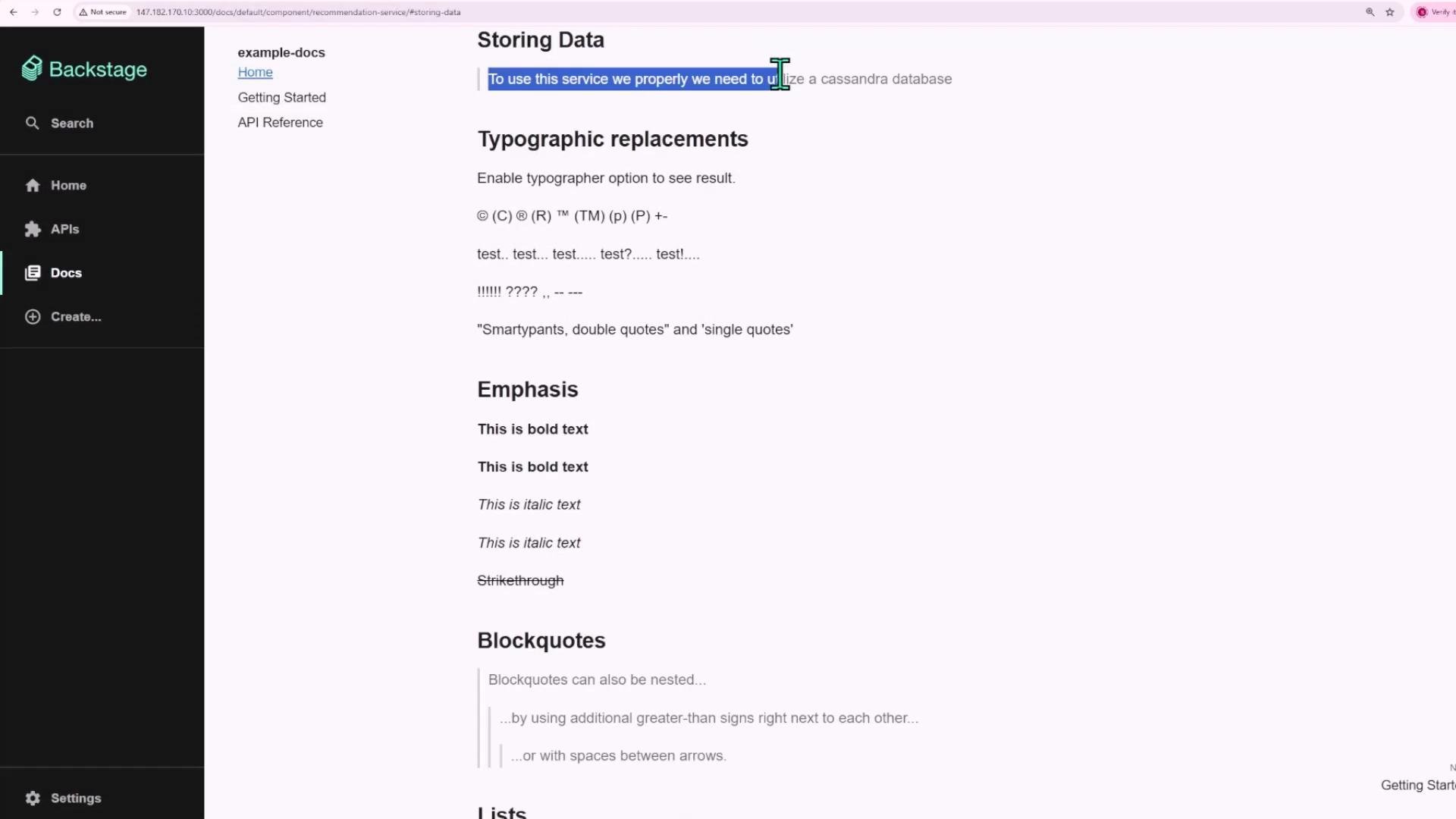
Extending Search
Backstage search is extensible. You can configure additional search sources to include external repositories, knowledgebases, or third‑party sites so results can come from multiple places — not just what’s stored inside your Backstage instance.To add external sources, configure the search plugin connectors or implement provider integrations. Check your Backstage configuration and the search plugin documentation for supported connectors and indexing options.
Quick Checklist
- Use the left‑sidebar search icon to start queries.
- Try natural language queries like
recommendation serviceor keyword searches likeCassandra. - Click results to open component pages or TechDocs content and inspect metadata (owner, lifecycle, tags, relations).
- Configure connectors if you want results from external sources.