

Template descriptor example
Below is an example Template descriptor (Node.js Express API) you might store as a YAML file inside your templates repository.Why use entity providers?
Previously you might manually import a template by copying a template file URL and using “Register Existing Component” in Backstage. That works for a few templates but becomes tedious and error-prone at scale. Entity providers solve this by scanning configured locations (for example, GitHub repositories or organizations) and registering any entity descriptors they find — includingkind: Template files. Providers can be configured to search specific paths or globs, filter repositories, and run on a schedule.
Scaffolder and auth settings
To enable the Scaffolder and its runner/publisher behavior you typically configure scaffolder-related settings inapp-config.yaml. Example:
Default GitHub provider behavior
Many examples use a GitHub provider that looks for a single file path such as/catalog-info.yaml. If your templates are stored under different filenames or a dedicated templates/ folder, the provider won’t find or register them unless you adjust catalogPath.
Example of providers configured to look for /catalog-info.yaml:
templates/api-template.yaml, templates/template10.yaml, etc., the provider above will not discover them.
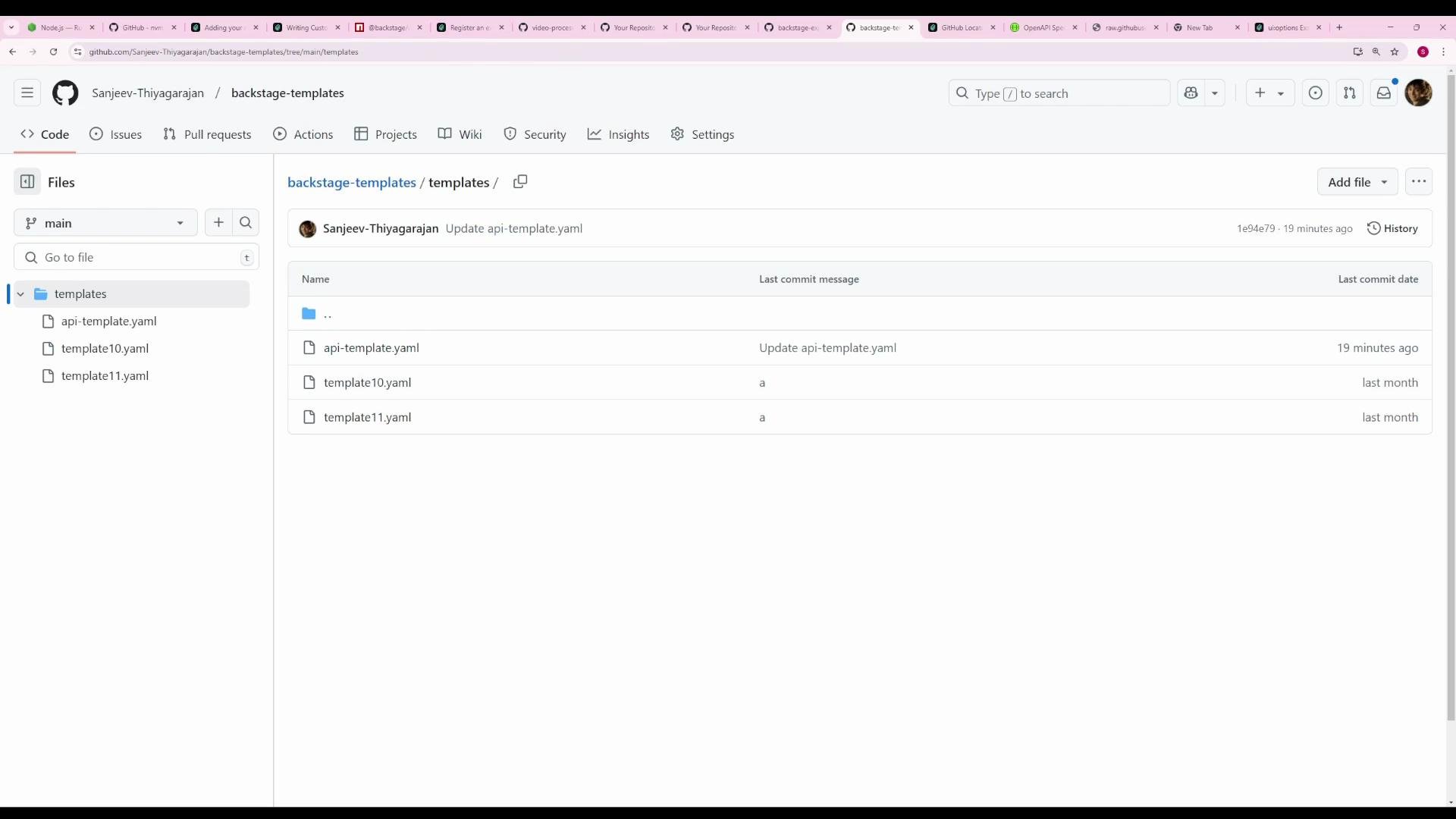
Configure a provider to discover template files under a folder
Add a new GitHub provider (name it as you like) and setcatalogPath to a glob that matches YAML files under your templates/ directory. Example:
github-templates provider will:
- Search any folder under
templates/for files that end with.yaml. - Only scan the
backstage-templatesrepository on themainbranch. - Register any valid entity descriptors it finds, including Template entities.
Use a glob like
templates/**/*.yaml in catalogPath when your repository stores many template files under a common folder. Ensure the YAML files contain valid entity descriptors (for templates, kind: Template).Quick reference — GitHub provider settings
Apply and verify
- Add the new provider configuration to your
app-config.yaml(or environment-specific config). - Restart the Backstage backend so the new provider configuration is picked up.
- On startup you will see logs indicating providers are being scanned. Example log snippets:
- After the provider runs its scan, open the Backstage Create flow. Discovered templates appear alongside other catalog entities and are immediately usable.
- The provider schedule keeps templates in sync automatically, so changes in your templates repository will be discovered on the next scan.
Further reading
- Backstage software catalog and descriptor format: https://backstage.io/docs/features/software-catalog/descriptor-format
- Backstage scaffolder docs: https://backstage.io/docs/features/software-templates/scaffolder-overview
- Backstage auth providers: https://backstage.io/docs/auth/