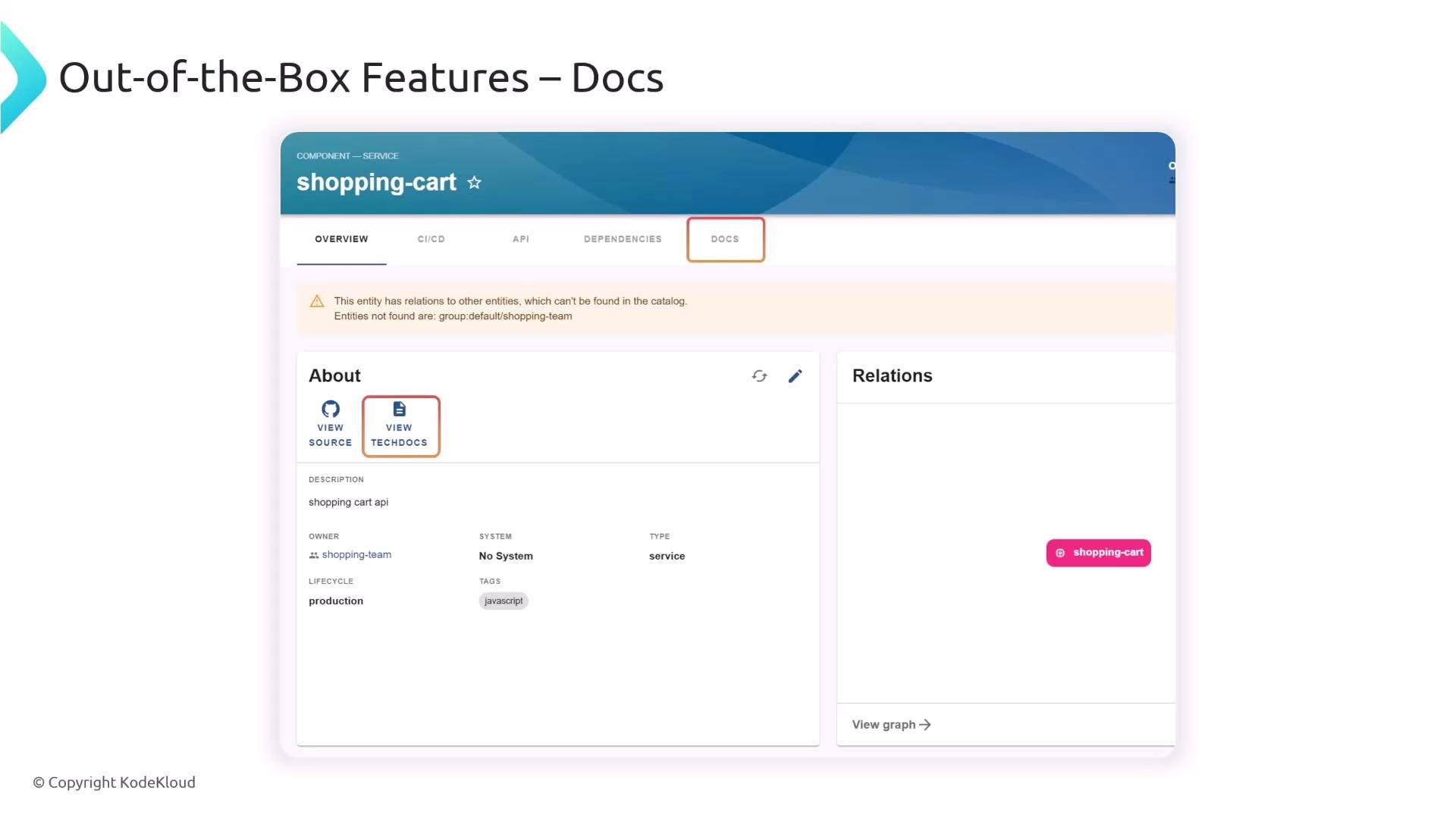
This lesson explains TechDocs in Backstage: how documentation is authored, built, published, and served so teams can find docs next to code. Backstage is a developer portal that centralizes software metadata and documentation. When you import a component into Backstage, its entity page includes a Docs tab that opens the generated documentation for that component—keeping docs and code discoverable from one place.
A screenshot of a web UI for a "shopping-cart" service component showing the Docs tab and overview. The page shows an About panel with "View source" and "View techdocs" buttons, a Relations panel, and a warning about missing related entities.
When a user clicks the Docs tab, Backstage serves the pre-built HTML documentation for that component. The recommended pattern is to author docs as Markdown next to your code (same repository), so code and docs changes can be reviewed together. TechDocs also supports alternative workflows where docs are built externally. Example: small code and docs snippet
How Backstage builds and serves documentation Backstage uses MkDocs (a static site generator) together with the TechDocs tooling to convert Markdown into static HTML which is then stored and served. High-level flow:
  • Developers author Markdown and commit it alongside code (recommended).
  • Backstage or a CI/CD job runs MkDocs / TechDocs generator to convert Markdown into HTML.
  • Generated HTML is published to a storage backend (local filesystem, S3, GCS, etc.).
  • When a user requests docs, Backstage reads and serves the stored HTML.
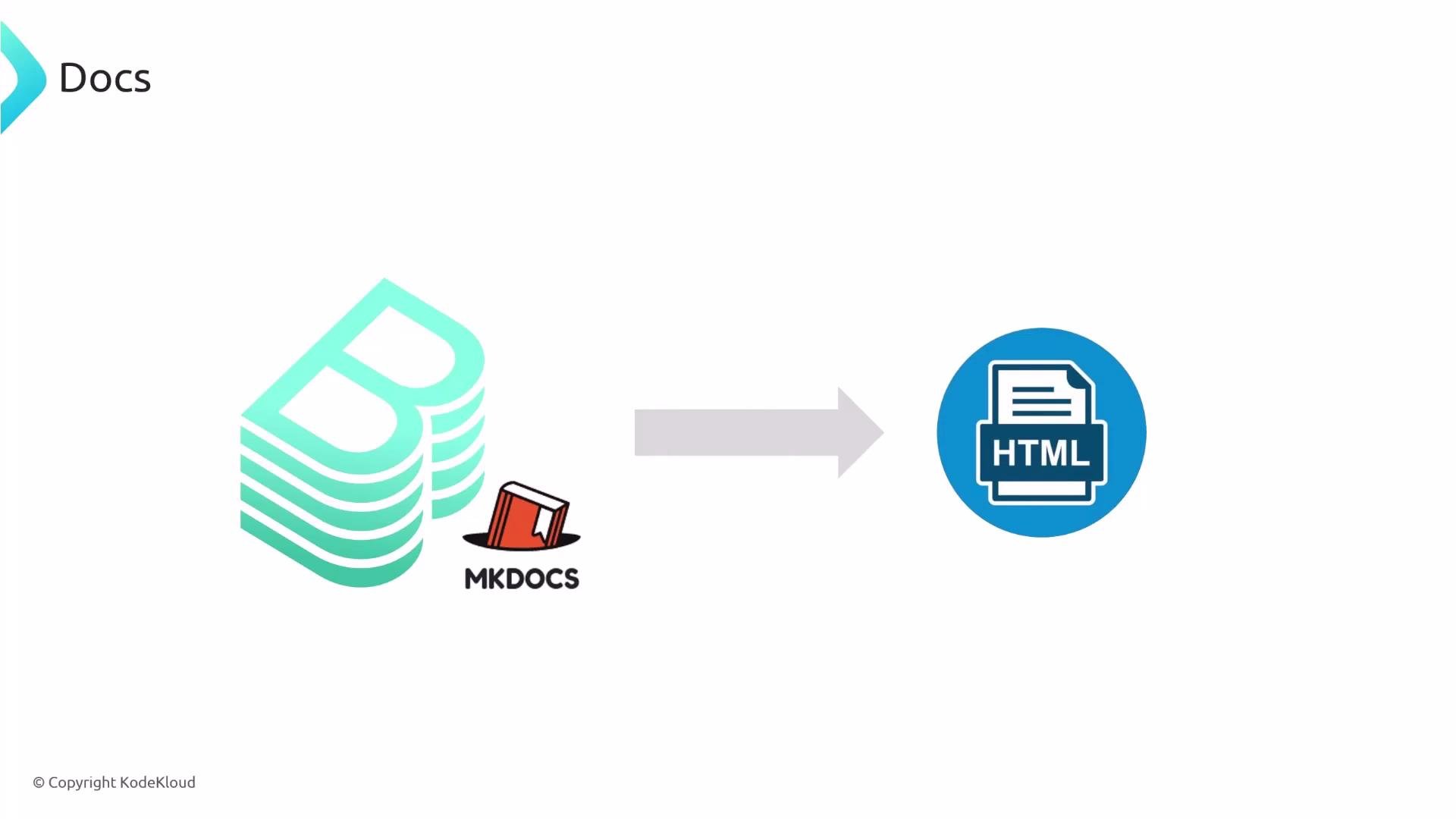
A diagram showing MkDocs (stacked green document icon and a small red book labeled "MKDOCS") with a right-pointing arrow to a blue HTML document icon, illustrating docs being converted to HTML.
TechDocs build stages TechDocs performs three main stages to produce documentation:
  1. Prepare — fetch the Markdown source from the repository (for example, GitHub).
  2. Generate — convert the Markdown into HTML (using MkDocs / TechDocs generator).
  3. Publish — store the generated HTML in a publisher backend.
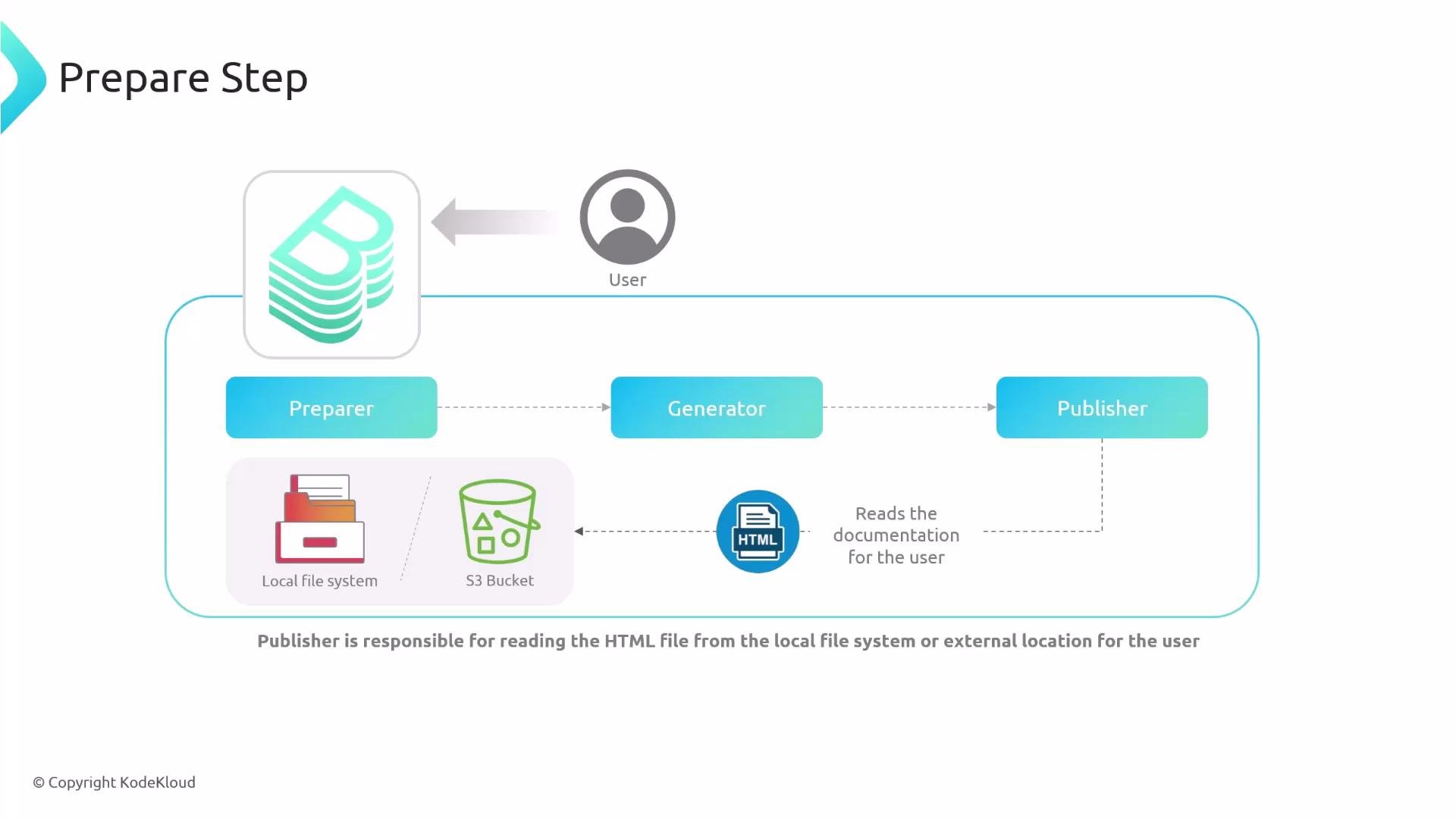
When a user requests documentation, the publisher serves the stored HTML to Backstage, which displays it in the Docs tab.
A "Prepare Step" diagram showing a user and a pipeline of components: Preparer → Generator → Publisher. The Publisher reads HTML documentation from the local file system or an S3 bucket to deliver to the user.
Local builder vs external builder The generate step (Markdown → HTML) can run inside Backstage (local builder) or in an external CI/CD pipeline (external builder). Choose the approach that fits your team’s scale and security policies. Table: Builder types at a glance Local builder behavior
  • Backstage pulls the repository source, runs the generator (binary or Docker), generates HTML, and publishes it.
  • Configure example:
Note: setting builder: 'local' instructs Backstage to perform generation. If you use CI/CD to build docs, set builder: 'external' and ensure Backstage points to the published artifacts. Build docs in CI/CD (external builder) Offloading the generate step to CI/CD provides a controlled, repeatable build environment and reduces load on the Backstage instance. Typical flow:
  • Developer pushes changes to docs/ or mkdocs.yml.
  • CI job installs TechDocs CLI and MkDocs, generates HTML, and publishes it to a storage backend (e.g., S3 or GCS).
  • Backstage is configured to read the published artifacts from that storage.
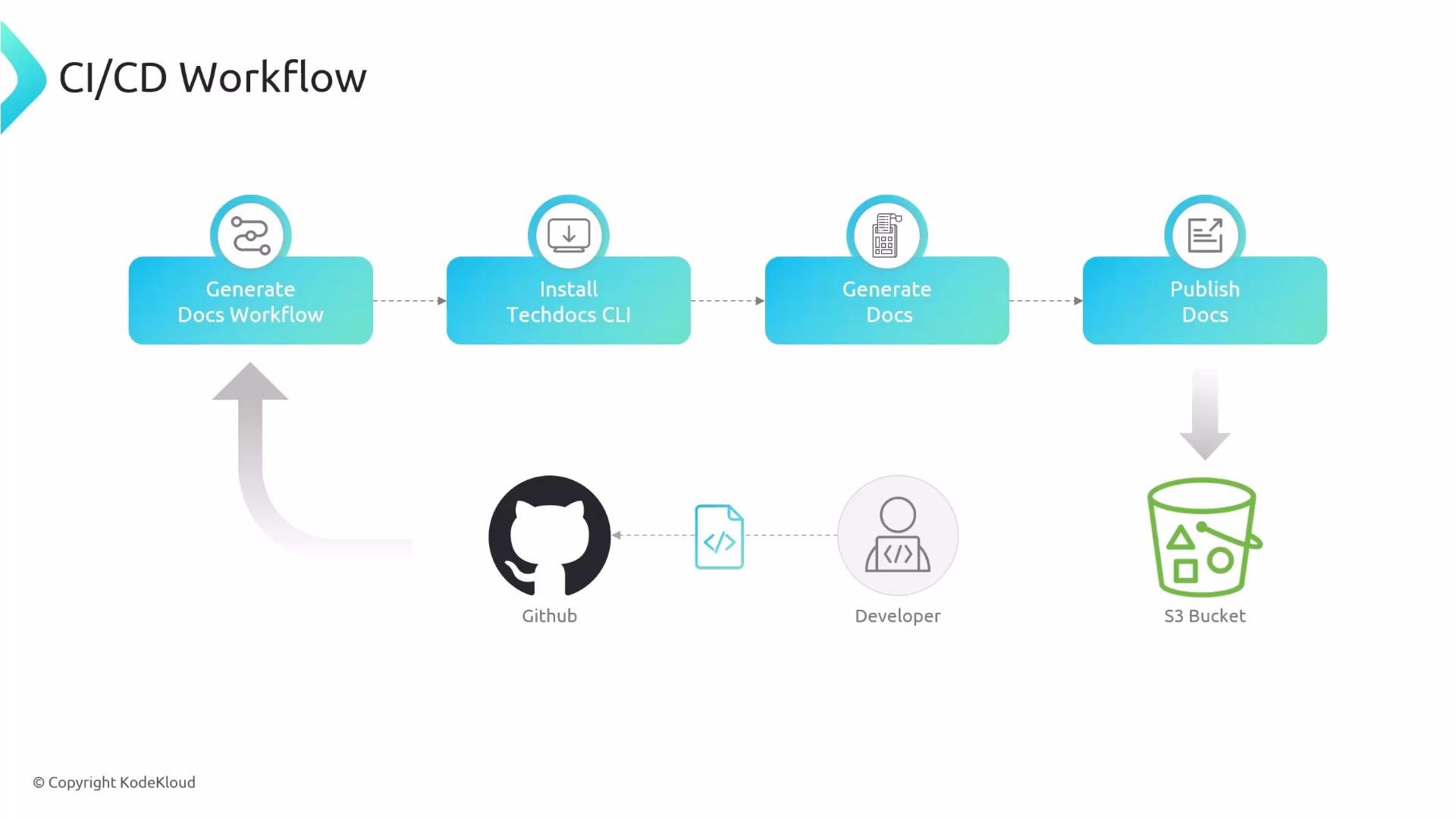
High-level CI/CD flow:
A CI/CD workflow diagram for generating and publishing documentation. It shows steps (Generate Docs Workflow → Install Techdocs CLI → Generate Docs → Publish Docs) with source input from GitHub/developer and output to an S3 bucket.
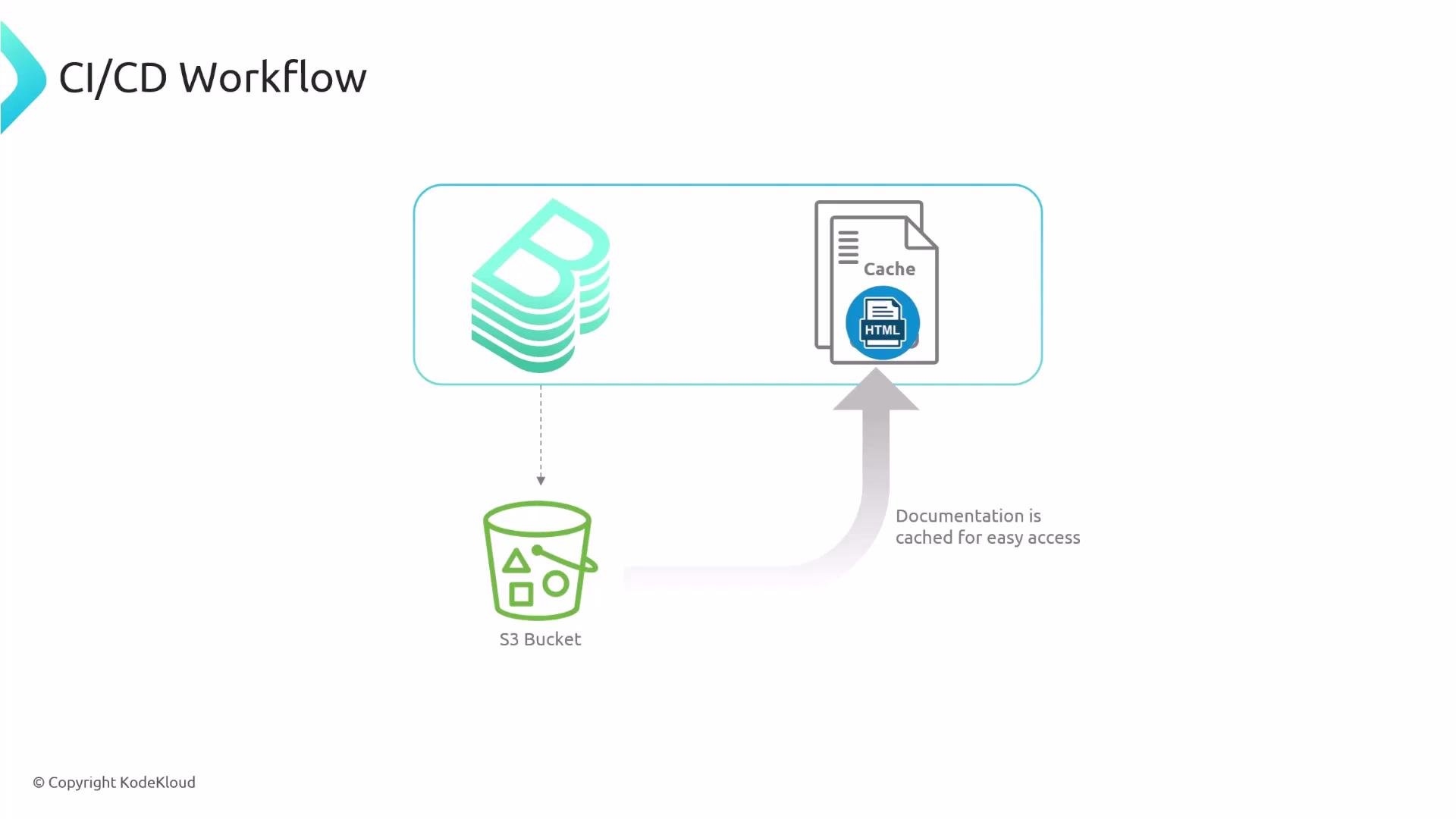
You can cache externally-published docs in Backstage so the storage backend is not queried on every page view—this improves performance and reduces read costs.
A CI/CD workflow diagram showing build artifacts (stacked build icon) being stored in an S3 bucket and HTML documentation cached for easy access.
Example: GitHub Actions workflow Below is a practical GitHub Actions workflow that builds TechDocs and publishes them to an S3 bucket. It triggers on pushes to main when docs/** or mkdocs.yml change.
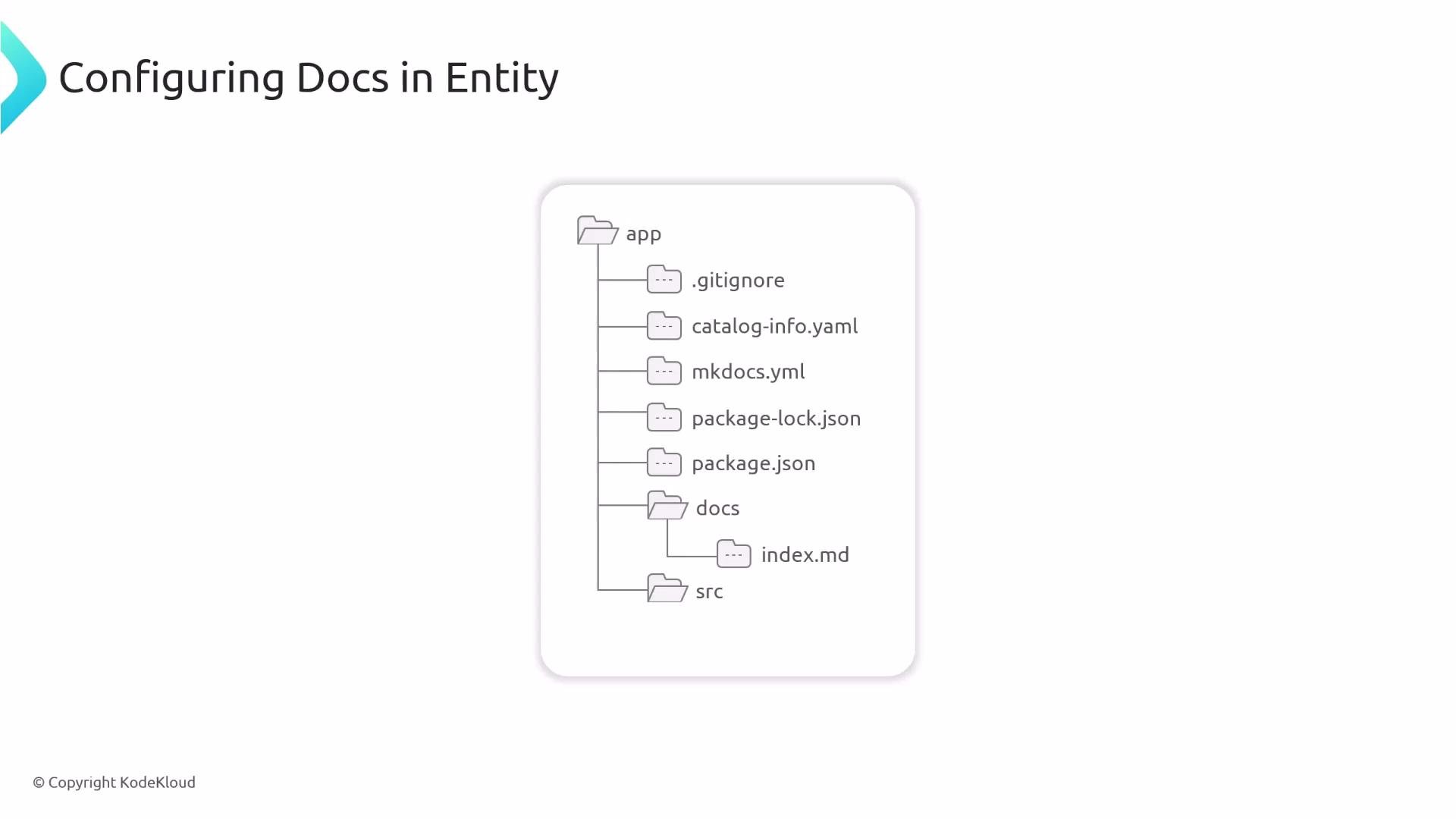
When using CI/CD, configure Backstage to use the external publisher and point it at the storage location your pipeline uses. Repository files and Backstage configuration To enable TechDocs for a component you usually add or verify these files in the repository: Project example file tree:
A slide titled "Configuring Docs in Entity" showing a file tree diagram for an "app" directory. The tree lists files like .gitignore, catalog-info.yaml, mkdocs.yml, package.json (and lock), a docs folder with index.md, and a src folder.
Example minimal mkdocs.yml
Annotate your catalog-info.yaml Add the backstage.io/techdocs-ref annotation to your entity metadata so Backstage can locate the docs. The dir: value should be relative to the catalog-info.yaml location. Example catalog-info.yaml for a component:
Store mkdocs.yml at the repository root and set backstage.io/techdocs-ref in catalog-info.yaml to point to your docs folder. This ensures TechDocs can find and build your documentation.
Quick recommendations and links
  • Keep docs close to code (e.g., docs/) for easier authoring and PR reviews.
  • Choose local or external builder based on scale, reproducibility, and resource constraints.
  • Use S3 or GCS for scalable storage when publishing from CI/CD.
  • Consider caching in Backstage for externally published docs to reduce storage reads.
References Summary
  • TechDocs converts Markdown to HTML in three stages: prepare → generate → publish.
  • Generation can run inside Backstage (local) or in CI/CD (external); configure techdocs.builder accordingly.
  • Publish generated HTML to a storage backend (local, S3, GCS) and configure Backstage to serve it.
  • Add backstage.io/techdocs-ref in catalog-info.yaml to tell TechDocs where your docs live.

Watch Video