

How a typical web app works (quick recap)
A standard website usually has:- A frontend that runs in the user’s browser and renders UI.
- A backend that exposes APIs and persists data to a database.
- The frontend requests data from the backend, which queries storage or external services and returns results.
Backstage follows the same pattern
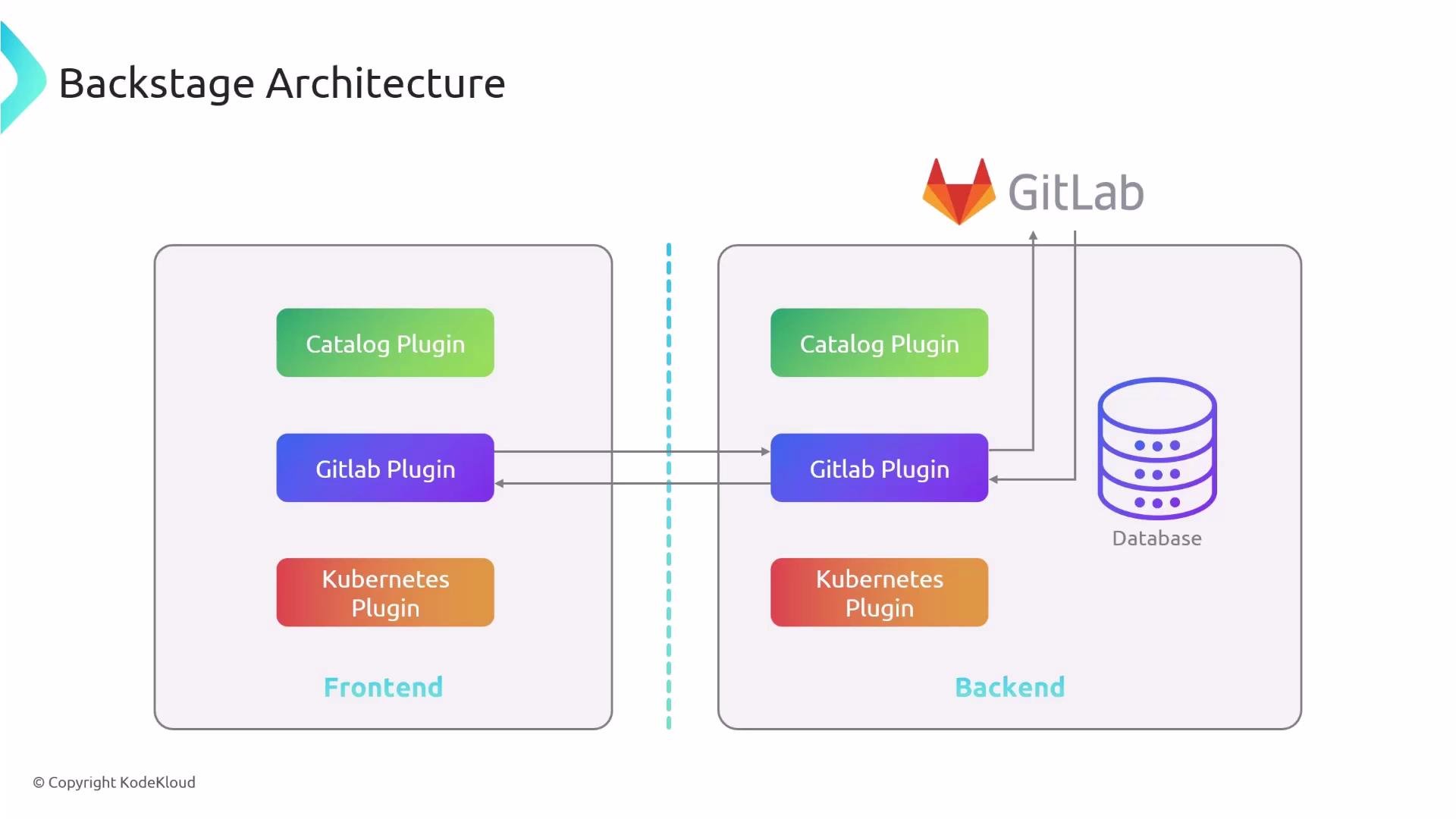
Backstage is a web application with a frontend and a backend, but it is designed as a modular system of plugins. Each plugin implements a feature (a catalog, CI/CD integrations, observability panels, etc.). Plugins may include:- a frontend component (UI rendered in Backstage), and
- an optional backend component (server-side logic, API endpoints, secrets handling, or integrations with external services).
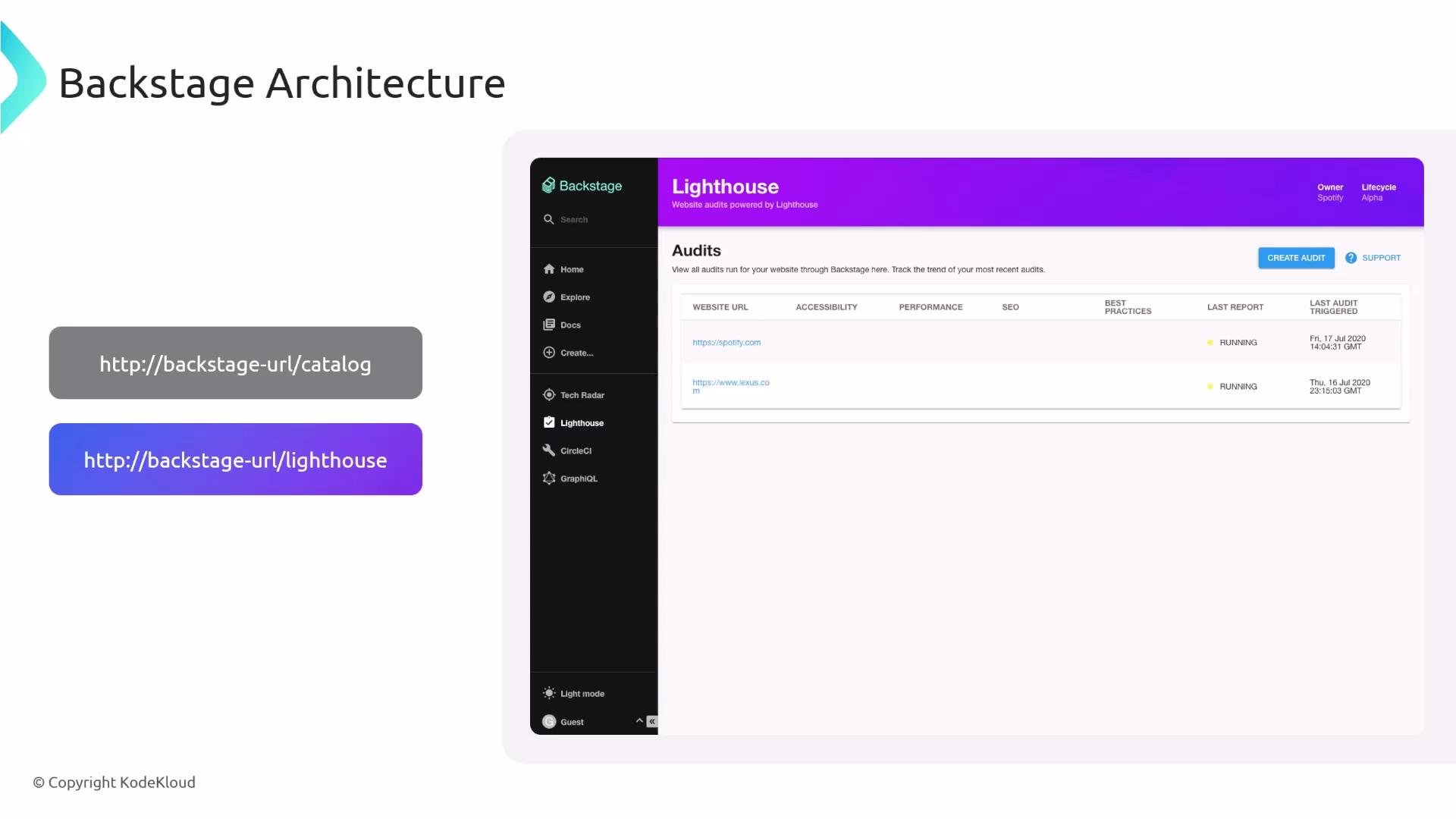
Plugin routes
Each plugin is reachable under its own route. Common examples:/catalog— service and component catalog/lighthouse— Lighthouse audits UI
Typical Backstage project layout (monorepo)
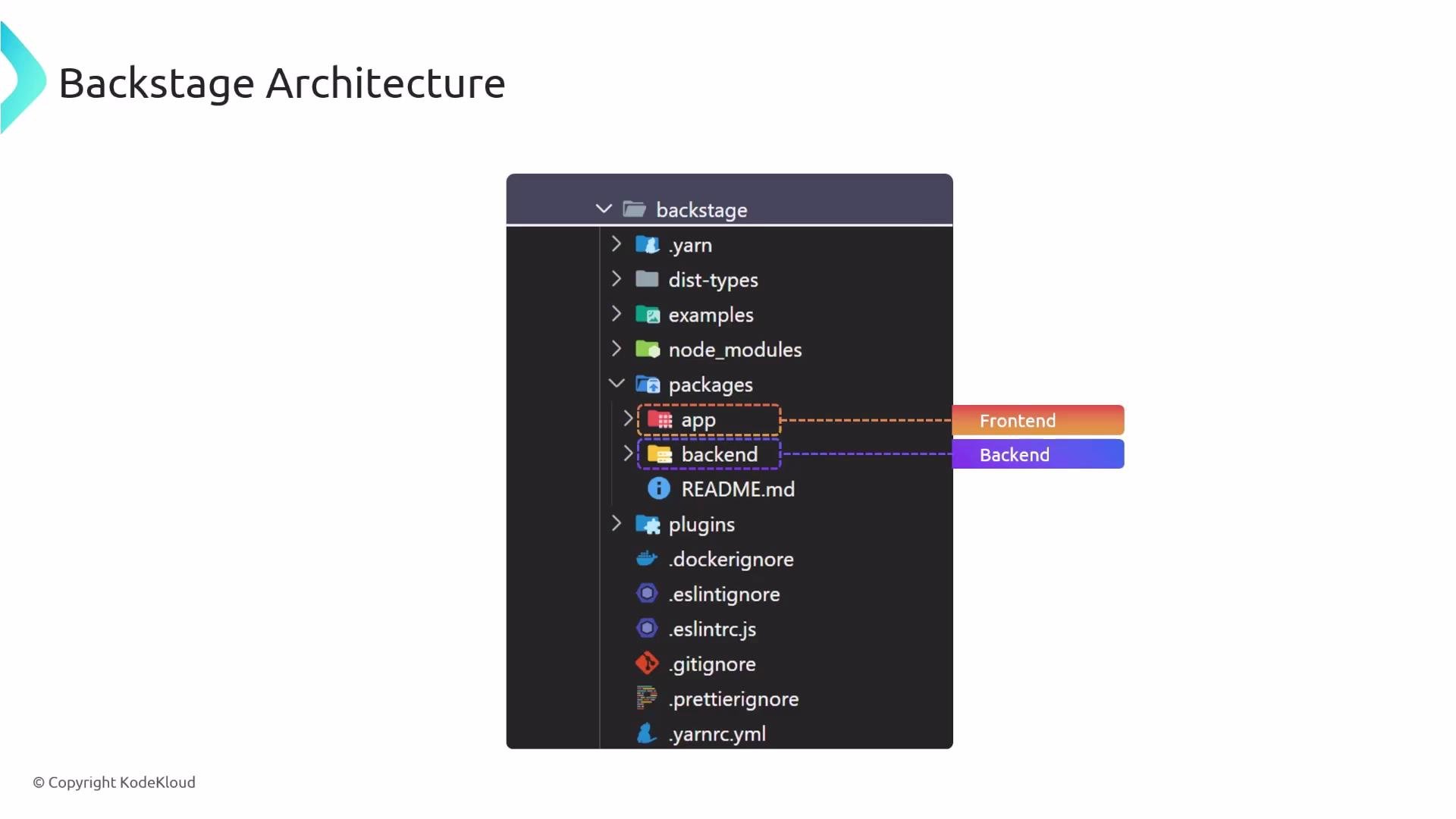
When you create a Backstage app you often get a monorepo: frontend and backend code live in the same repository, typically under apackages folder.
You can develop and deploy the frontend and backend independently, but keeping them in a single repository simplifies local development and plugin wiring.
Plugins may include only a frontend if no server-side logic or secrets are required. Add a backend component when you need to access databases, store secrets, or call third-party services securely.
Frontend: React and components
Backstage frontends are built using React. If you are comfortable with React concepts—components, props, state, and composition—you will find Backstage plugin development straightforward. A typical website stacks three core technologies:- HTML — structure
- CSS — presentation
- JavaScript — behavior
UI design system: Material UI (MUI)
Backstage uses Material UI (MUI) to maintain a consistent look-and-feel and provide pre-built, accessible React components (buttons, cards, tables, text fields, switches, menus, etc.). Using MUI speeds development and reduces styling work for plugin authors.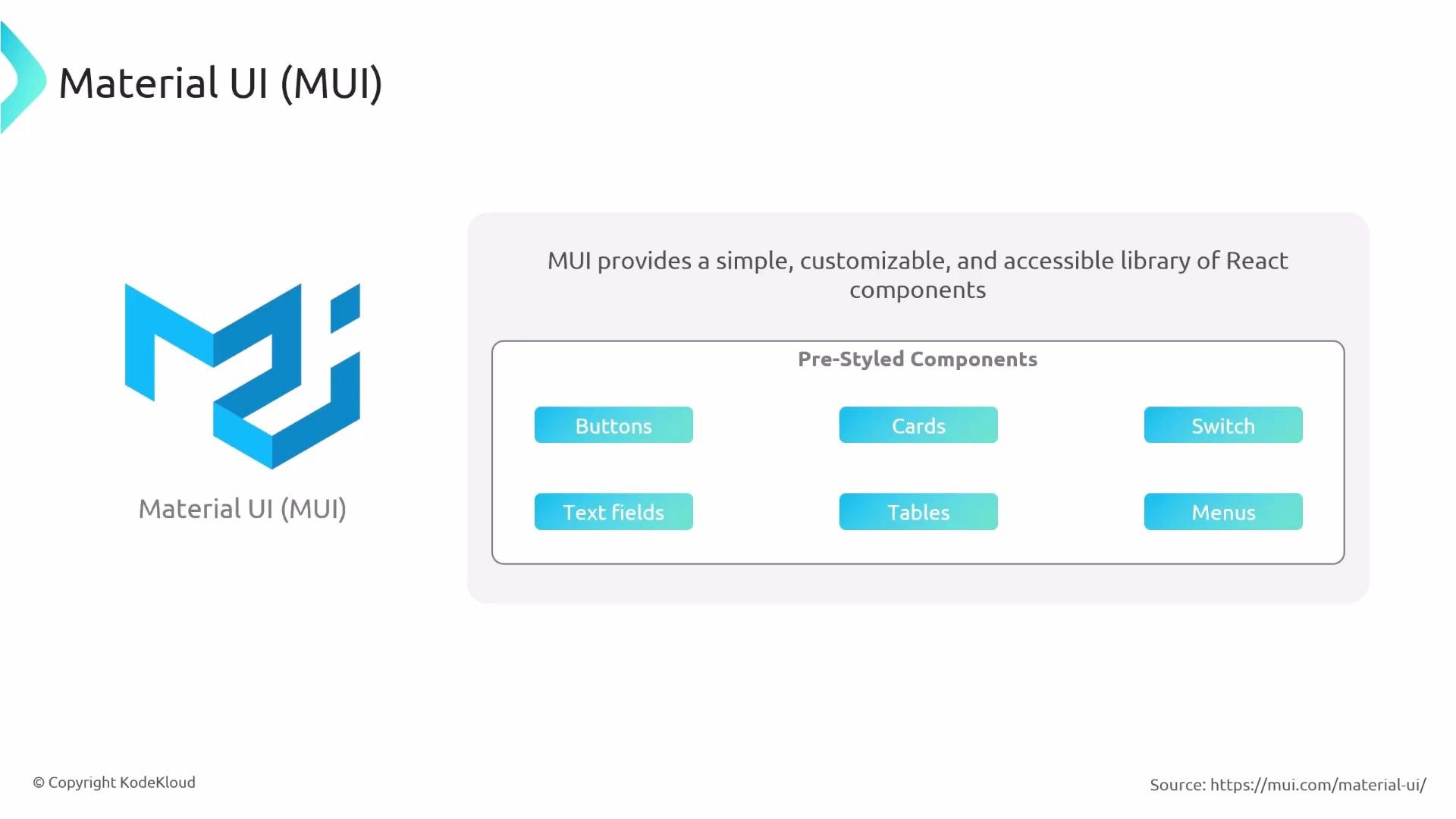
Summary (key takeaways)
- Backstage is a web application composed of a React frontend, a Node-based backend, and persistent storage or third-party integrations.
- Plugins are the primary unit of functionality; each plugin can have a frontend and an optional backend.
- Plugins are reachable by their own routes (for example,
/catalogor/lighthouse). - Typical Backstage projects are organized as a monorepo with
packages/app(frontend) andpackages/backend(server). - Backstage frontends are React-based and commonly use Material UI (MUI) for UI components.
Links and References
- Backstage Documentation: https://backstage.io/docs
- Material UI (MUI): https://mui.com/
- Kubernetes Concepts: https://kubernetes.io/docs/concepts/overview/what-is-kubernetes/