

User ↔ Group (memberOf / members)
Users and groups are connected either through the user’smemberOf list or the group’s members list. You only need to declare the relationship on one side — Backstage will infer and display the link from either perspective.
Define membership on whichever source of truth your organization maintains. Use
memberOf on User entities or members on Group entities — you do not need both.Group hierarchy (parent / children)
Groups can be nested to represent organizational structure. Useparent to reference a single parent group and children to list any number of child groups.
Example: group with parent and children
A group may have only one
parent but can list multiple children. Model parents where applicable to reflect reporting or organizational ownership.Ownership (owner / ownedBy)
Declare who is responsible for an entity usingowner (or ownedBy in some contexts). By default, owner refers to a Group name. Prefix with user: to indicate an individual user.
Example: component owned by a team (default)
Component ↔ API (providesApis / consumesApis / apiProvidedBy)
Map which components provide APIs and which components consume them. This separation helps identify API providers and consumers in the catalog visualization. Example: component declares provided APIs and API entity declares the providerconsumesApis accepts a list so a component can consume multiple APIs.
dependsOn (component/resource/other entity dependencies)
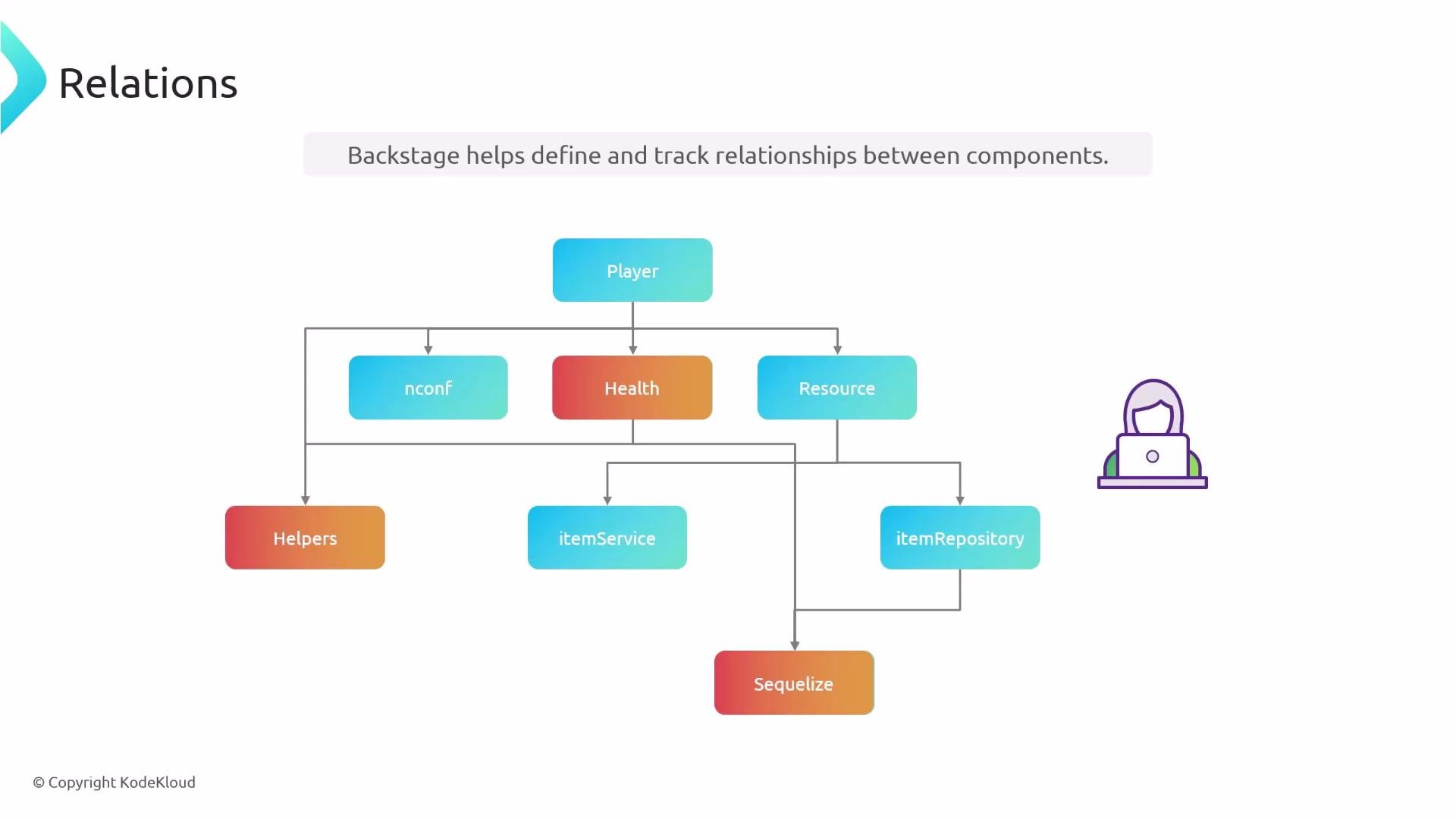
UsedependsOn to declare hard, direct dependencies required for an entity to function. Each dependency item is typed so you can reference different entity kinds using type: name in the mapping (e.g., component: auth-service, resource: auth-db).
Example: shopping-cart depends on auth-service component
consumesApis is present, add dependsOn for a direct relationship to the provider component—particularly important when the dependency is not expressed as an API (for example, a shared library or internal package).
Example: component depends on a resource (database)
System membership and Domains
Systems group cooperating entities (components, APIs, resources). Use thesystem property on components, APIs, and resources to indicate which System they belong to.
Example: component assigned to a system
domain property on a System to assign it to a Domain. Domains can also be nested with subdomainOf to express broader organizational or product grouping.
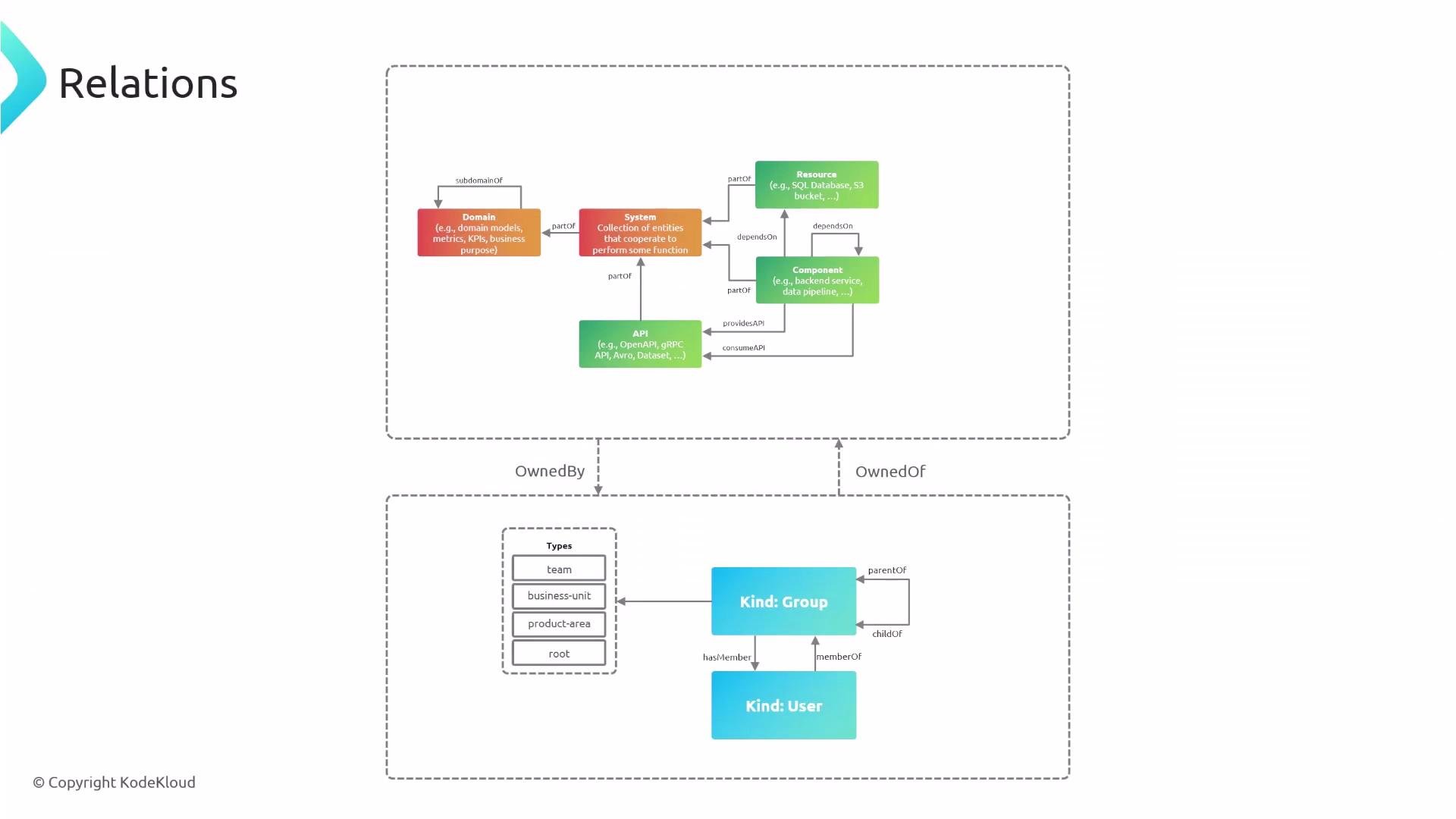
With relationships defined (membership, ownership, API mappings, direct dependencies, system membership, and domain hierarchies), Backstage can visualize impact, trace ownership, and help you reason about architecture and change management across your software catalog. Links and references
- Backstage Catalog documentation: https://backstage.io/docs/features/software-catalog
- Backstage entity model: https://backstage.io/docs/features/software-catalog/entity-model