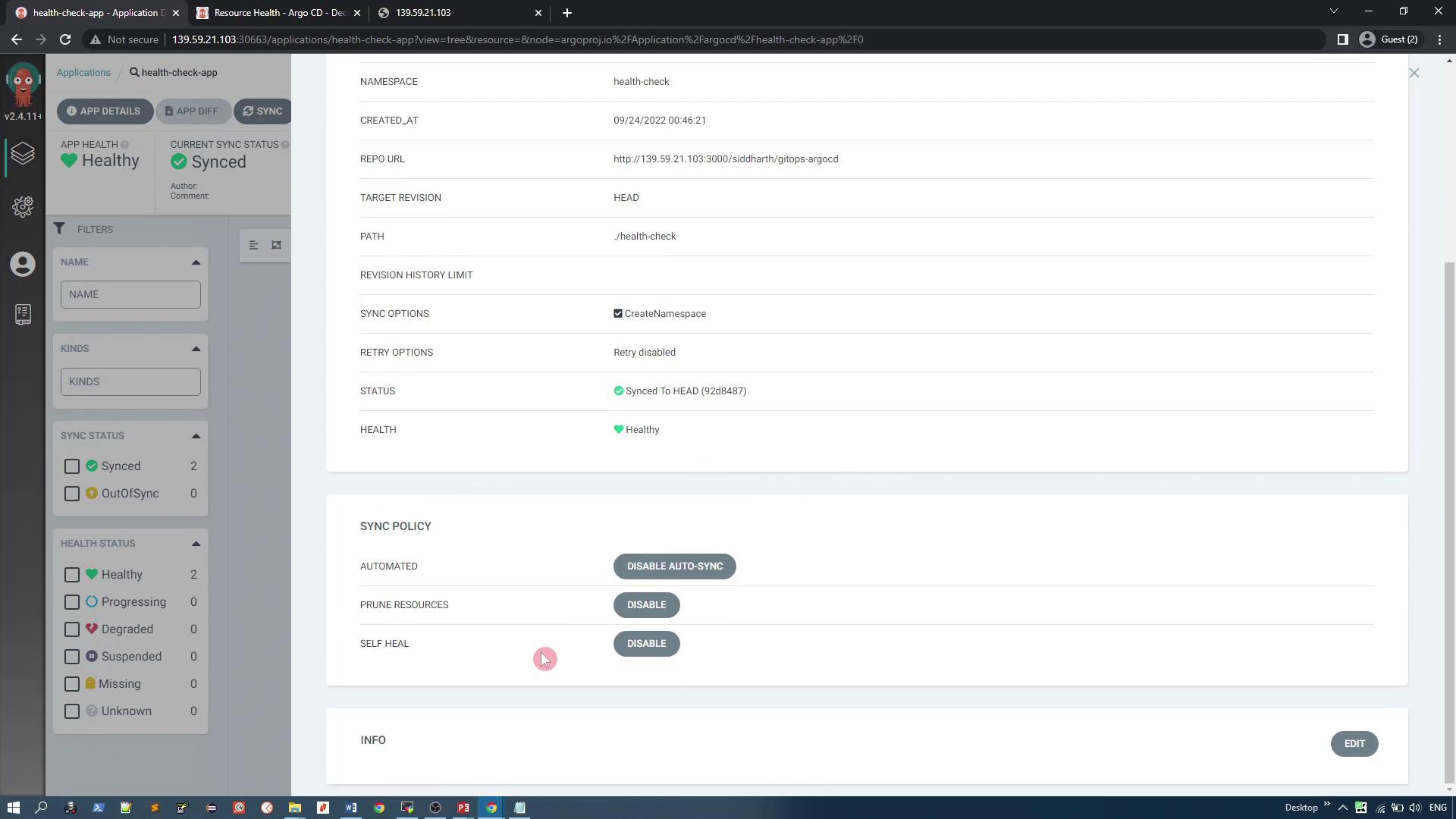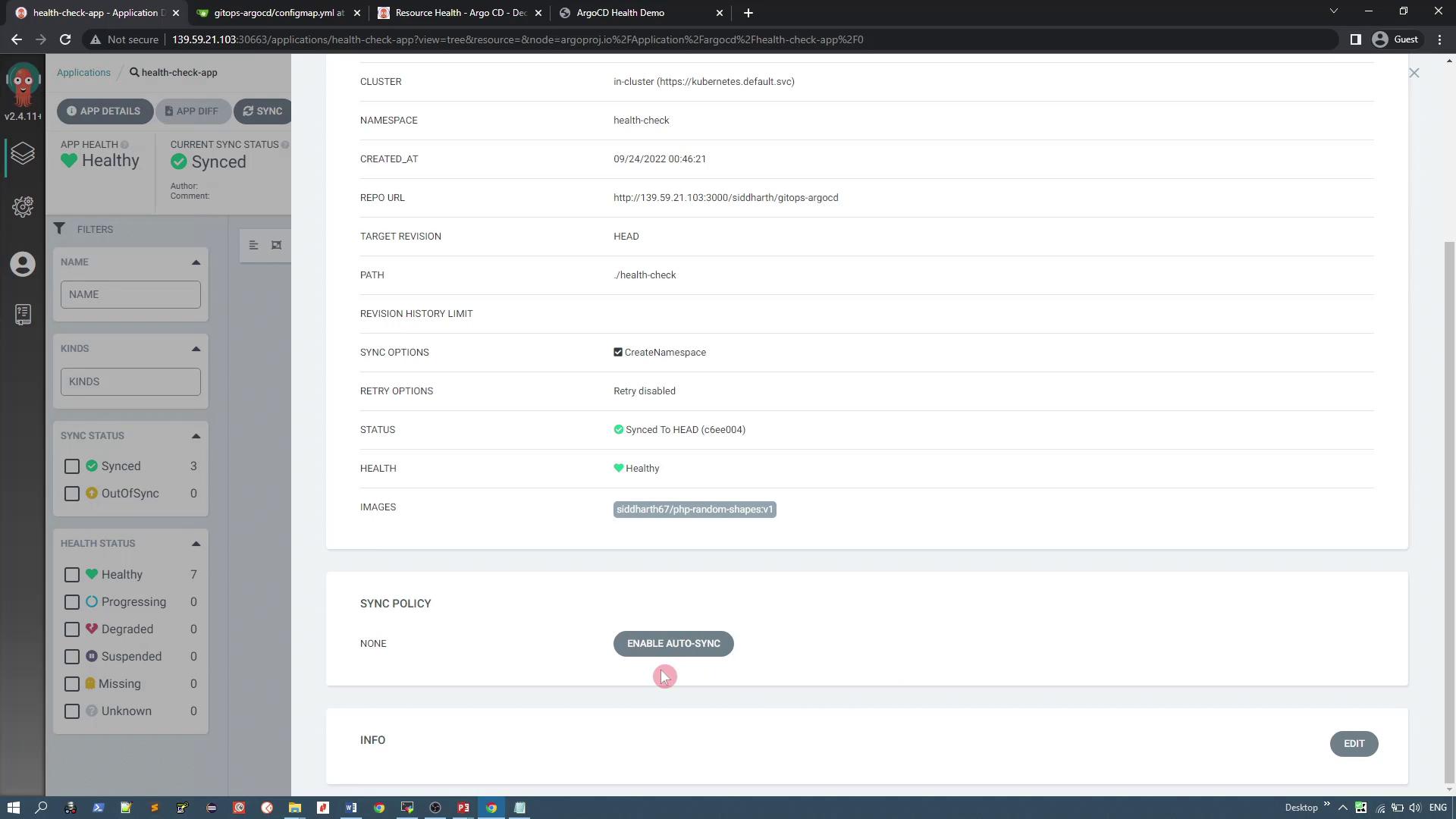
1. Behavior When Synchronization is Disabled
Manual Sync Required
Without automatic sync, any changes made to the Git repository must be synced manually. For example, if you update the number of replicas in the deployment YAML to one and save the changes, the application status will be marked as “OutOfSync” because the changes have not been applied to the Kubernetes cluster. To update the cluster, you must manually click the sync button.Handling Deleted Manifests
Consider a scenario where you delete the deployment manifest from the Git repository. The following YAML represents the deleted deployment:Direct Cluster Changes via CLI
Sometimes resources may be deleted directly using the command line. For instance, if you delete a service manually, you can view the current state of resources in the “health-check” namespace:Since automatic sync is disabled, direct changes in Kubernetes are not reconciled with the Git repository. This practice violates GitOps principles, which emphasize Git as the single source of truth.
2. Enabling Synchronization Options
Before enabling synchronization settings, ensure that the application is in a healthy state with all config maps, services, and deployments running as expected. When using NodePort services, note that the port number may change with each recreation. For example, a service YAML snippet might look like this:Activating Sync Options via Argo CD UI
Enable the following synchronization options:- Automatic Sync: Any change in Git synchronizes automatically with the Kubernetes cluster.
- Resource Pruning: Removes resources from the cluster when they are deleted from Git.
- Self-Healing: Automatically recreates or reverts resources that have been manually changed or deleted in the cluster.
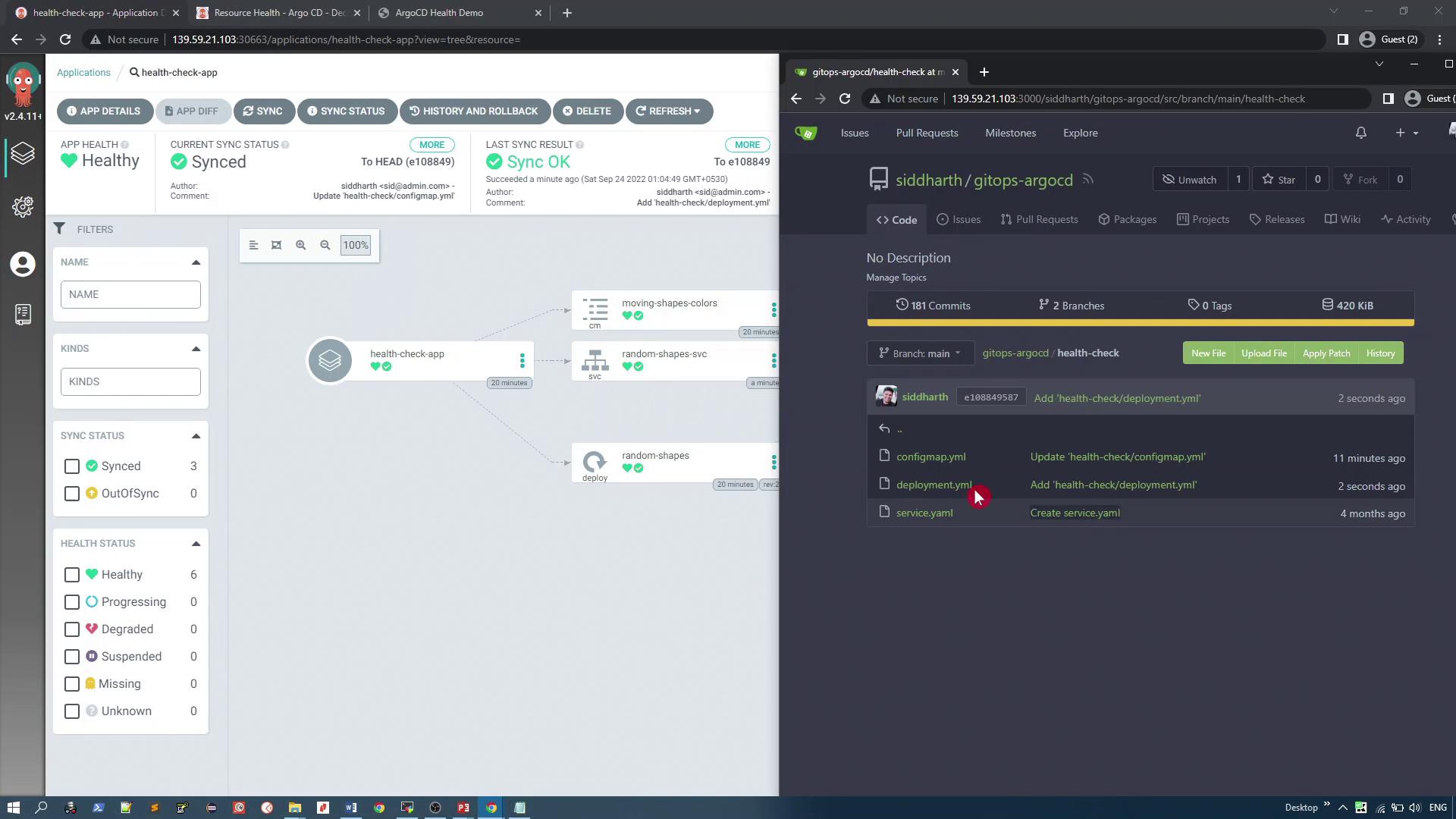
Self-healing ensures that manual deletions are automatically reversed. For instance, if you delete the service manually, the system immediately recreates it based on the Git repository.
3. Auto-Pruning in Action
Previously, deleting a deployment manifest from Git left the resource active in Kubernetes. With auto-pruning enabled, removing a file from the Git repository triggers the deletion of the corresponding resource in the cluster. For instance, consider the following deployment YAML: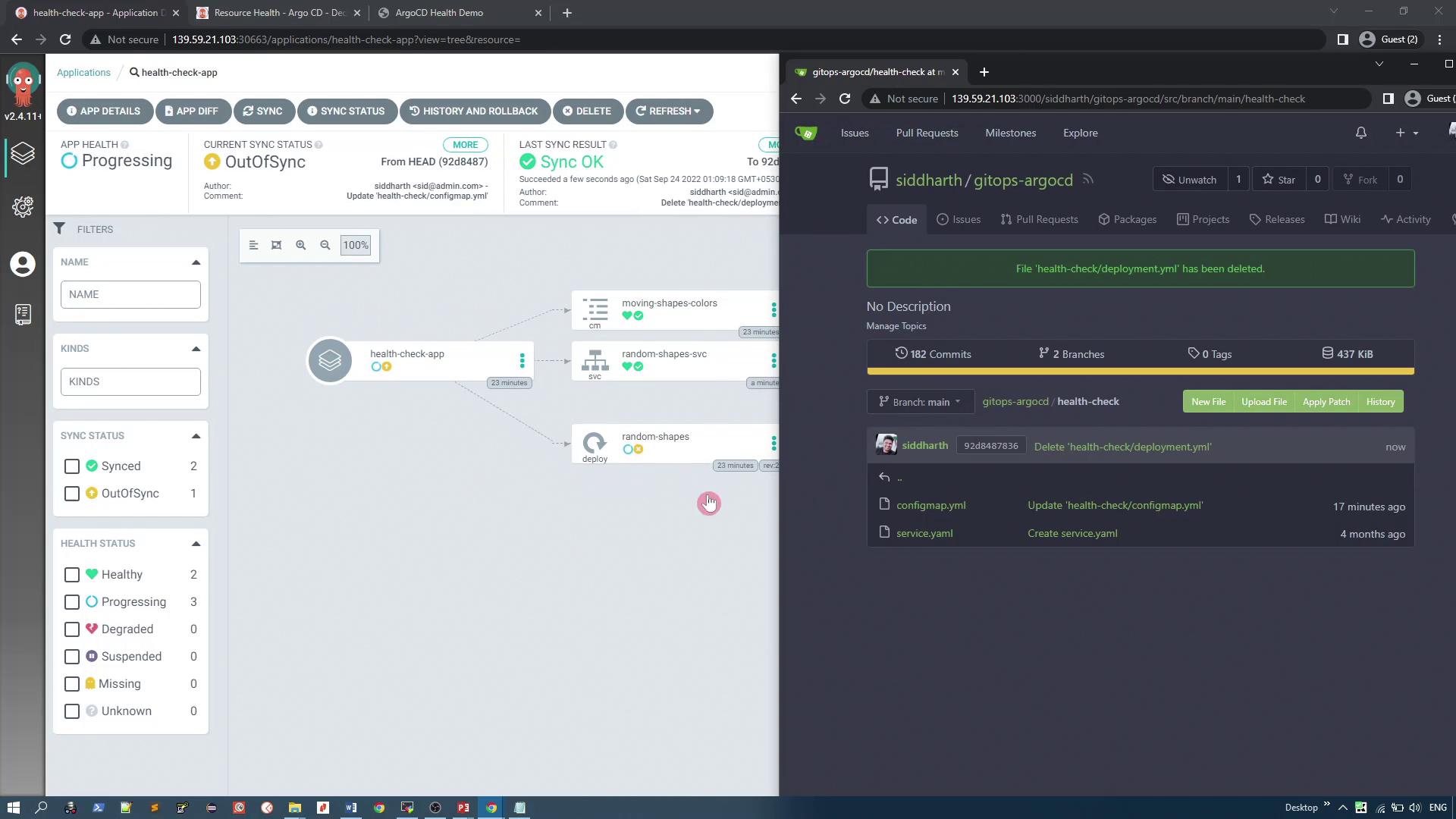
Summary of Synchronization Benefits
Enabling synchronization options in your GitOps workflow provides several key advantages:- Automatic Sync: Changes in Git are immediately applied to the Kubernetes cluster.
- Self-Healing: Manual changes made directly in the cluster are automatically reverted to align with the Git repository.
- Auto-Pruning: Resources that have been removed from Git are automatically pruned from the cluster, ensuring consistency with the declared state.