

Multi-App ArgoCD Application
The primary multi-app ArgoCD application points to the Git repository and specifies the path containing the manifests that manage other ArgoCD applications. Its definition is shown below:The multi-app configuration retrieves manifests from a specific directory, providing a centralized configuration for managing nested applications.
App of Apps Configuration
The primary application references the “app-of-apps” directory, where multiple ArgoCD application manifests reside. The configuration for the app-of-apps is as follows:declarative/app-of-apps directory, you will find three ArgoCD application manifests:
- Heliocentric App – Retrieves Kubernetes manifests from a specified manifest path.
- Geocentric App – Points to a different manifest path.
- Additional Applications – You can add more sub-applications to extend deployment capabilities further.
Heliocentric App Manifest
The following example shows the manifest for the Heliocentric application:Geocentric App Manifest
The Geocentric application manifest is configured similarly:Kubernetes Application Manifests
Beyond the ArgoCD application manifests, thedeclarative directory also contains separate Kubernetes manifests for individual applications, including deployments and services. When you create the main app-of-apps ArgoCD application, it automatically triggers the creation of three more ArgoCD applications.
For example, an alternative app-of-apps manifest with a different destination namespace might be defined as:
Deployment Process
To deploy applications using the app-of-apps pattern, follow these steps:- Delete any previously deployed Geocentric model application if it exists, since it will be recreated under the new management pattern.
-
Navigate to the
multi-appdirectory, which contains theapp-of-apps.ymlfile. -
Apply the manifest in the
argocdnamespace by running:
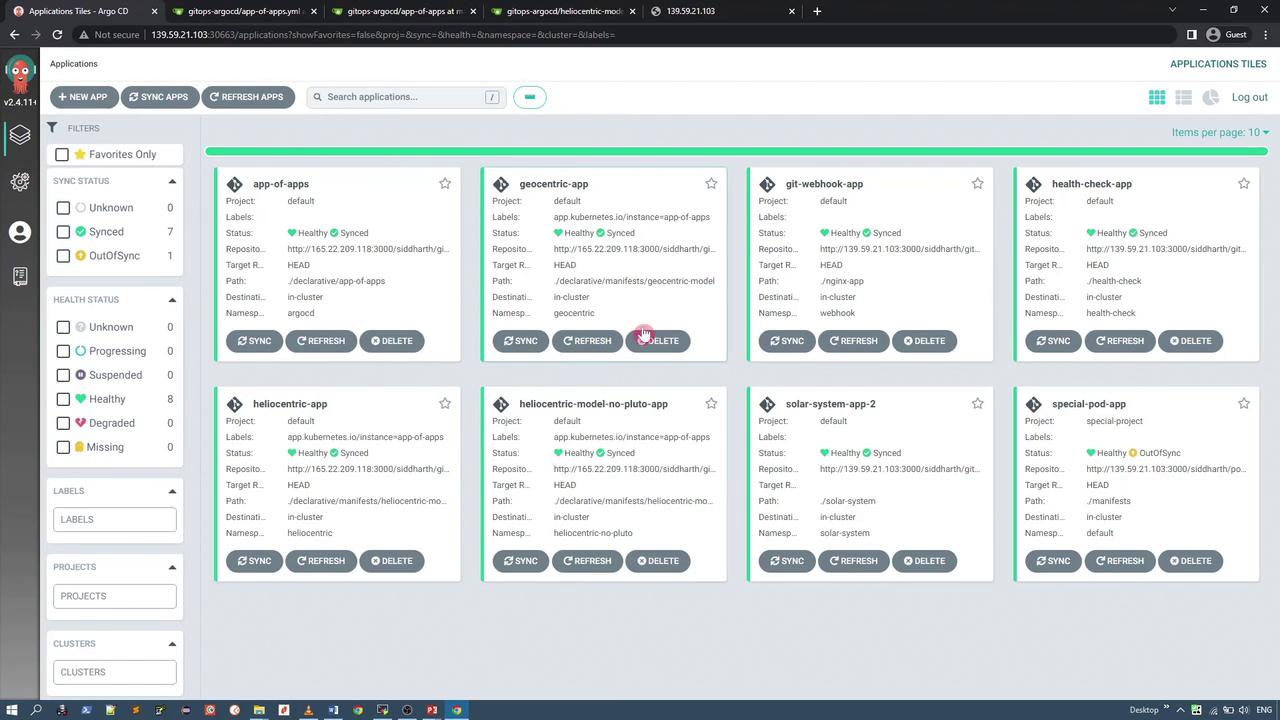
- app-of-apps (managing the nested applications)
- geocentric-app
- heliocentric-app
- heliocentric-app with no Pluto (an alternative variant)
Ensure that no old configurations interfere with the new deployment by removing outdated applications before applying the new manifest.
Viewing the Applications in the ArgoCD UI
Within the ArgoCD dashboard, clicking on any sub-application (e.g., geocentric-app or heliocentric-app) provides detailed manifest information. Below is an example manifest snippet for a syncing application: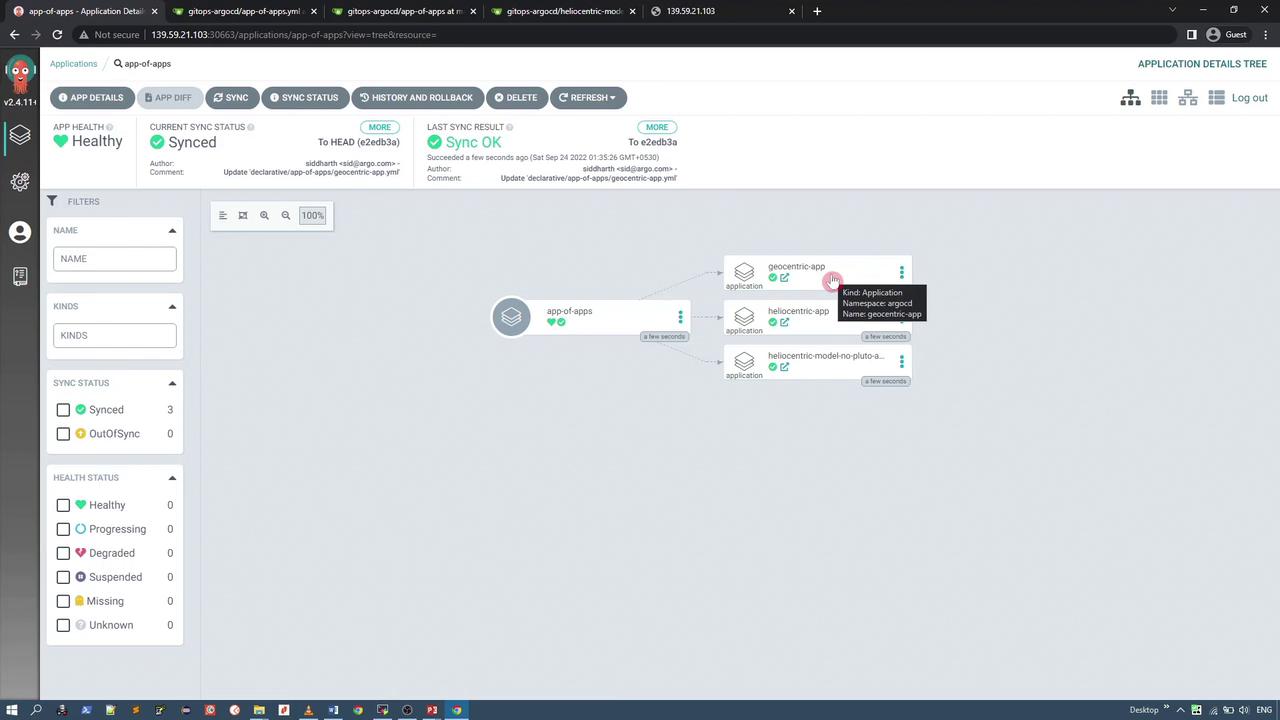
Accessing the Deployed Kubernetes Applications
Each sub-application deploys its own set of Kubernetes resources, including services that expose the applications. Below are the configuration details for these services.Geocentric Model Service
The Geocentric model service represents an Earth-centered view and is configured as follows:Heliocentric Model Service
The Heliocentric application uses a NodePort to expose its service:Heliocentric Model Service (No Pluto)
For users who prefer an application variant that excludes Pluto, use the configuration below:Many users advocate that Pluto should not be classified as a planet due to its distant orbit and retrograde rotation, which is why an application variant excluding Pluto is provided.
All these applications are deployed using a single ArgoCD app-of-apps configuration. This pattern not only simplifies management but also enables centralized control over multiple applications from a single Git repository and ArgoCD instance. For more detailed information on ArgoCD and GitOps, consider exploring the following resources: Happy deploying!