

Creating the Git Webhook Application
Begin by creating a new application called “Git Webhook” that will handle the webhook configuration. Use the default project with a manual synchronization policy and enable the auto-creation of the namespace. For the repository, reference the GitOps ArgoCD repository that contains an Nginx application. This Nginx application includes a directory with a deployment manifest that deploys the Nginx app with one replica.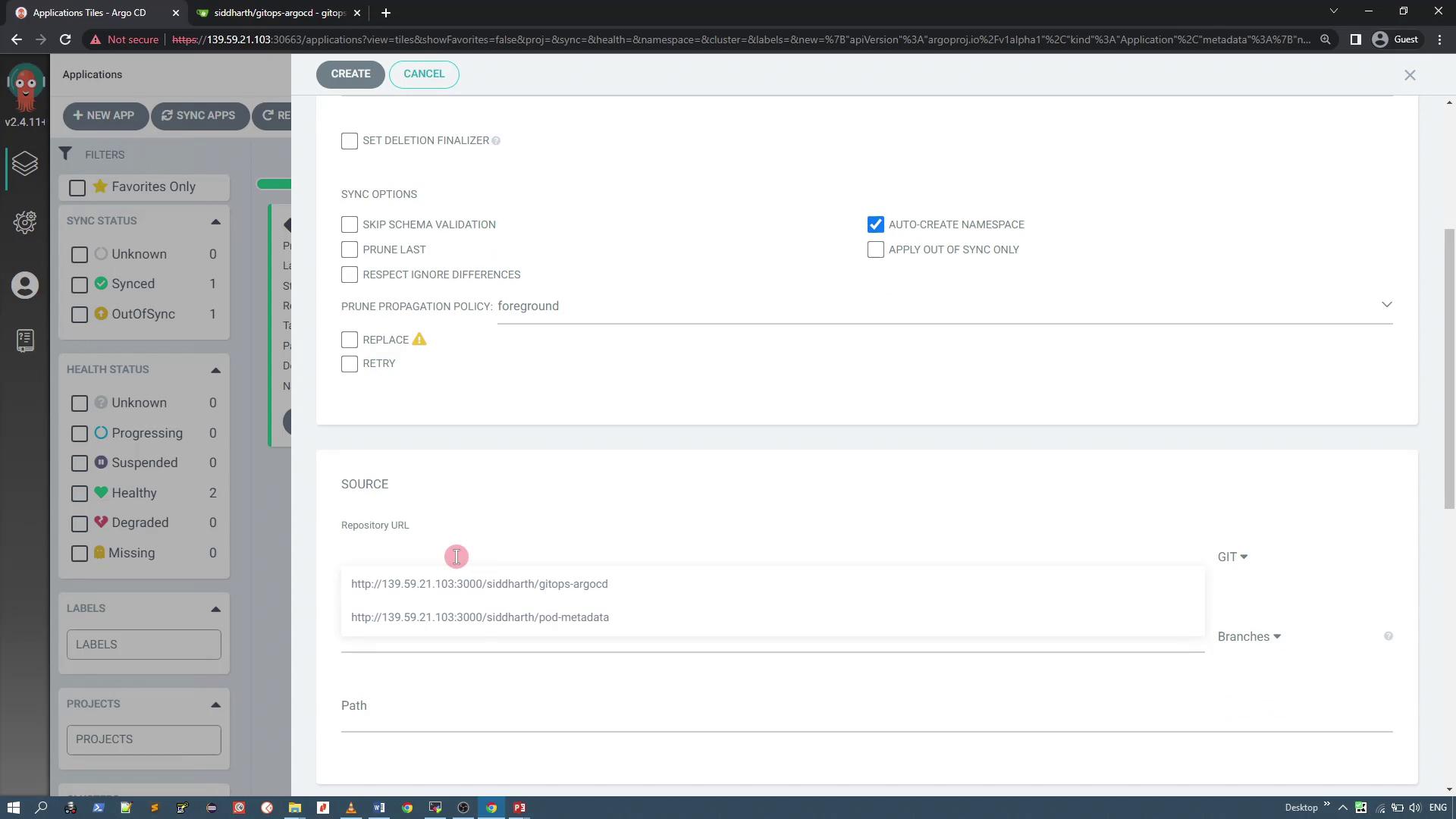
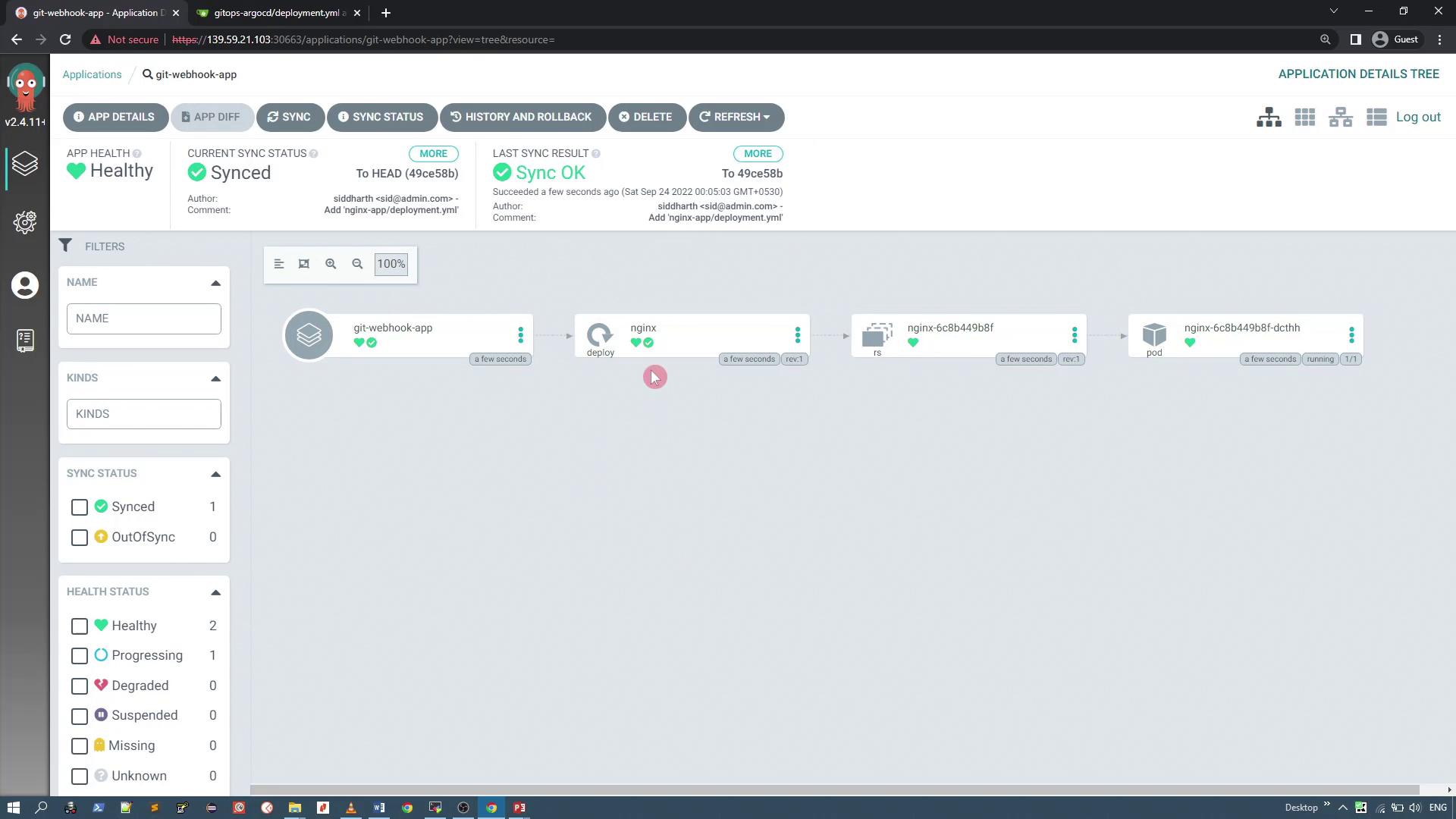
Modifying the Deployment and Checking Reconciliation
To test ArgoCD’s response to changes, update the deployment manifest by changing the number of replicas from one to two. Below is the manifest before any modification: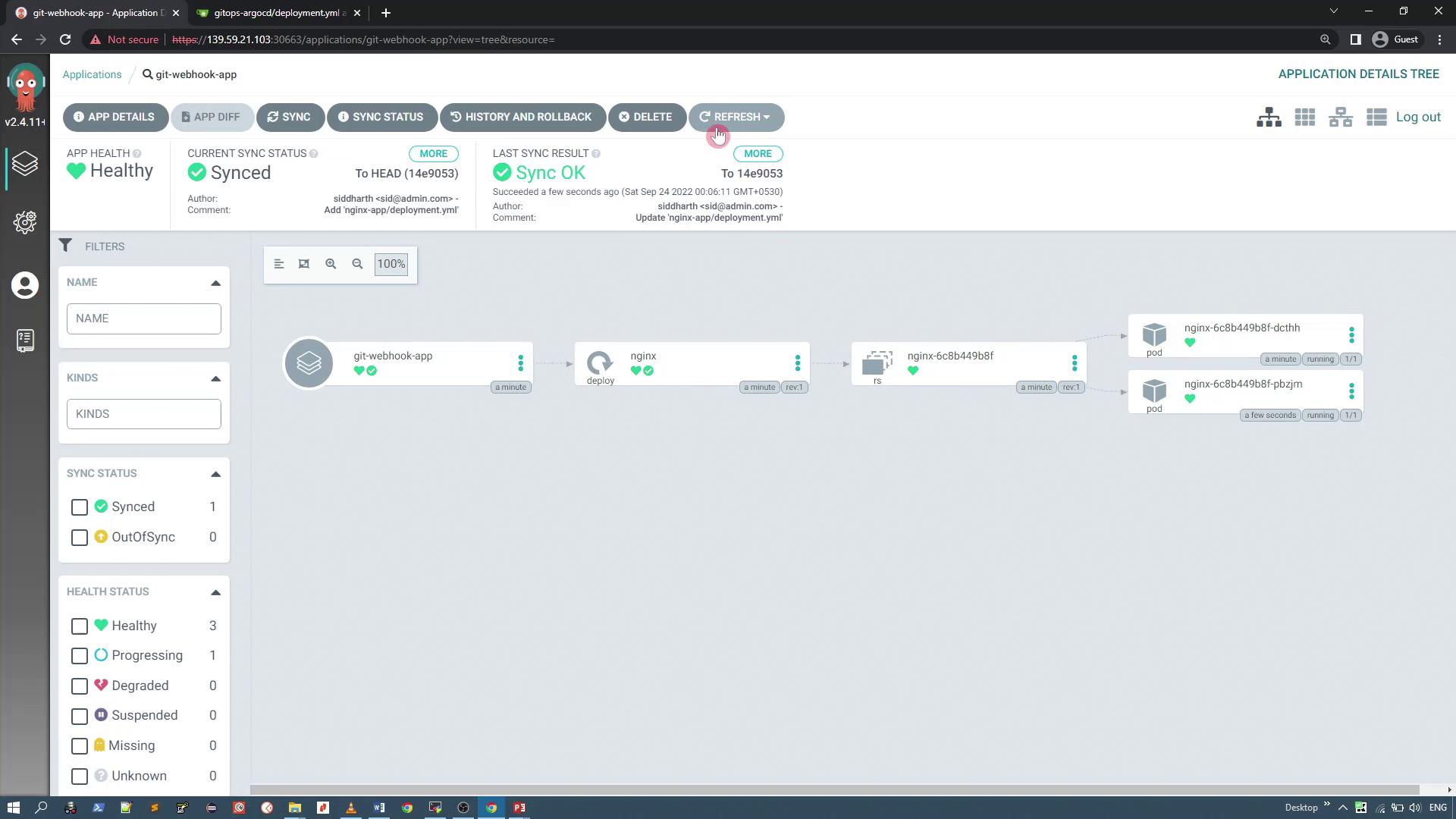
Adjusting Polling Time via Repository Server Configuration
If you need a different polling interval (for example, one, five, or ten minutes instead of three), modify the polling time in the ArgoCD repository server configuration. First, check the ArgoCD repo server pod in the ArgoCD namespace by running:ARGOCD_RECONCILIATION_TIMEOUT environment parameter. This parameter derives its value from the ArgoCD config map.
To update the reconciliation timeout (for example, to 300 seconds), edit the ArgoCD config map (argocd-cm). Start by retrieving the config map:
"timeout.reconciliation": "300" (or any desired timeout value) inside the data field. The repository server will detect the change and adjust its polling frequency thereafter.
An alternative approach is to use webhooks to update the synchronization status immediately when a push event occurs.
To verify the updated reconciliation timeout, run:
timeout.reconciliation field with your configured value.
Configuring the Git Webhook
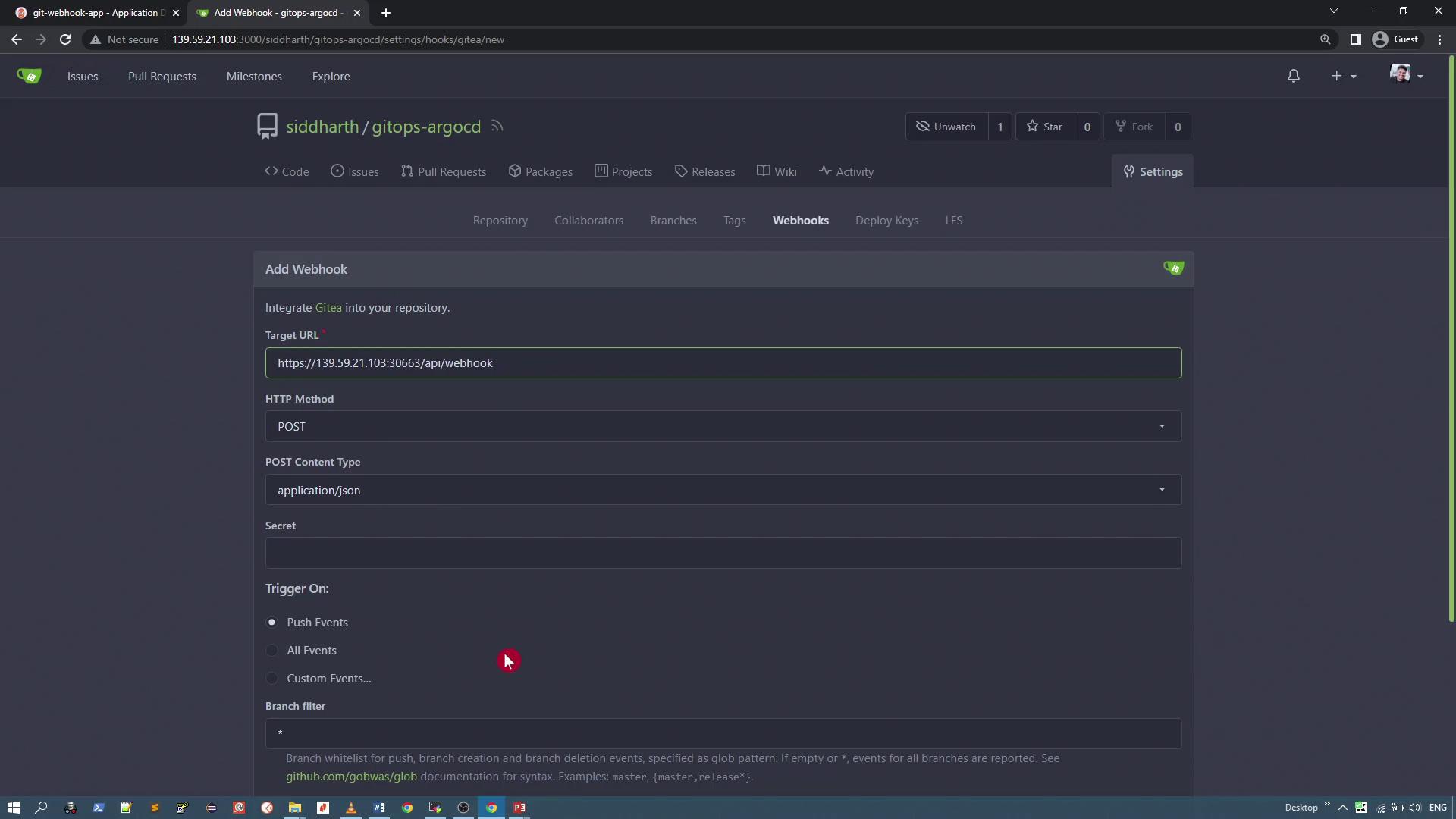
Navigate to the webhooks section in your Git repository settings. With no webhooks configured initially, add a new webhook with the following details:- Target URL: Your ArgoCD server URL appended with
/api/webhook - HTTP Method: POST
- Content Type: application/json
- Secret: (Leave empty if not used)
Configuring ArgoCD Server for Insecure (HTTP) Connections
To bypass certificate validation issues (often encountered with self-signed certificates), configure the ArgoCD server deployment to run in insecure mode using plain HTTP. Edit the ArgoCD server deployment with the following command:argocd-server and modify the environment variables by adding a tag named ARGCOD_SERVER_INSECURE. Below is an excerpt of the configuration:
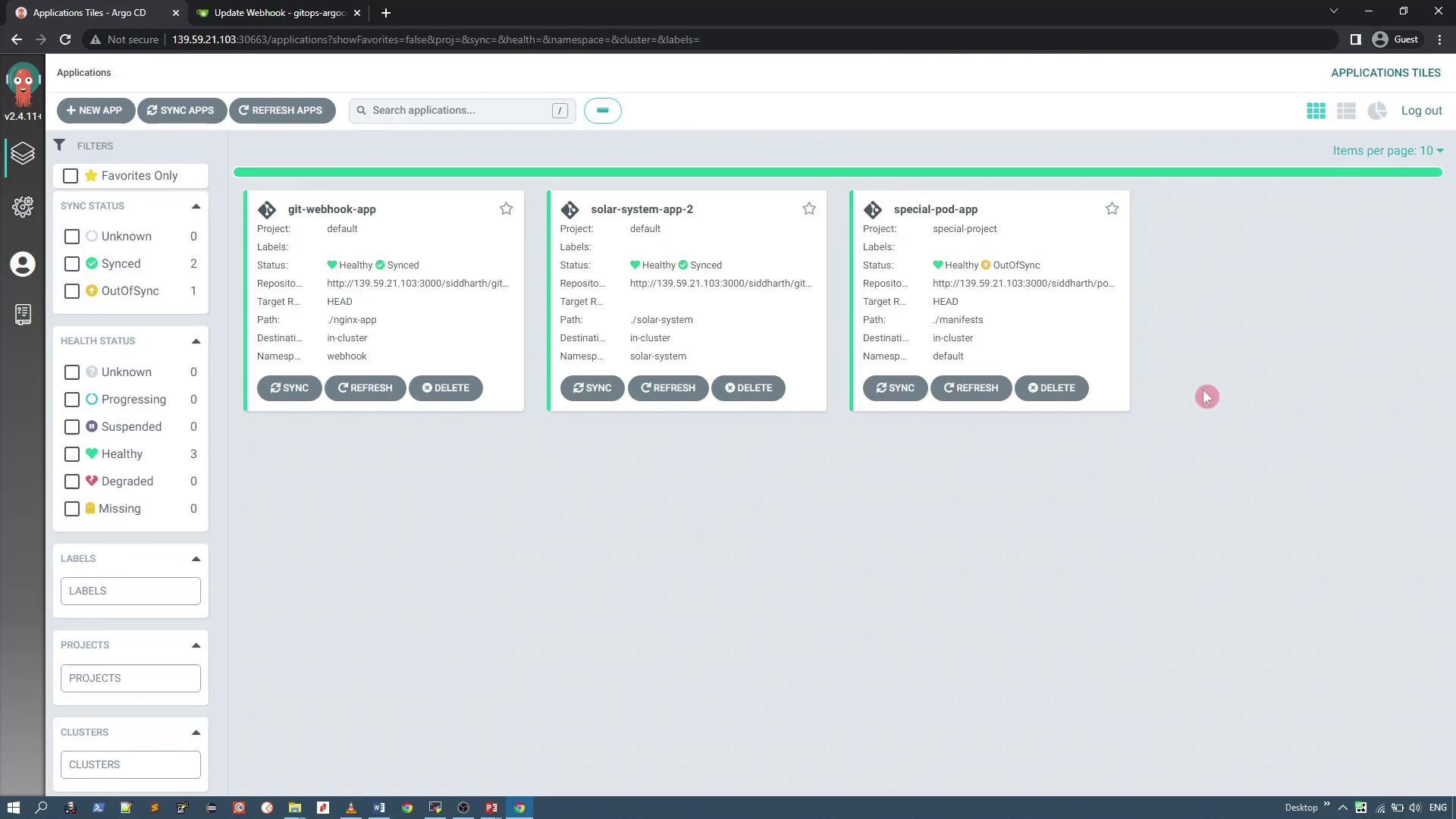
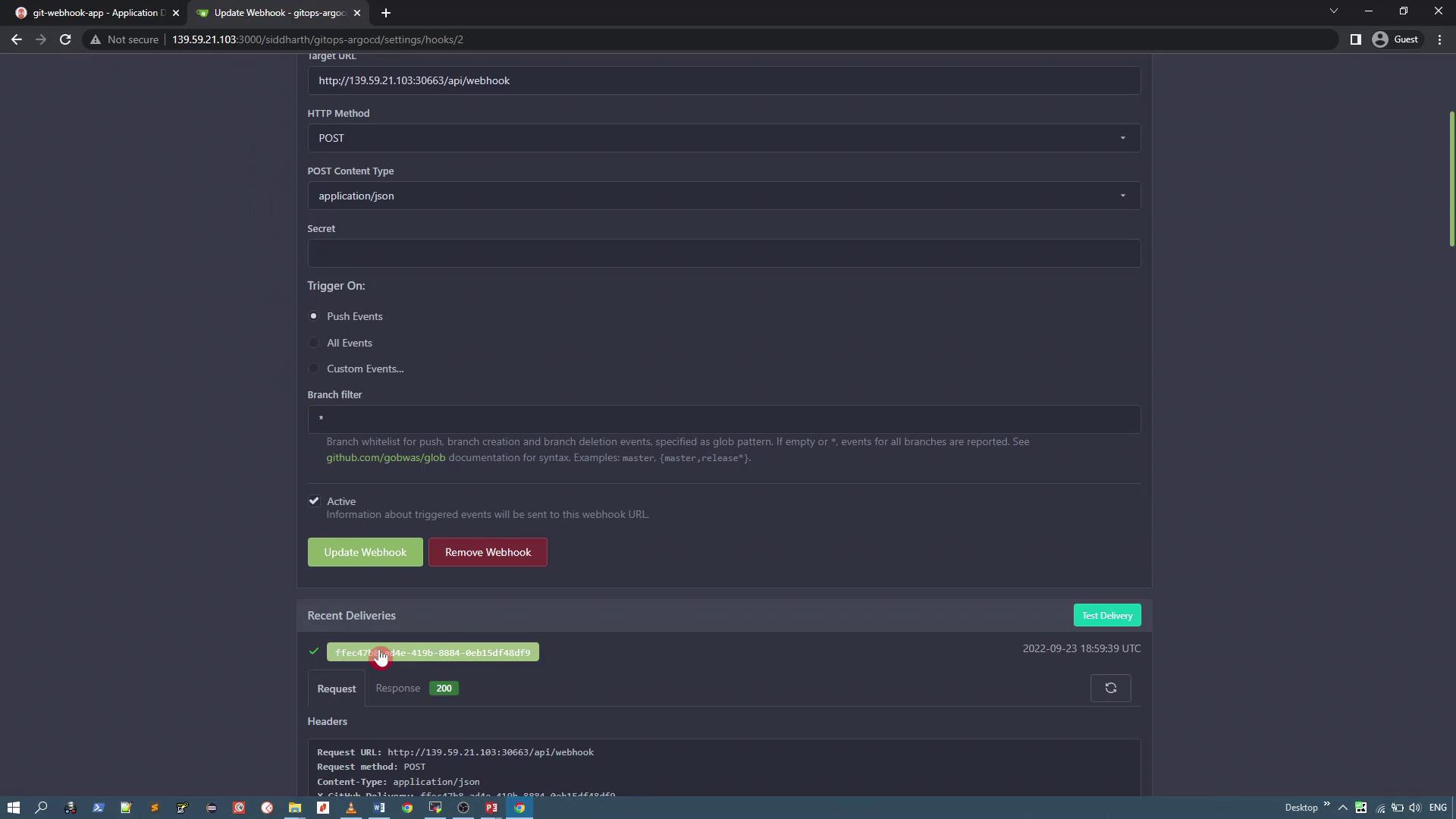
Running the ArgoCD server in insecure mode (HTTP) can expose your environment to potential security risks. Use this configuration only for testing or in controlled environments.
Testing Reconciliation with Webhooks
To demonstrate how synchronization occurs when the Git repository is updated, open the deployment manifest for the Nginx application which currently deploys two pods: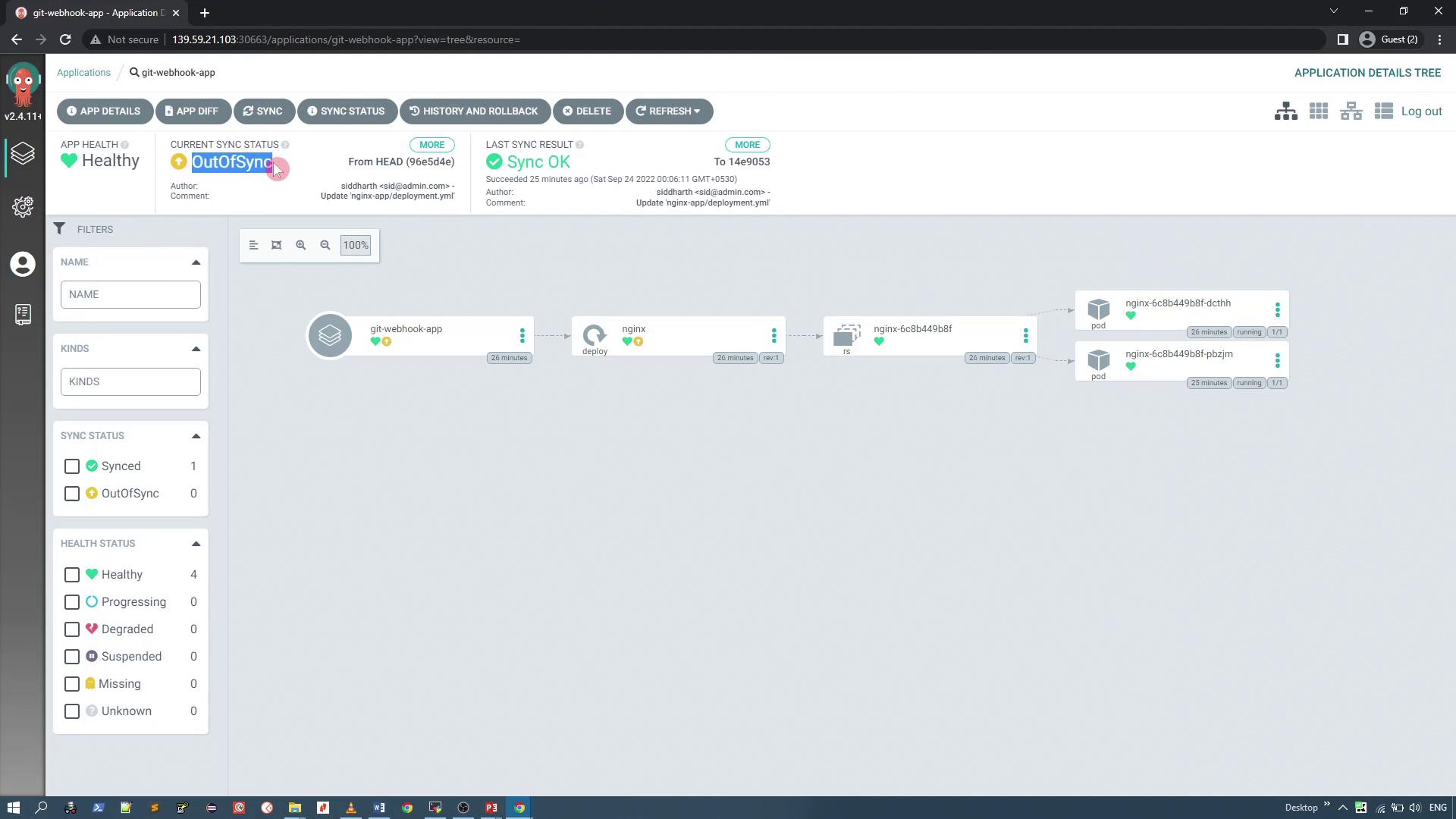
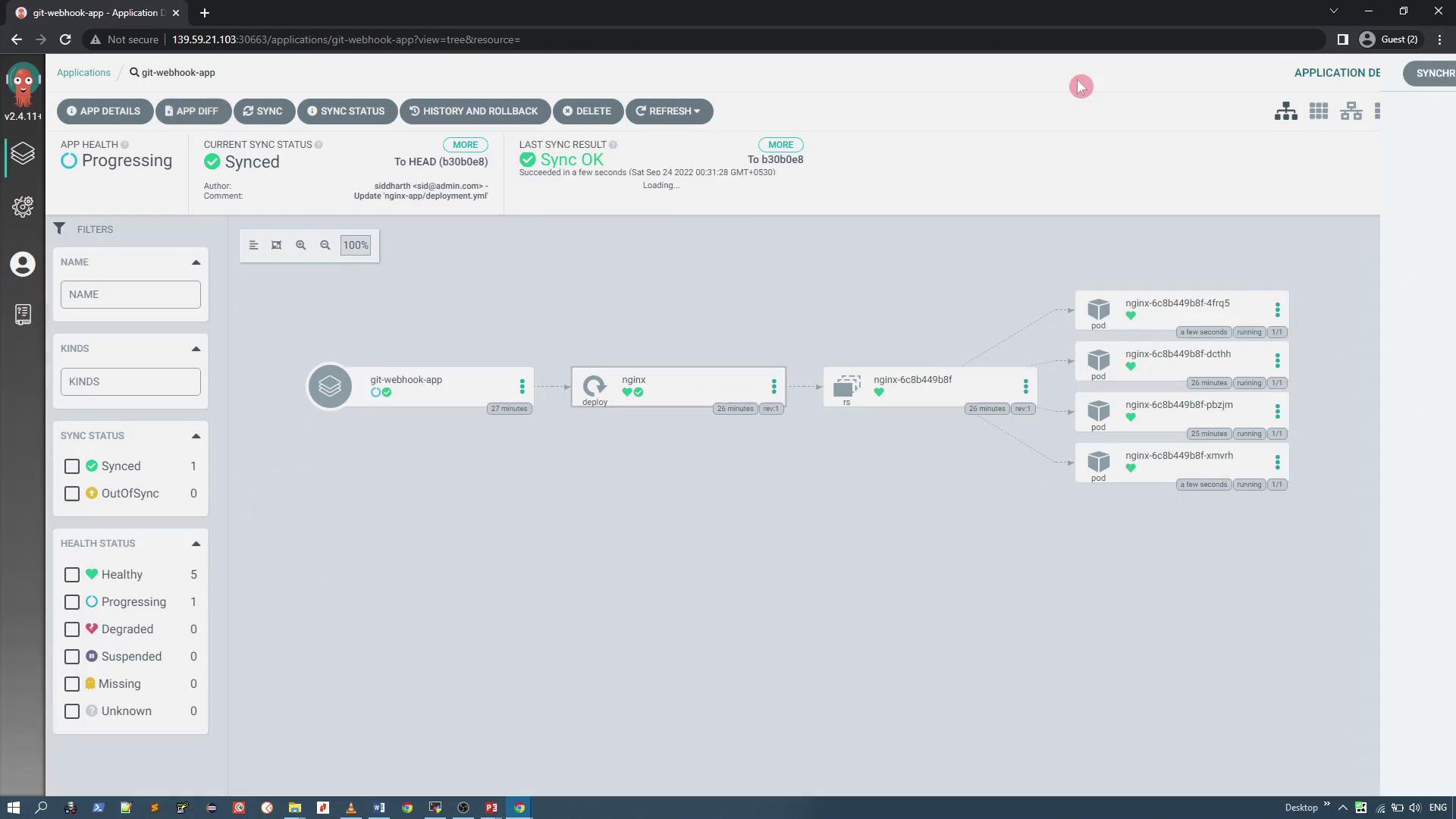
Summary
In summary, this article demonstrated two effective approaches for triggering reconciliation in ArgoCD:- Adjusting the reconciliation timeout in the ArgoCD config map to control how often the repository server polls the Git repository.
- Configuring webhooks in your Git repository so that ArgoCD is notified immediately upon a push event.
Ensure that when using webhooks, the target URL utilizes a valid TLS certificate. If you are using self-signed certificates, you must configure your ArgoCD server to run in insecure mode (HTTP) or use a certificate that can be validated.