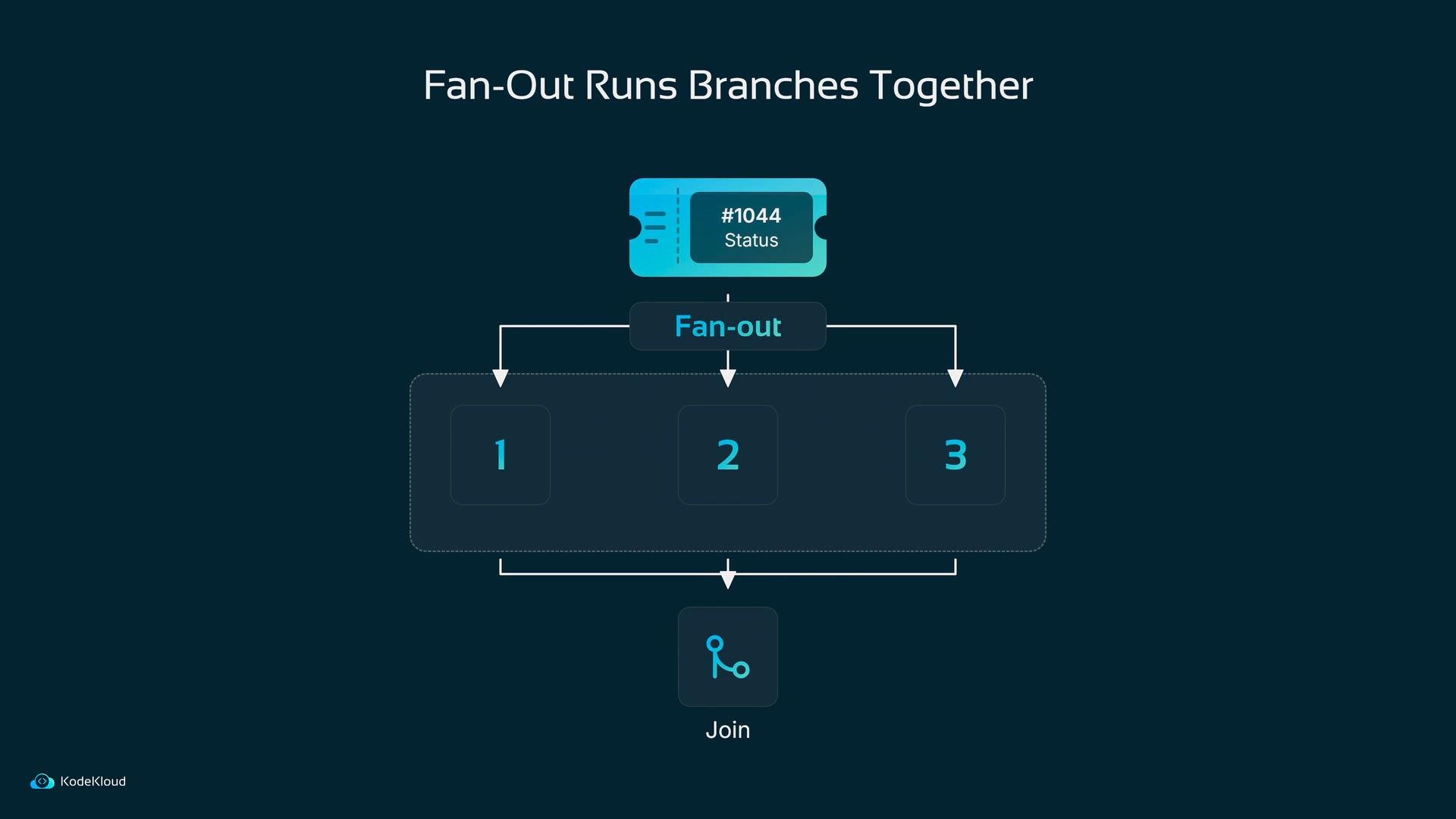
Last time, the reviser ran until the quality check returned clean. Some tickets required two passes, another perhaps four, and a clean draft required none. The workflow did not declare how many passes each ticket needed — the data decided how many times to repeat the check. What about when the data decides how many things to do at the same time? That’s fan-out. Earlier you built a static fan-out: the graph had a fixed number of branches that were drawn before the run started.
An infographic titled "Fan-Out Runs Branches Together" showing a ticket/status (#1044) that fans out into three numbered branches (1, 2, 3) and then joins back together. The KodeKloud logo appears in the corner.
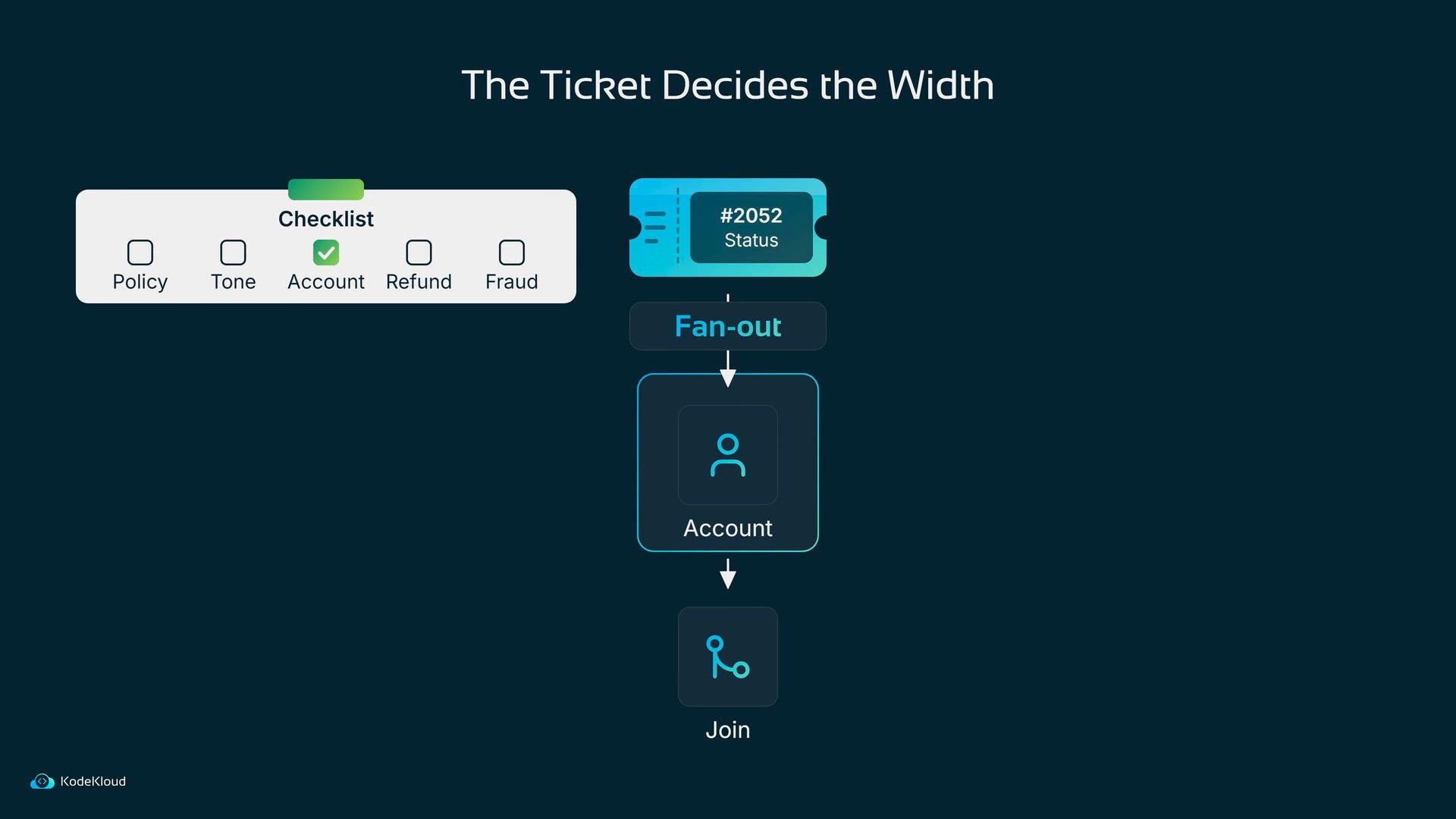
A static graph is straightforward when every run needs the same set of steps. But support tickets — or any workflow driven by data — often vary in complexity. For example, a complicated refund might require five checks (policy, tone, account status, refund eligibility, fraud), while a simple status inquiry might need only one. You don’t know the number of checks until the ticket arrives.
An infographic titled "The Ticket Decides the Width" showing a checklist with the "Account" item checked and a ticket labeled "#2052 Status." The ticket flows into a "Fan-out" process leading to "Account" and then "Join" steps.
When the number of concurrent tasks is data-dependent, a static graph can’t capture the variable width. Instead, implement the fan-out dynamically at runtime using Python. The runtime exposes ctx.run_node, which returns an awaitable for invoking another node. Gather those awaitables into a list and hand them to asyncio.gather to run them concurrently and wait for all to finish. This pattern gives you runtime fan-out with an implicit join when all tasks complete.
Key points:
  • checks_for(ticket) determines the branch count at runtime.
  • ctx.run_node returns an awaitable for each branch.
  • asyncio.gather(*tasks) starts all tasks and waits for them to finish, giving you dynamic fan-out and a join.
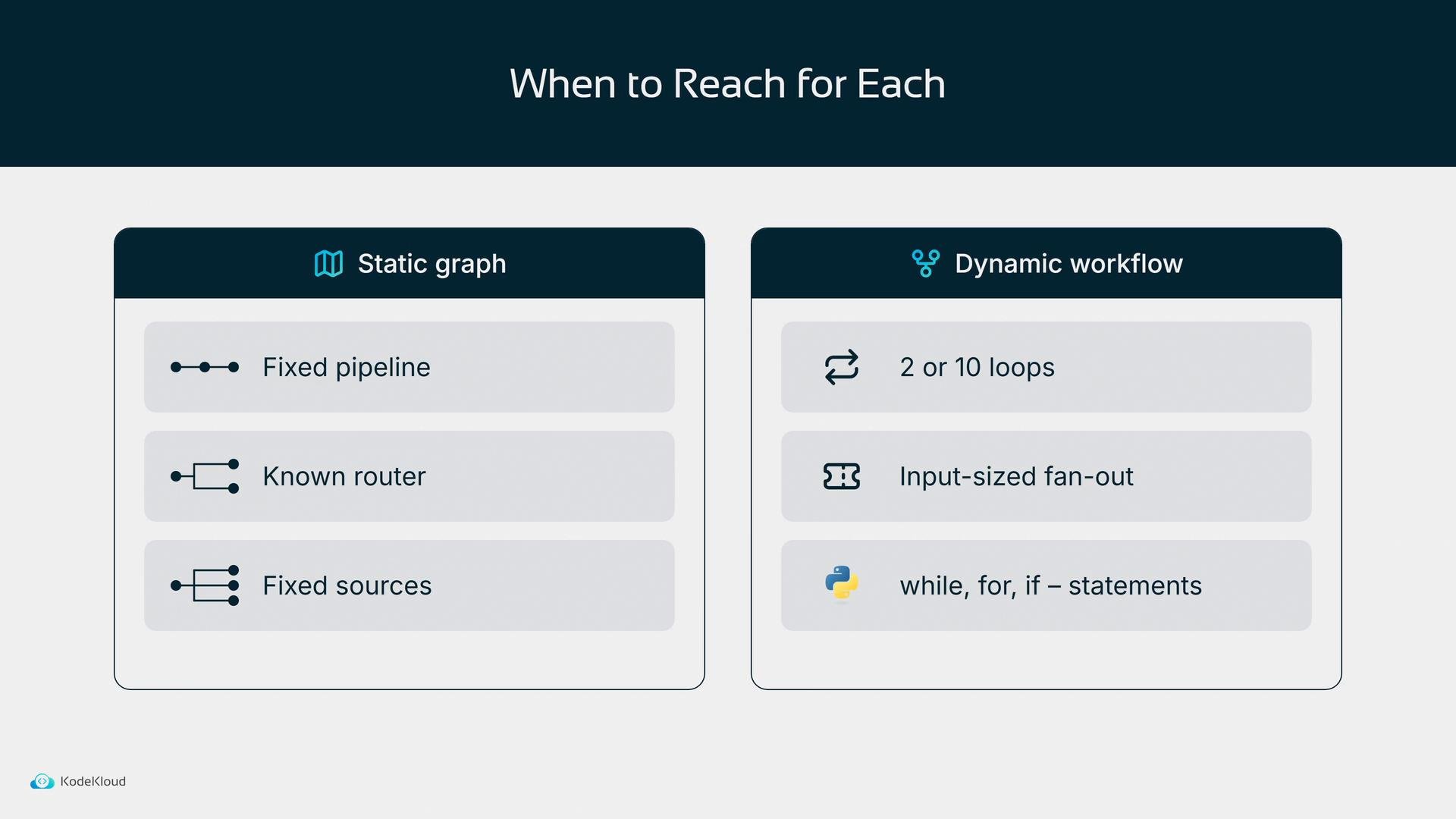
A static graph says, “I have exactly these three branches.” A dynamic workflow says, “Tell me how many checks this ticket needs, and I’ll start that many tasks.” The structure and shape of the workflow now depend on the incoming ticket. When should you use each approach?
An infographic titled "When to Reach for Each" comparing two approaches: "Static graph" (fixed pipeline, known router, fixed sources) and "Dynamic workflow" (loops, input-sized fan-out, while/for/if control flow). Each side lists icons and brief examples of when to use each pattern.
  • Use a static graph when you know the workflow shape ahead of time:
    • Fixed pipelines (same steps every run)
    • Routers with a known set of branches
    • Fan-out across a fixed set of sources
  • Use a dynamic workflow when control flow depends on runtime data:
    • Loops that iterate an unknown number of times
    • Fan-out whose branch count depends on the input
    • Any case where you’d write while, for, or if in Python to describe control flow
You can mix styles. A dynamic workflow can be embedded inside a larger static graph — the runtime supports both and you should use the one that fits the problem. Comparison at a glance: Before you deploy dynamic workflows to production, avoid a common Python mistake that subverts automatic retries. Imagine a while loop that keeps invoking the quality-check node until the item is clean. What happens if one of those calls fails transiently — an API timeout or a rate-limit error? The runtime can automatically retry a node that fails by raising an exception, but only if it sees the exception. A problematic habit is wrapping the entire node in a broad except Exception that swallows all errors, logs them, and returns a fallback value. For example:
If the API experienced a transient timeout, this code catches the exception, logs it, and returns None. From the runtime’s perspective, the node succeeded — no exception escaped — so it won’t retry. You have converted a recoverable transient failure into a silent “fake success.”
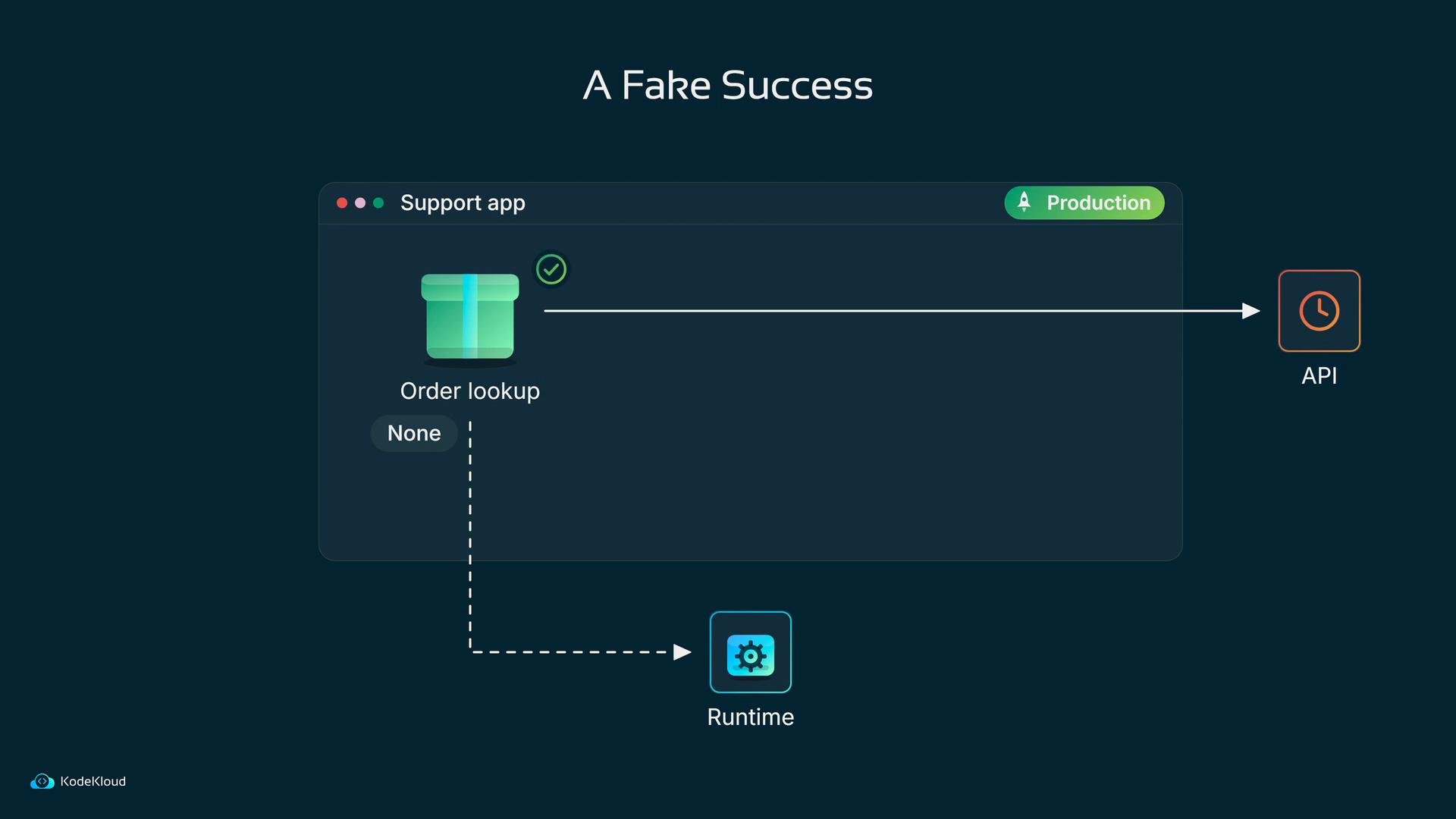
A dark-themed architecture diagram titled "A Fake Success" showing a Support app's "Order lookup" component making a direct call to a Production API, with a dashed connector leading down to a Runtime component.
Here’s the rule: if a node encounters a failure that you want the runtime to retry, let the exception propagate so the runtime can observe it and perform its retry policy. Use try/except only when you have a specific recovery or compensating action to perform; never wrap the entire node body in a blanket except that hides all errors.
Avoid broad except Exception blocks that swallow transient errors you want the runtime to retry. Let real failures raise so the runtime can retry the node.
Summary
  • Static graphs are ideal when the workflow structure is stable and known ahead of time.
  • Dynamic fan-out gives you flexible concurrency — build the set of awaitables at runtime and use asyncio.gather to execute them concurrently and join.
  • Never hide errors you want the runtime to manage; let transient exceptions bubble up so automatic retries can happen.
Links and references

Watch Video