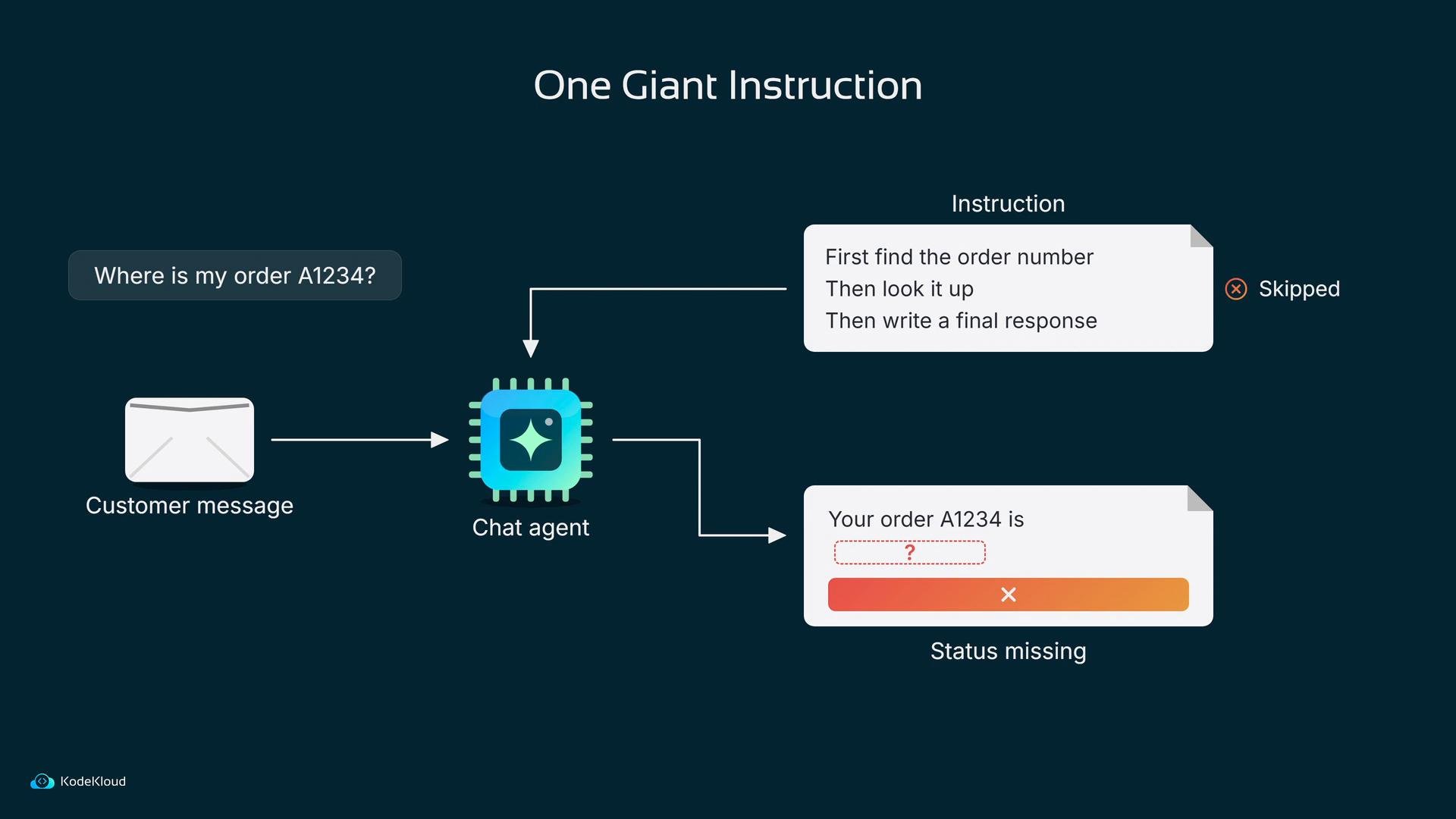
So now you have a chat agent that can call tools, look things up, and give answers. Real work rarely happens in a single step: a customer asks “Where is my order?” and the system must (1) identify the order number, (2) look up the order, and (3) draft a reply. Packing all of that into one giant instruction often fails — the agent may skip the lookup or invent a status.
A diagram titled "One Giant Instruction" showing a customer message ("Where is my order A1234?") sent to a chat agent. The agent skips the lookup instruction and returns a response with the order status missing.
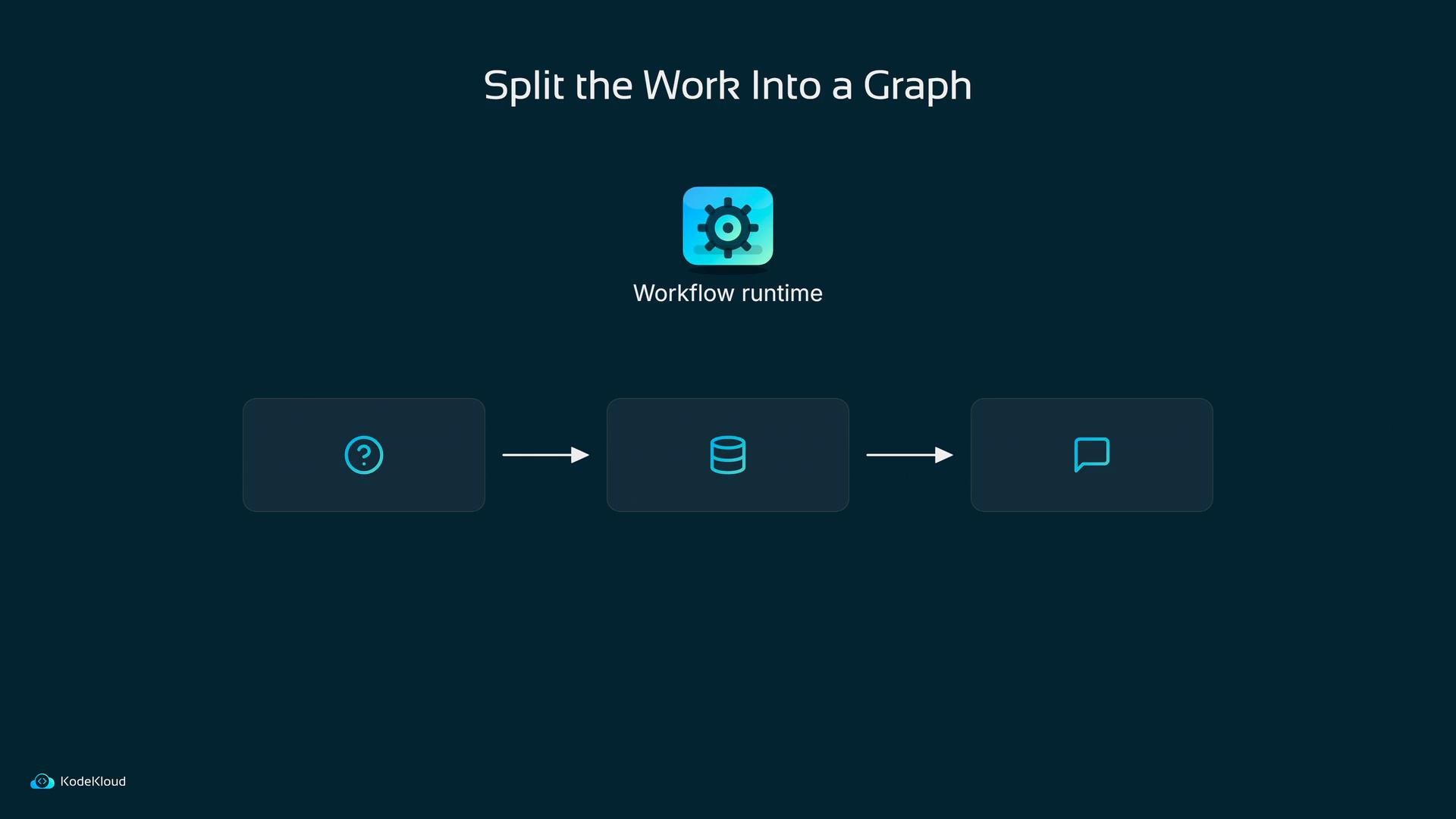
The solution follows standard software-engineering practice: split the work into focused, composable pieces and make the control flow explicit. ADK v2 provides a runtime that executes exactly that structure: a graph of nodes connected by directed edges.
A dark-themed slide titled "Split the Work Into a Graph" showing a "Workflow runtime" icon above a three-step flow diagram (question mark → database → chat/message icon). The KodeKloud logo appears in the bottom-left corner.
What is an ADK v2 workflow?
  • A workflow is a directed graph: nodes perform units of work; edges are one-way connections that say “after this node finishes, run that node.”
  • Anything that does work can be a node: an LLM-backed agent, a plain Python function, etc. The runtime treats them uniformly — it follows edges, executes the node, and passes the node’s output along the edge.
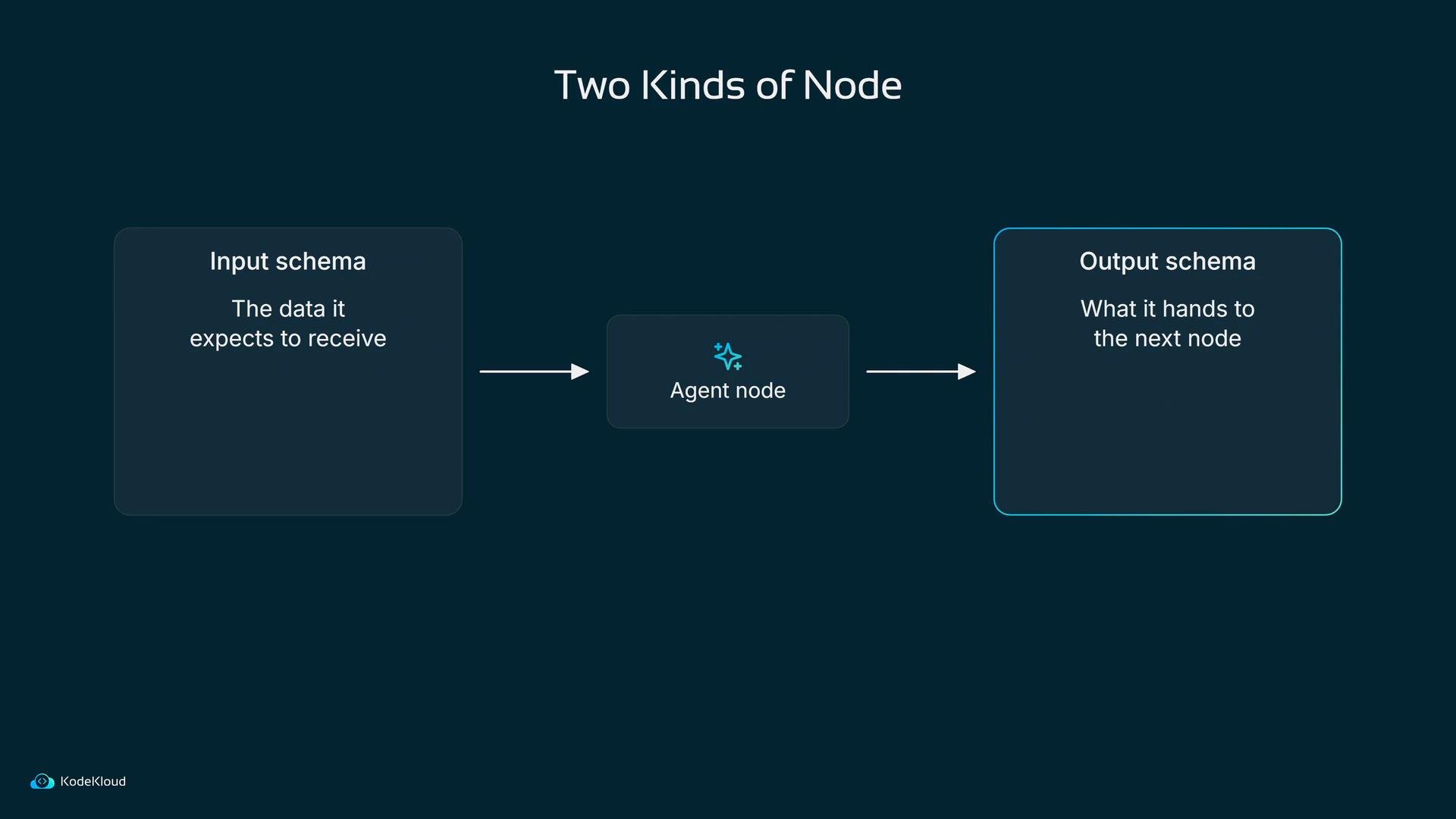
Two node types cover most use cases:
A diagram titled "Two Kinds of Node" showing an "Agent node" in the center with arrows from a left "Input schema" box (the data it expects to receive) to a right "Output schema" box (what it hands to the next node).
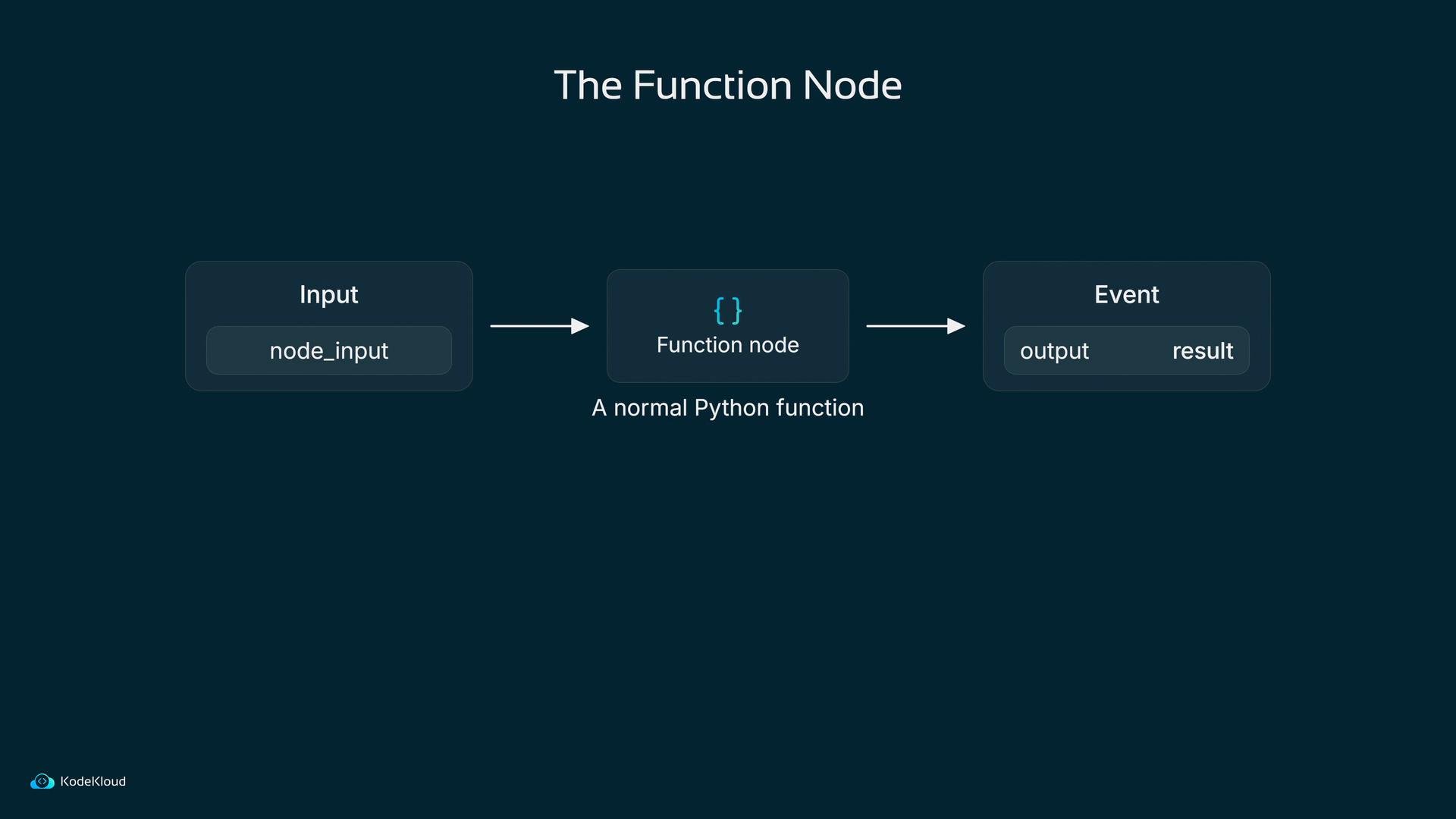
A diagram titled "The Function Node" showing an input box labeled "node_input" feeding into a central "Function node." The function node (captioned "A normal Python function") outputs to an "Event" box labeled "output" and "result."
A typical order-tracking pipeline is a simple linear graph: START → classify_request → lookup_order → draft_reply
  • START is the runtime entry point. From START you wire the sequence of nodes to run.
  • Each node hands its result to the next node via the edge; the runtime transports values along edges.
Every run begins at START. Failing to include an explicit START edge or clear input/output schemas can produce unpredictable behavior at runtime.
Below is a concise conceptual example showing how these pieces fit together: an agent that extracts an order number, a Pydantic model for the order, a function node that looks up the order, and a final agent that drafts the reply.
classify_request produces a string such as "A1234". That string becomes the node_input for lookup_order, which returns an OrderInfo object with order_id and status. Because draft_reply declares OrderInfo as its input schema, its instruction can reference those fields directly when drafting the response.
Now watch the data move through the graph: classify_request → "A1234", lookup_order → OrderInfo(order_id="A1234", status="Out for delivery"), and draft_reply → a final message like “Your order A1234 is currently Out for delivery.”
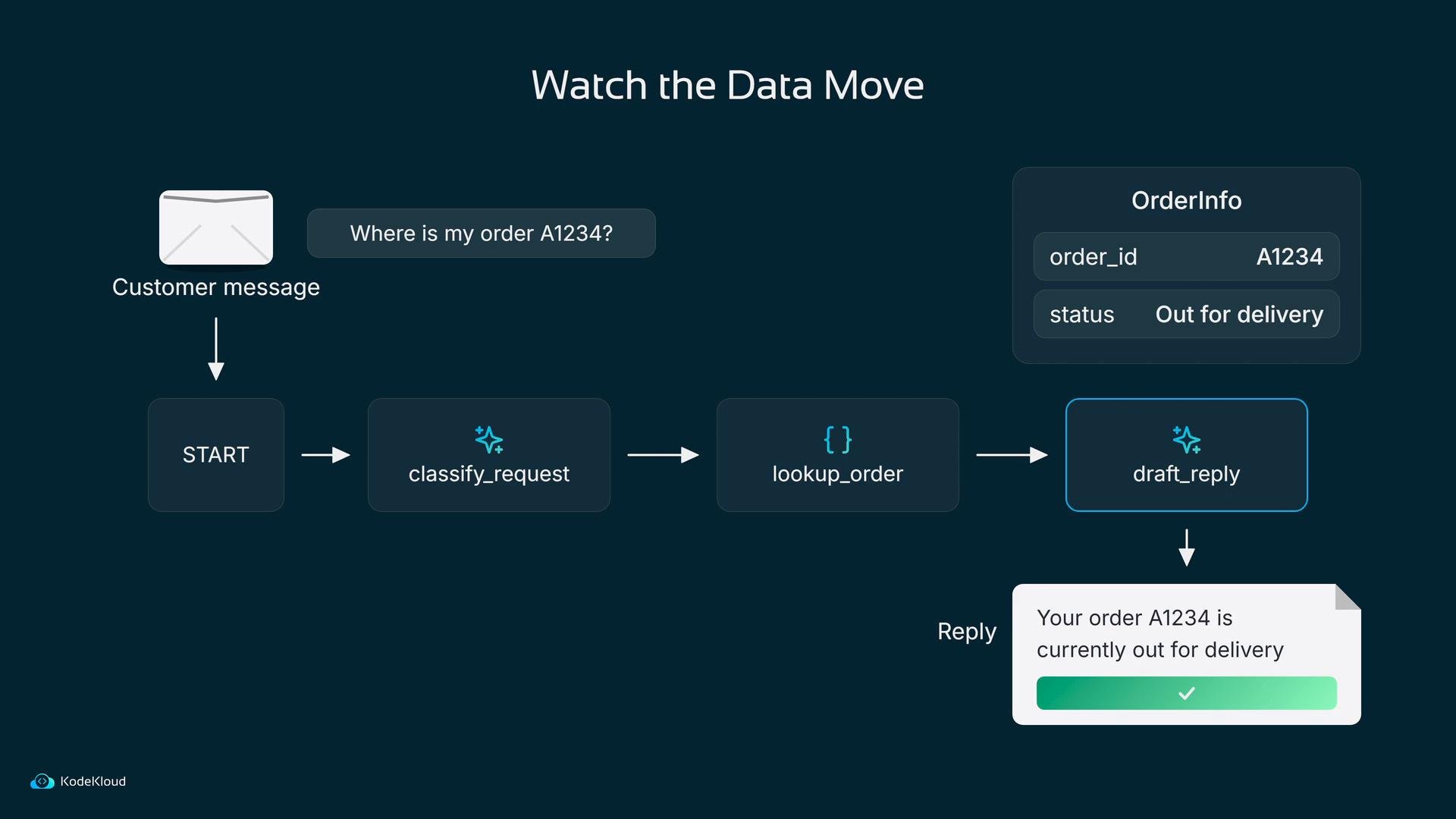
A dark-themed flowchart titled "Watch the Data Move" showing a customer message "Where is my order A1234?" flowing through steps Start → classify_request → lookup_order → draft_reply. A side "OrderInfo" box shows order_id A1234 with status "Out for delivery," and a drafted reply telling the customer the order is out for delivery.
Useful workflow patterns
  • Sequential flows: ADK provides a convenience template, SequentialAgent, to run sub-agents in order (A → B → C). It’s equivalent to wiring (START → A → B → C).
  • Branching and routing: Because edges define control flow, you can branch, route, join, or loop. Nodes may decide which outgoing edge to follow at runtime, enabling dynamic flows.
Links and references
Start is a special node: every run begins at START. Declare clear input/output schemas on agents to make data passing explicit and type-safe across nodes.

Watch Video