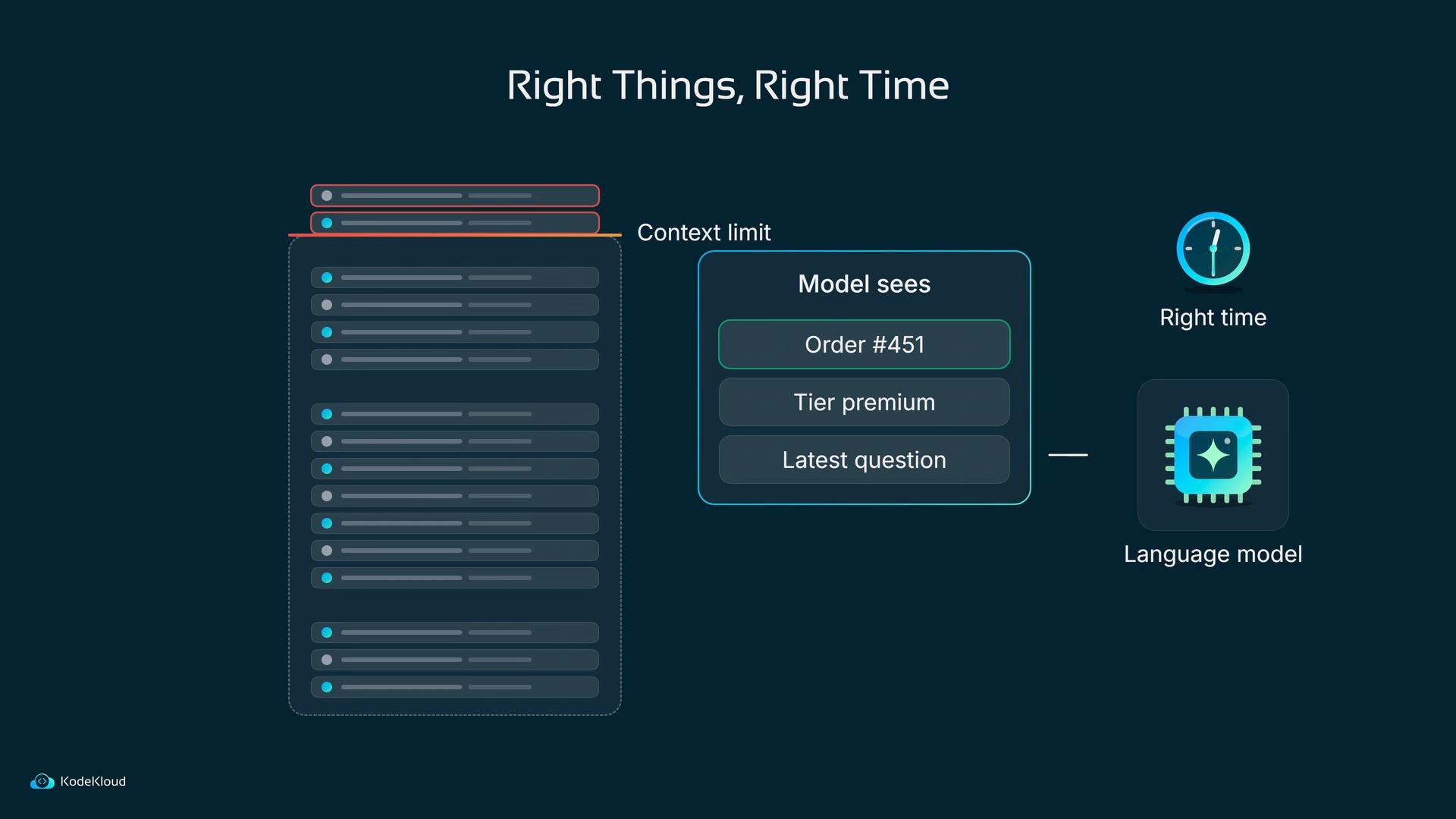
Let’s push the support agent a little further. When users chat for 50 or 100 turns, sending every message and tool call to the language model on every reply creates two problems: costs rise, and the model becomes harder to steer. Eventually you hit the model’s context limit — the maximum amount of text the model can consider at once. This agent doesn’t have a memory problem — it remembers too much. Each model call needs the relevant context from the conversation; the more history you include, the more tokens you send (tokens are the word chunks the model reads and bills you for). So you pay more, useful information gets buried, and the system can break. Context management ensures the model sees the right things at the right time. How do you decide what the model should see and what it shouldn’t?
An infographic titled "Right Things, Right Time" showing a long list of data with a highlighted context limit and selected items (Order #451, Tier premium, Latest question) sent to a language model. A clock icon labeled "Right time" and a chip icon labeled "Language model" illustrate timely, focused input.
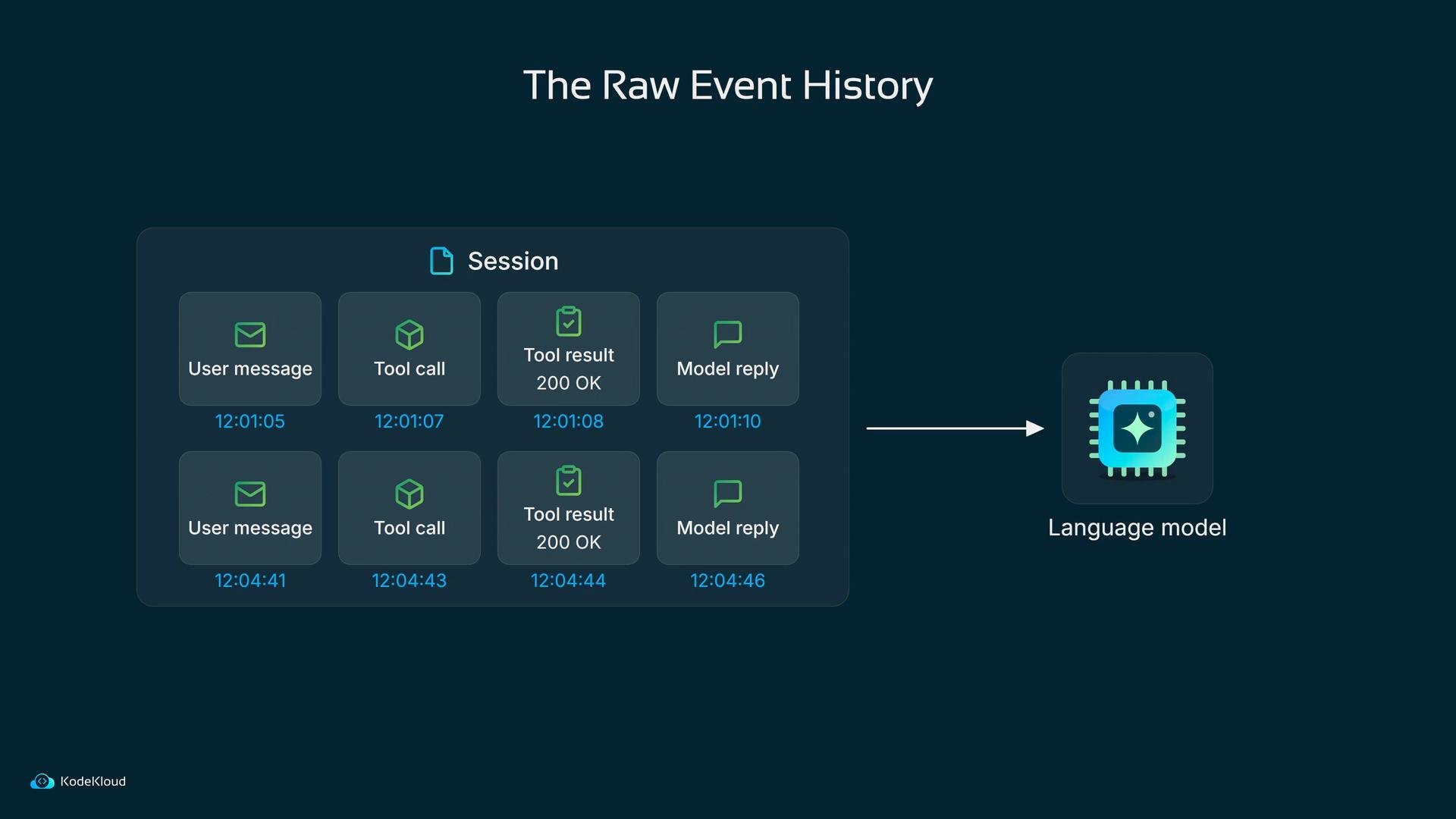
Start with the raw event history: every message, tool call, and model response, logged in the order they were emitted. That’s the complete record of the session. It’s valuable, but you don’t need every old event sitting in the model’s context forever. Some entries are behind-the-scenes details — tool calls that returned HTTP status codes, for example — and don’t help future turns. As the session grows, older turns usually matter less than recent ones.
A diagram titled "The Raw Event History" showing a session timeline of boxed events—user message, tool call, tool result (200 OK), and model reply with timestamps—flowing into a Language model icon. The graphic illustrates how raw events are recorded and sent to the language model.
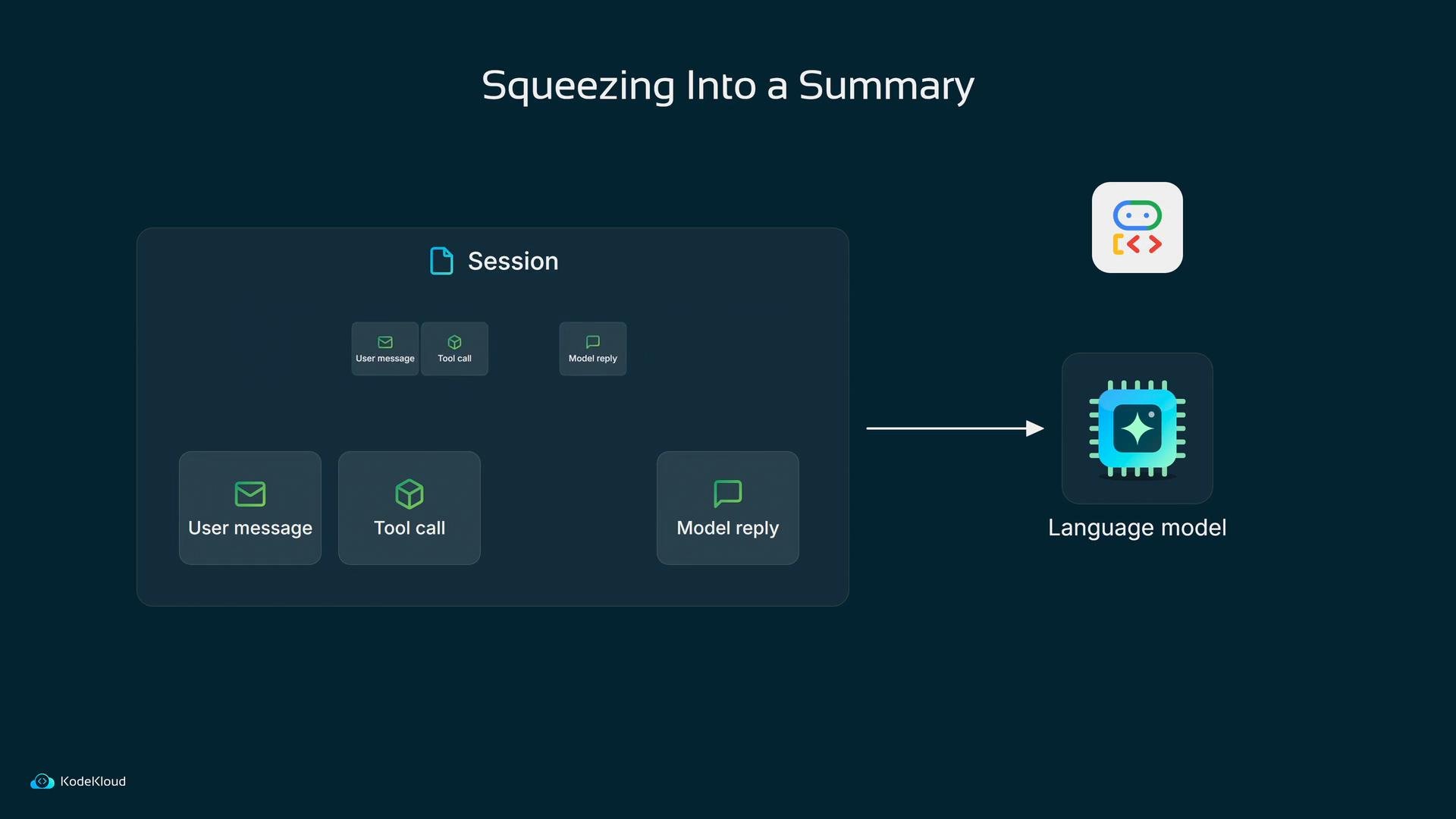
To prevent the context from growing without bound, ADK can compress older events into a short summary instead of carrying every word forward. This process is called context compaction.
A dark-themed diagram titled "Squeezing Into a Summary" showing a "Session" box with components labeled "User message," "Tool call," and "Model reply." An arrow points from the session to a stylized "Language model" chip icon, with a small tool icon nearby.
How compaction works (overview)
  • Keep recent events in full fidelity so the model can reason about the freshest context.
  • Summarize or compress older events into concise descriptions so the prompt stays small.
  • Store large artifacts and long-lived data outside the session, and keep only references or embeddings in the summary.
Compaction strategies (common patterns) Common ADK configuration example (Python)
So compaction is enabled. How do you verify it’s working? Watch the events returned by the runner: model responses include usage metadata with counts for prompt tokens, response tokens, and total tokens. Monitor these numbers while the agent runs. If prompt_token_count keeps climbing turn after turn, the conversation is getting more expensive — that’s exactly the issue compaction is meant to solve. Example usage metadata
If those counts level off after the configured threshold, the session summaries are doing their job. Compaction prevents a single conversation from ballooning into an enormous prompt, and the usage numbers tell you whether it’s effective.
Monitor prompt_token_count over many turns. If it spikes or grows without bound, adjust your token threshold or retention size until the prompt size stabilizes.
Handling large or long-lived data
  • Large uploaded artifacts (for example, a 30‑page PDF) and long-lived project data don’t belong in the prompt. Store them in durable storage (object stores, document stores) or a vector database and keep a compact reference or an embedding in the session summary.
  • When the agent needs to inspect the full content, retrieve it from storage on demand; do not include the full artifact in every prompt.
Summary checklist
  • Use token-based or sliding-window compaction to keep prompts manageable.
  • Configure retention (events to keep in full) and thresholds (token caps) to match your workload and model capacity.
  • Monitor usage metadata (prompt_token_count, total_token_count) to confirm compaction is effective.
  • Store large artifacts and long-lived records outside the session; reference them from summaries or use embeddings for retrieval.
Links and references

Watch Video