

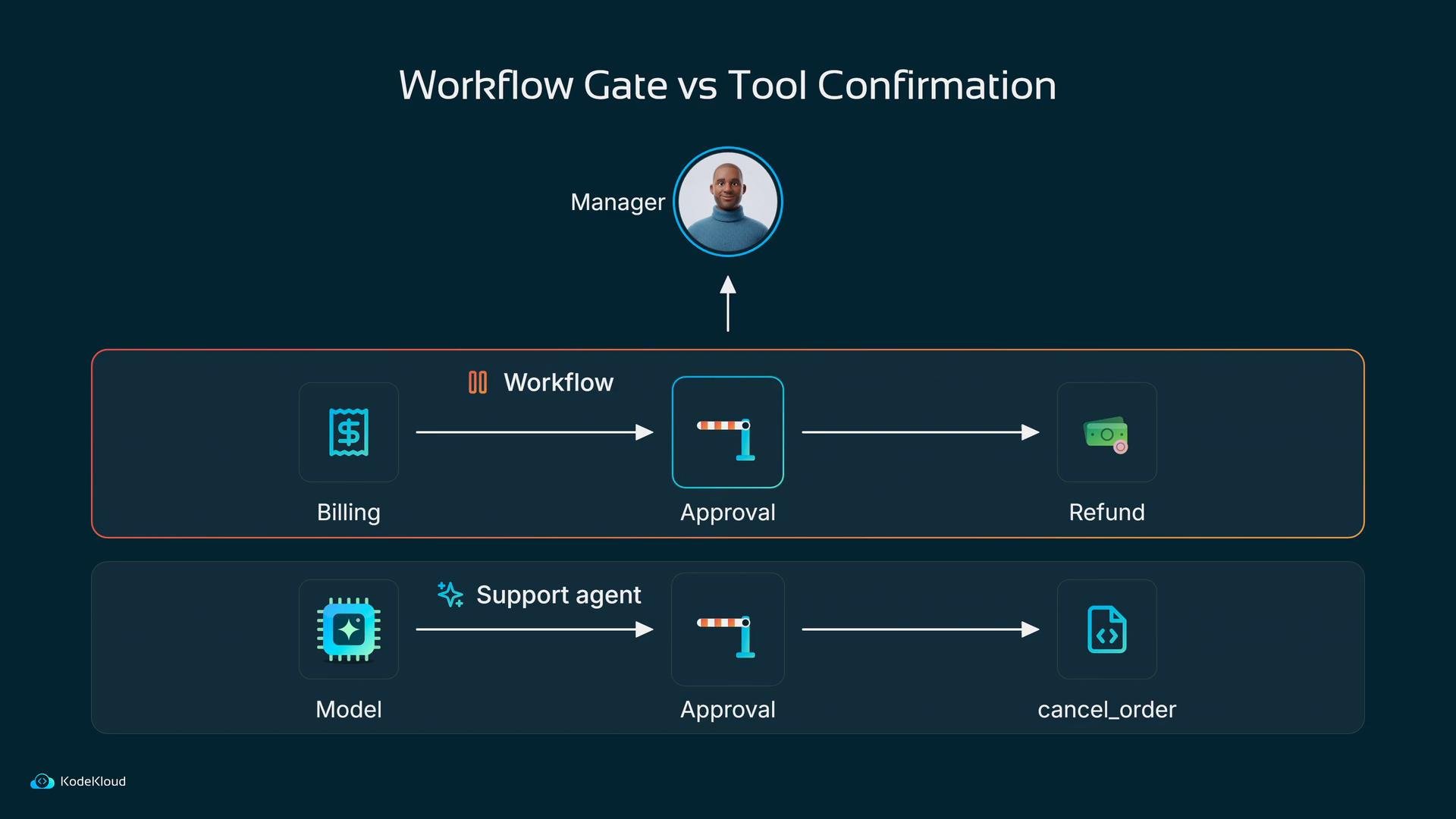
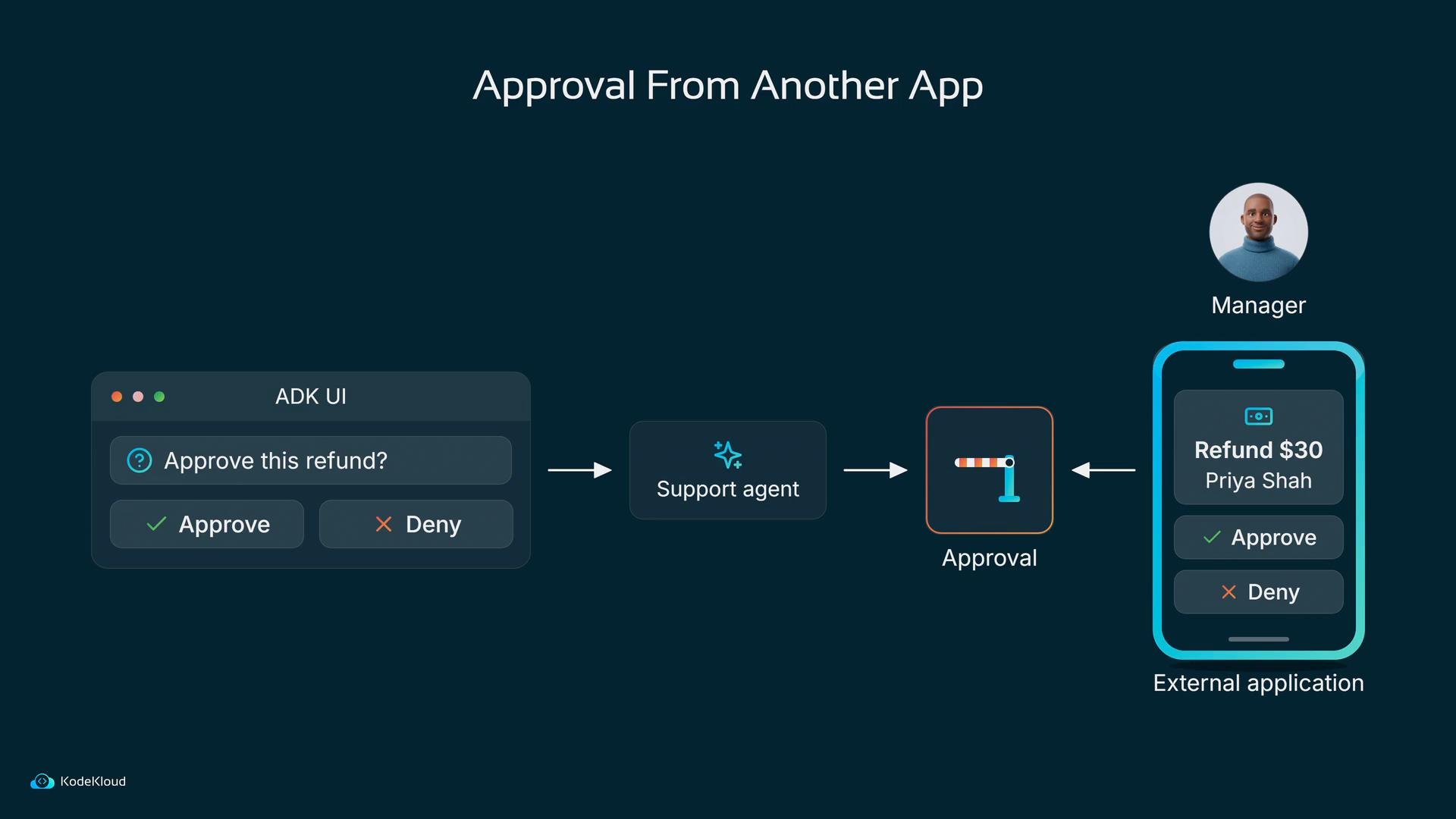
- Workflow-level gates: pause the entire workflow at a decision point and wait for human approval (for example, a refund workflow that stops until a manager authorizes payment).
- Tool-level confirmation: pause only a single tool call right before it executes, and require explicit approval.
Tool-level confirmation is useful when risk is localized to a specific tool call rather than to an entire workflow. It lets models and agents proceed normally except for the single high-risk operation that must be approved.
How tool-level confirmation works
Wrap a function in a FunctionTool and setrequire_confirmation=True. When the model attempts the tool call, the ADK suspends execution and prompts for confirmation; the underlying function does not run until a human approves.
A1001 the attempted call looks like:
Structured confirmations (more than Yes/No)
Tool confirmation can be structured: instead of a simple approve/deny, the approver can modify or fill in a structured payload — for example, approving a refund but entering a reduced amount.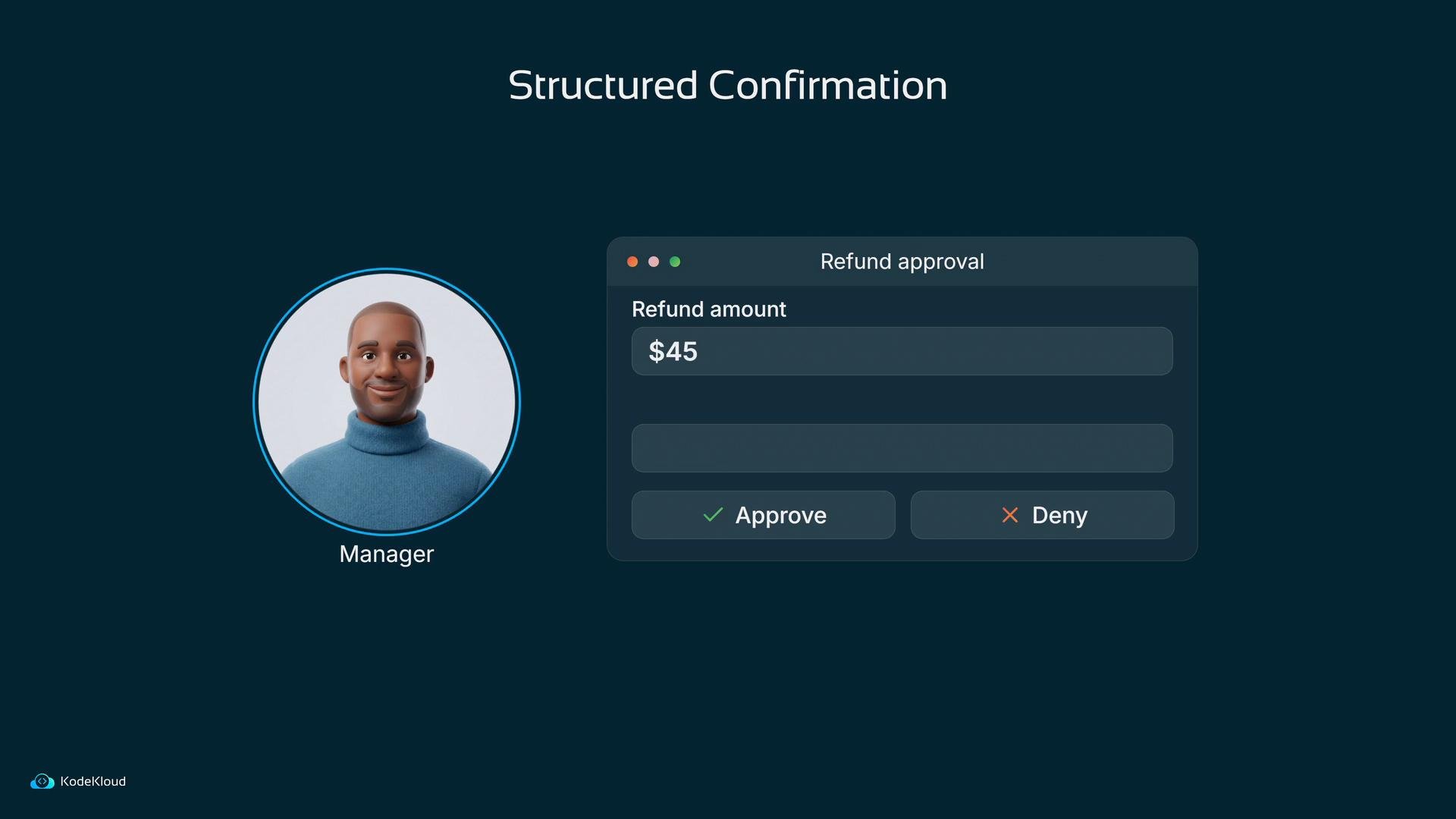
ToolContext API: request confirmation and read the result
Each tool receives a compactToolContext object describing the session and current user. The context exposes a method to request confirmation and a property that returns the confirmation payload once provided. The request can include a hint and a payload (for instance, { "amount": 45, "customer": "Jane Doe" }). The approver may change the payload values before approving.
Limiting tool exposure: a second line of defense
Confirmation protects high-risk operations, but preventing unnecessary access reduces risk even further. Do not expose every tool to every agent. Giving a support agent access to deployment or administration tools increases the attack surface and makes it harder to apply policy. Example: restrict a support agent to only the tools required for support (customer lookup, order status, refunds) and add identifying headers to requests.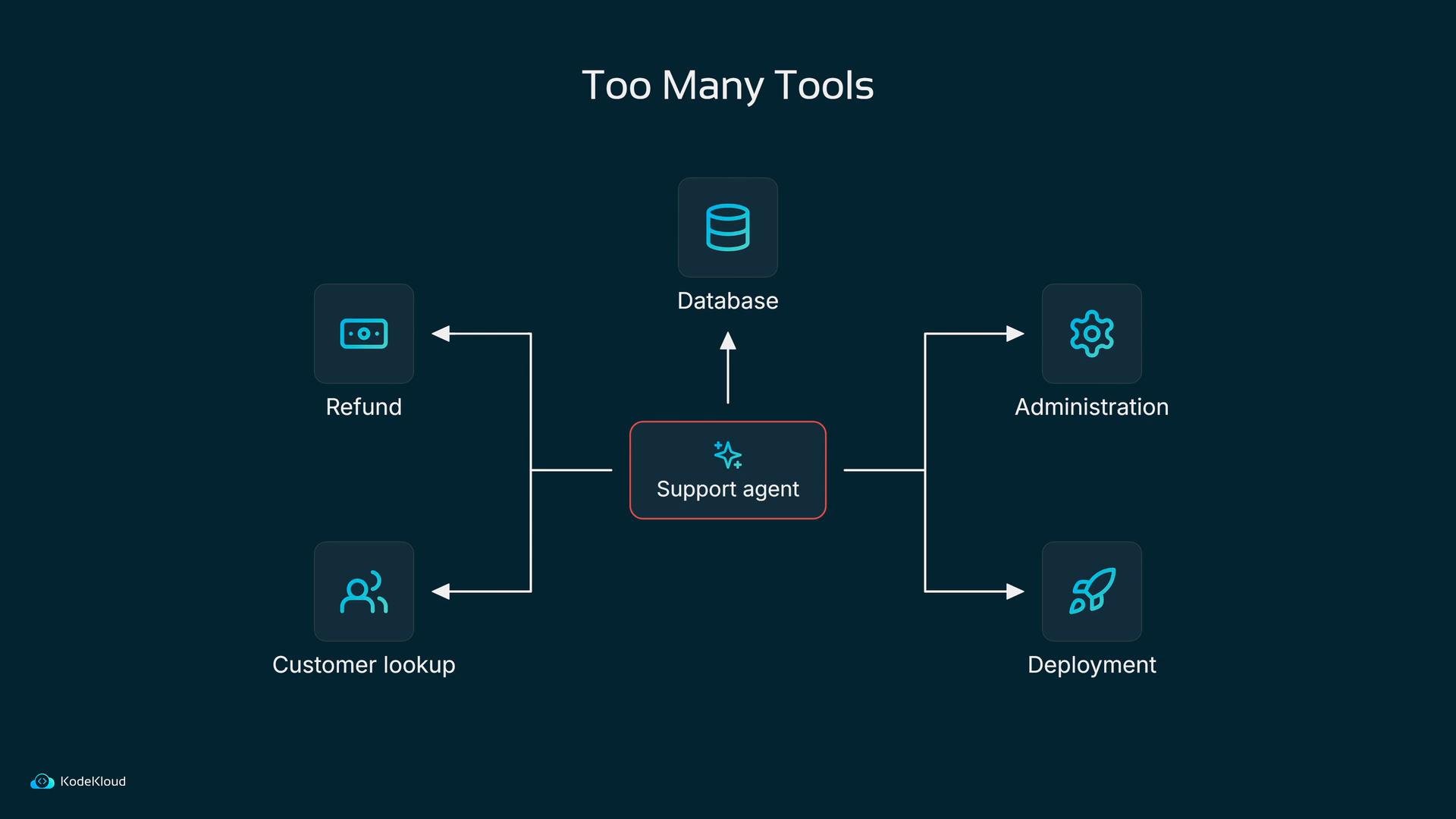
- A support task receives only support-related tools.
- A data analysis task receives only data-processing tools.
- High-risk operations are wrapped with confirmation so a human must approve them.
Best practices
- Apply the principle of least privilege: limit tools per role or per task.
- Wrap destructive operations (payments, deletions, cancellations) with confirmation.
- Use structured confirmations when the approver must change values (e.g., reduce a refund).
- Add team and authorization headers to requests so downstream systems can enforce policy and auditing.
- Prefer task-based dynamic filters to a single static tool list.
Protect destructive operations with confirmation and restrict tool exposure to the minimum set required for each role or task.
Example tool set for a support agent
Give an agent exactly the tools they need — and no more:- Principle of least privilege — https://en.wikipedia.org/wiki/Principle_of_least_privilege