

agent.py) and update the agent’s system prompt (instruction) and add any necessary connectors or tools that let it access order information.
Below is the simplest LLM agent definition you’ll typically see in ADK. It wires a name, model, description, and a system prompt (instruction):
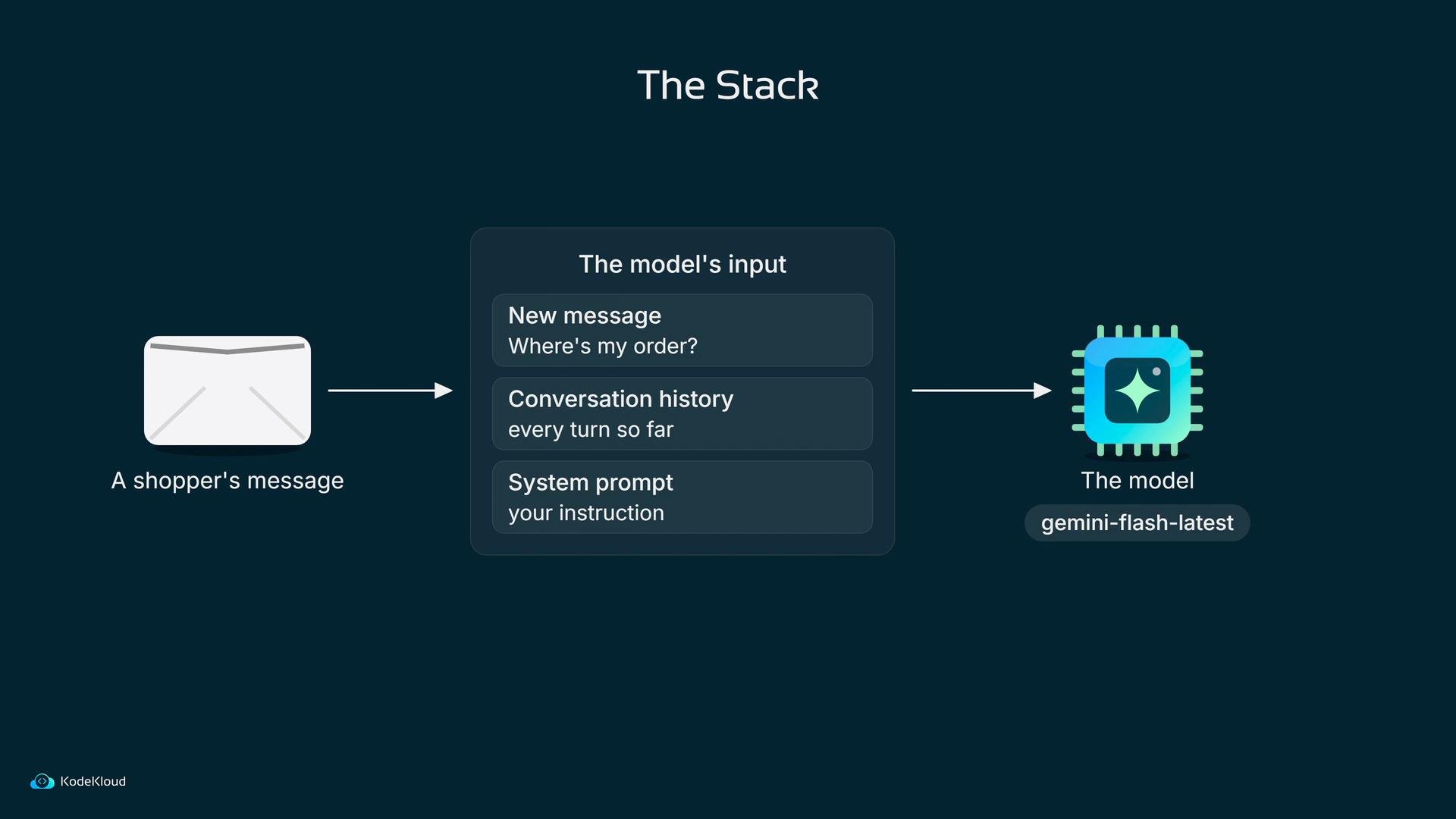
How ADK builds model input
ADK composes model input by stacking three contexts:
- The system prompt (
instruction) — your explicit rules and role. - The conversation history — prior user and agent turns.
- The new user message — the latest question or instruction.
- Ask for an order ID when missing.
- Use an orders API or tool when available.
- Respond concisely and politely with the latest order status.
- If no order data is available, explain what information is needed and how to provide it.
instruction that implements the above:
Keep system prompts focused, explicit, and actionable. Prefer short instructions that state: which tools to use, what to ask from users, and how to format responses. Avoid overly long or speculative rules—clarity yields consistent agent behavior.
- Add any required tooling (orders API connector, database access, or an internal tool) and register it with the agent runtime so the agent can call it.
- Re-run the agent and simulate the “Where’s my order?” flow. Expected behaviors:
- If the user did not provide an order ID, the agent asks for it.
- If the agent has access to order data, it calls the orders tool and returns a helpful status.
- If the agent lacks access, it explains what the user must provide and how.
- Iterate on the
instructionto refine phrasing, response format, or required checks (e.g., privacy, authentication).
Further reading
- ADK agents — agent configuration and registration
- ADK Web — dashboard and debugging tools