

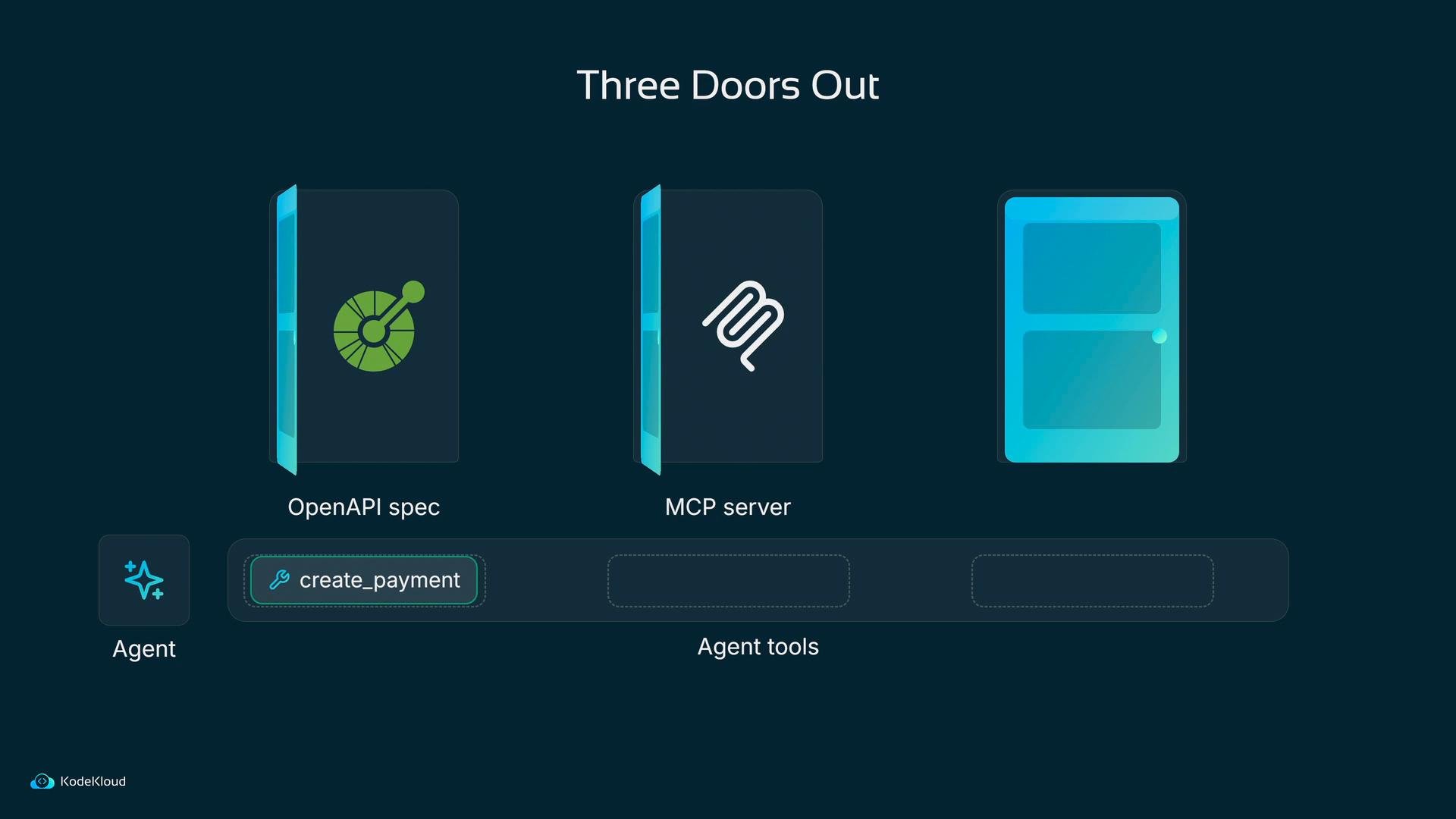
- OpenAPI is a single machine-readable file (JSON or YAML) that describes every operation a REST API supports.
- A REST API is a web service your code talks to over HTTP — the same protocol your browser uses.
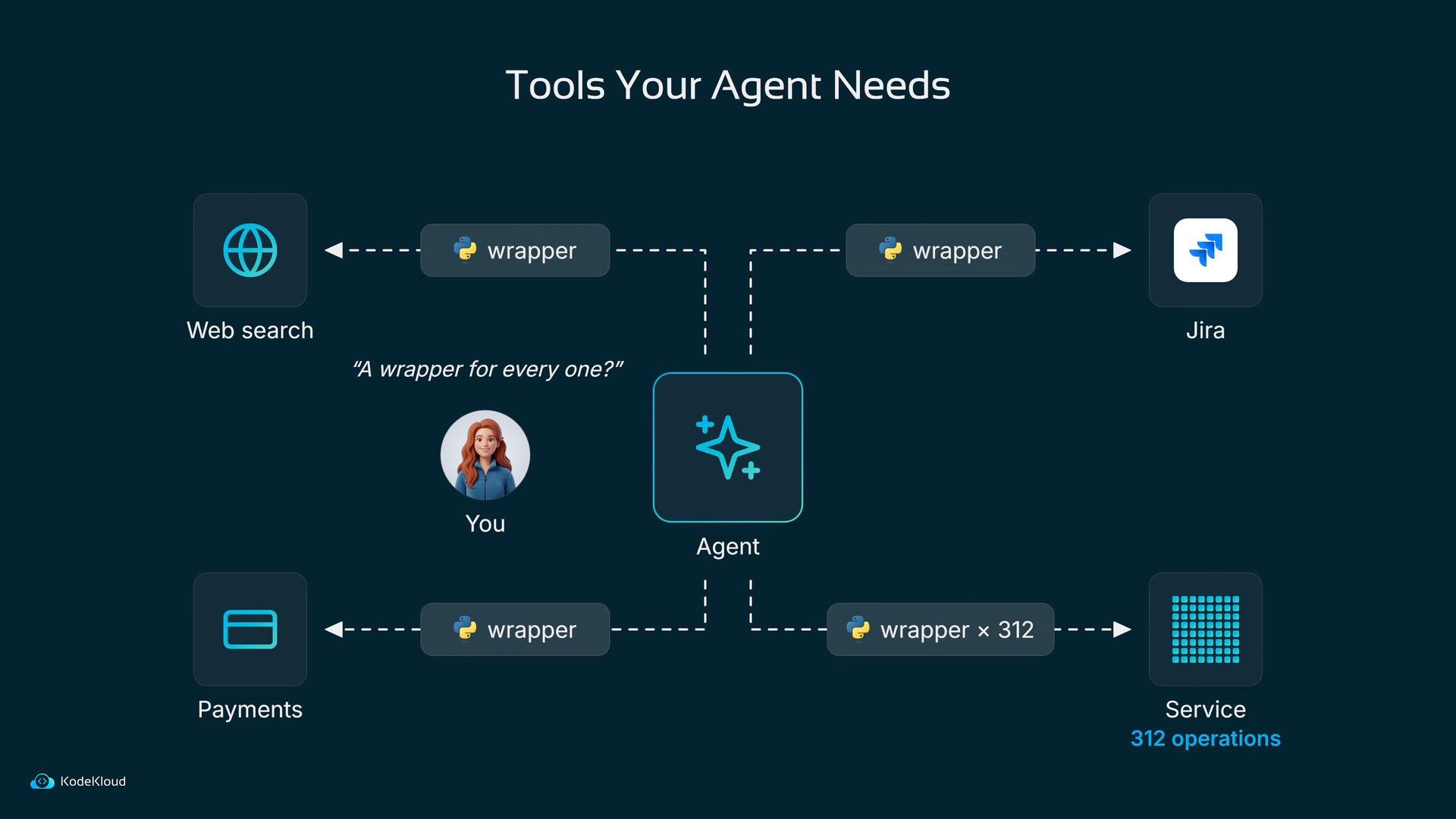
- A complete OpenAPI spec turns every documented endpoint into a callable tool without writing custom wrappers.
- Tools like ADK’s OpenAPIToolset can ingest the spec and expose each operation directly to the model as an actionable tool.
If your organization already publishes an OpenAPI spec, prefer generating tools from the spec rather than hand-coding clients. This speeds development and reduces surface-area errors. For official doc reference, see the OpenAPI Specification: https://swagger.io/specification/
- MCP is a protocol and common language between an agent and an external tool provider — similar to how device drivers standardize access to hardware.
- Any tool provider that implements MCP can plug into any agent that speaks MCP, with no extra glue code.
- The MCP server typically runs a small program (often on the same machine or a reachable host). The agent and server exchange structured messages (JSON, etc.) over a transport such as HTTP or WebSocket.
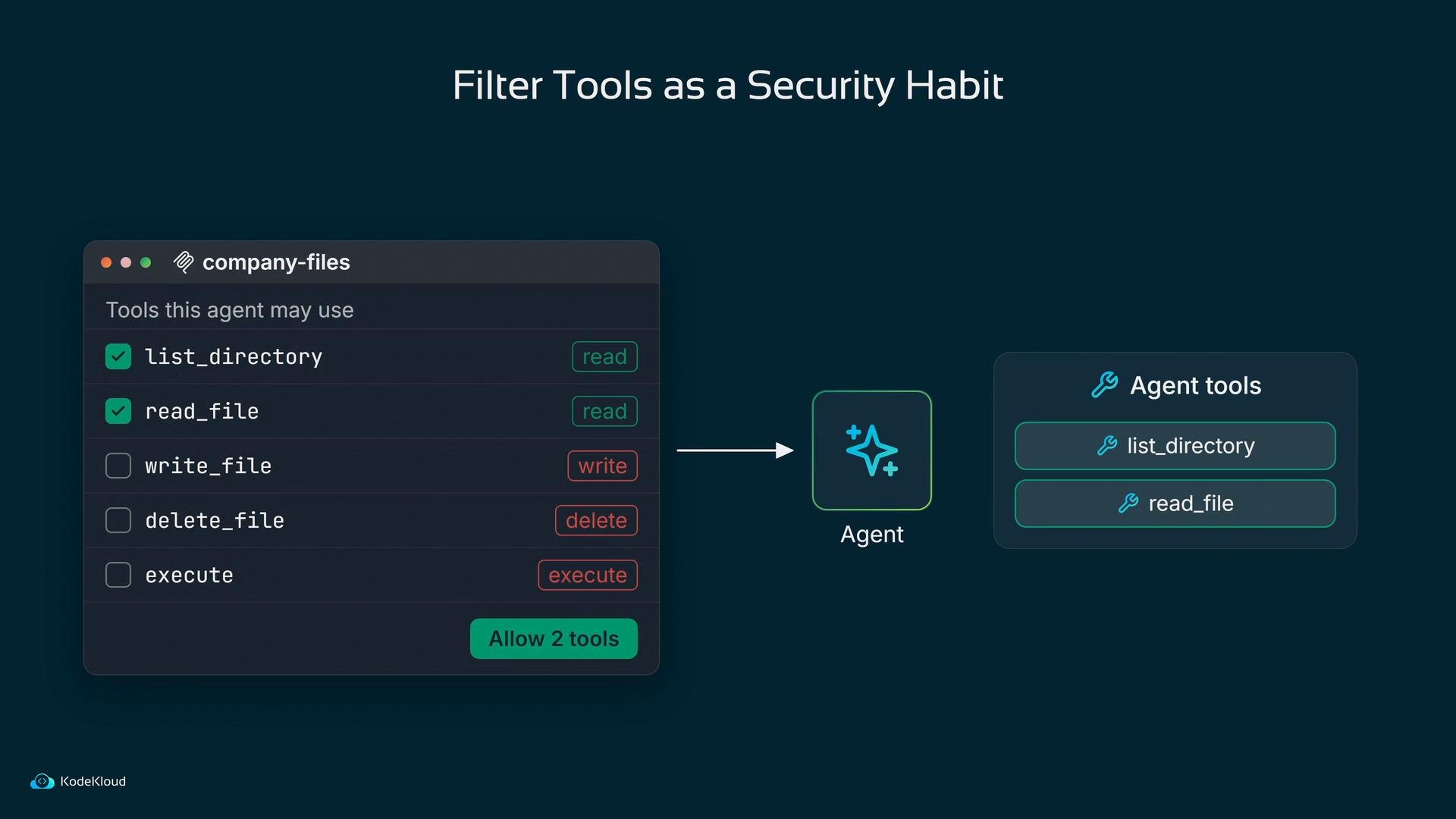
list_directory and read_file only — a simple but important security habit. Don’t connect a server and blindly hand over every capability to the model.
- In addition to OpenAPI and MCP, Google ships pre-built ADK tools (for example, Google Search) that you can attach to an agent without implementing HTTP calls or parsing results yourself.
- Powerful tools can be dangerous. Reading a file may be harmless; cancelling an order or issuing refunds is not.
- Apply the principle of least privilege: only expose the operations an agent truly needs.
- Add logging, approval workflows, and human-in-the-loop checks for risky actions.
- Use agent-side filters to restrict available operations and consider rate limits, audit trails, and explicit confirmation steps for high-risk endpoints.
Apply least privilege and safe approval flows when exposing powerful operations to models. Limit tools to the minimum needed and require human authorization for risky actions.
- OpenAPI Specification — https://swagger.io/specification/
- Principle of Least Privilege (overview) — https://owasp.org/www-community/Least_Privilege