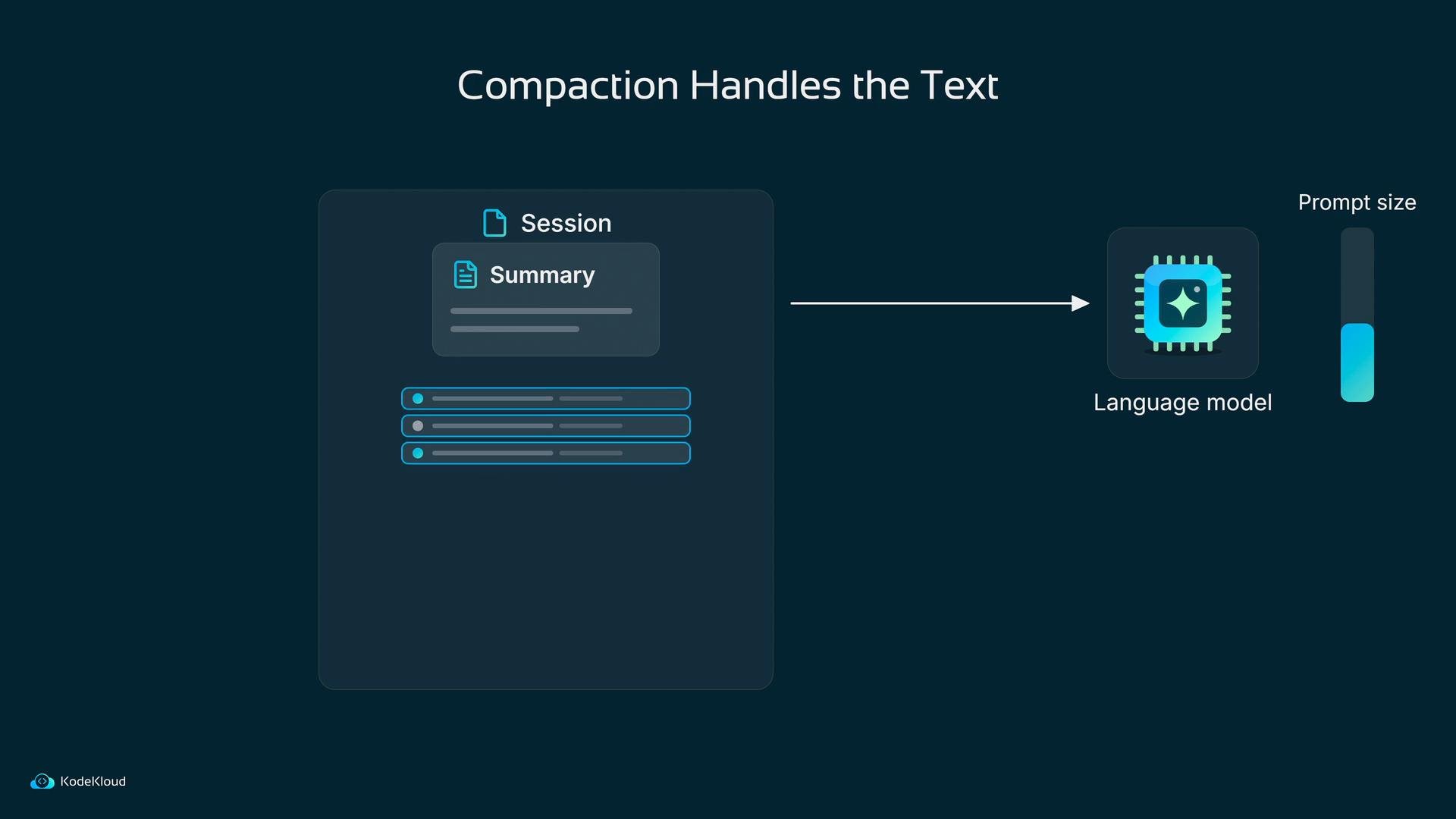
Compaction controls how past conversation turns are summarized so the prompt sent to the model stays small. Older turns are condensed into a summary, while recent turns remain intact, preventing unbounded prompt growth.
A diagram titled "Compaction Handles the Text" showing a session panel with a "Summary" card and list items on the left. An arrow points to a stylized language model chip on the right with a vertical prompt-size bar beside it.
This gives you the best of both worlds: a stable, bounded prompt size without losing important context. But not all user input is text — what about large files, images, or audio?

Artifacts: handling large binary content

When users upload non-text files (for example, a 30-page invoice PDF, a large image, or an audio recording), you should avoid embedding those large binaries directly into the session history or every model request. ADK solves this by storing such files as artifacts.
  • An artifact is a named, versioned file managed by the ADK Artifact Service.
  • Files live in the Artifact Service (not in session history). Sessions reference artifacts when the model needs them.
  • Artifacts can be scoped to a session or to a user, depending on naming and storage choices.
  • Each save returns a version number instead of overwriting existing files.
Save an artifact by calling save_artifact and passing a Part object that wraps the file bytes and MIME type. Example:
The Artifact Service returns a version identifier (e.g., version 0 the first time you save "invoice.pdf", 1 the next time, etc.). This gives you immutable versions and simple change history.

Loading artifacts into a single turn

When the agent needs a file, ADK provides an artifact-loading tool that fetches the artifact and injects its contents into the model request for that single turn only. The loaded file is not appended to the persistent session history—if the model needs it again later, ADK loads it again. This prevents large binary data from inflating the conversation context or your billing.
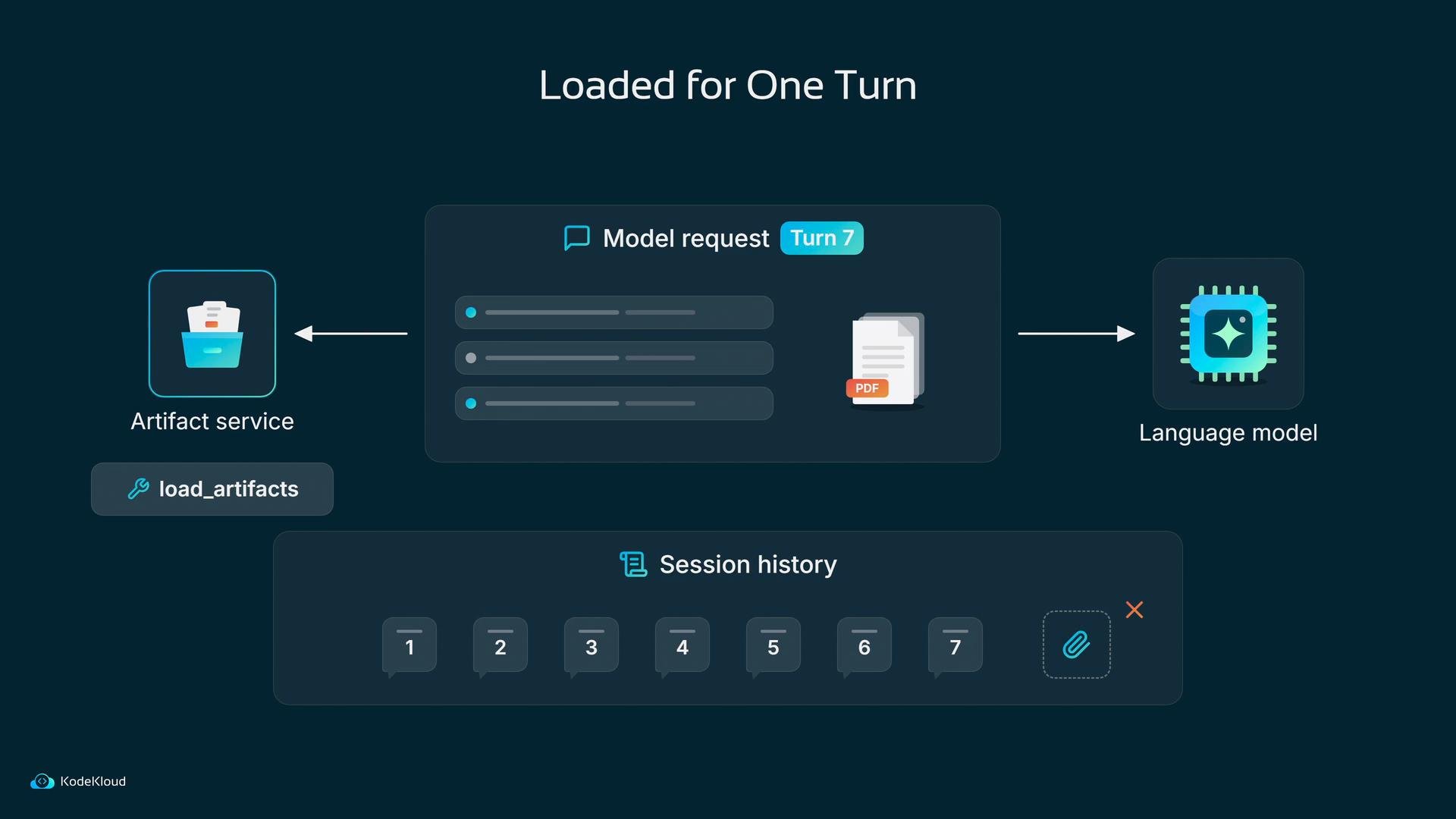
A dark-themed diagram titled "Loaded for One Turn" showing a model request (Turn 7) flow between an artifact service (left) and a language model (right), with a PDF icon and request list in the center. Below is a session history timeline of numbered turns and an attachment icon.

Long-term memory across sessions

Session state and compaction handle short-term context, but when information must persist beyond a single conversation, use ADK’s Memory Service.
  • Use add_session_to_memory after a conversation to extract and store important facts from the session.
  • In a future session, retrieve relevant facts with search_memory.
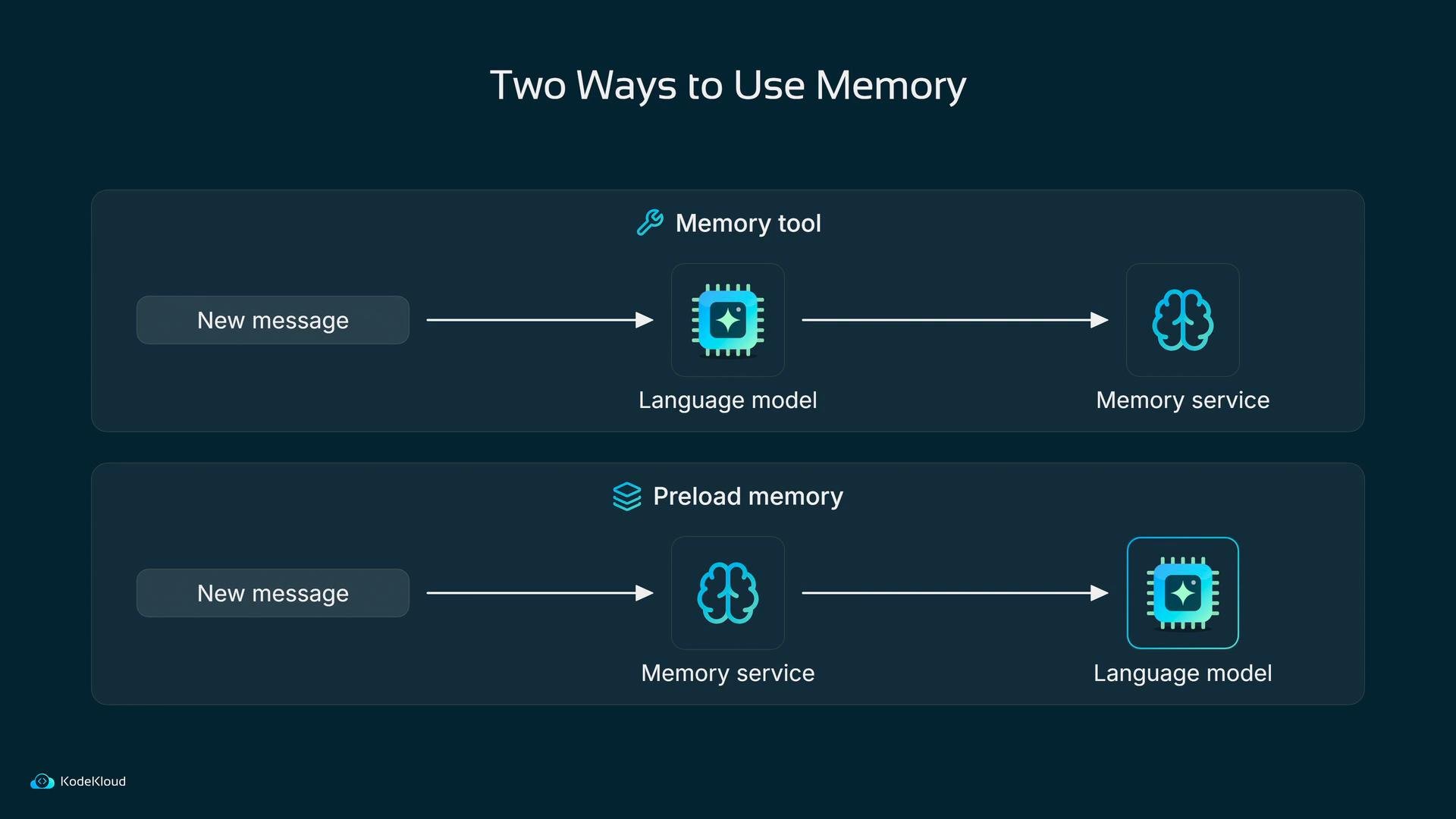
  • You can let the model decide when to query memory (provide a memory tool) or have ADK preload memory results before the model receives the new message.
Example use case: if a user told the agent that their favorite project is “Project Alpha” in a previous session and you saved that session to memory, a new session can find “Project Alpha” later using search_memory.
An infographic titled "Two Ways to Use Memory" showing two flow diagrams: the top labeled "Memory tool" routes a new message to the language model then to a memory service, and the bottom labeled "Preload memory" routes a new message through the memory service before the language model. Each flow is illustrated with chip and brain icons.
For development and prototyping, ADK offers an in-memory backend (everything stays in RAM — no external databases required). For production, switch to a persistent backend (for example, a managed cloud memory store) so memories survive restarts and are durably stored. The Memory Service API is the same in both cases.

Quick reference: when to use each mechanism

Putting it together: session state and recent events are your short-term memory. Compaction keeps the conversation prompt from growing without bound. Artifacts keep large files outside the context until they’re needed. The Memory Service provides durable recall across conversations. Each mechanism addresses a different problem — use the right one for predictable costs, smaller prompts, and faster responses.
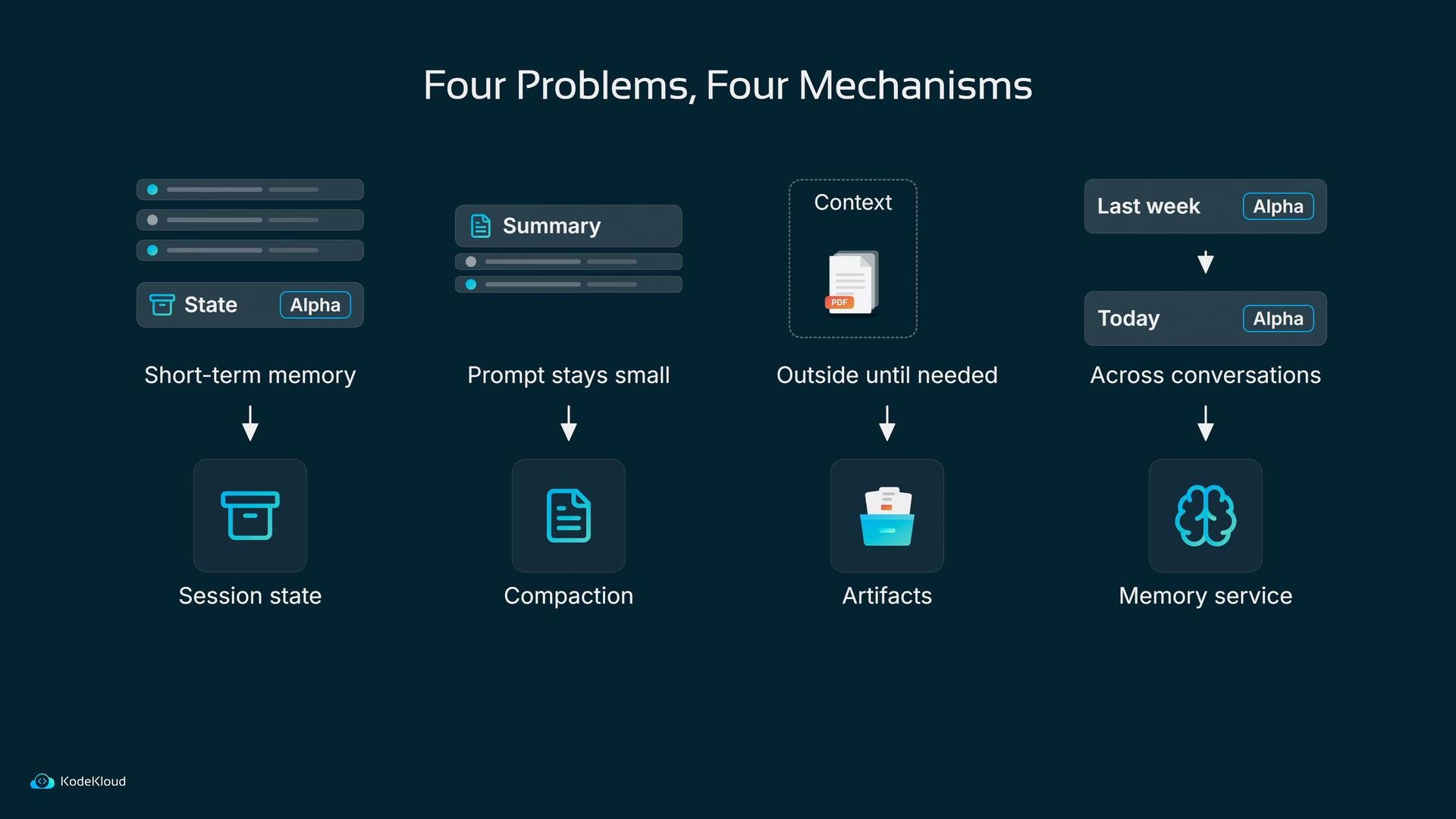
A dark-themed infographic titled "Four Problems, Four Mechanisms" that maps four issues (short-term memory, prompt size, external context, across conversations) to solutions labeled Session state, Compaction, Artifacts, and Memory service. Each column shows small UI-style elements and icons with arrows illustrating how each mechanism addresses its problem.
Next time your agent’s prompt keeps growing and your bill rises, ask: is this short-term context, a large file, or a long-term memory? Picking session state, compaction, artifacts, or the Memory Service correctly will keep prompts small, costs predictable, and your system responsive.
Keep large binary content out of session history by storing it as an artifact and loading it into the model request only when needed.

Watch Video

Practice Lab