

agent.py with one final field to tighten: the instruction string. The model selection, agent name, and description are in place, but the current instruction — “Answer the user’s questions.” — is too vague. That tiny line often makes the difference between an unpredictable assistant and one that behaves reliably in production.
Below you’ll see a weak, default instruction and a stronger alternative. Use the stronger pattern every time you build an agent.
Weak (default) example the prebuilt project gives you:
- Job 1 — Role: define the assistant’s lane (what it should and should not do).
- Job 2 — Constraints: list hard rules the assistant must follow.
- Job 3 — Tone: two or three words that define the voice.
- Role keeps the agent focused (it should politely decline unrelated tasks).
- Constraints prevent dangerous behavior (e.g., hallucinating order statuses).
- Tone enforces a consistent voice across responses.
When you require a strict output format, include a minimal, exact example inside the instruction or the prompt. Even a one-line JSON example helps the model produce predictable, parseable responses.
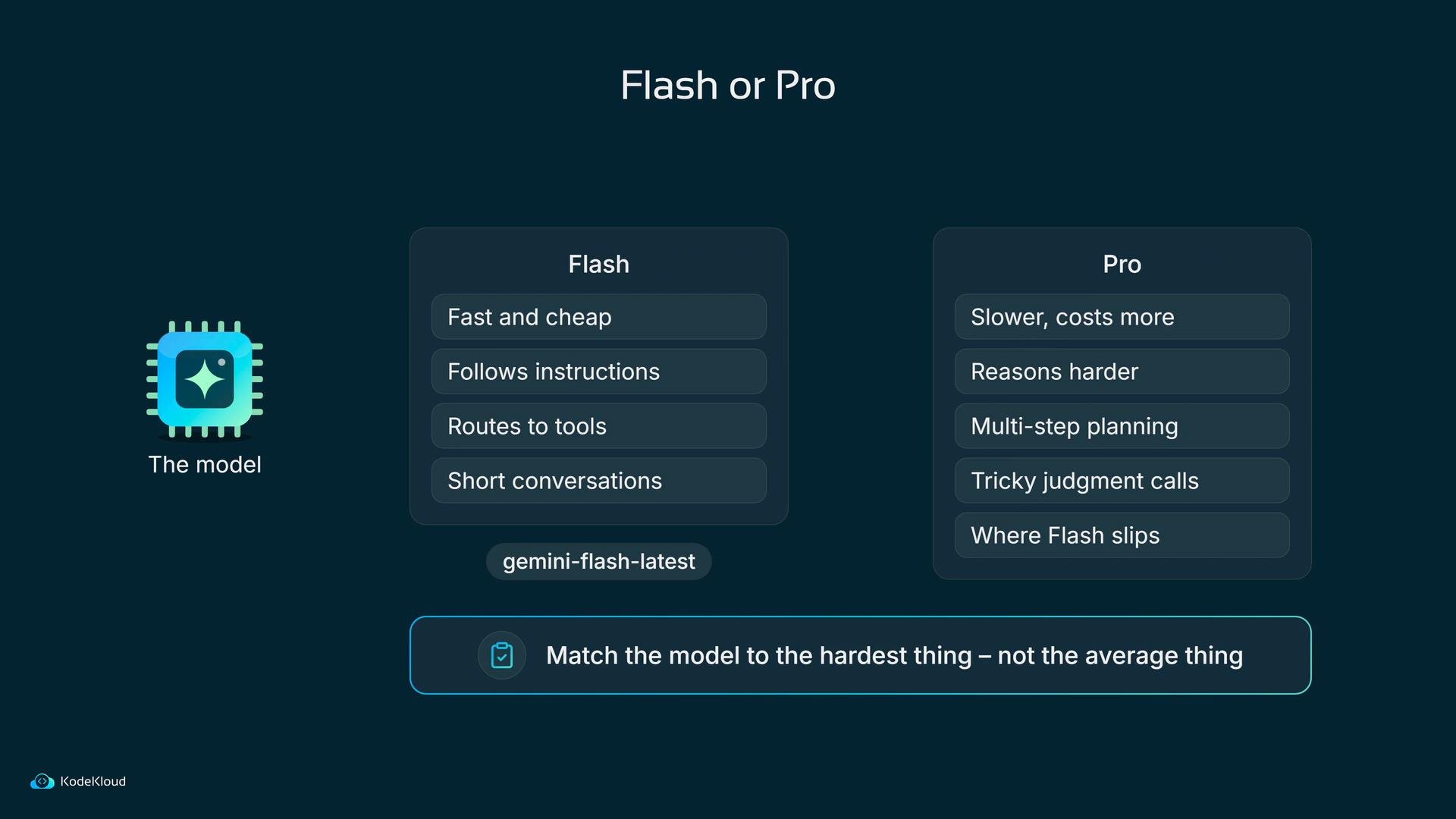
Choosing the right model tier
- Gemini Flash (fast, inexpensive): handle routing, short conversations, and many common agents. Start here.
- Gemini Pro (slower, costlier): use for heavy multi-step reasoning, complex planning, or when Flash isn’t sufficient.
- Have a single-line Role.
- List concise, enforceable Constraints.
- Specify Tone in two or three words.
- Include an exact output example when format matters.
- Start with Flash; only upgrade to Pro when necessary.