

1. Deploy the Traefik Dashboard Service
Create a Service of typeNodePort to expose the Traefik API port:
2. Enable Insecure API Access
By default, Traefik’s API/dashboard is secured. For this lab, we’ll enable insecure access by adding--api.insecure=true to the deployment arguments.
Edit the Traefik deployment:
args: section, include:
3. Access the Dashboard
Open port 30000 on your node and navigate to:- Entry Points: Listening ports on the Traefik pod
- Routers: Rules mapping incoming requests to services
- Services: Backend services and their endpoints
- Middlewares: Request transformations (none configured here)
Entry Points Overview
Inspecting Services
On the Services page, you can drill into each service’s pods and endpoints. In our CompanyX application, all services show healthy endpoints: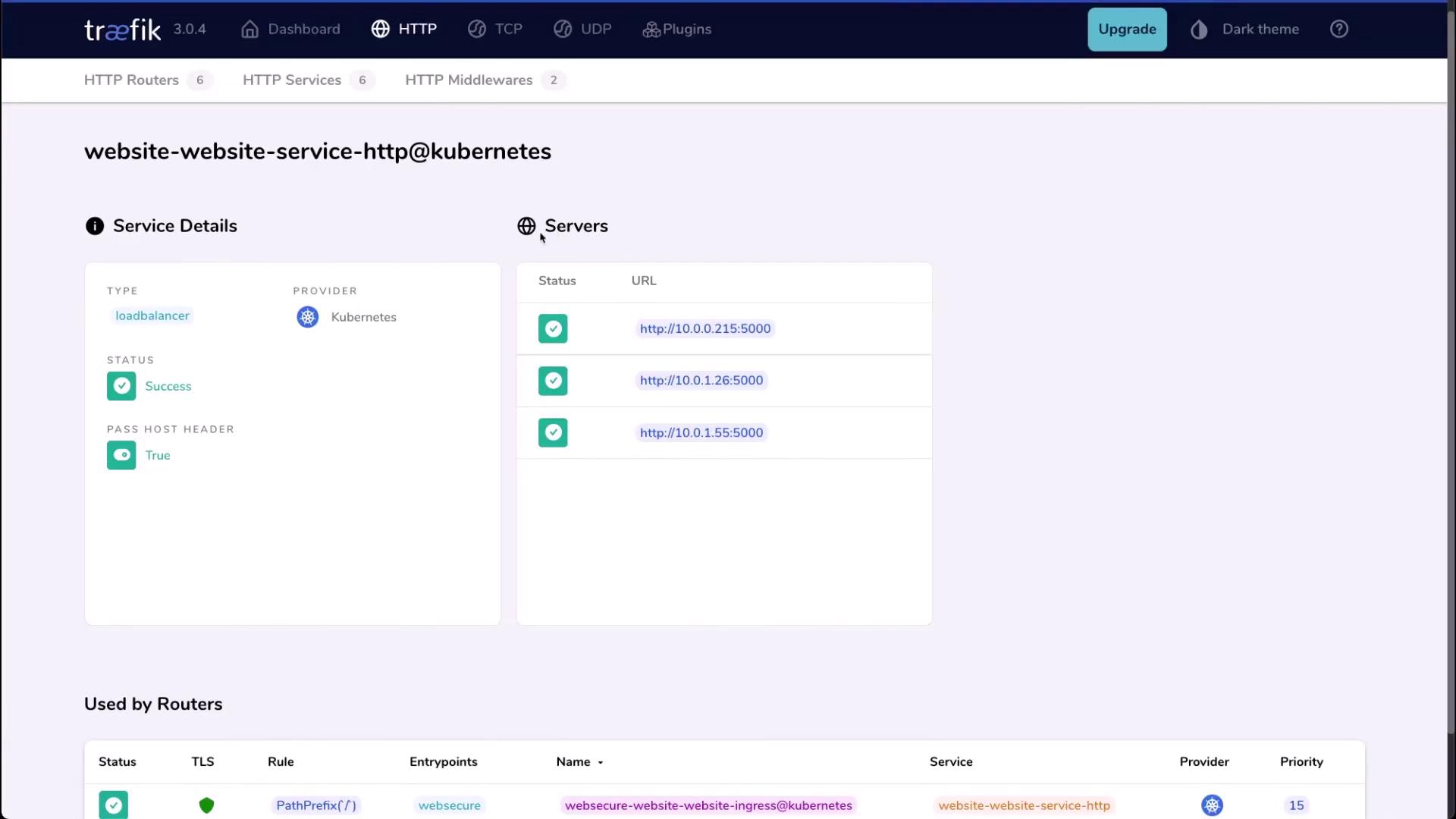
4. Scale the Application
Let’s scale the CompanyX website to 5 replicas:In a production setup, secure the dashboard with authentication or restrict access to a private network.
This completes our overview of the Traefik observability dashboard—an invaluable tool for monitoring traffic flows, routing, and service health in Kubernetes. For further reading, see the Traefik documentation.