

Table of Contents
- Verify CNI Pod Health
1.1 Using the Cilium CLI
1.2 Runningcilium-debug
1.3 Checking Node Connectivity - Inspect Network Policies
2.1 Testing Egress Connectivity - Troubleshoot Pods and Services
3.1 Checking Pod Status and Logs
3.2 Port-Forwarding to the Pod
3.3 Verifying Service Endpoints - Summary
- References
1. Verify CNI Pod Health
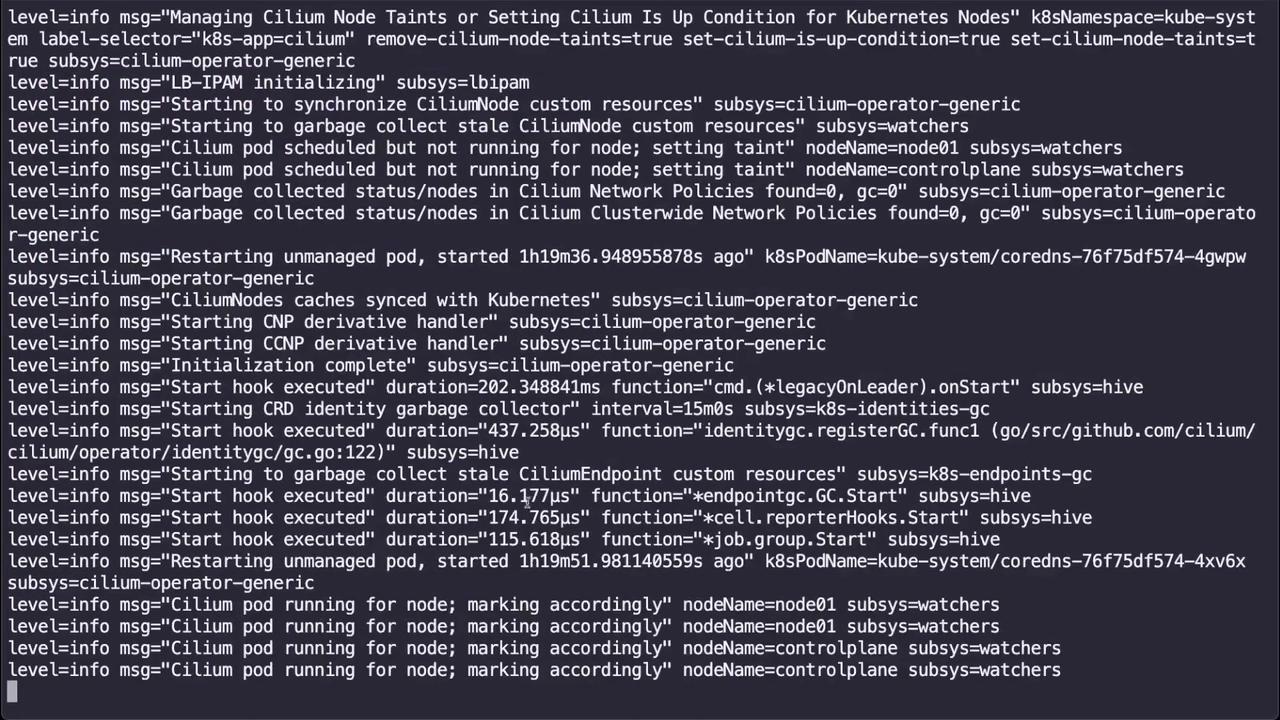
Start by confirming that all Cilium components are running in thekube-system namespace:
- A DaemonSet (
cilium-<pod>) on each node - A single operator pod managing cluster-wide CRDs
1.1 Using the Cilium CLI
If you have the Cilium CLI installed, quickly check cluster health:1.2 Running cilium-debug
Run the built-in debug tool to gather component status:
1.3 Checking Node Connectivity
Validate inter-node connectivity withcilium-health:
2. Inspect Network Policies
NetworkPolicies can block unintended traffic flows. List all policies across namespaces:
Describe a restrictive policy:
Deleting or modifying NetworkPolicies in production can expose workloads. Always validate in a non-production namespace first.
2.1 Testing Egress Connectivity
Launch a temporary pod to test outbound access:- If the request hangs, the policy is blocking egress.
- To restore connectivity, delete the policy:
3. Troubleshoot Pods and Services
3.1 Checking Pod Status and Logs
List application pods: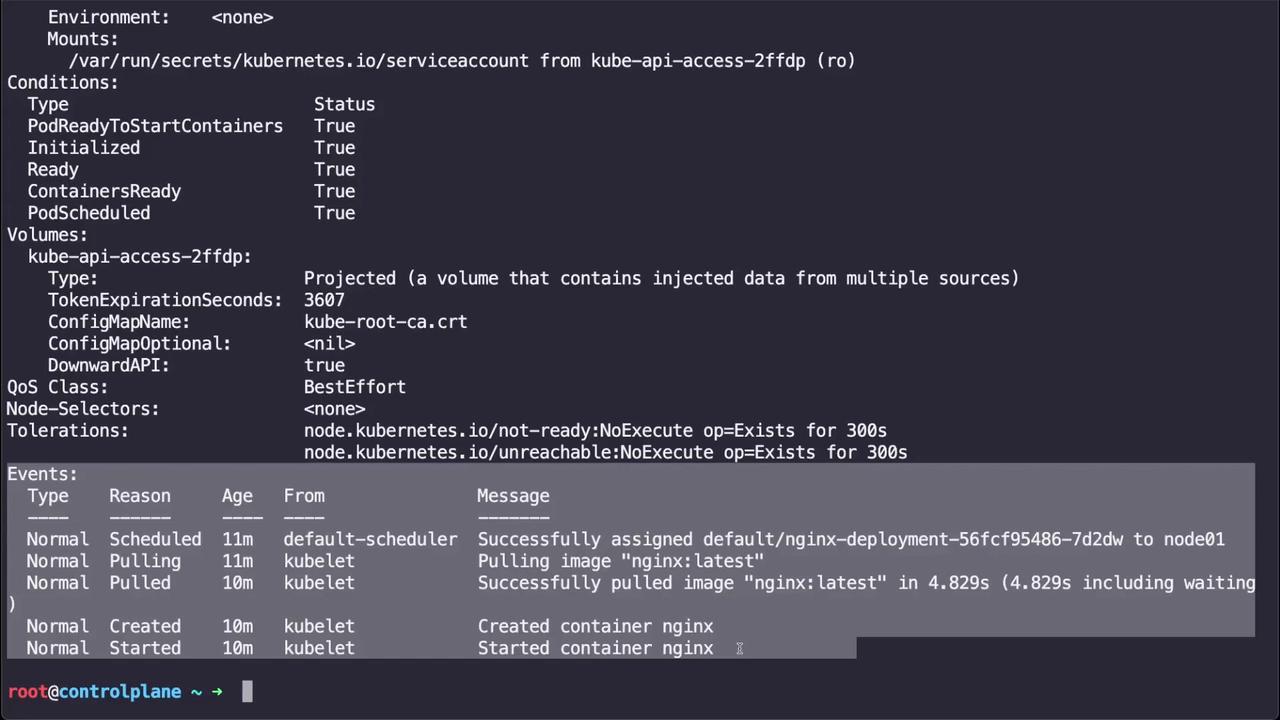
3.2 Port-Forwarding to the Pod
Test direct connectivity by forwarding local port 8080 to the pod’s port 80:curl http://localhost:8080 to verify the service response.
3.3 Verifying Service Endpoints
Services provide stable access to Pods. If port-forward works on the pod but fails on the Service:-
Describe the Service:
-
If you see
Endpoints: \<none>, the selector may not match any Pods. -
Check the Pod labels:
-
Edit the Service selector to match the Pod labels:
-
Confirm the endpoint appears:
-
Forward traffic via the Service:
4. Summary
In this tutorial, you learned how to:- Validate Cilium CNI health with pod status, logs, and CLI tools (
cilium status,cilium-debug,cilium-health). - Inspect and test the impact of NetworkPolicies on egress traffic.
- Diagnose Pod and Service connectivity with
kubectl describe, logs, port-forwarding, and selector verification.
5. References
- Cilium Documentation
- Kubernetes Networking Concepts
- Kubernetes API Reference: NetworkPolicy
- cilium CLI GitHub