In this hands-on lab, you’ll learn how to configure, apply, and manage output variables in OpenTofu using the random provider. By the end, you’ll be able to expose resource attributes and query them on demand.
1. Setup and Resource Configuration
Change into the sample project directory:
cd /root/OpenTofu-projects/data
Examine the HCL files defining nine resources with the random provider:
# random_integer resources
resource "random_integer" "order1" {
min = 1
max = 99999
}
resource "random_integer" "order2" {
min = 1
max = 222222
}
# random_uuid resources
resource "random_uuid" "id1" {}
resource "random_uuid" "id2" {}
resource "random_uuid" "id3" {}
resource "random_uuid" "id4" {}
resource "random_uuid" "id5" {}
resource "random_uuid" "id6" {}
resource "random_uuid" "id7" {}
Open the accompanying output.tf to see how each resource is exposed as an output variable.
2. Initialize, Plan, and Apply
Initialize the working directory, preview the plan, and apply the configuration.
Command Description tofu initDownload providers and initialize the working folder tofu planGenerate and display the execution plan tofu applyApply changes to create resources
tofu init
tofu plan
tofu apply
# Type "yes" to confirm
After a successful apply, you should see:
Apply complete! Resources: 9 added, 0 changed, 0 destroyed.
Outputs:
id1 = "82b3b221-136c-88c6-88c2-e9f878d86a"
id2 = "9687669a-73d4-9717-52a2-6497826815a1"
id3 = "23982b58-763d-49ae-af62-45a7856ac42c"
id4 = "890c9540-59e1-4b28-8fba-9a4f418c0c86"
id5 = "e2171b2e-1ff0-40a6-8fdb-c472f017c5b5"
id6 = "2212bac2-d5c1-ecac-2490-012bcab1f19a"
id7 = "b4e83b80-46c8-4efb-bd73-3a7865d647d6"
order1 = 16106
order2 = 16106
3. Querying Individual Outputs
Test your understanding:
What is the value of id2?
From the example above, id2 = "9687669a-73d4-9717-52a2-6497826815a1".
What is the value of order1?
It is 16106.
You can also fetch specific outputs:
tofu output id2
tofu output order1
# => 16106
4. Inspecting a New Configuration
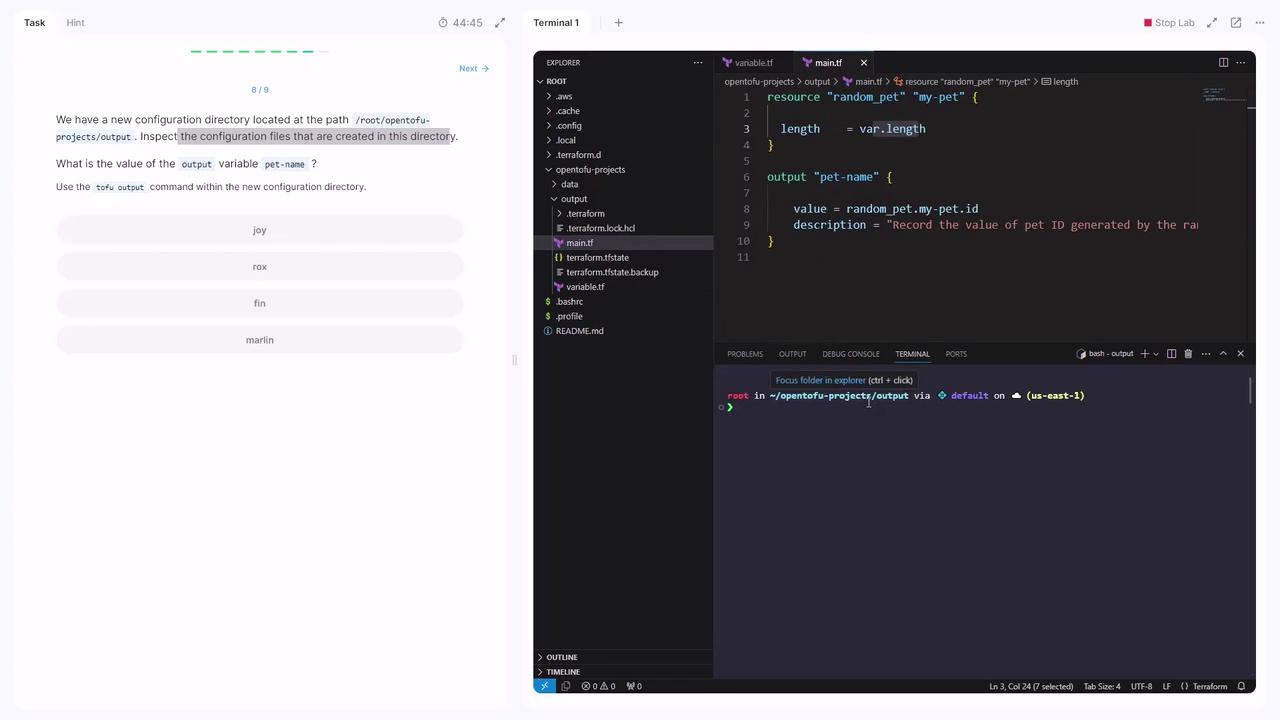
Switch to the second lab directory and review main.tf:
cd /root/OpenTofu-projects/data/output
In main.tf, you’ll find:
resource "random_pet" "my_pet" {
length = var . length
}
output "pet-name" {
value = random_pet . my_pet . id
description = "Record the value of pet ID generated by the random pet"
}
If the image below doesn’t render, use the code snippet above to verify your setup.
Confirm the output:
tofu output pet-name
# => "marlin"
5. Adding a New Output Variable
The same main.tf defines a local_file resource:
resource "local_file" "welcome" {
filename = "/root/message.txt"
content = "Welcome to Kodekloud."
}
Add an output block below it to capture the file’s content:
output "welcome_message" {
value = local_file . welcome . content
}
Save your changes, then re-run the workflow:
tofu init
tofu plan
tofu apply
# Type "yes" to confirm
Finally, verify the new output:
tofu output welcome_message
# => "Welcome to Kodekloud."
Congratulations! You’ve successfully configured and managed OpenTofu output variables.