

Local State Files
When you initialize a project locally, you’ll see:main.tf might look like:
terraform.tfstate:
Local state files often contain sensitive data. Do not commit
terraform.tfstate or any .tfstate files to version control.Built-in State Locking
OpenTofu locks the local state file during operations to prevent concurrent writes:tofu apply in parallel, you’ll encounter:
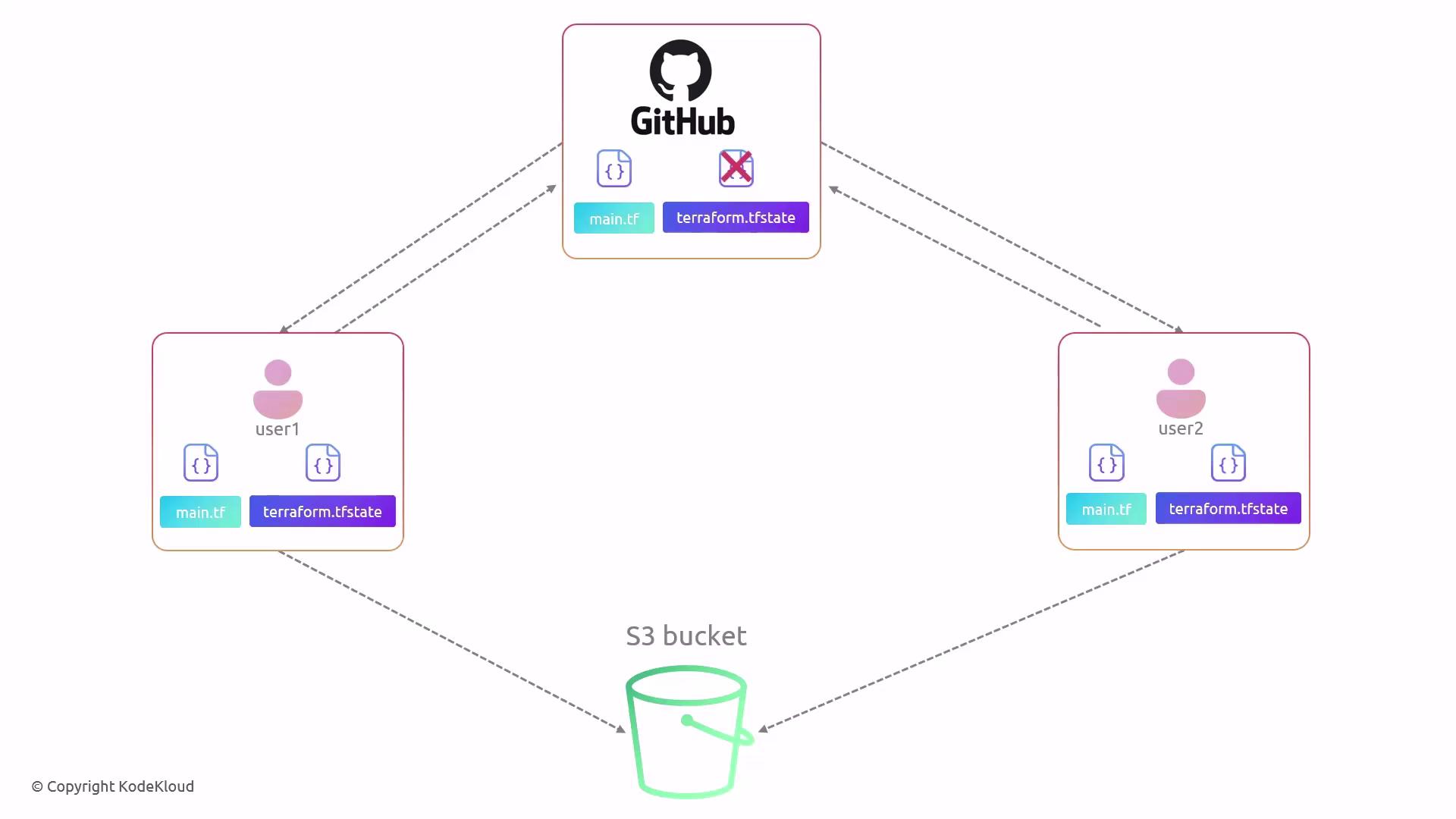
Benefits of Remote State Backends
Remote backends centralize state storage, enable reliable locking, and secure data at rest and in transit. They integrate with popular cloud services: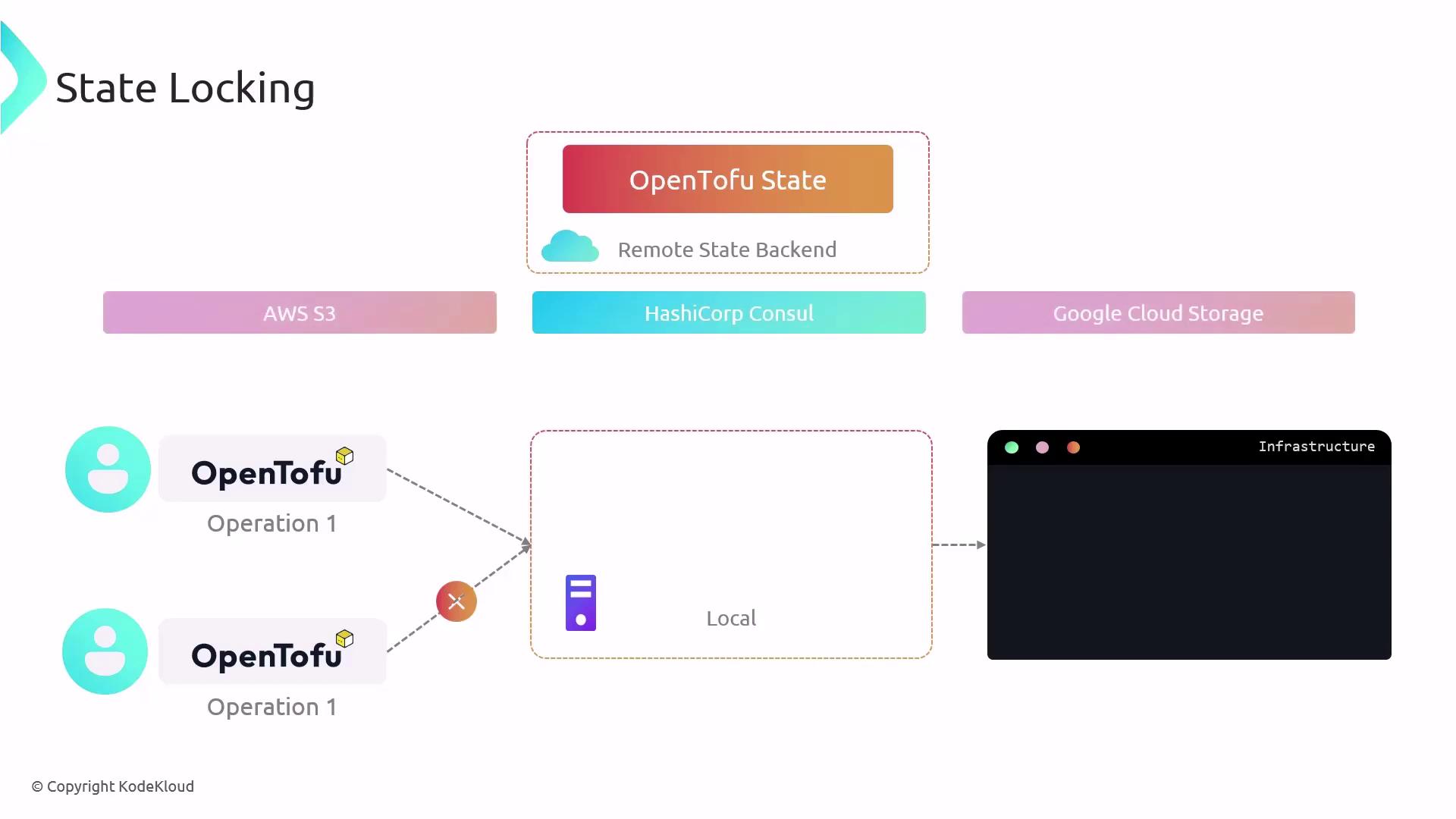

Configuring AWS S3 as a Remote Backend
Ensure you have:
- An existing S3 bucket for storing state
- (Optional) A DynamoDB table for locking
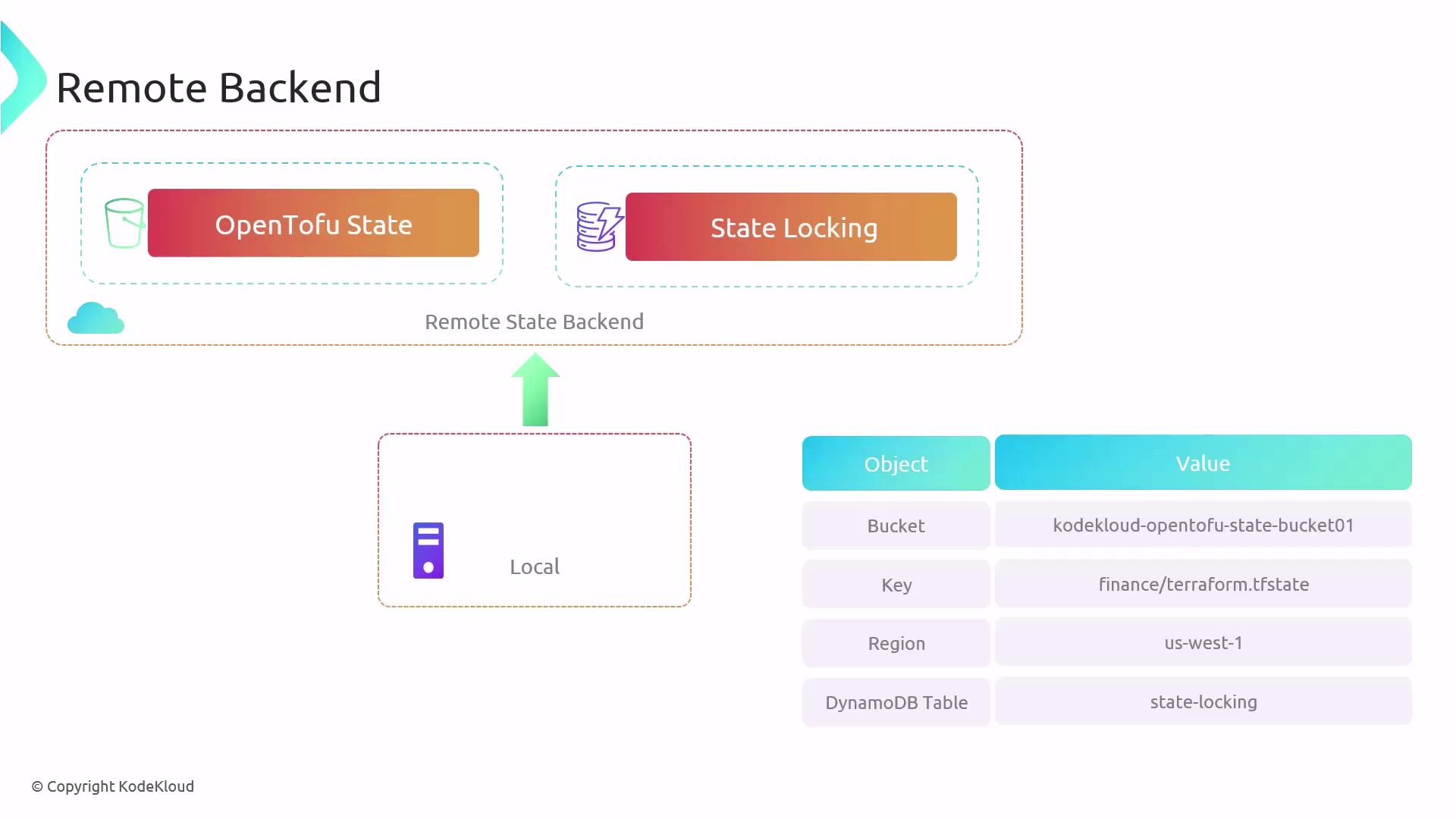
-
In your project directory, you’ll see:
-
Update
main.tfto add an S3 backend: -
Run
tofu applyand note the backend initialization error: -
Initialize and migrate your state:
Responding with
yesmigrates your local state to S3. You can then remove the localterraform.tfstatefile. -
Future applies use the remote backend:
Inspecting and Modifying State
OpenTofu provides thetofu state command group for safe state inspection and modifications. Avoid editing state files manually.
Examples: