

Q1: Identify the HCL File Extension
Navigate to your HCL project directory and list its contents:main.tf.Answer:
.tf
Q2: Determine the Resource Type
Inspect the resource block inmain.tf:
local_file
Q3: Find the Resource Name
Within the same block, the second quoted identifier denotes the resource name:games
Q4: Identify the Provider Name
The provider is indicated by the prefix of the resource type:Answer:
local
Q5: Valid vs. Invalid Arguments
Thelocal_file resource supports only filename and content. It does not accept resource_type.
Answer:
resource_type = "local_file"
Q6: Why tofu plan Fails Initially
Running:
Always run
tofu init before planning or applying any changes.Initialize the Working Directory
Q7: Locate the Provider Plugin Version
After initialization, OpenTofu downloads provider plugins. You can confirm the version (2.5.1) from the output or by inspecting .terraform:
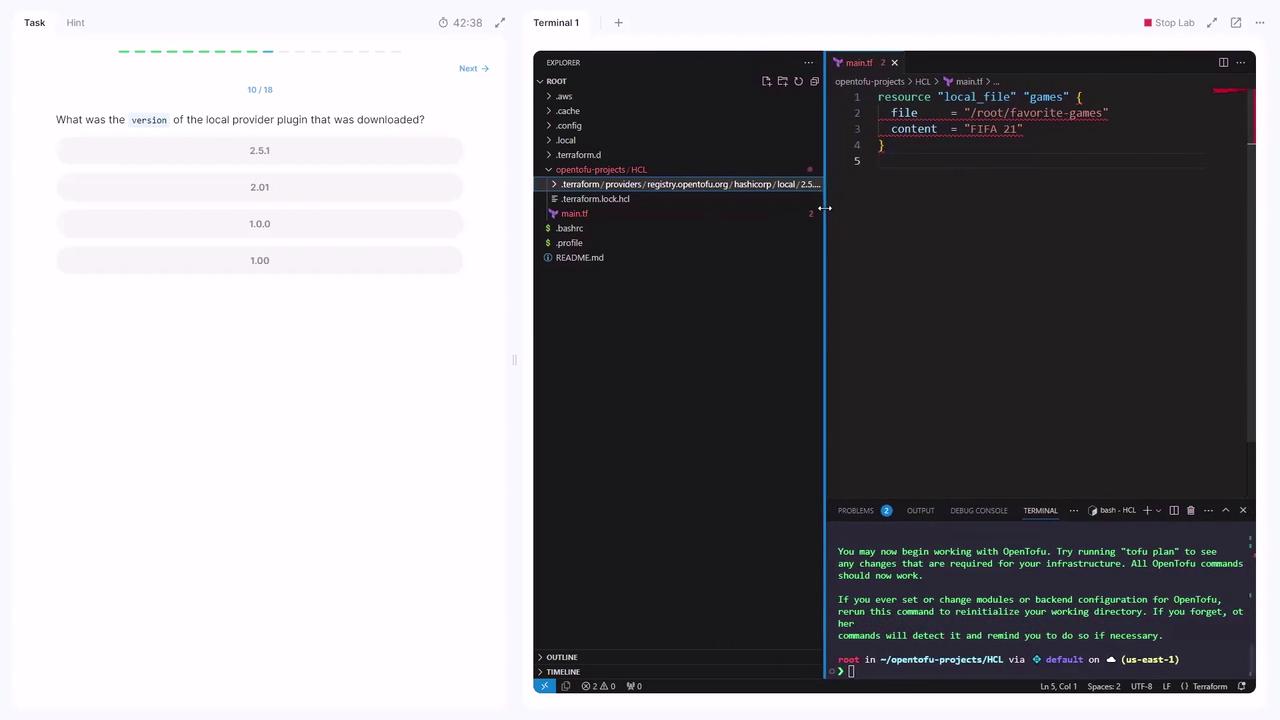
2.5.1
Q8: Re-run tofu plan with Incorrect Arguments
file instead of filename and omitted filename.
Q9: Identify the Unsupported Argument
Referring to the Local Provider Documentation,file is not supported.Answer:
file
Q10: Correct the Configuration and Apply
Update main.tf:Q11: Switch to a Sensitive File Resource
To mask content in plans, uselocal_sensitive_file:
sensitive_content argument will fail:
sensitive_content; it’s not supported.