

Architecture overview: nodes, clusters, and parameter/security groups
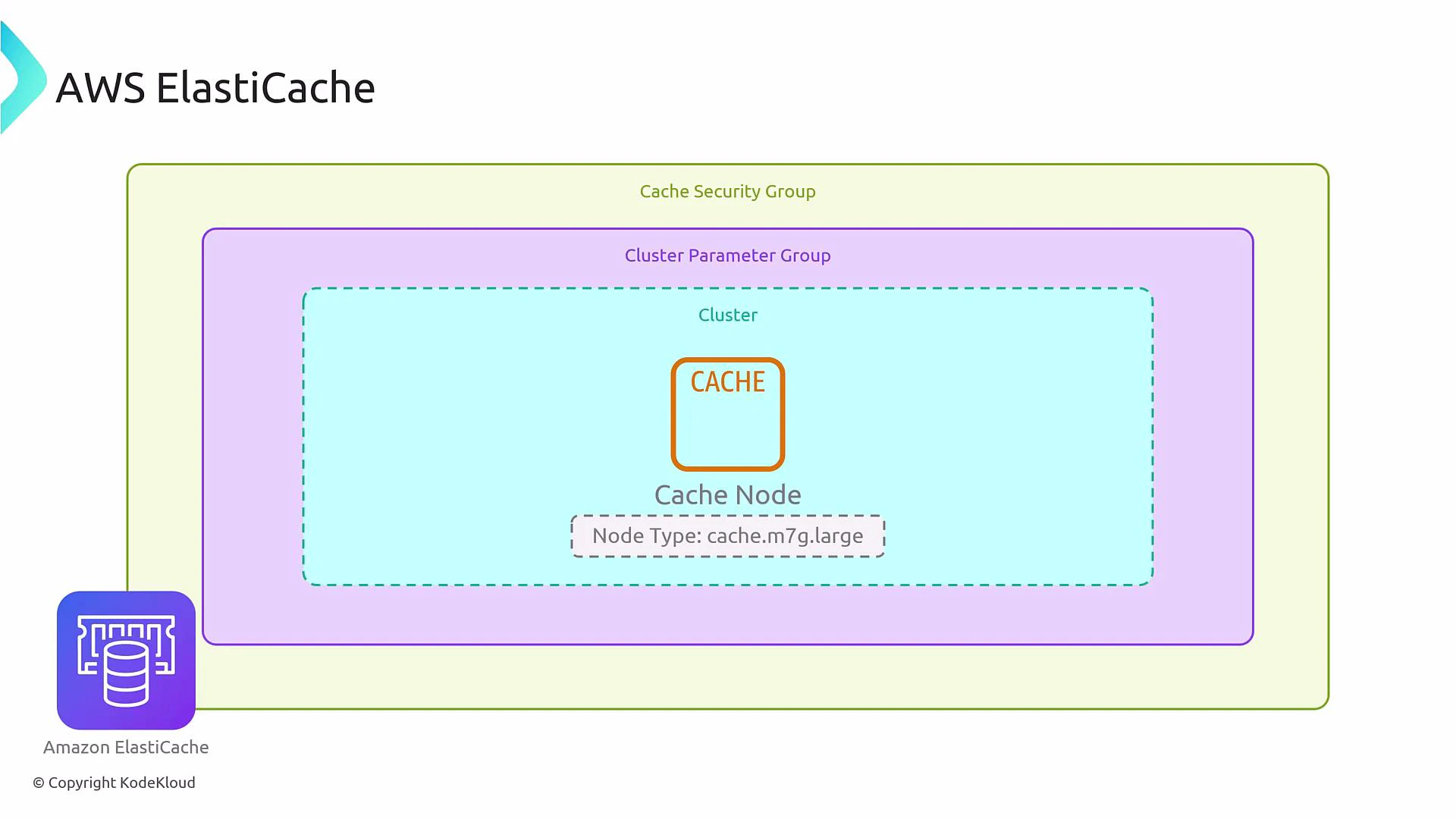
At its core, ElastiCache uses nodes (cache instances). A cluster is a collection of nodes serving the same caching purpose. Node types (for example, cache.m7g.large) determine CPU, memory, and networking characteristics—here “m” is a general-purpose family and “7g” indicates Graviton (ARM) processors. Each cluster also relies on:- A cluster parameter group — engine configuration applied to all nodes (tuning, TTLs, persistence settings).
- Cache security groups (legacy) or VPC security groups — network access controls (use VPC security groups for modern deployments).
Redis vs Memcached — feature comparison
Choosing between Redis and Memcached depends on functional needs (persistence, complex data structures, pub/sub) and operational constraints (replication, client complexity). Below is a concise comparison to help guide selection.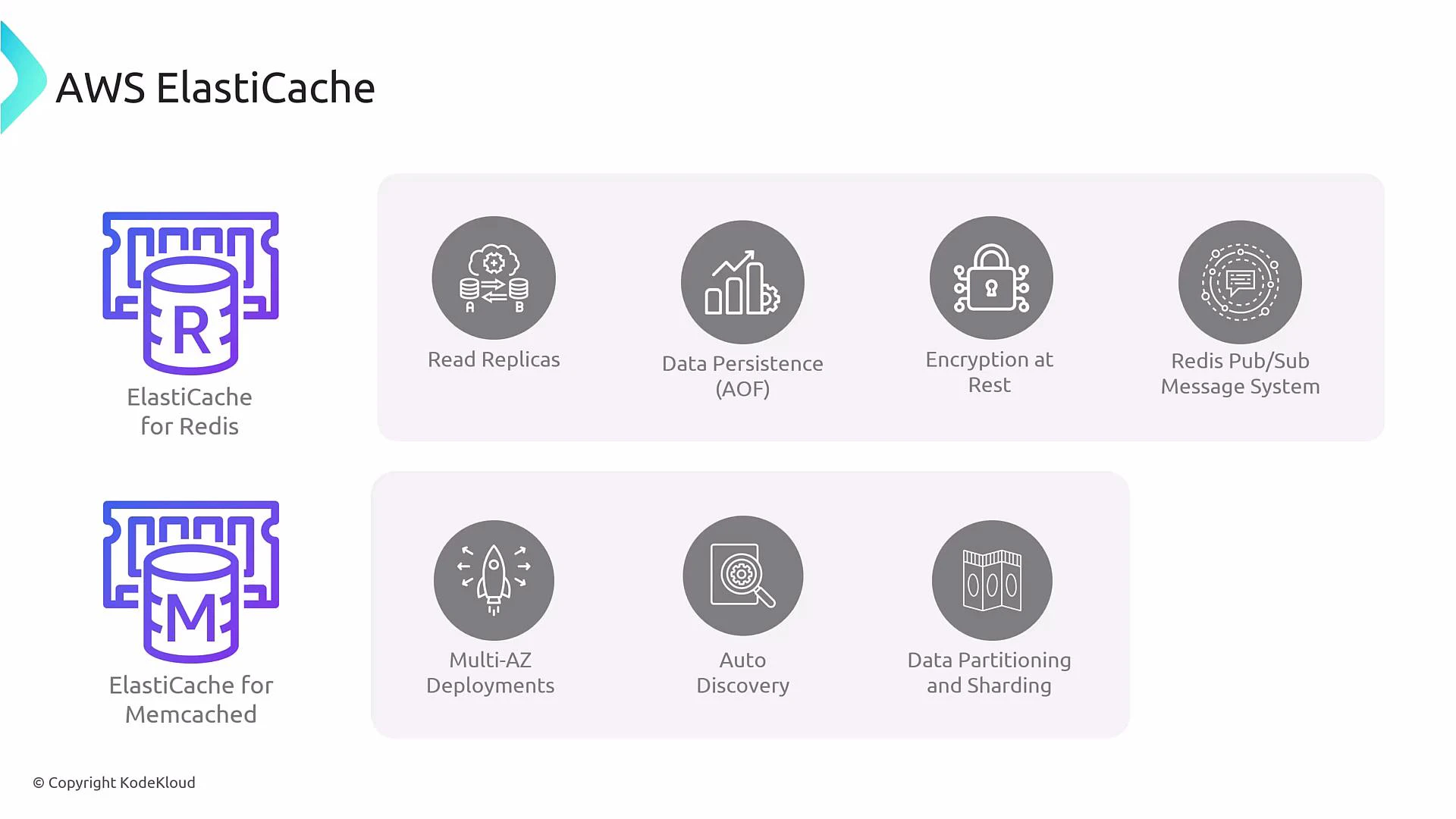
Important technical clarifications
- Encryption: ElastiCache for Redis supports encryption in-transit and at-rest, but these options must be enabled during cluster creation and are dependent on the engine version and node type. Verify the exact options supported for your target engine version.
- Persistence: Redis persistence (RDB snapshots and AOF) is optional. Many caches run Redis as ephemeral (no persistence) for pure caching scenarios. If you require durability, enable snapshots or AOF and validate behavior for your Redis engine version.
- Memcached auto-discovery: Memcached relies on client-side partitioning and auto-discovery to scale. When nodes are added/removed, clients adjust hashing to distribute keys across the updated node set.
Integrations and benefits
ElastiCache integrates with many AWS services and provides microsecond latency caching for performance-critical workloads.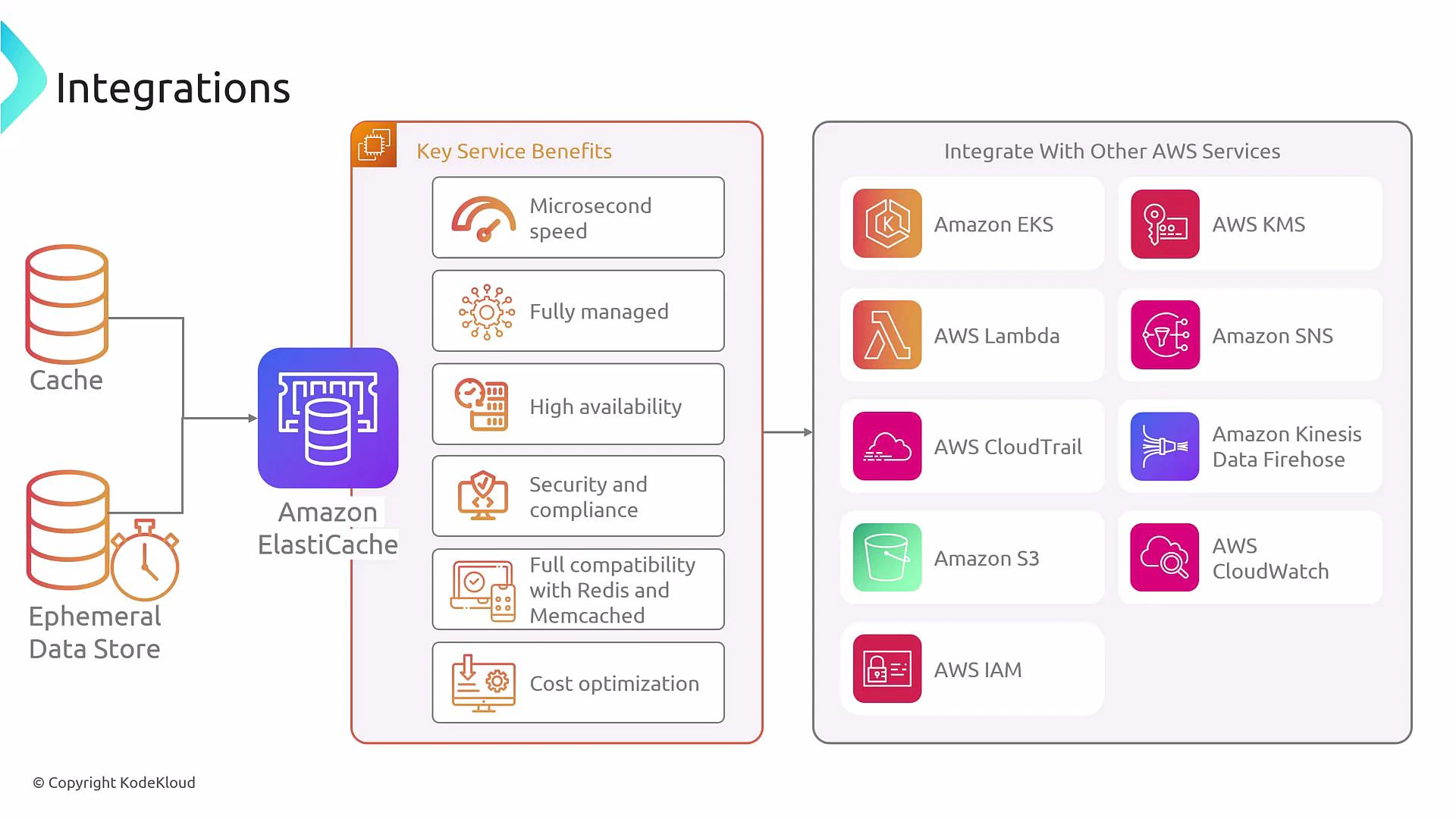
ElastiCache integrates with IAM, KMS, CloudTrail, CloudWatch, Lambda, EKS, and more. Use CloudTrail for control-plane logging and CloudWatch for metrics and alarms to monitor latency, memory usage, and evictions.
Operational capabilities and best practices
- Scale: Use Redis cluster mode for sharding and read replicas; scale Memcached by adding nodes and leveraging client-side partitioning.
- Availability: Use Redis primary-replica with automatic failover for HA. For Memcached, place nodes across AZs and implement resilient client logic.
- Management: Use parameter groups for tuning, snapshots for backups (Redis), and robust IAM and SG/VPC setups for secure access.
- Application design: Choose a caching pattern (cache-aside is common), define sensible TTLs, and design invalidation strategies to avoid stale data.
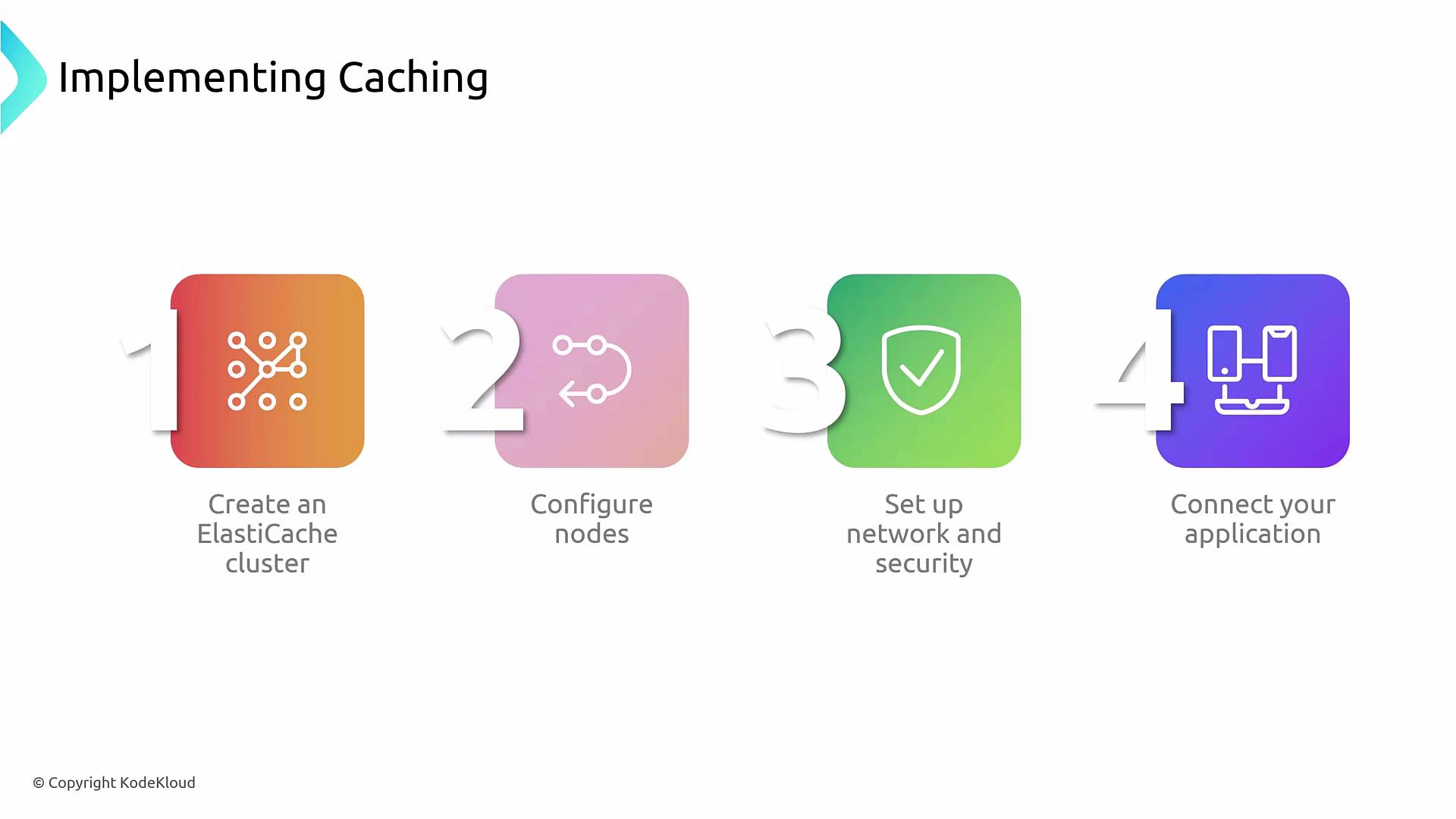
Implementing caching — typical steps
- Choose the engine (Redis vs Memcached) and an engine version that supports required features (encryption, AOF, cluster mode).
- Select node types and node count (right-size for memory and CPU; consider Graviton-based families for cost-performance).
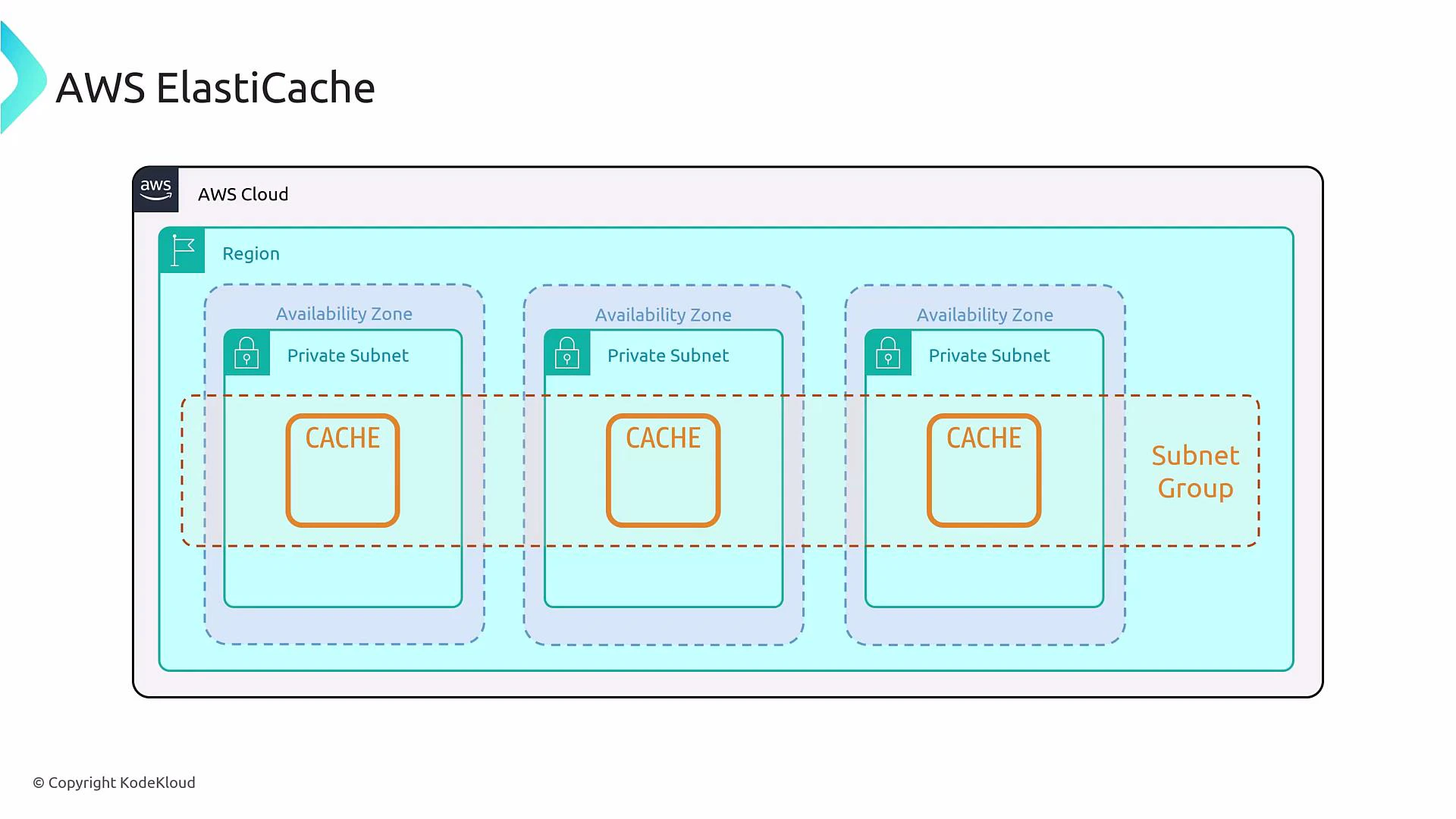
- Configure networking: create subnet groups, place nodes across AZs as required, and attach security groups to control access.
- Create or modify parameter groups to apply engine settings; enable persistence/encryption if needed (validate engine/version support).
- Make your application cache-aware: implement a caching pattern (cache-aside, read-through, write-through, or write-back) and define key naming, TTLs, and invalidation.
ElastiCache is not an invisible proxy in front of your database — your application must implement caching logic. Incorrect caching strategies can cause stale reads, cache stampedes, or data inconsistencies.
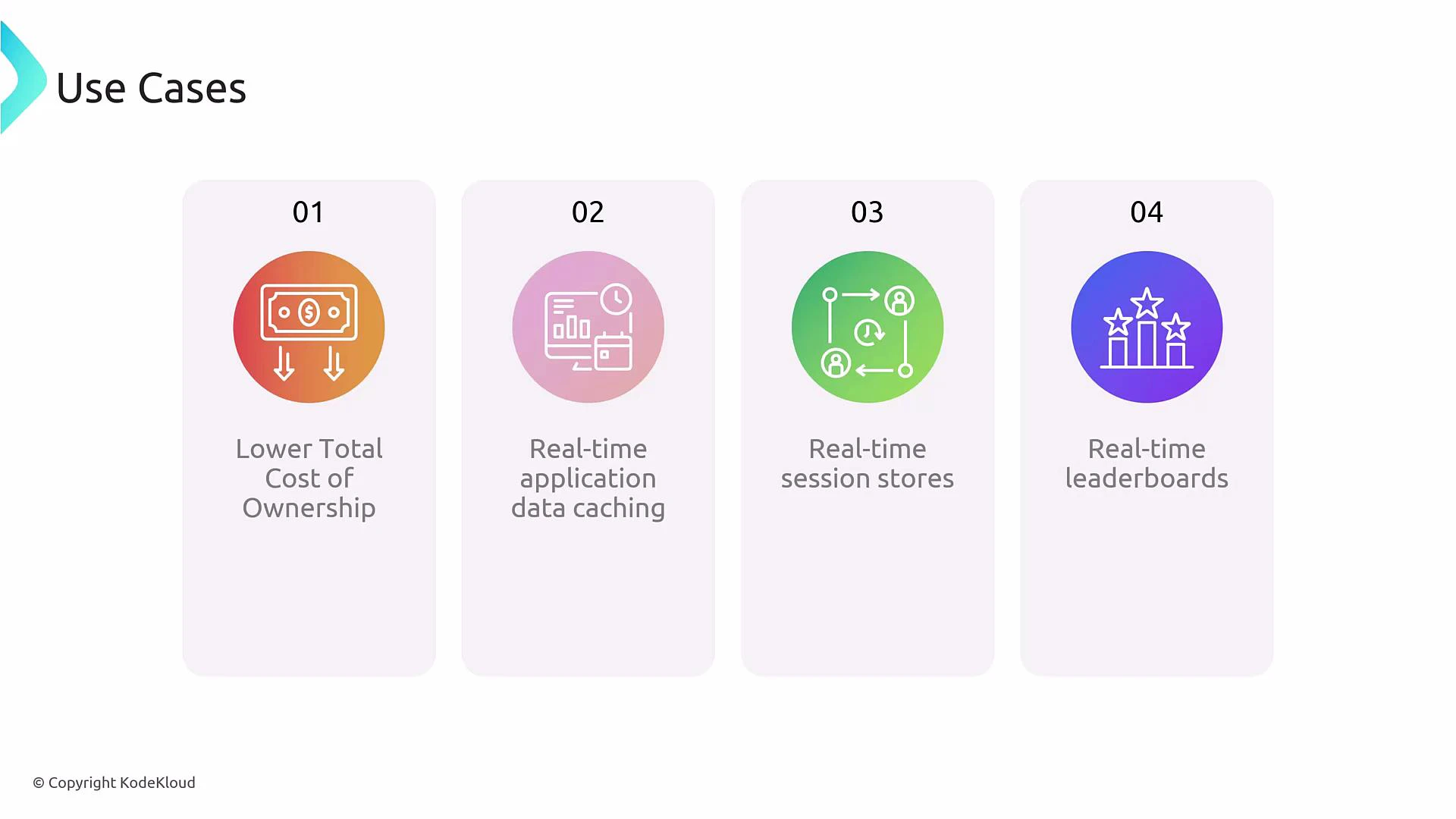
Common use cases
- Reduce backend load and lower TCO by caching hot read data.
- Real-time caching for low-latency applications (user profiles, product catalogs).
- Session stores for web applications requiring low latency.
- Real-time leaderboards, counters, and rate-limiting using Redis atomic operations.
Summary
ElastiCache provides a powerful, managed in-memory caching layer. Choose Redis when you need rich data types, persistence, replication, or pub/sub. Choose Memcached for a simple, high-performance distributed key-value cache where client-side partitioning is acceptable. Always plan for security, monitoring, backup, and appropriate client-side caching logic when adopting ElastiCache in production.Links and references
- AWS ElastiCache documentation: https://docs.aws.amazon.com/elasticache/
- Redis official documentation: https://redis.io/documentation
- Memcached official documentation: https://memcached.org/
- AWS Security and networking: https://docs.aws.amazon.com/vpc/
- Monitoring with CloudWatch: https://docs.aws.amazon.com/cloudwatch/