

1. CloudFormation Template
Ensure that an IAM role named
HelloWorldFunctionRole exists with permissions for Lambda execution and CloudWatch logging. You can define it in this template or create it beforehand.Function Summary
2. Invocation Script
Generate consistent metrics by invoking each function 50 times. Save the following aslambda_call.sh and make it executable.
3. Deploying the Stack
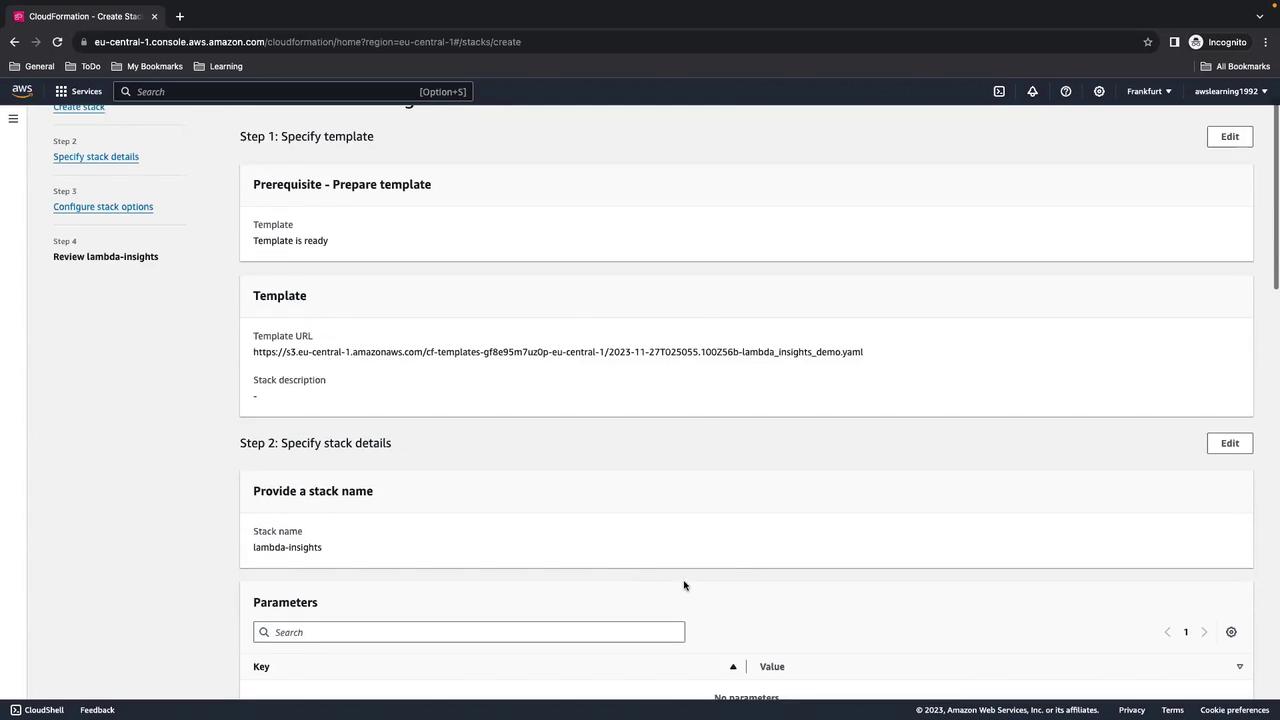
- Open the AWS Management Console and navigate to CloudFormation.
- Choose Create stack > With new resources (standard).
- Upload the YAML template and click Next.
- Enter a stack name (e.g.,
lambda-insights-demo), acknowledge IAM capabilities, then click Next and Create stack.
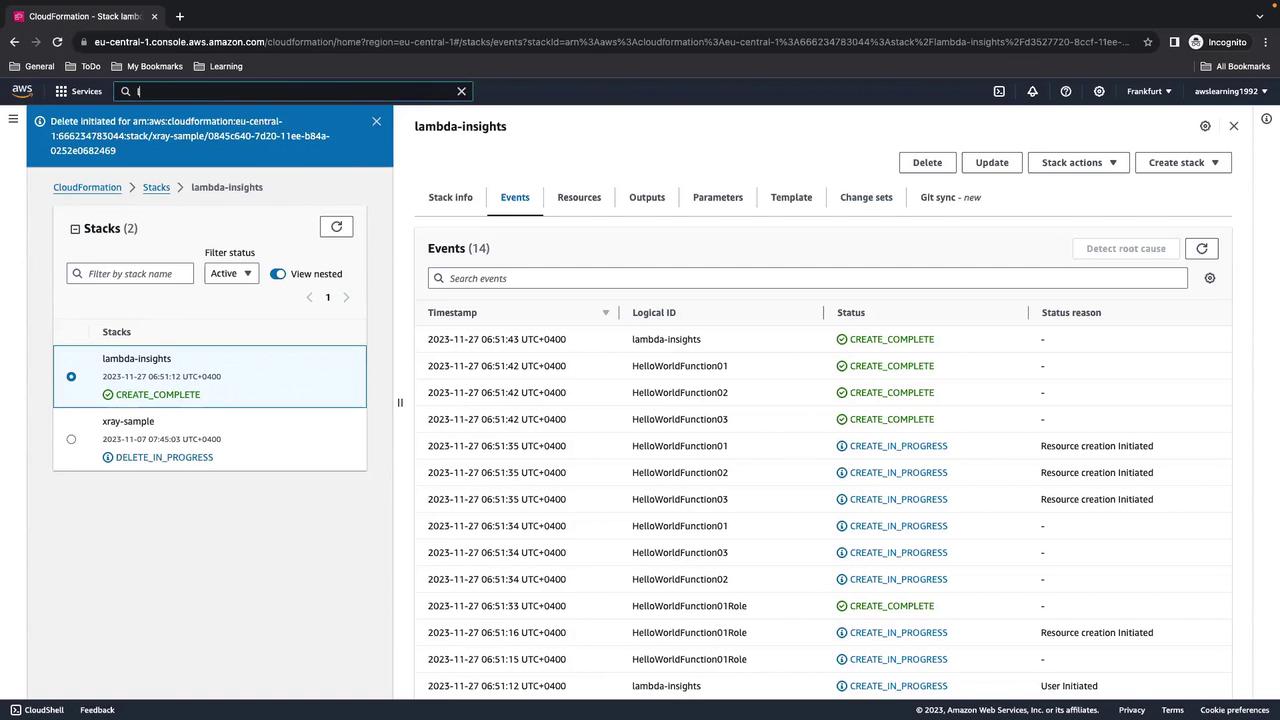
CREATE_COMPLETE.
4. Verify Lambda Functions
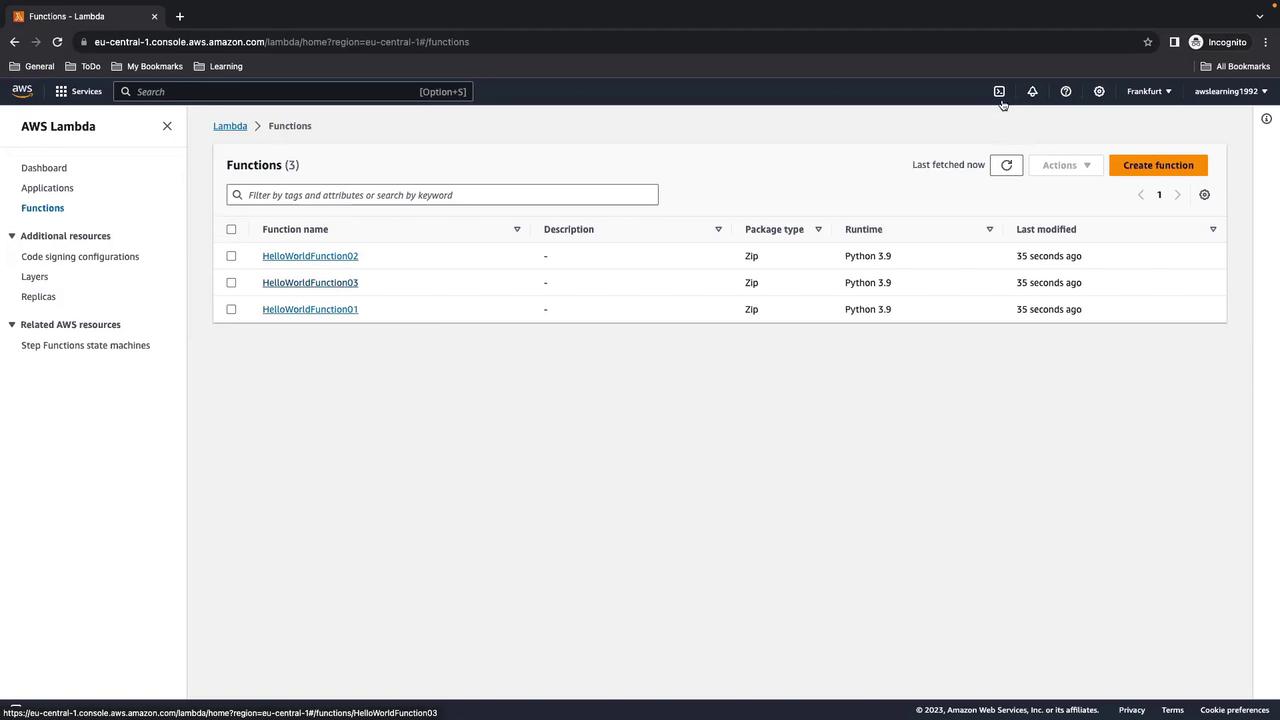
In the Lambda console, confirm that all three functions (HelloWorldFunction01, HelloWorldFunction02, HelloWorldFunction03) are present and using Python 3.9.
5. Generate Load Using AWS CloudShell
- Open AWS CloudShell from the console toolbar.
-
Upload or paste the
lambda_call.shscript into your home directory. -
Execute:
6. Enabling Lambda Insights
By default, Lambda Insights is off. To enable it:- In the Lambda console, select each function and go to Configuration > Monitoring and operations.
- Click Edit, enable Enhanced monitoring (Lambda Insights), and save.
Enabling Lambda Insights produces extra logs and metrics, which may incur additional charges.
7. Exploring Metrics in CloudWatch
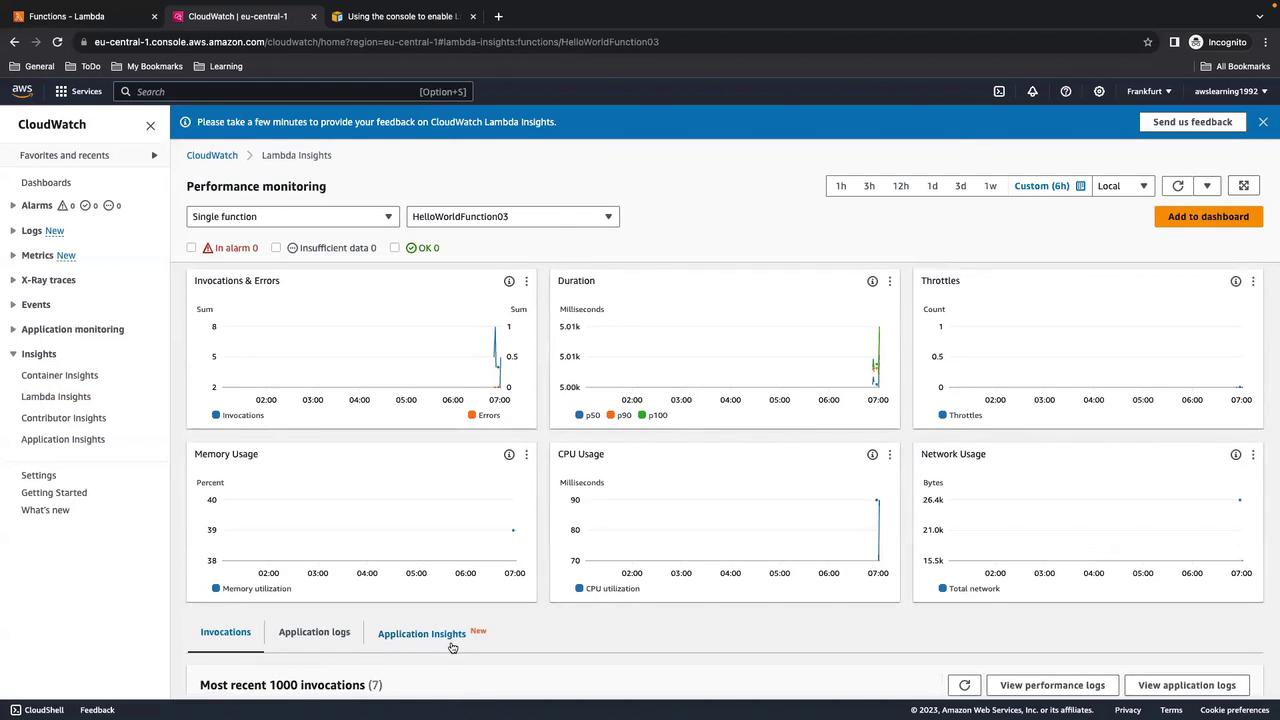
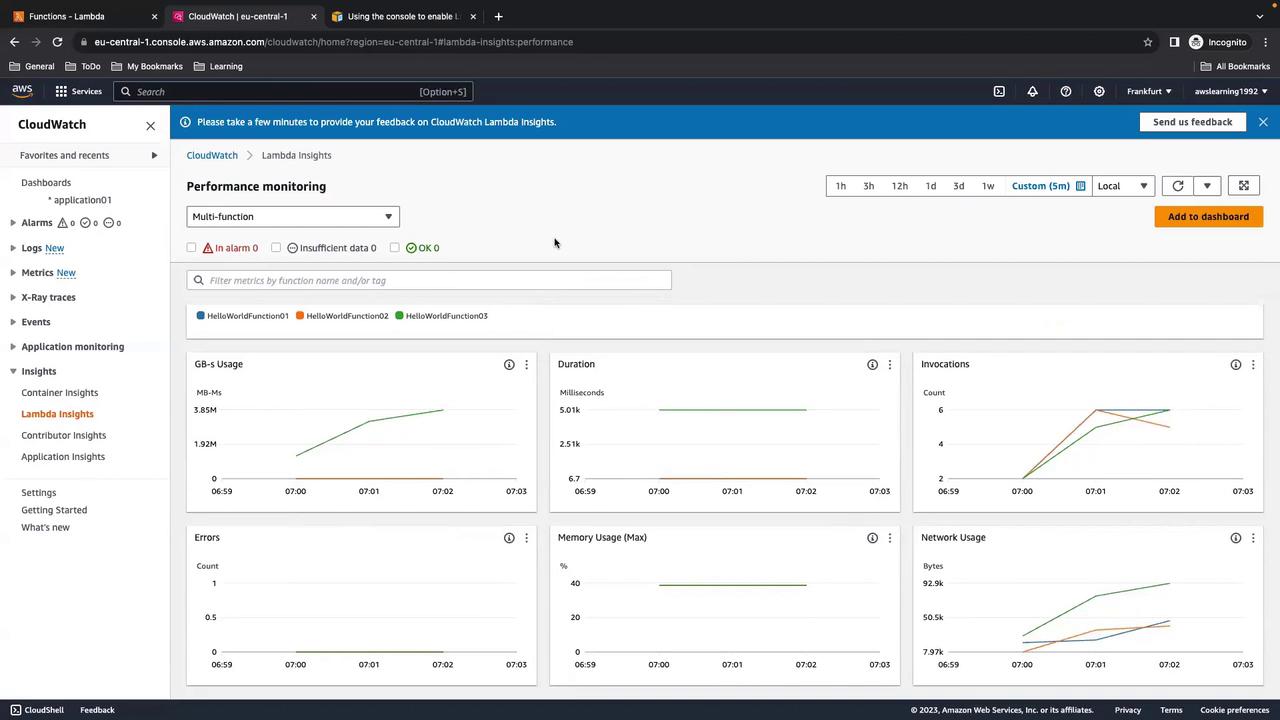
Navigate to CloudWatch > Insights > Lambda Insights to view consolidated metrics across all functions.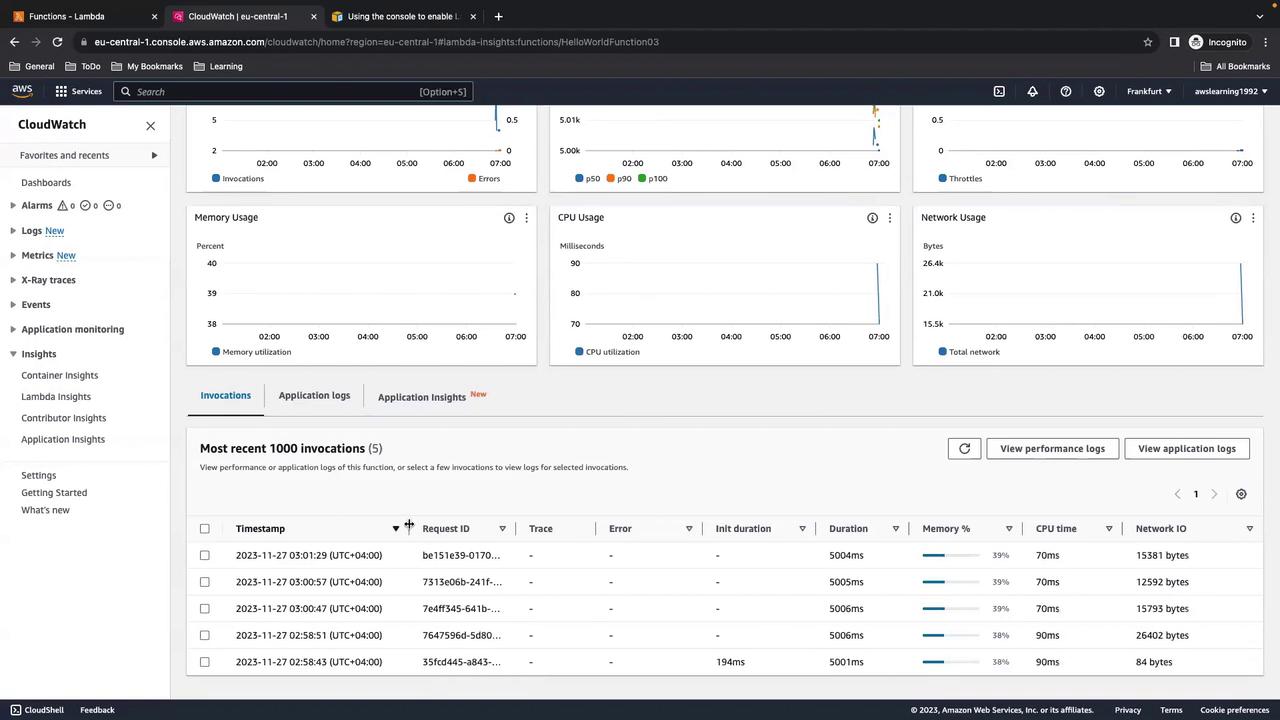
HelloWorldFunction03), select it from the list:
8. Creating a Custom Dashboard
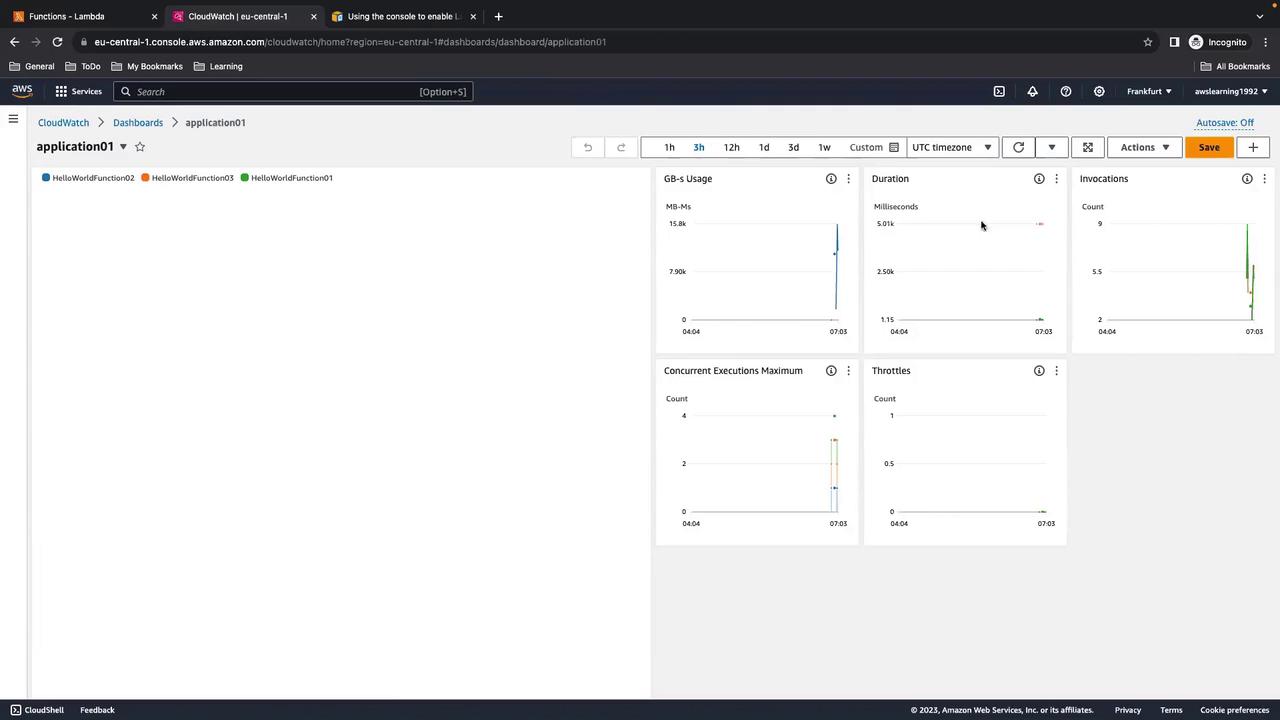
If you manage many functions, a dedicated CloudWatch dashboard helps.- In CloudWatch, go to Dashboards and click Create dashboard.
- Add Lambda Insights widgets and select your functions.
- Customize widgets for GB-s usage, duration, invocations, concurrent executions, and throttles.
Remember to disable Lambda Insights when not troubleshooting to avoid unnecessary costs.
9. Cleanup
- In CloudShell, choose Actions > Restart CloudShell to stop any running processes.
- In CloudFormation, select
lambda-insights-demoand click Delete. - Confirm that the Lambda functions, logs, and IAM roles have been removed.