This guide demonstrates creating a Jenkins pipeline using parameters for flexible and dynamic job configurations.
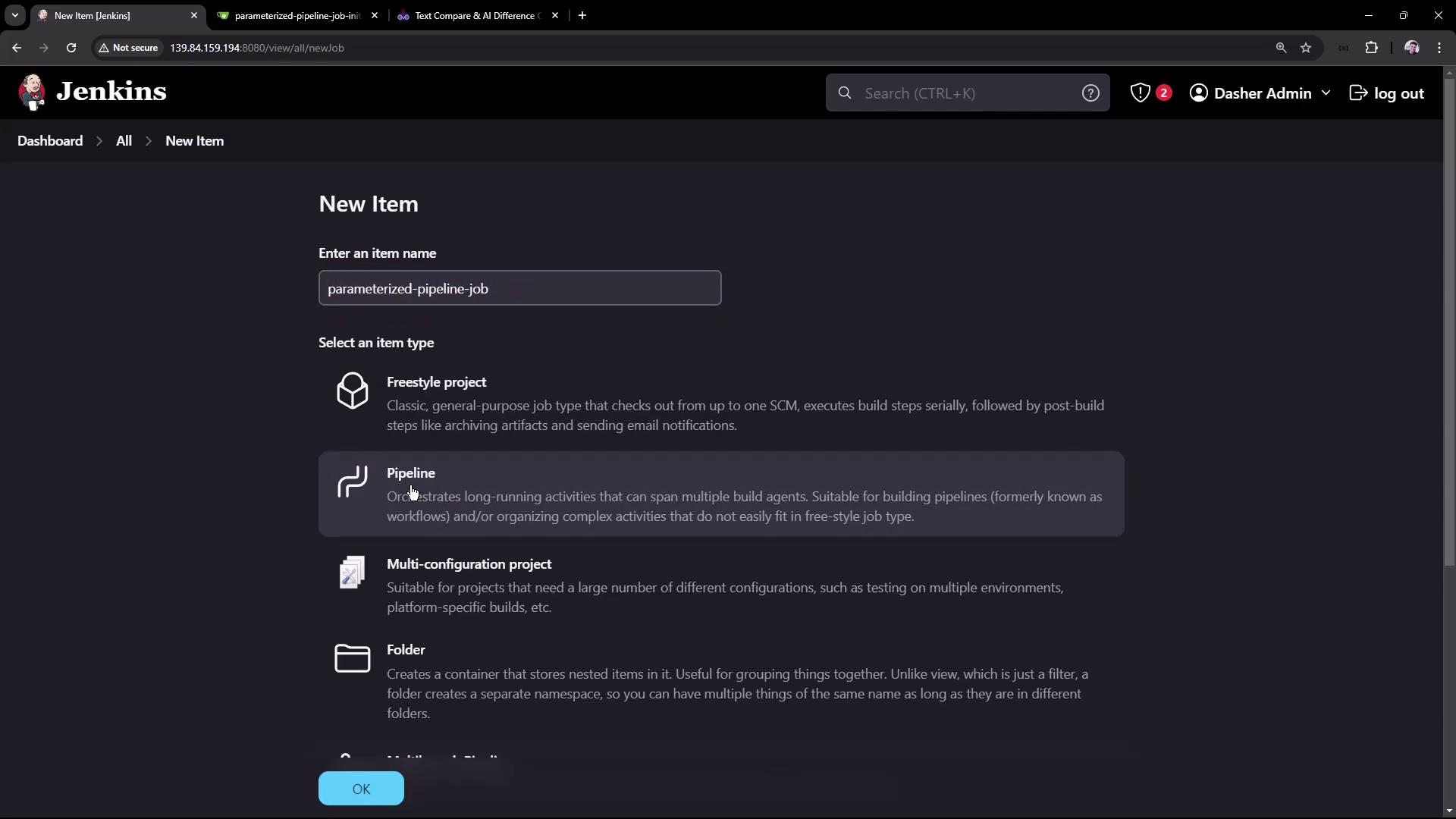
In this guide, we demonstrate how to create a Jenkins pipeline that leverages parameters for building flexible and dynamic jobs. A parameterized build in Jenkins lets you pass in custom values when triggering a build, making your CI/CD process more versatile and easily configurable.Below is an example repository called “parameterized-pipeline-job-init” on GitHub. This repository hosts a simple Java Spring Boot “Hello World” application with two branches—test and main—where the only difference is the Jenkinsfile. Each branch’s Jenkinsfile defines a different set of stages, which we will review next.
In the test branch, the Jenkinsfile defines the following stages:
Maven Version
Build
Test
Local Deployment
Integration Testing
Below is the initial Jenkinsfile from the test branch:
Copy
Ask AI
pipeline { agent any stages { stage('Maven Version') { steps { sh 'echo Print Maven Version' sh 'mvn -version' } } stage('Build') { steps { sh 'mvn clean package -DskipTests=true' archiveArtifacts 'target/hello-demo-*.jar' } } stage('Test') { steps { sh 'mvn test' junit(testResults: 'target/surefire-reports/TST-*.xml', keepProperties: true, keepTestNames: true) } } }}
To compare the differences between the two Jenkinsfiles, a third-party tool is used. In the comparison, the test branch Jenkinsfile appears on the left and the main branch Jenkinsfile on the right. Although both use the same pipeline agent and tools, the stages are slightly different. The test branch includes the Maven Version, Build, Test stages, and adds local deployment with the java -jar command for integration testing. In the test branch, the local deployment stage uses triple double quotes to allow for multiline string construction and pristine whitespace preservation:
Copy
Ask AI
stage('Local Deployment') { steps { sh """java -jar target/hello-demo-*.jar > /dev/null &""" }}stage('Integration Testing') { steps { sh 'sleep 5s' sh 'curl -s http://localhost:6767/hello' }}
This approach runs the Java application in the background (thanks to the ampersand) while redirecting its output to /dev/null.
In the main branch, the Jenkinsfile is designed to build a production-ready pipeline. Notice that the Maven Version stage is omitted. Instead, the stages include:
Build
Test
Containerization
Kubernetes Deployment
Integration Testing
Below is a simplified version of the main branch Jenkinsfile:
Copy
Ask AI
/****** BRANCH - main *****/pipeline { agent any stages { stage('Build') { steps { sh 'mvn clean package -DskipTests=true' archiveArtifacts 'target/hello-demo-*.jar' } } stage('Test') { steps { sh 'mvn test' junit(testResults: 'target/surefire-reports/TEST-*.xml', keepProperties: true, keepTestNames: true) } } stage('Containerization') { steps { sh 'echo Docker Build Image..' sh 'echo Docker Tag Image....' sh 'echo Docker Push Image......' } } stage('Kubernetes Deployment') { steps { sh 'echo Deploy to Kubernetes using [GitOps with ArgoCD](https://learn.kodekloud.com/user/courses/gitops-with-argocd)' } } stage('Integration Testing') { steps { sh 'sleep 10s' sh 'echo Testing using cURL commands......' } } }}
Here, the containerization stage simulates building, tagging, and pushing a Docker image, whereas the deployment stage simulates deploying to Kubernetes using ArgoCD. The integration testing stage verifies the deployment by pausing for a defined duration (using sleep) before issuing a test call.
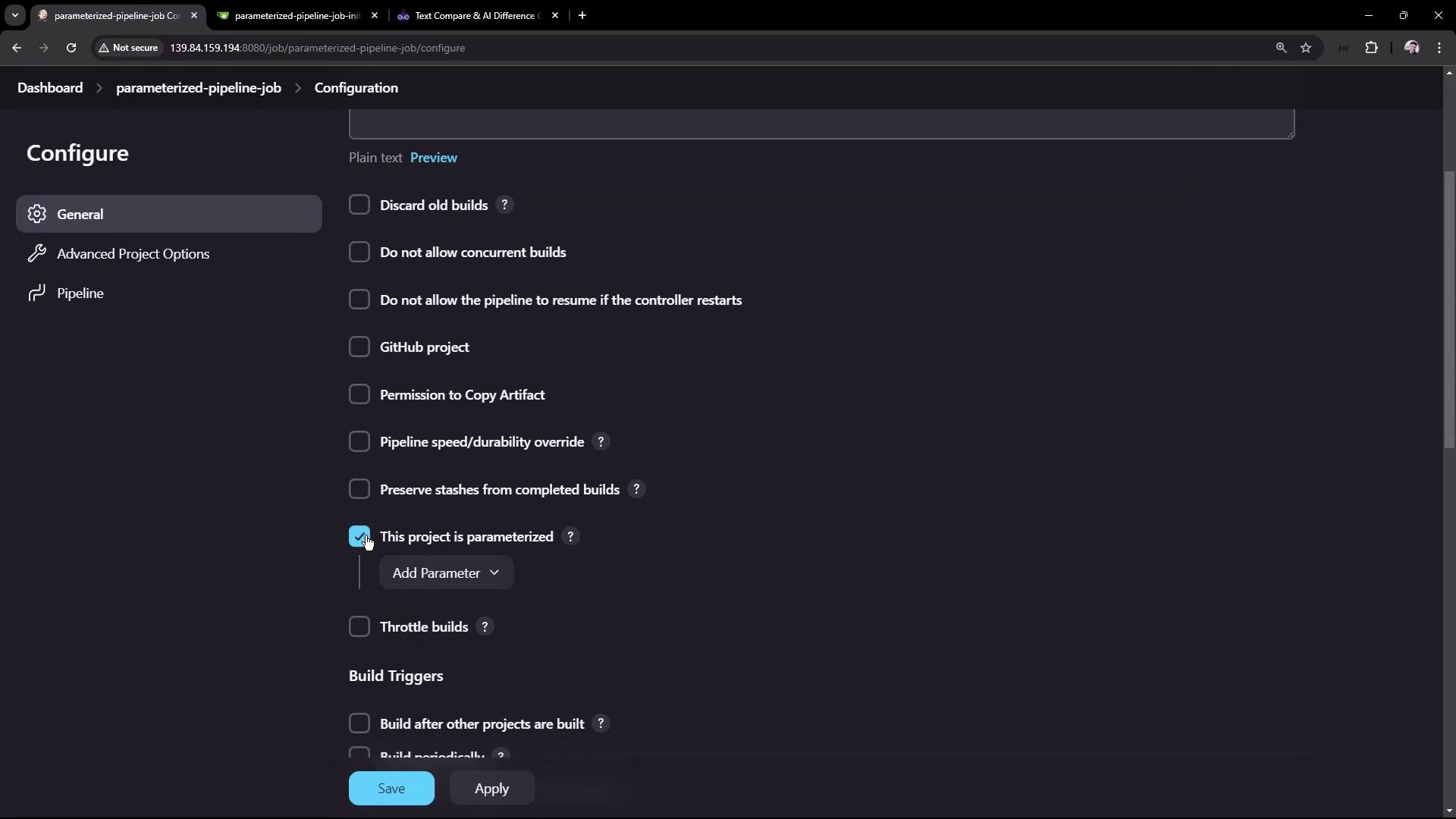
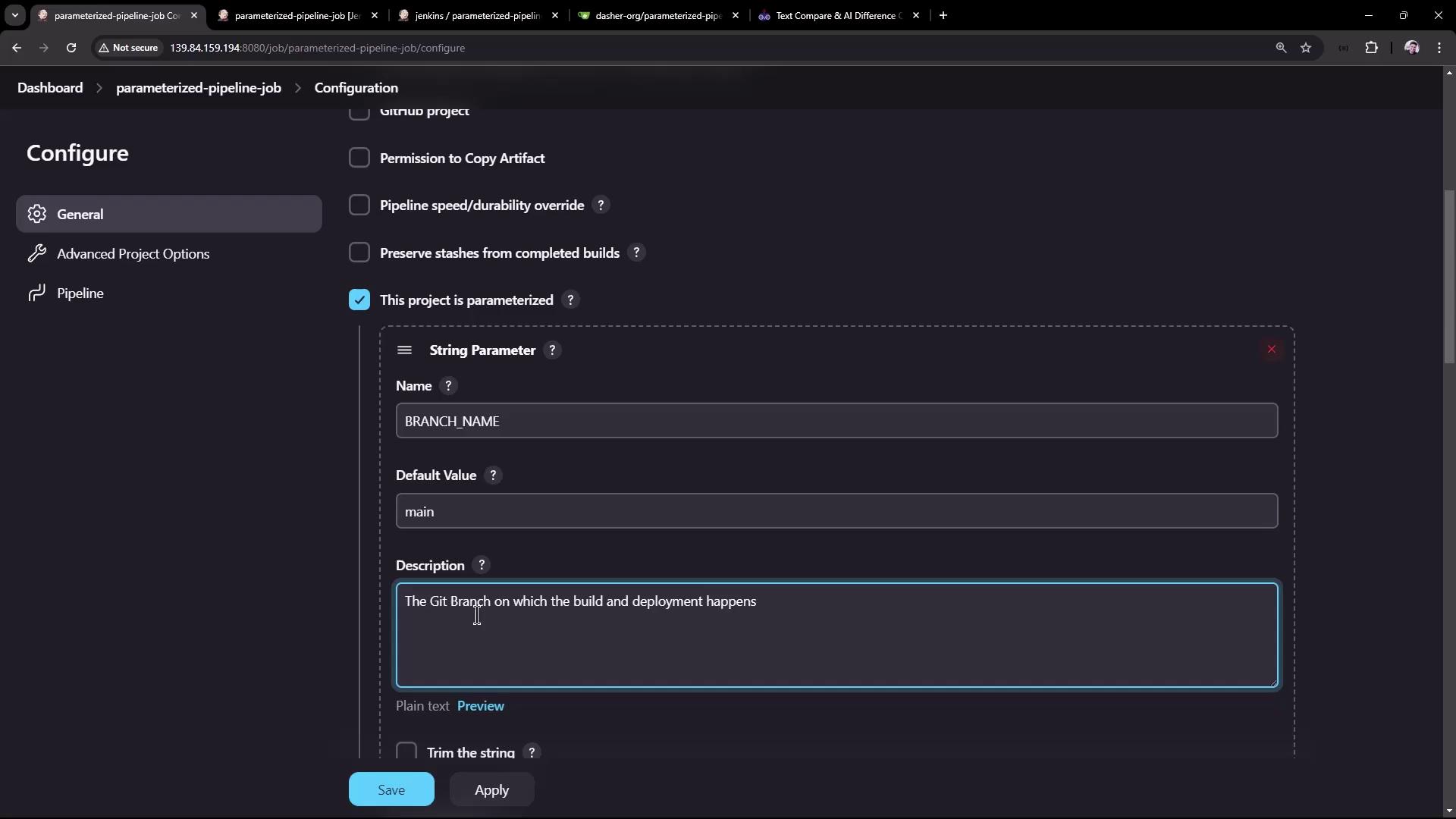
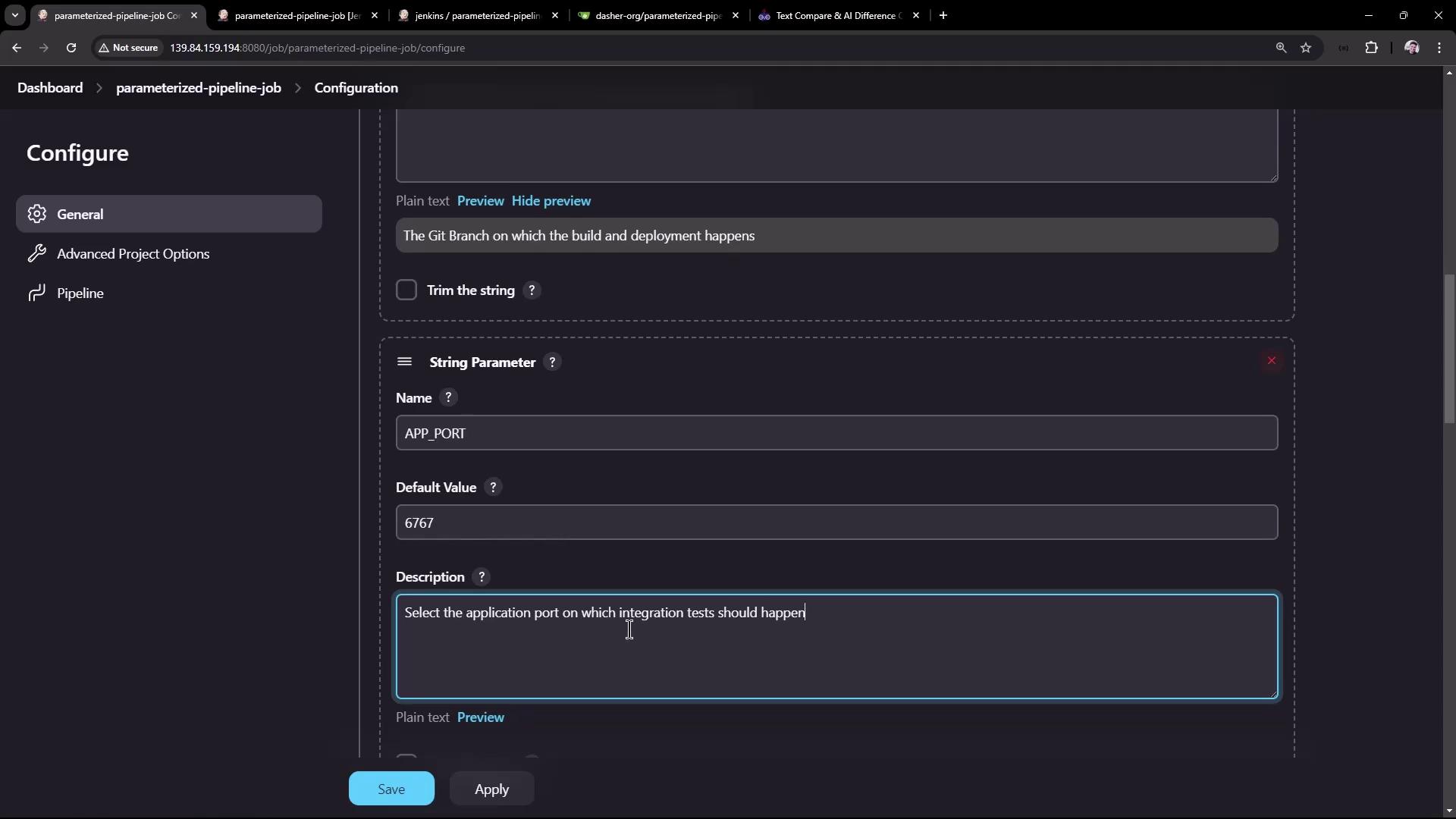
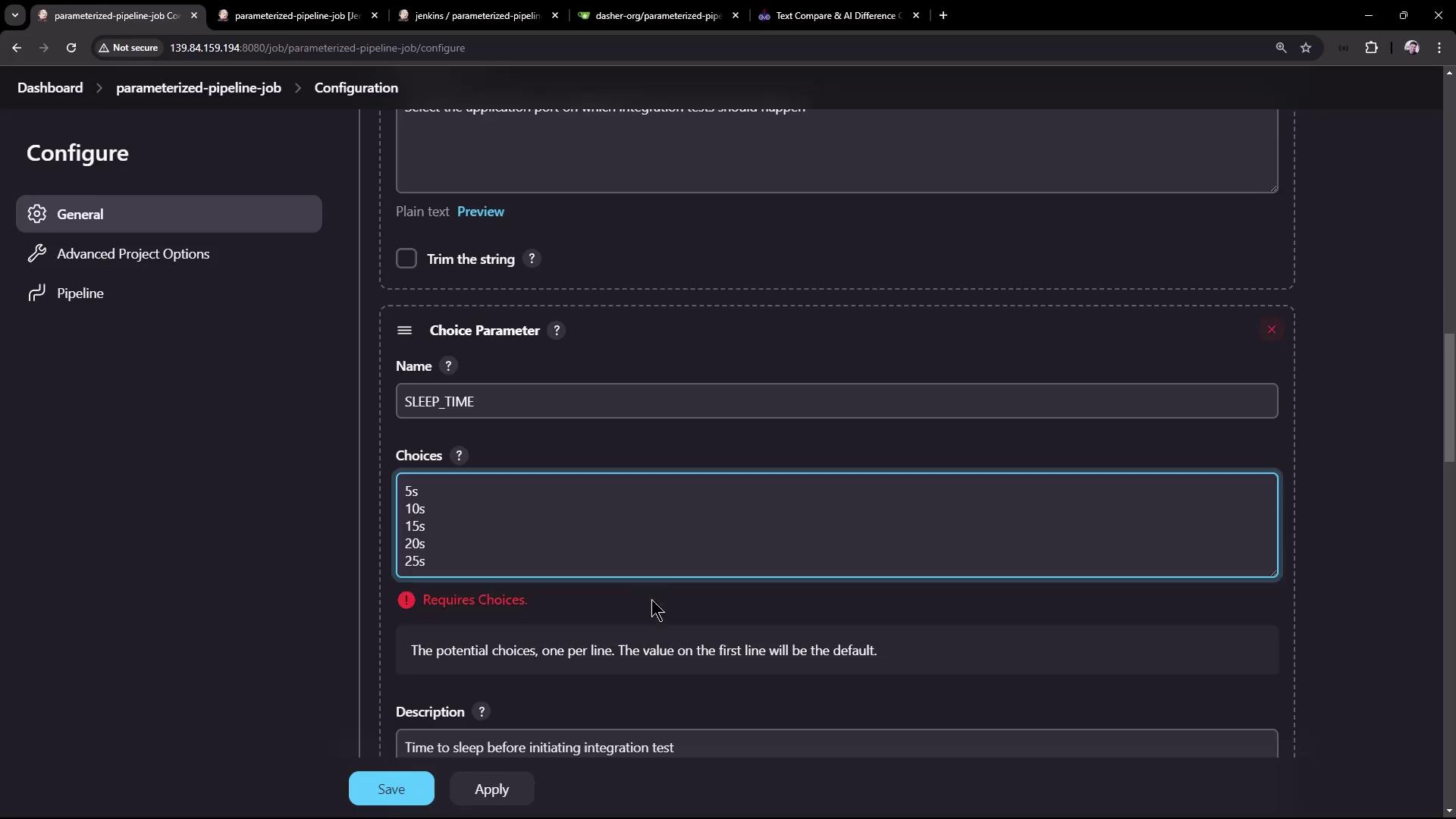
Modify the Jenkinsfile to reference the defined parameters using the syntax ${params.PARAMETER_NAME}. For example, update the Maven Version stage in the test branch as follows:
Copy
Ask AI
pipeline { agent any stages { stage('Maven Version') { steps { sh 'echo Print Maven Version' sh 'mvn -version' sh "echo Sleep-Time - ${params.SLEEP_TIME}, Port - ${params.APP_PORT}, Branch - ${params.BRANCH_NAME}" } } stage('Build') { steps { sh 'mvn clean package -DskipTests=true' archiveArtifacts 'target/hello-demo-*.jar' } } stage('Test') { steps { sh 'mvn test' junit(testResults: 'target/surefire-reports/TEST-*.xml', keepProperties: true, keepTestNames: true) } } stage('Local Deployment') { steps { sh 'java -jar target/hello-demo-*.jar > /dev/null &' } } }}
Ensure that the integration testing stage also utilizes the parameterized sleep duration:
Copy
Ask AI
stage('Integration Testing') { steps { sh "sleep ${params.SLEEP_TIME}" sh 'curl -s http://localhost:6767/hello' }}
Remember to use double quotes in shell commands when referencing parameters to allow for proper variable substitution.
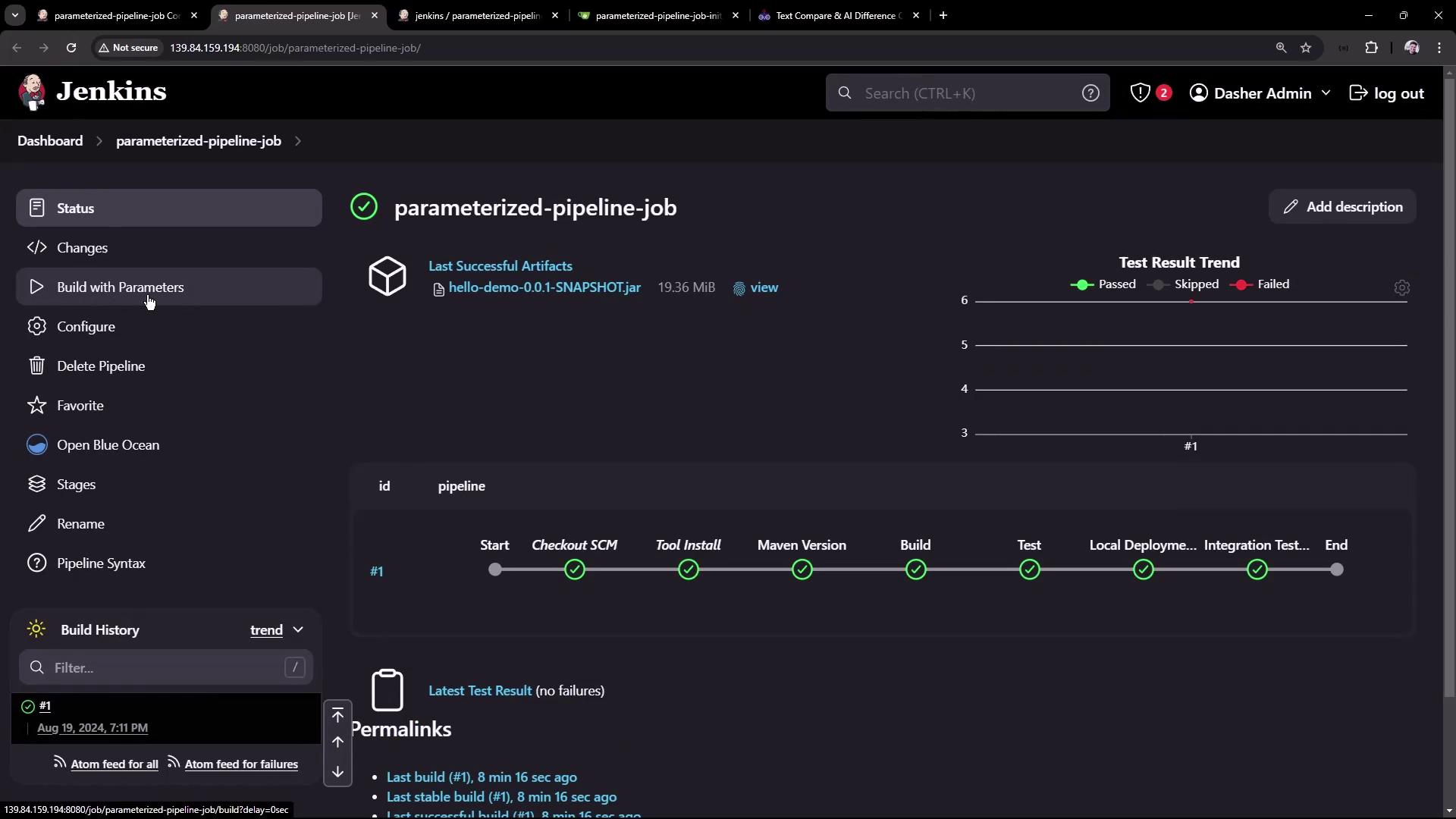
After committing the changes to the repository (for example, on the test branch), refresh the Jenkins job page. You should now see a Build with Parameters option.
Clicking on Build with Parameters allows you to adjust default values (e.g., switching the branch to test or setting the sleep time to 5s) before triggering the build.
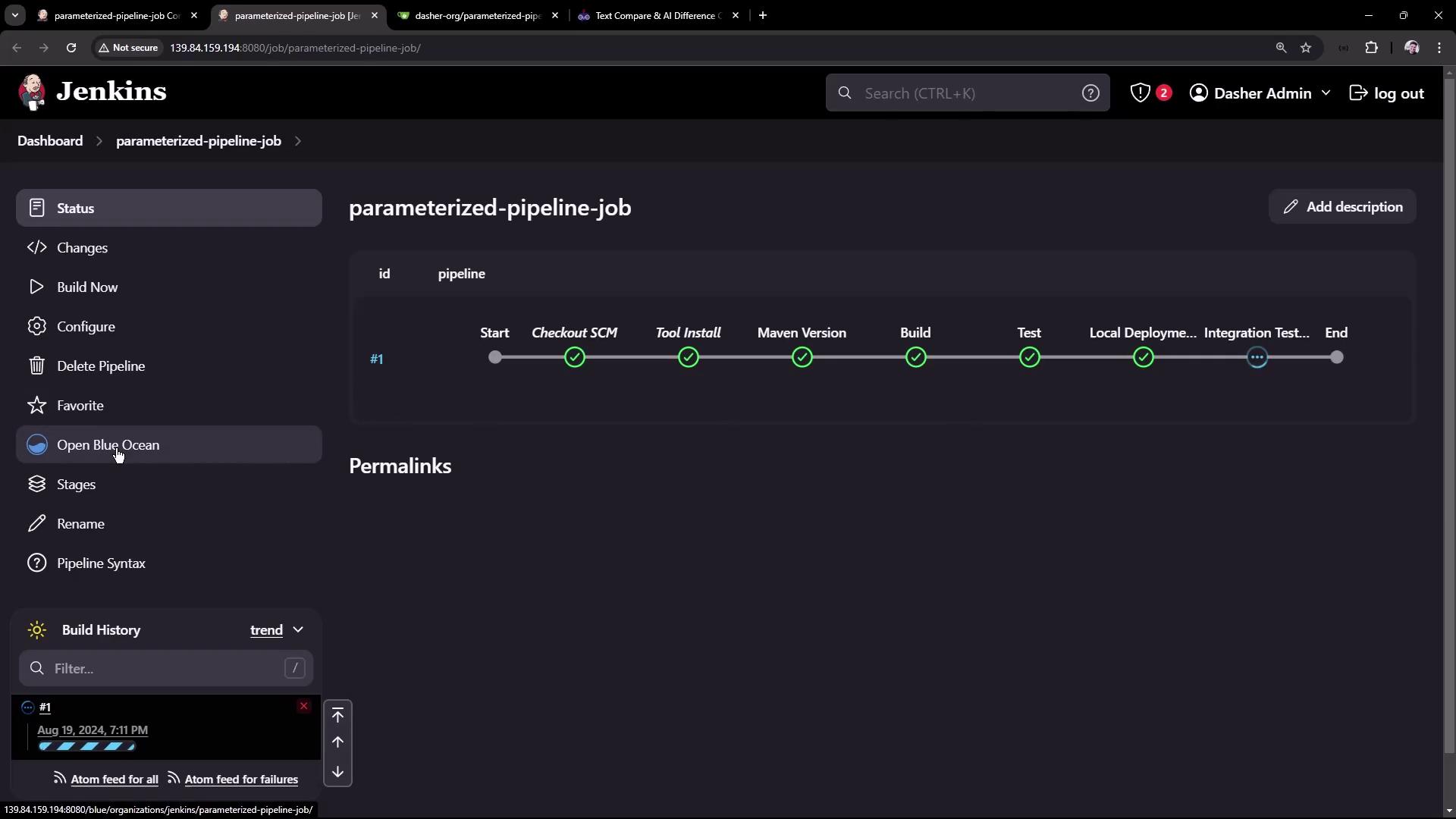
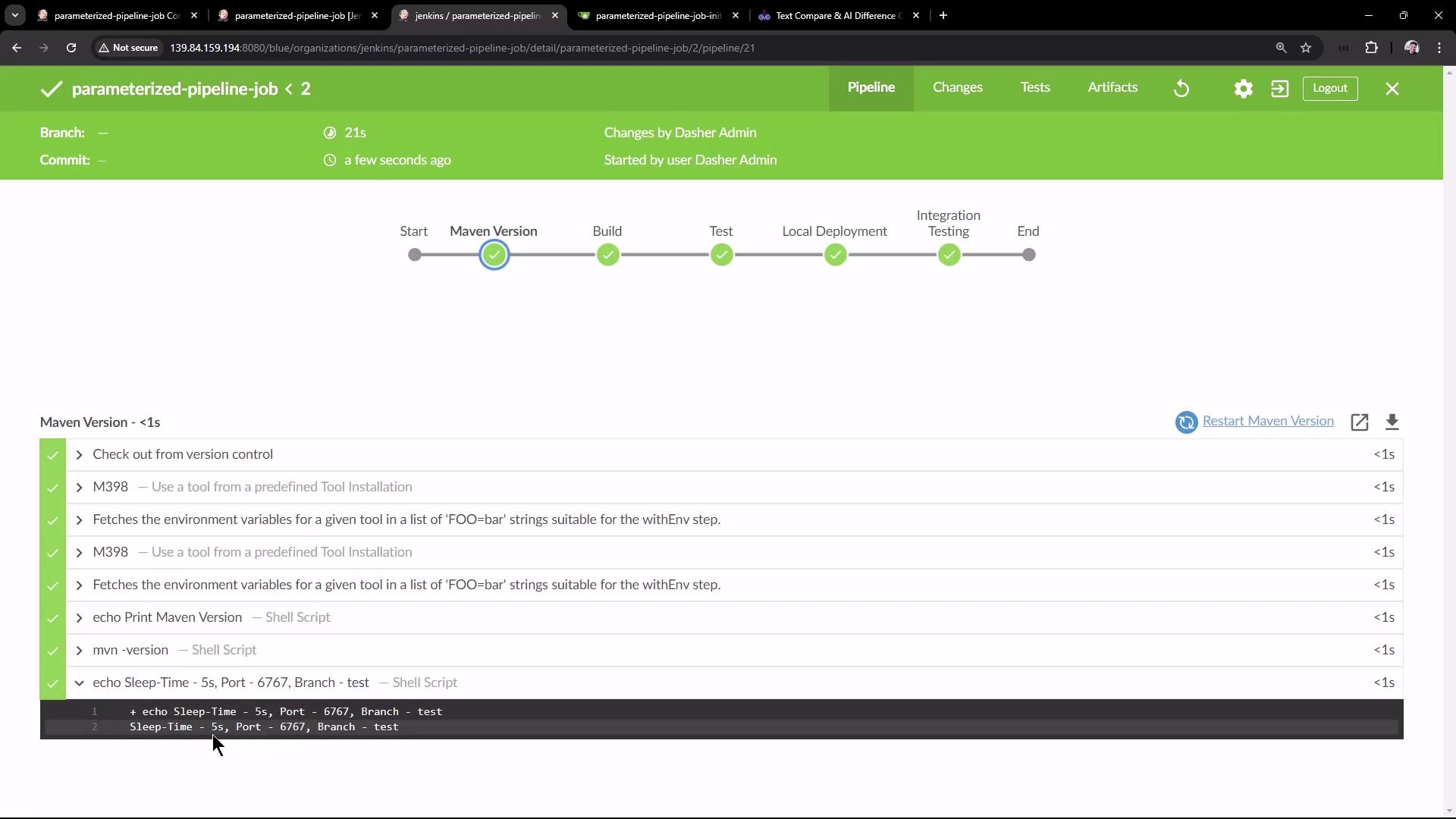
Once the build starts, you can use Blue Ocean to review detailed logs.
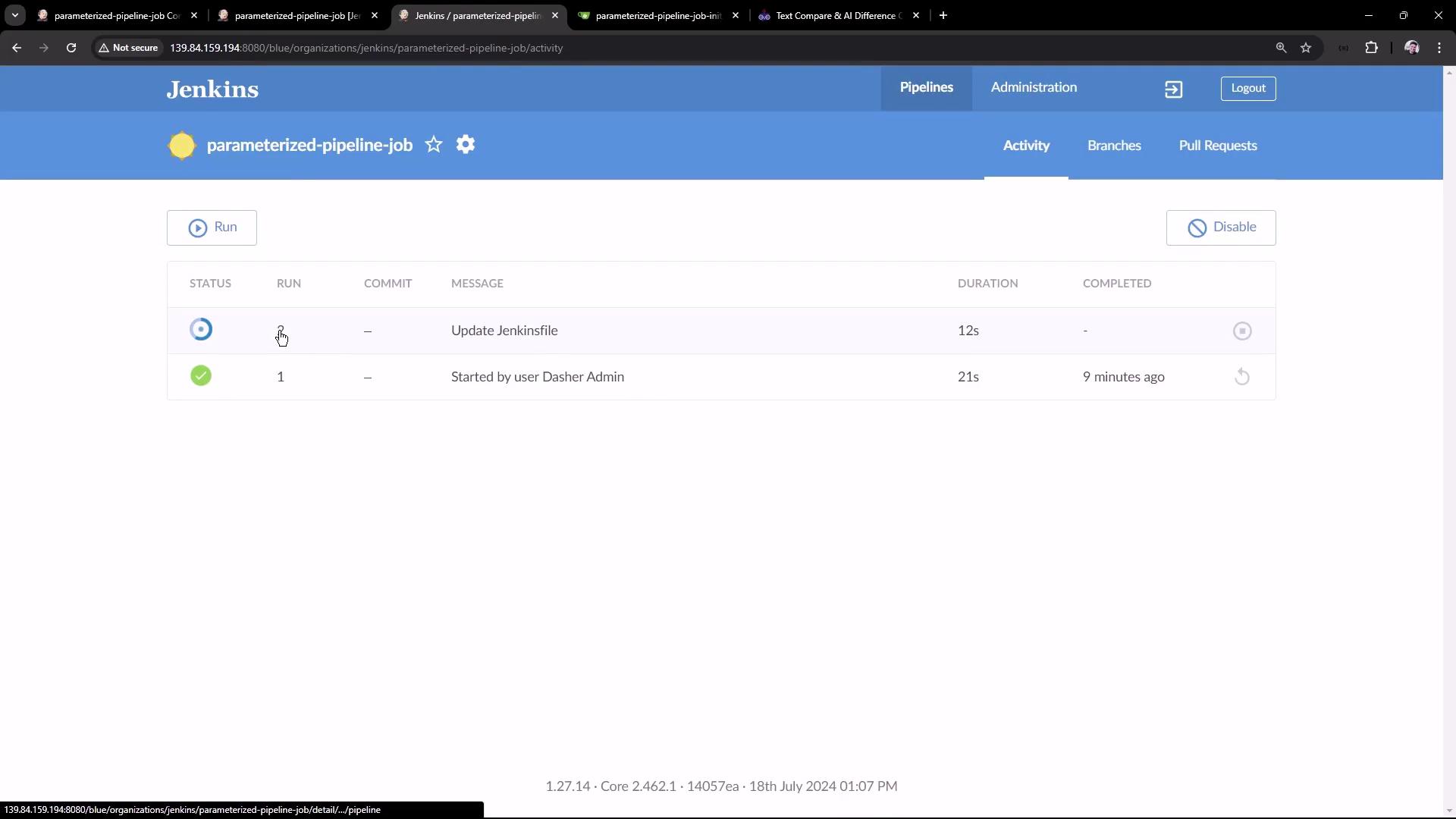
The logs will confirm that the parameters (sleep time, port, branch name) are correctly substituted, as shown below:
Edit the Jenkinsfile on the main branch to incorporate parameters during integration testing:
Copy
Ask AI
pipeline { agent any stages { stage('Test') { steps { sh 'mvn test' junit(testResults: 'target/surefire-reports/TEST-*.xml', keepProperties: true, keepTestNames: true) } } stage('Containerization') { steps { sh 'echo Docker Build Image..' sh 'echo Docker Tag Image....' sh 'echo Docker Push Image......' } } stage('Kubernetes Deployment') { steps { sh 'echo Deploy to Kubernetes using [GitOps with ArgoCD](https://learn.kodekloud.com/user/courses/gitops-with-argocd)' } } stage('Integration Testing') { steps { sh "sleep ${params.SLEEP_TIME}" sh 'echo Testing using CURL commands......' } } } tools { maven 'M398' }}
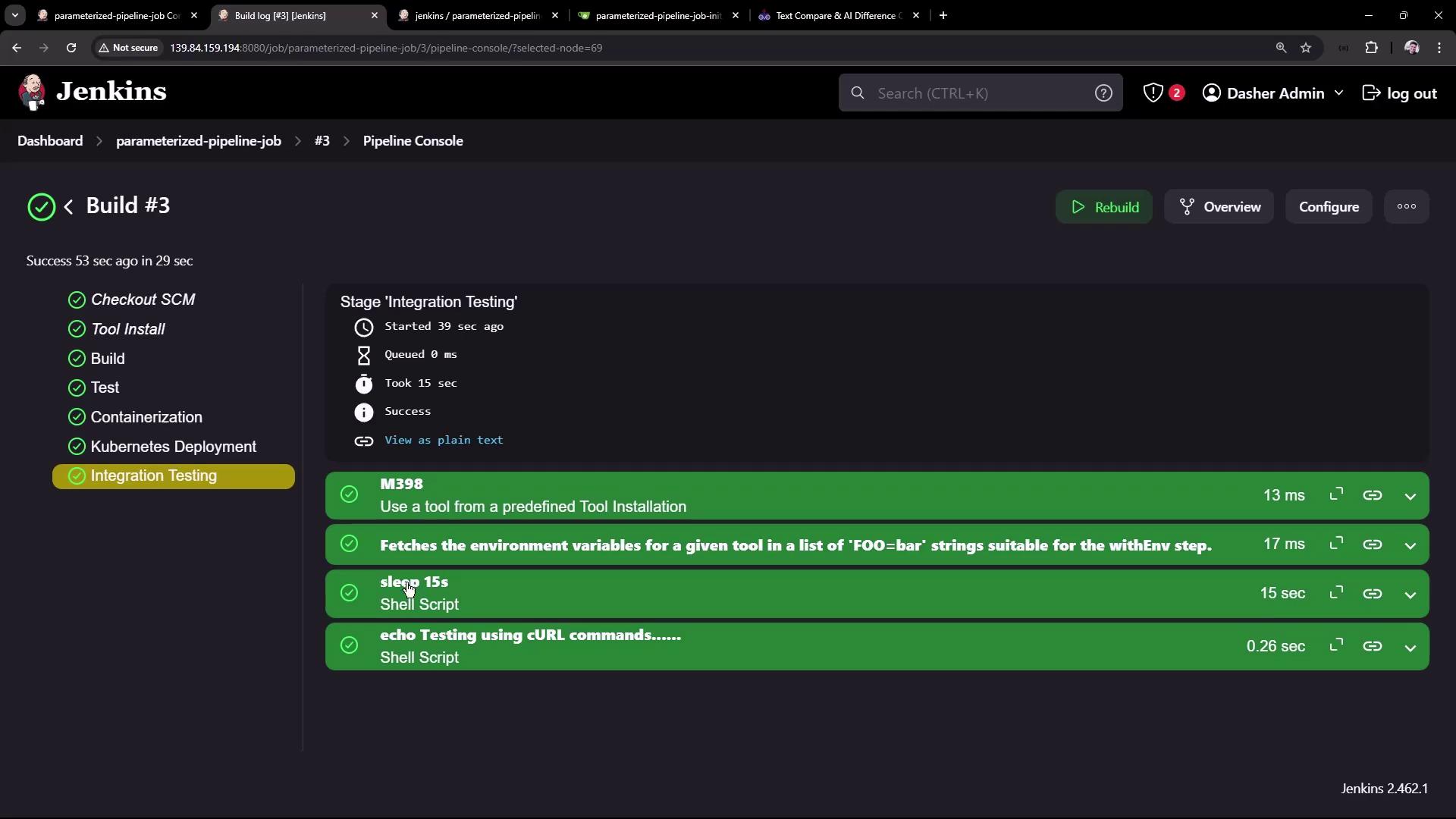
Commit these changes and trigger a new build, selecting the main branch and an appropriate sleep time (for example, 15s). The build log will reflect the updated parameters, and the integration testing stage will pause for the specified duration before proceeding.
Ensure that you update all necessary areas in your Jenkinsfiles to reflect the new parameterized approach. Missing a reference may lead to build inconsistencies.
By utilizing parameters in your Jenkins pipelines, you can dynamically switch between branches and customize build options—such as sleep time and application port—with ease. This approach allows a single pipeline job to handle different workflows for test and main branches, enhancing the robustness and flexibility of your CI/CD process.Thank you for reading this article.