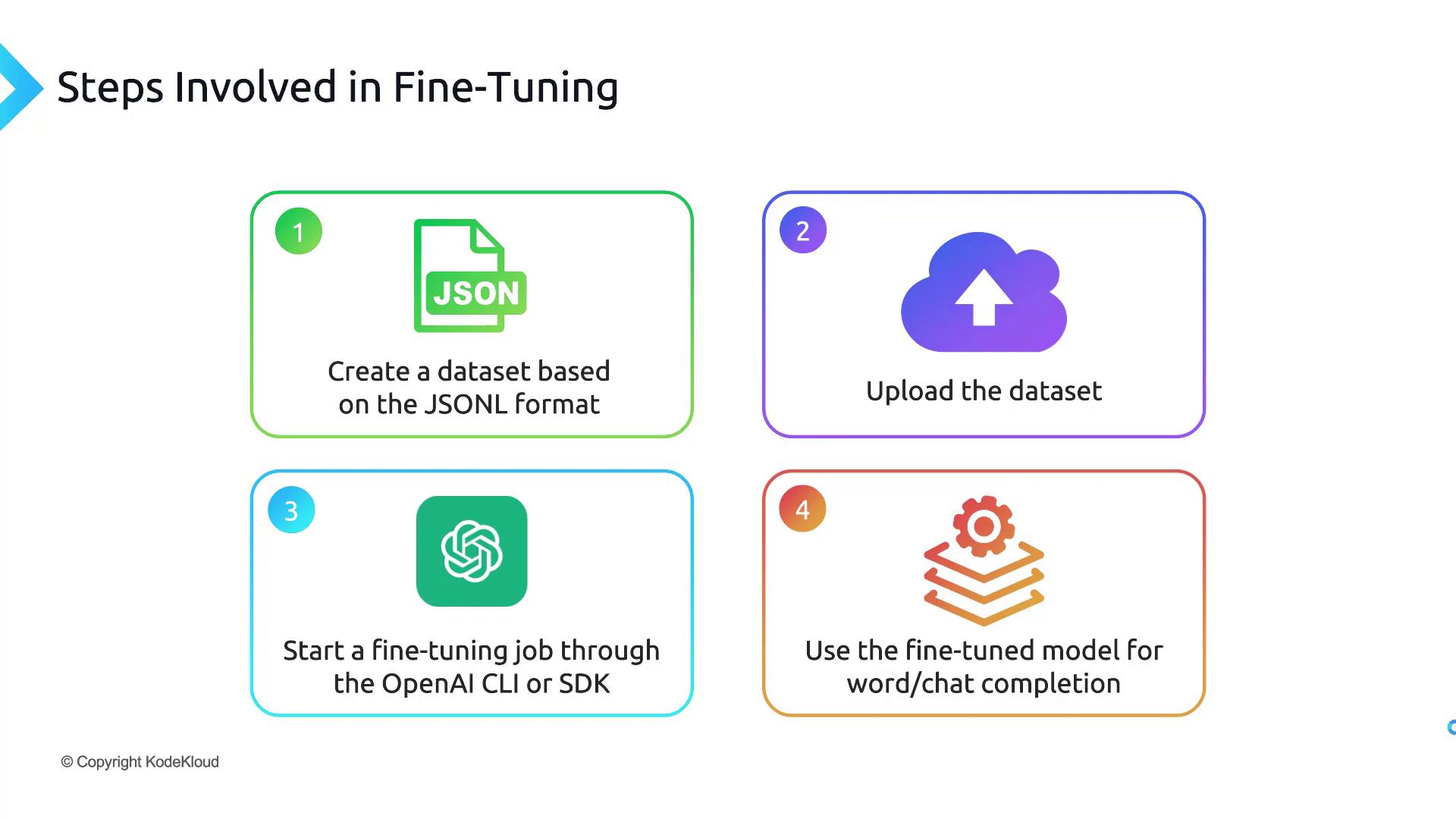
Fine-tuning an OpenAI model involves four core phases: preparing your data, uploading & validating it, launching a training job, and then calling your custom model. This guide walks through each step, from creating a JSONL dataset to selecting a cost-effective base model.
The image outlines four steps involved in fine-tuning: creating a JSONL dataset, uploading the dataset, starting a fine-tuning job through OpenAI CLI or SDK, and using the fine-tuned model for word/chat completion.

1. Prepare Your Dataset in JSONL Format

OpenAI fine-tuning requires a line-delimited JSON (JSONL) file. Each line should be a valid JSON object with two keys—prompt and completion—terminated by a stop token (e.g., END).
Ensure each JSON object is newline-delimited (no commas between lines) and ends with your chosen stop token.
Example qna.jsonl:
{"prompt": "Question: What is AI? ->", "completion": "AI stands for artificial intelligence.\nEND"}
{"prompt": "Question: Define machine learning ->", "completion": "Machine learning is a subset of AI focused on data-driven models.\nEND"}
Fields:
  • prompt: The user’s input or instruction.
  • completion: The desired response, ending with END.
You can handcraft this file or generate it via scripts or even using a base model like ChatGPT, then export it to .jsonl.

2. Upload & Validate Your JSONL Dataset

Before training, preprocess and upload your dataset using the OpenAI CLI:
pip install --upgrade openai
openai tools fine_tunes.prepare_data -f qna.jsonl
This command:
  • Checks for JSONL formatting issues.
  • Removes duplicate entries.
  • Produces a cleaned file named qna_prepared.jsonl.

3. Launch & Monitor the Fine-Tuning Job

Submit the prepared dataset to fine-tune a base model (e.g., davinci):
openai api fine_tunes.create \
  -t qna_prepared.jsonl \
  -m davinci
You’ll receive a fine_tune_job_id. Track progress with:
openai api fine_tunes.follow -i <FINE_TUNE_JOB_ID>
Job durations vary based on data size and model choice—it can take minutes or hours.

4. Query Your New Fine-Tuned Model

After completion, you’ll get a model ID like davinci:ft-your-org-2024-06-01-00-00-00. Test it via the Completions API:
openai api completions.create \
  -m <FINE_TUNED_MODEL_ID> \
  -p "Question: What is AI? ->" \
  --stop "END"
Use this same pattern for tasks such as summarization, classification, or conversational agents.

5. Base Model Selection & Cost Comparison

Choosing the right base model balances performance and budget. Review the table below:
Base ModelPrice (1K tokens)Context WindowIdeal Use Case
Ada$0.00042,048 tokensSimple classification
Babbage$0.00052,048 tokensModerate Q&A
Curie$0.00202,048 tokensSummarization & chat
Davinci$0.02004,096 tokensComplex reasoning tasks
Fine-tuning costs include both training and usage. Always check the OpenAI pricing page and monitor your token consumption to avoid unexpected charges.

With this end-to-end workflow—dataset preparation, validation, training, and model invocation—you’re ready to fine-tune any future OpenAI model for your custom use cases.