

Set your API key in the environment to authenticate requests:
Playground Interface Overview
The Playground is organized into three main sections:- Getting Started panel (left): Usage guidelines, best practices, and limitations.
- Presets toolbar (top): Quickly load common tasks like Classification, Chat, and more.
- Editor & Controls (center and right): Write prompts and adjust parameters such as
temperatureandmax_tokens.
Classification Preset: Company Category Labeling
Select the Classification preset to label items by category. By default, you’ll see examples like Apple, Facebook, and FedEx. Let’s classify “Apple”: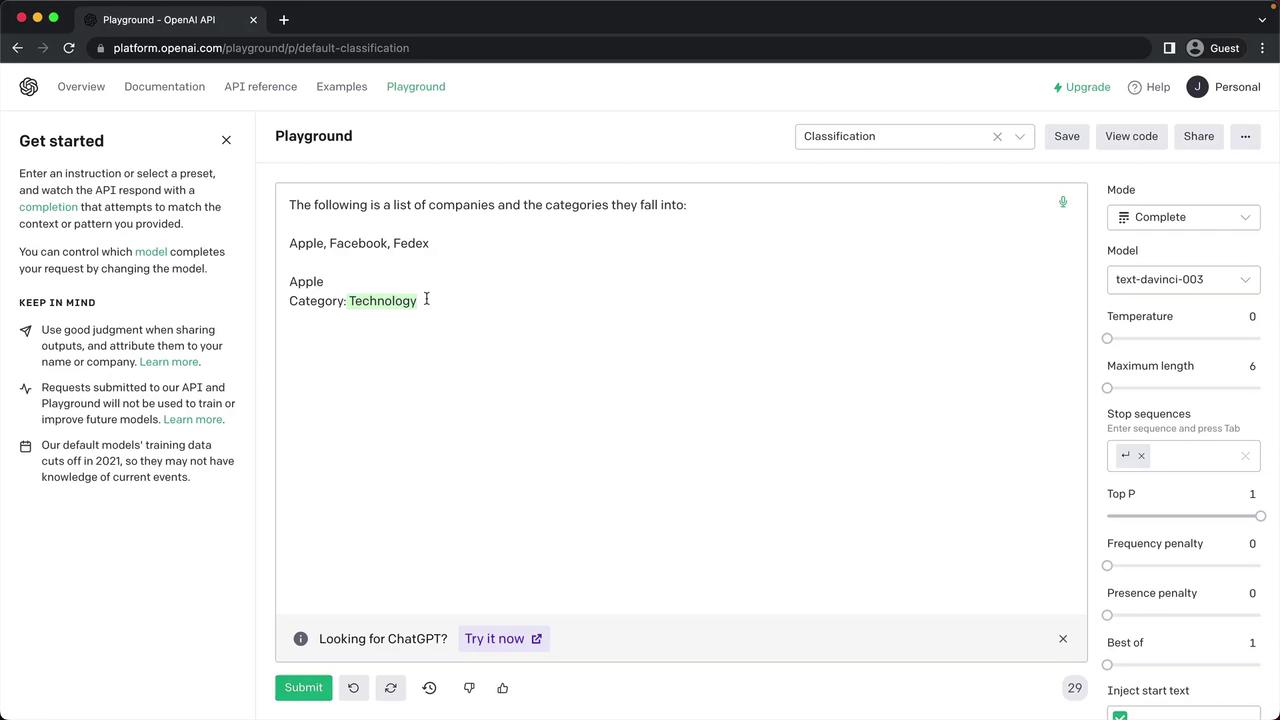
Experimenting with Models & Parameters
Beyond presets, the Playground lets you switch between models—such astext-davinci-003 and gpt-3.5-turbo—and fine-tune parameters. Hover over any label to view its description and experiment to see how changes affect output.
Adjusting parameters like
max_tokens and temperature directly impacts response quality, token usage, and billing. Monitor your usage in the OpenAI Dashboard.Modes Overview
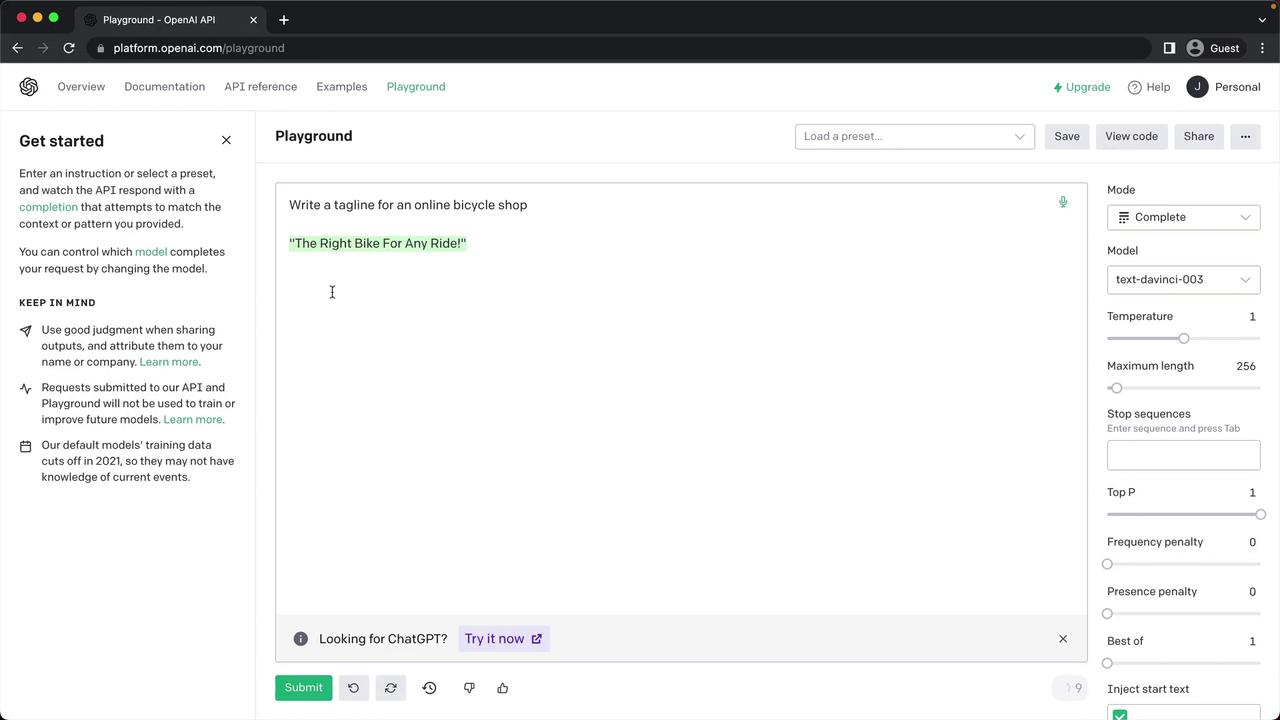
The Playground offers four modes to suit different tasks:1. Complete Mode
In Complete mode, you get free-form text completions. For instance, ask for a tagline:The Right Bike for Any Ride!
2. Chat Mode
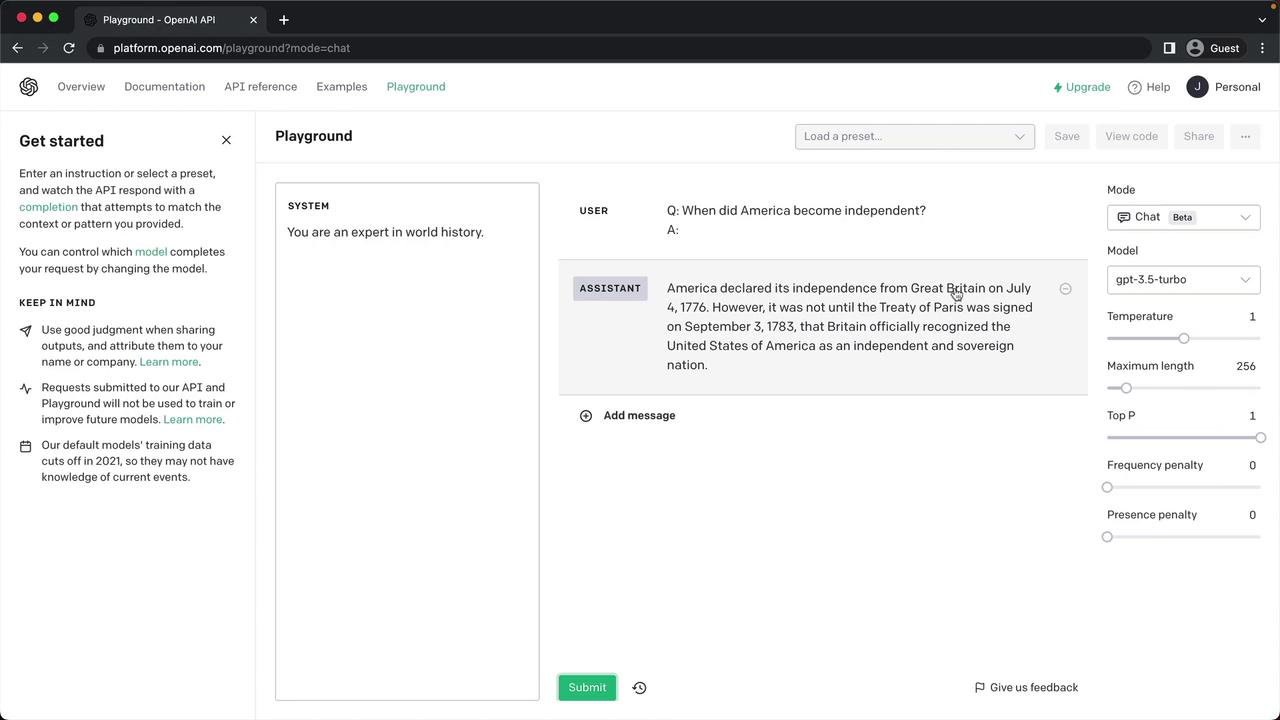
Switch to Chat to leverage conversational models like GPT-3.5 Turbo. For example, role-play a history professor:- System prompt: “You are an expert in world history.”
- User prompt: “When did America become independent?”
3. Insert Mode
Use Insert mode to tell the model where to fill in text. Example: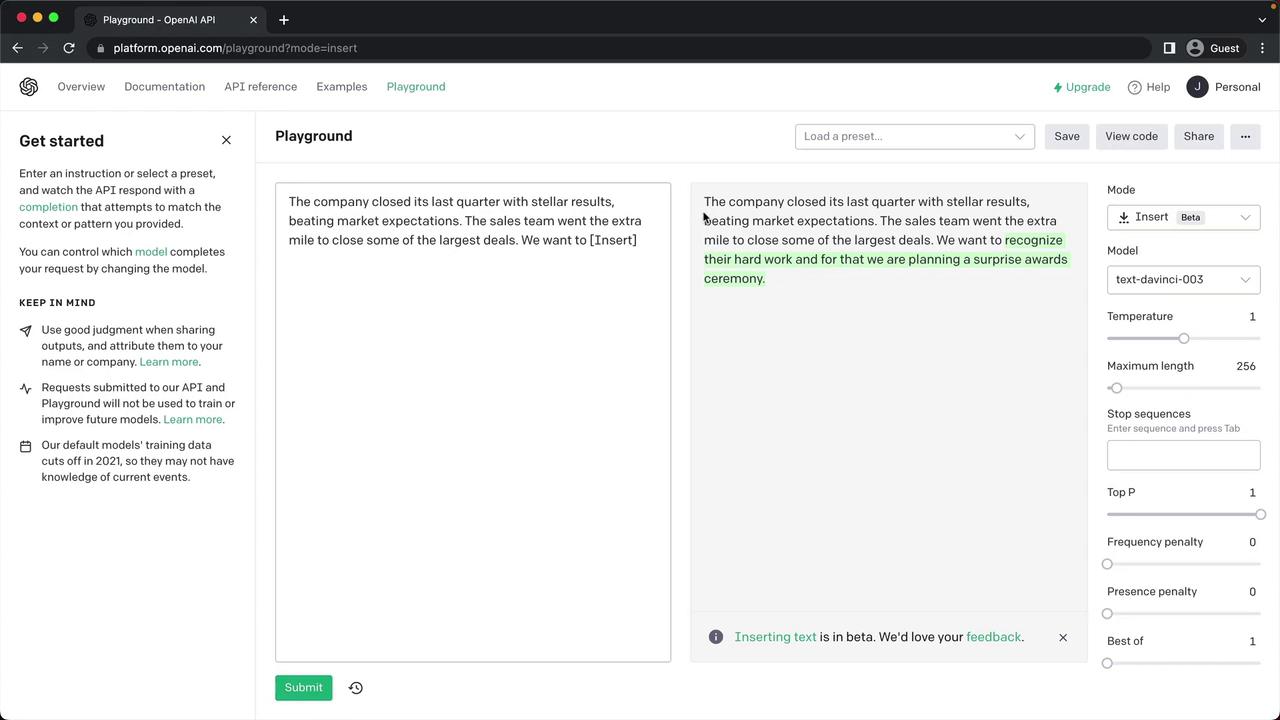
4. Edit Mode
In Edit mode, paste existing text and ask the model to improve or correct it: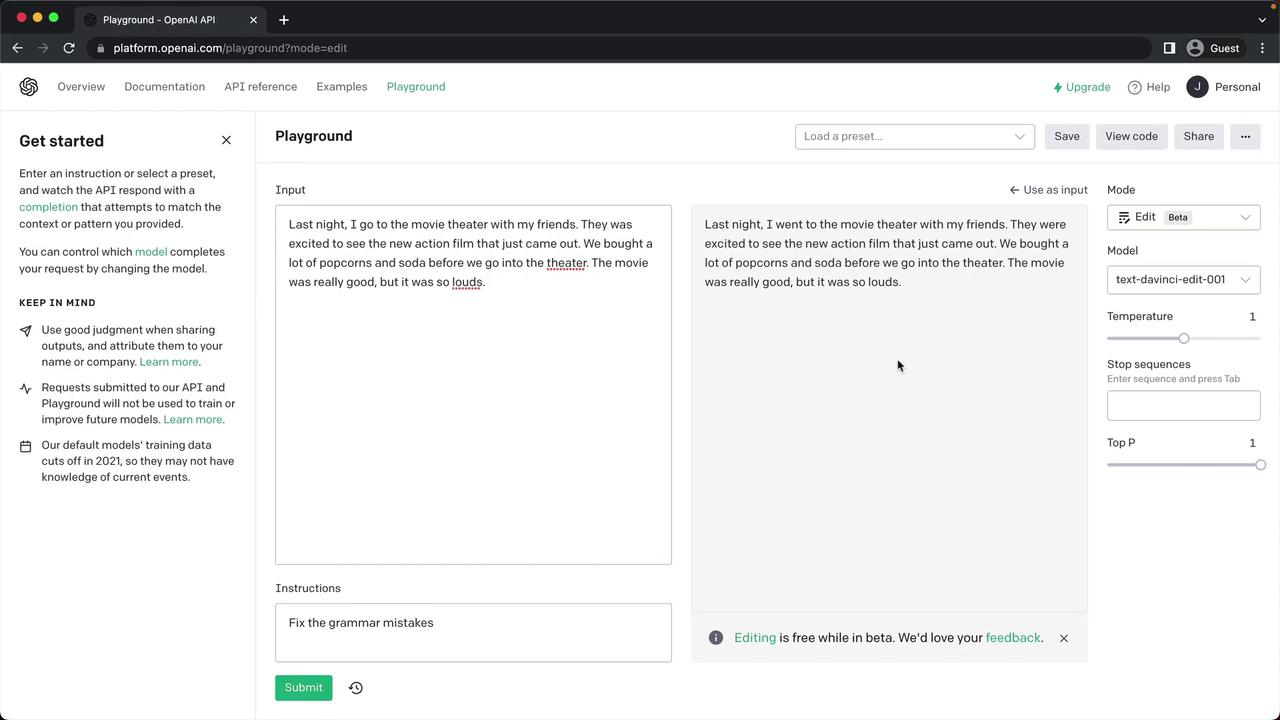
You now have an overview of the OpenAI Playground’s presets, models, modes, and parameter controls. Continue experimenting to uncover best practices and optimize your prompts.