

Quickstart Example
- Importing libraries
- Loading your API key
- Calling the chat completion endpoint
- Printing the assistant’s reply
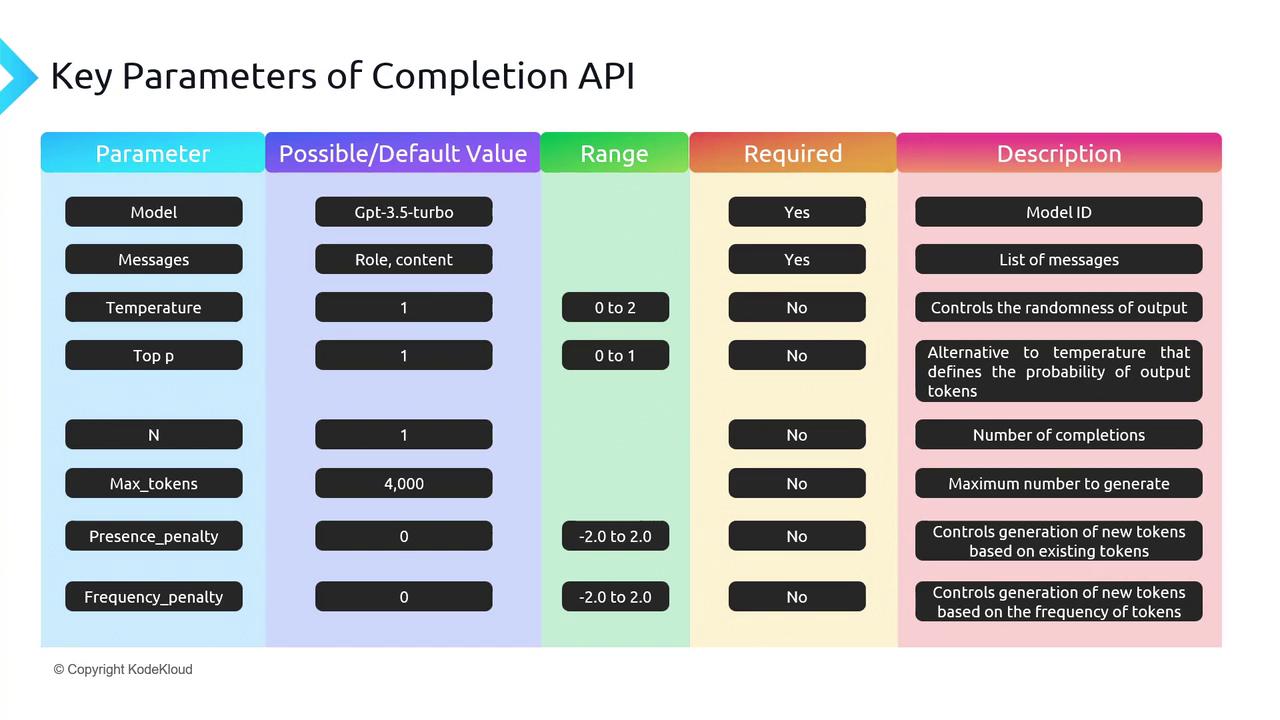
model and messages are the only required fields, the full API offers many more knobs.
Core Parameters
1. model and messages
- model: Choose an engine (e.g.
gpt-3.5-turbo,gpt-4). - messages: An ordered list of
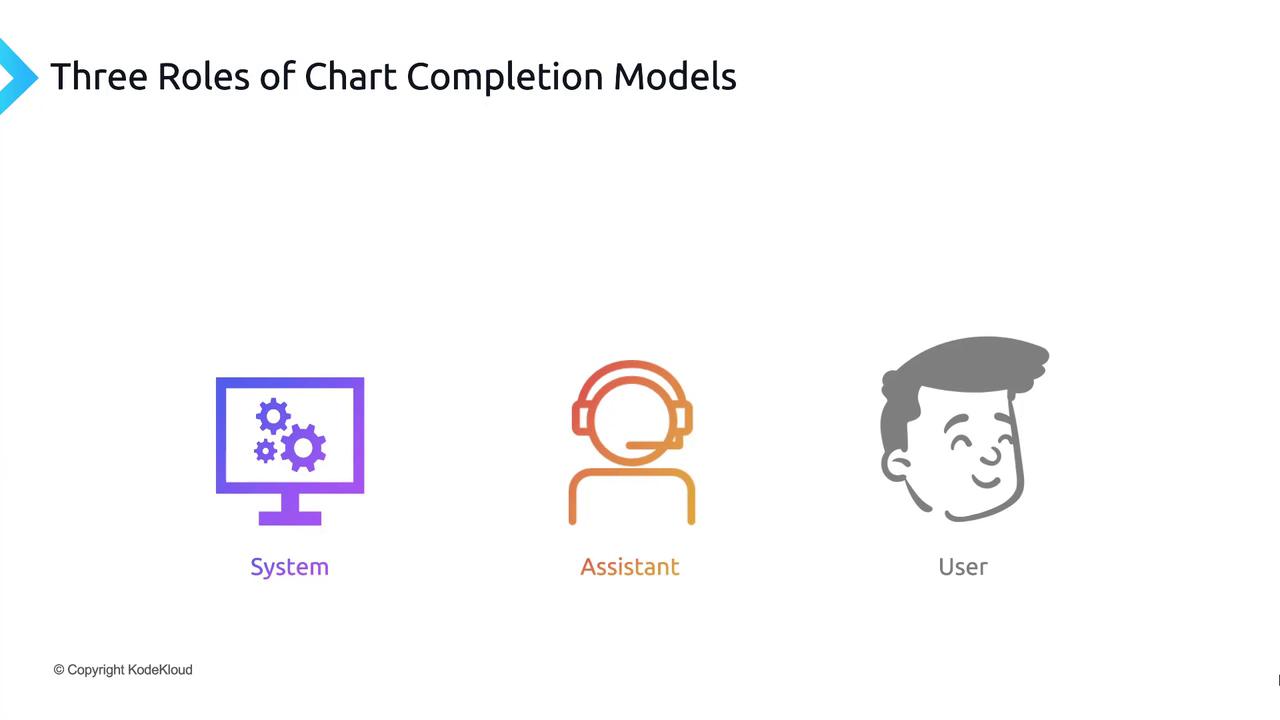
{role, content}objects. Roles include:
2. Randomness & Diversity: temperature vs. top_p
Both control how “creative” the output can be. Adjust one at a time for best results.- temperature (0–2, default 1):
- Lower → more focused, deterministic (e.g. 0–0.2)
- Higher → more creative, random (e.g. 0.8–2)
- top_p (0–1, default 1):
- Also called “nucleus sampling.”
- Model only considers tokens whose cumulative probability ≤ top_p.
If you need repeatable outputs, set
temperature=0 and top_p=0. For open-ended tasks, start with temperature=0.7 and top_p=0.9.3. n (number of completions)
Generate multiple replies in one API call. Default isn=1. Raising n can help you compare variations but increases token usage.
4. max_tokens
Limits the length of the completion. Remember:prompt_tokens + max_tokens≤ model context window (e.g. 4096 forgpt-3.5-turbo).
If you exceed the context window, the API will return an error. Always calculate prompt size before setting
max_tokens.5. presence_penalty vs. frequency_penalty
Prevent the model from repeating itself:- presence_penalty (–2.0 to 2.0): Encourages new topics by penalizing tokens that have appeared at all.
- frequency_penalty (–2.0 to 2.0): Penalizes tokens proportionally to how often they’ve already appeared.
Interactive Exploration with the Playground
Experiment with all of these settings in real time: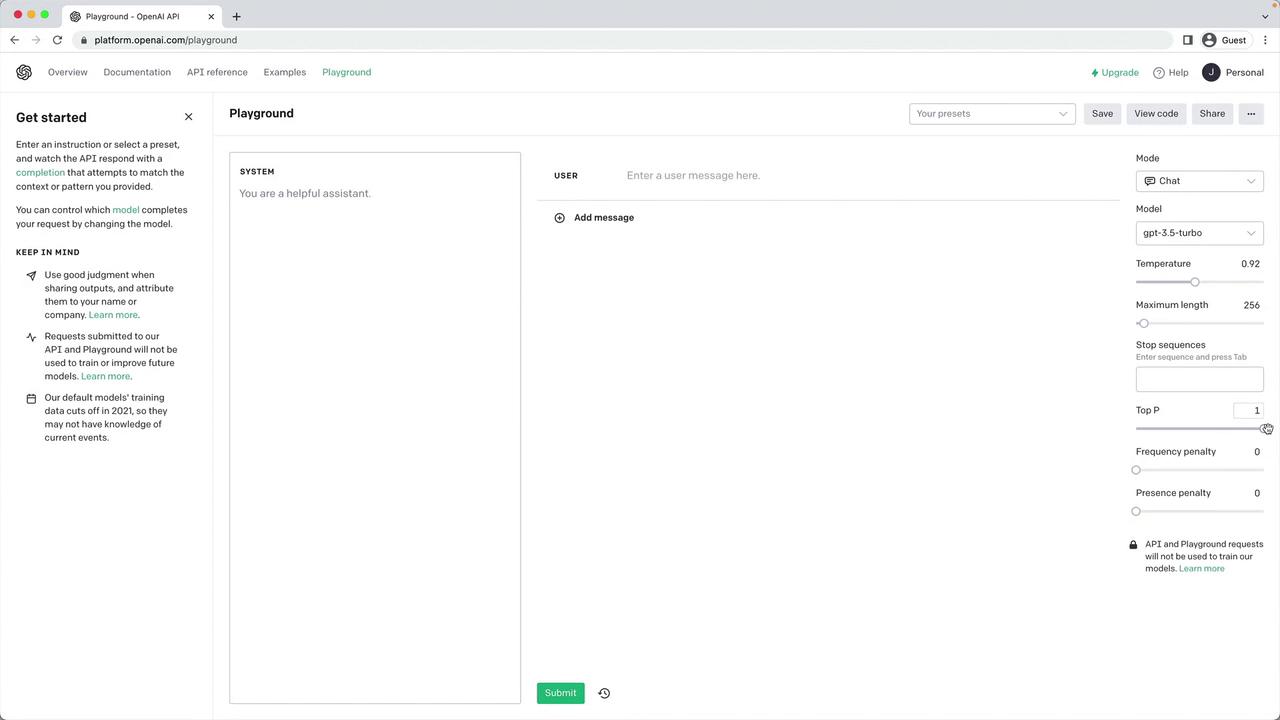
Example: Deterministic vs. Creative Runs
Below is a side-by-side comparison showing howtemperature and top_p affect output style: