

- Declaration
- Discovery
- Exposure
- Selection
- Authorization
- Invocation
- Execution
- Result
- Integration
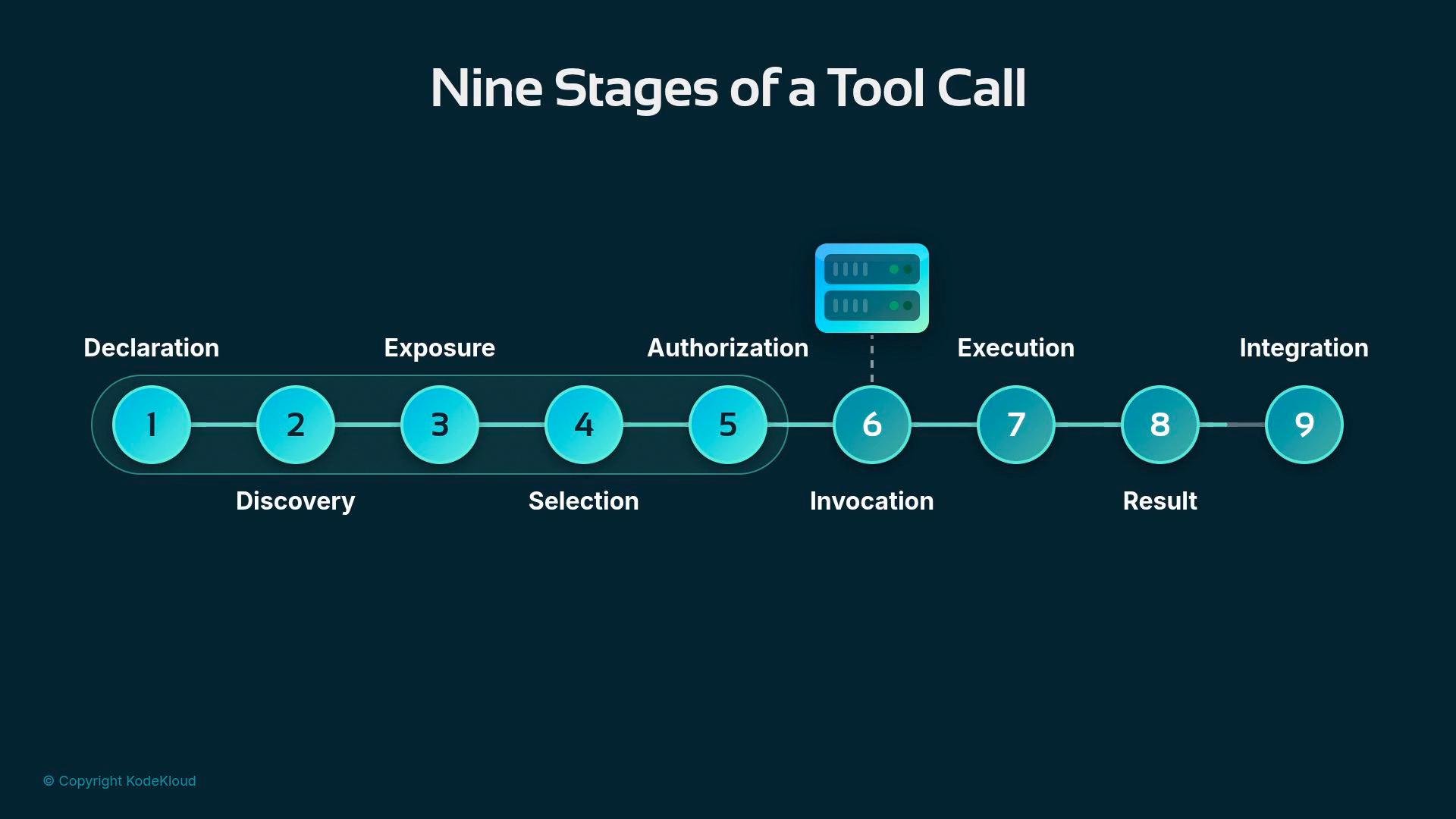
Quick overview (summary table)
Stage 1 — Declaration
The tool author (server author) publishes each tool with:- a name,
- a human-readable description, and
- an input schema that declares accepted arguments and types.
Stage 2 — Discovery
The host (client) queries the server for available tools (e.g.,tools/list) and learns which tools exist. A minimal declaration might look like:
Stage 3 — Exposure
The host converts the server-provided declaration into a concise representation the model can read — names, descriptions, and schemas only. No secrets or internal metadata should be exposed. For example:Stage 4 — Selection
After seeing exposed tool definitions, the model selects a tool and prepares the arguments it intends to supply. This selection is entirely the model’s output (it proposes the request), but the request is not yet executed.Stage 5 — Authorization (informed consent)
Before the host sends any network requests, it must obtain explicit informed consent from the user. The UI presented to the user must include the tool, the target server, and the exact arguments together — not just a generic statement that “the assistant wants to call a tool.” Example UI mockup:Always show the tool name, the server it will call, and the concrete arguments in the confirmation prompt. A vague confirmation like “assistant wants to use a tool” is insufficient for informed consent.
Stage 6 — Invocation and Stage 7 — Execution
Once authorized, the host sends the model’s requested tool name plus arguments to the server. The host owns the network connection; the model only generates the request content. Typical request shape (with optional progress token in_meta):
- Text: plain text results (e.g., “14 cartons of milk left on the fifth shelf”).
- Media blocks: images or audio (base64-encoded with a MIME type).
- Resource links: pointers (e.g.,
stock://milk) that the server continues to manage. - Structured content: data matching the declared output schema for client parsing.
_meta.progressToken, the server should publish progress notifications with strictly increasing numeric values, for example:
- Over stdio: client sends
notification/cancelledwith the request ID. - Over streamable HTTP: client closes the response stream.
Result: response shape and semantics
Every result in the current revision includes a requiredresultType. Two values exist:
complete— the server finished producing an answer.input_required— the server needs additional input from the user to continue.
resultType. Clients must treat such responses as complete for backward compatibility.
Application-level errors
If a tool encounters an application-level error (e.g., item not found, service unavailable), the server returns an HTTP/JSON response whose payload indicates the error; this is not a transport/protocol failure. Example:Annotations provided by servers (e.g.,
readOnlyHint, destructiveHint, idempotentHint, openWorldHint) are untrusted metadata. Do not make authorization or security decisions based solely on these hints.Progress updates and continuations
When the server requests further input mid-call, it returnsresultType: "input_required", includes prompt text in content, and supplies an outputSchema describing required fields. The host displays the prompt (with context and any partial results), collects user input, and either resumes the existing call via the transport’s continuation mechanism or sends a follow-up invocation.
Example server prompt seeking more detail:
Caching and determinism
Hosts do not need to refresh the tool list before every call, buttools/list must return a deterministic ordering so clients can cache safely. Example: