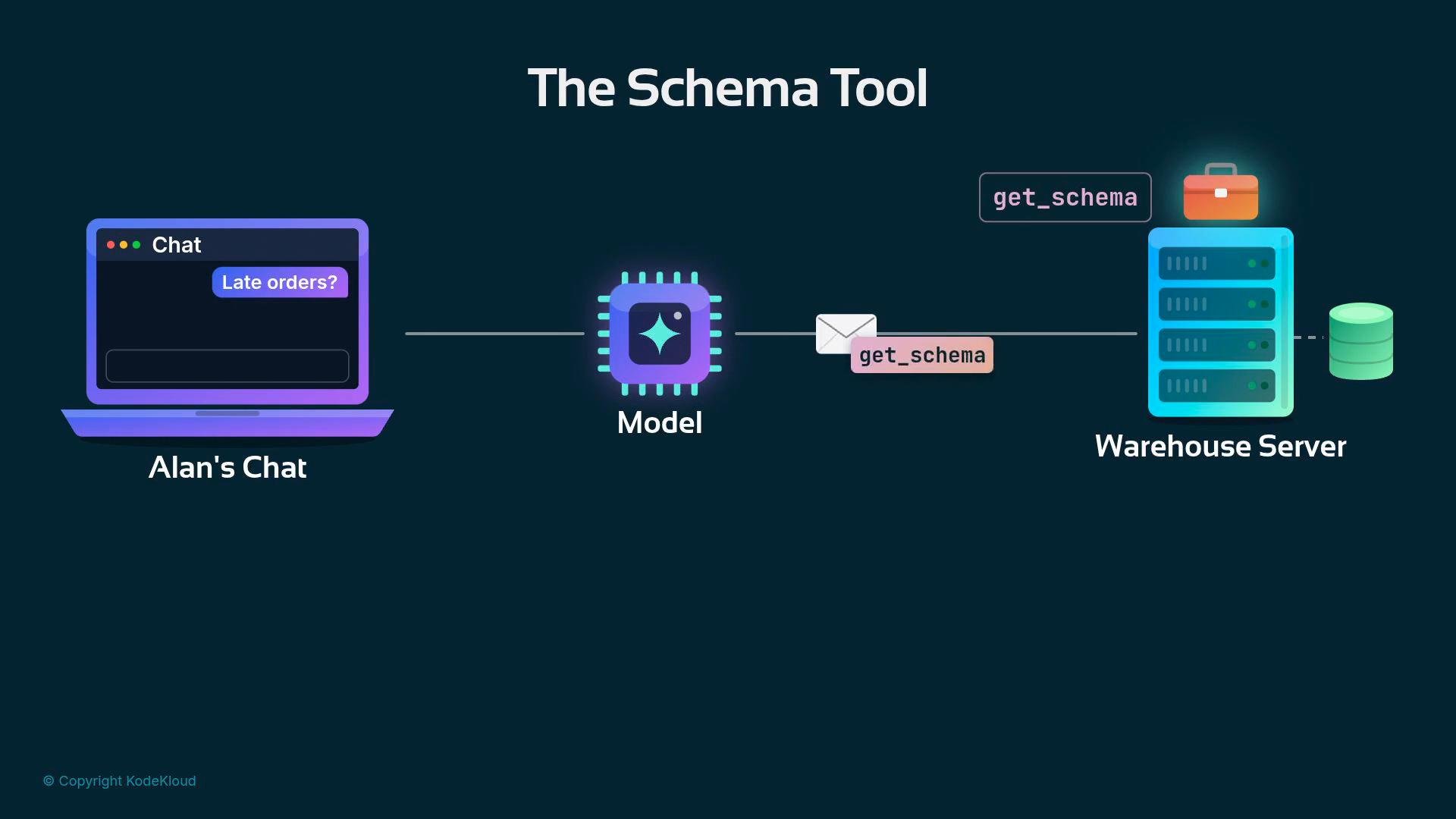
Alan wanted the model to understand the warehouse database schema, so he exposed the schema as a tool. Because the model may call tools whenever it likes, it began invoking the schema tool before nearly every question.
A diagram titled "The Schema Tool" showing Alan's Chat on a laptop sending a query through a model (chip icon) which forwards a "get_schema" request to a warehouse server and database. The chat bubble reads "Late orders?" indicating the user query triggers schema retrieval from the server.
Each tool call returned roughly 11 KB of column definitions into the model’s context window. One morning the model called it 40 times; every response contained the same information, and yet the model produced queries referring to a column that had been renamed months earlier. The root cause: incorrect choice of primitive. The schema is application-managed context, not an action the model should repeatedly request.
Prefer resources for application-managed, infrequently changing data (e.g., schemas, manifests, or documentation). Use tools for actions that must be executed (e.g., cancel_order). This prevents repeated, unnecessary retrievals and inconsistent state in the model’s context.
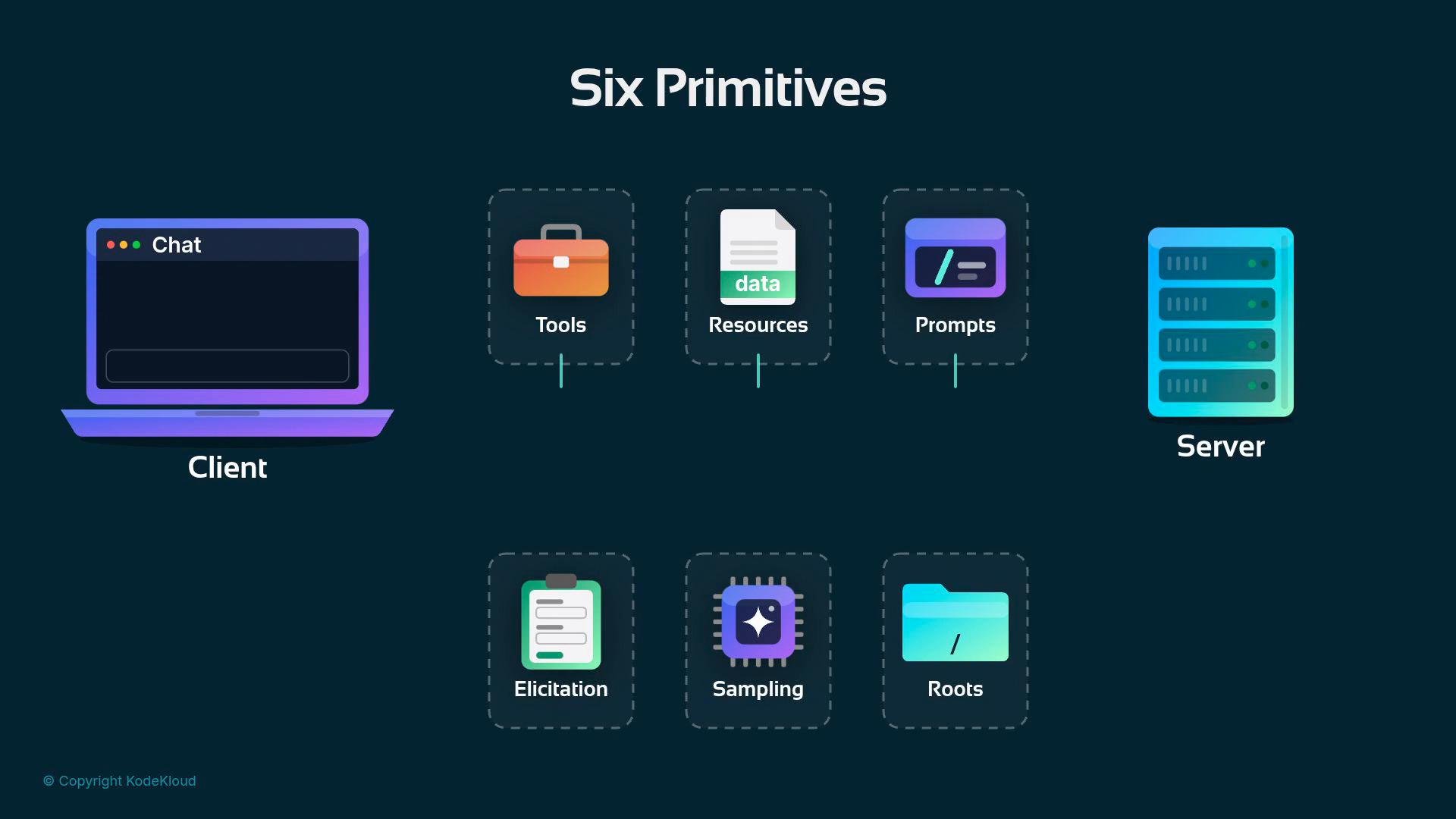
To prevent mistakes like Alan’s, the protocol defines six primitives and who controls each. Servers publish tools, resources, and prompts. Hosts (clients) provide elicitation, sampling, and roots. Each primitive also specifies which party controls its behavior: model, application, or user.
An infographic titled "Six Primitives" showing a client laptop (labeled Chat) on the left and a server rack on the right. Between and below them are six labeled icon tiles: Tools, Resources, Prompts, Elicitation, Sampling, and Roots.
Summary table — primitives and controllers Tools (model-controlled)
  • Servers publish available tools with tools/list.
  • Hosts invoke tools with tools/call.
  • Tools are model-controlled: the model decides when to run a tool and what arguments to pass.
Example tool invocation (valid JSON payload):
Typical tool names you might see:
  • check_shipment
  • book_slot
  • cancel_order
Use a tool whenever the model needs the system to perform or effect a change — check status, reserve resources, or cancel operations. Resources (application-controlled)
  • Servers publish available resources with resources/list.
  • Hosts fetch a resource using resources/read.
  • Resources are application-controlled: the host determines what to fetch and when; the model cannot initiate the fetch.
When you want to feed the model contextual, application-managed data (like a schema, manifest, or documentation), expose it as a resource. Because the warehouse schema is stable and managed by the application, it should be a resource the host reads once (for example, at conversation start), rather than a tool the model can call repeatedly. Example resource listing and a read result (illustrative):
Parameterizing resources
  • Servers may publish URI templates with RFC 6570-style placeholders (see RFC 6570).
  • Hosts fill placeholders (e.g., manifest://{id}) and then perform a single resources/read.
Prompts (user-controlled)
  • Servers publish prepared prompts via prompts/list.
  • Hosts fetch a prompt with prompts/get.
  • Prompts are user-controlled: think of them as ready-made workflows the user explicitly triggers (slash commands, canned traces, reports).
Example prompts/list result:
When the user selects a prompt, the server returns a prepared message set with template fields populated:
Client-side primitives: elicitation, sampling, and roots Elicitation
  • Use elicitation when the server needs more data from the user while a task is in progress.
  • The server creates an elicitation request (elicitation/create) and the host renders the UI because the server has no direct UI.
Rendering modes:
  • Form mode: server supplies a small JSON Schema; the host renders form fields and returns structured answers.
  • URL mode: server returns a URL; the host opens it and the user completes the flow there.
Example elicitation request (illustrative):
Outcomes when the user responds:
  • Accept: user supplies requested data — continue with the task.
  • Decline: user refuses — continue without it if possible.
  • Cancel: user cancels the workflow — the server must stop the task.
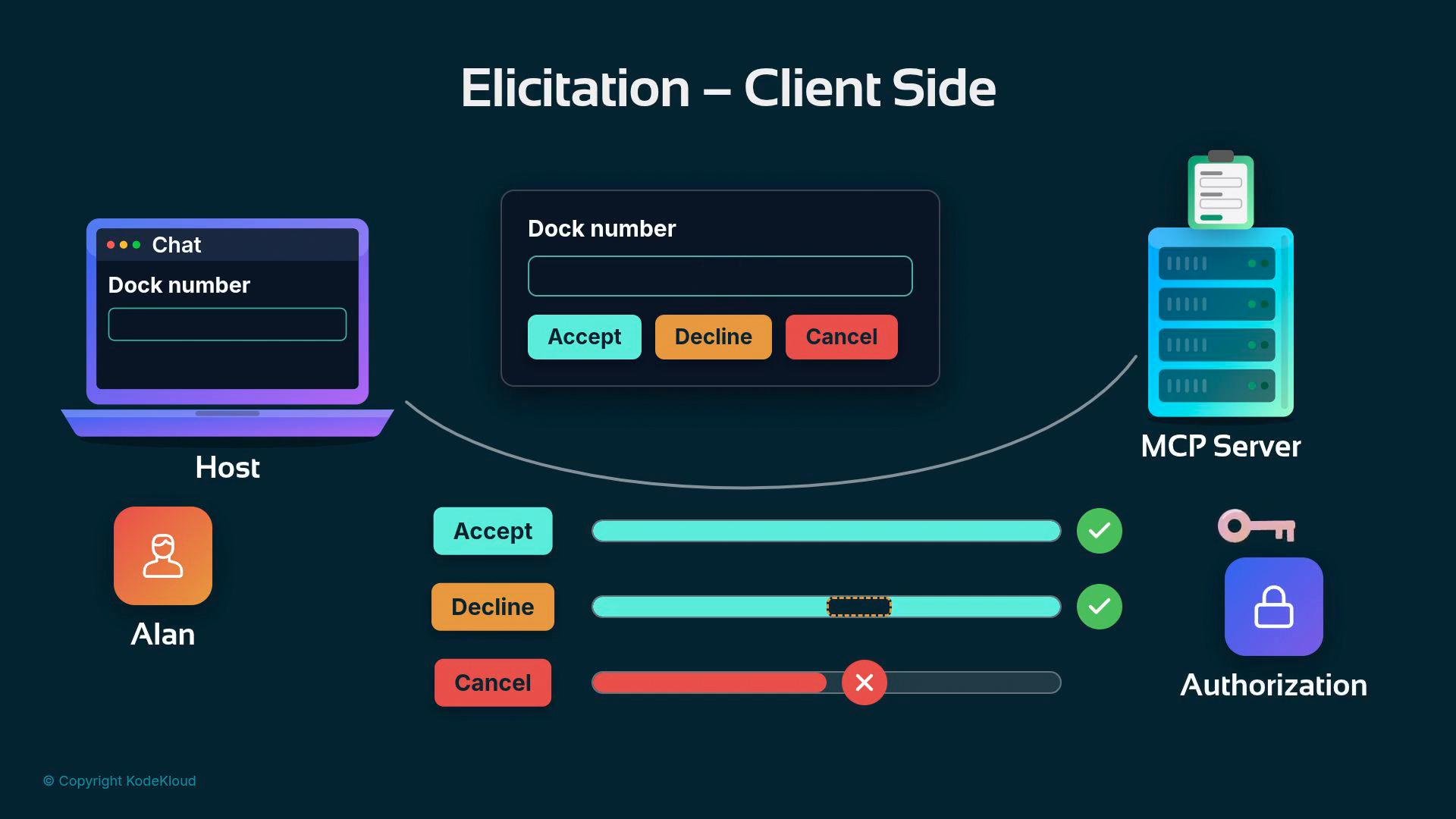
Credentials and authorization flows are commonly coordinated via elicitation or a dedicated authorization flow.
A stylized infographic titled "Elicitation – Client Side" showing a laptop host with a "Dock number" input dialog, Accept/Decline/Cancel buttons, an MCP server icon, and an Authorization padlock. Below are progress bars indicating Accept/Decline/Cancel outcomes and a user icon labeled "Alan."
Sampling and Roots (deprecated)
  • sampling/createMessage allowed a server to borrow the host’s model to generate messages.
  • roots/list allowed a client to tell a server which filesystem directories to consider.
Both primitives are deprecated in this revision of the protocol. They remain in the spec temporarily (12-month window) and may still appear on exams, but you should plan to migrate away from them. Instead:
  • Replace sampling by calling your model provider’s API directly.
  • Replace roots with explicit tool parameters, parameterized resource URIs, or server-side configuration.
  • For true filesystem sandboxing, enforce restrictions at the OS or container level — “roots” in MCP were informational only and did not enforce access.
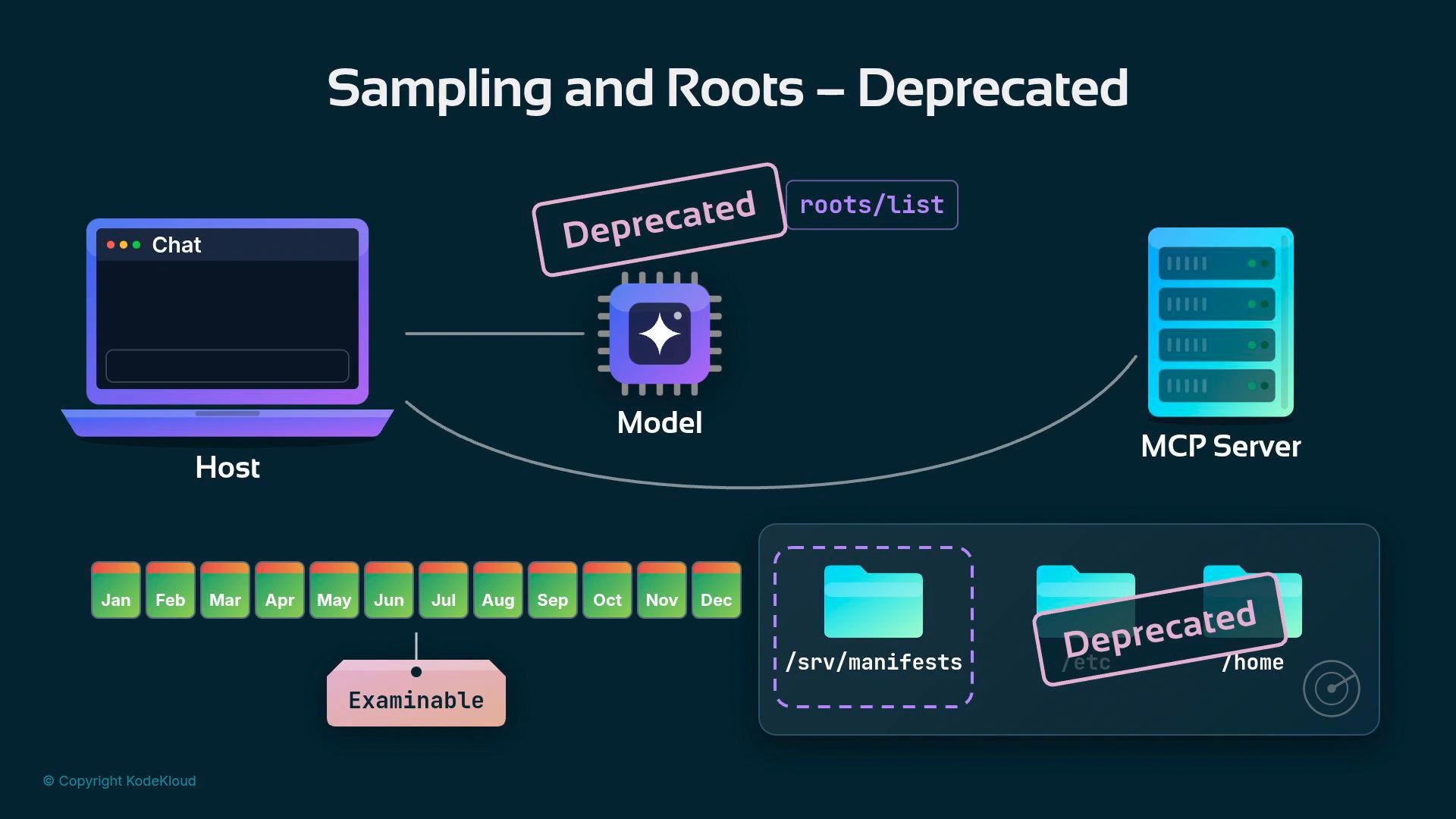
An infographic titled "Sampling and Roots — Deprecated" showing a laptop host connected to a model chip and an MCP server, with folder icons (e.g. /srv/manifests, /etc, /home) marked "Deprecated." It also shows month tiles and an "Examinable" tag to illustrate the sampling/roots workflow.
Sampling and roots are deprecated in this revision. Migrate sampling to your model provider’s API and replace roots with explicit tool parameters or resource URIs; enforce any required sandboxing at the operating system level.
Quick reference and rules of thumb
  • If the model needs to perform an action or effect a change, expose that capability as a tool.
  • If you want to provide application-managed contextual data (schemas, manifests, docs), expose it as a resource and let the host fetch it deterministically and infrequently.
  • If the user explicitly triggers a workflow, expose it as a prompt the user can choose.
  • If the server needs more inputs during an operation, use elicitation.
Applying this to Alan’s scenario: the warehouse schema is application data that changes rarely and should be exposed as a resource (for example, schema://warehouse) and read once at conversation start. Making the schema a tool allowed the model to call it repeatedly, which led to stale or inconsistent behavior. References

Watch Video