

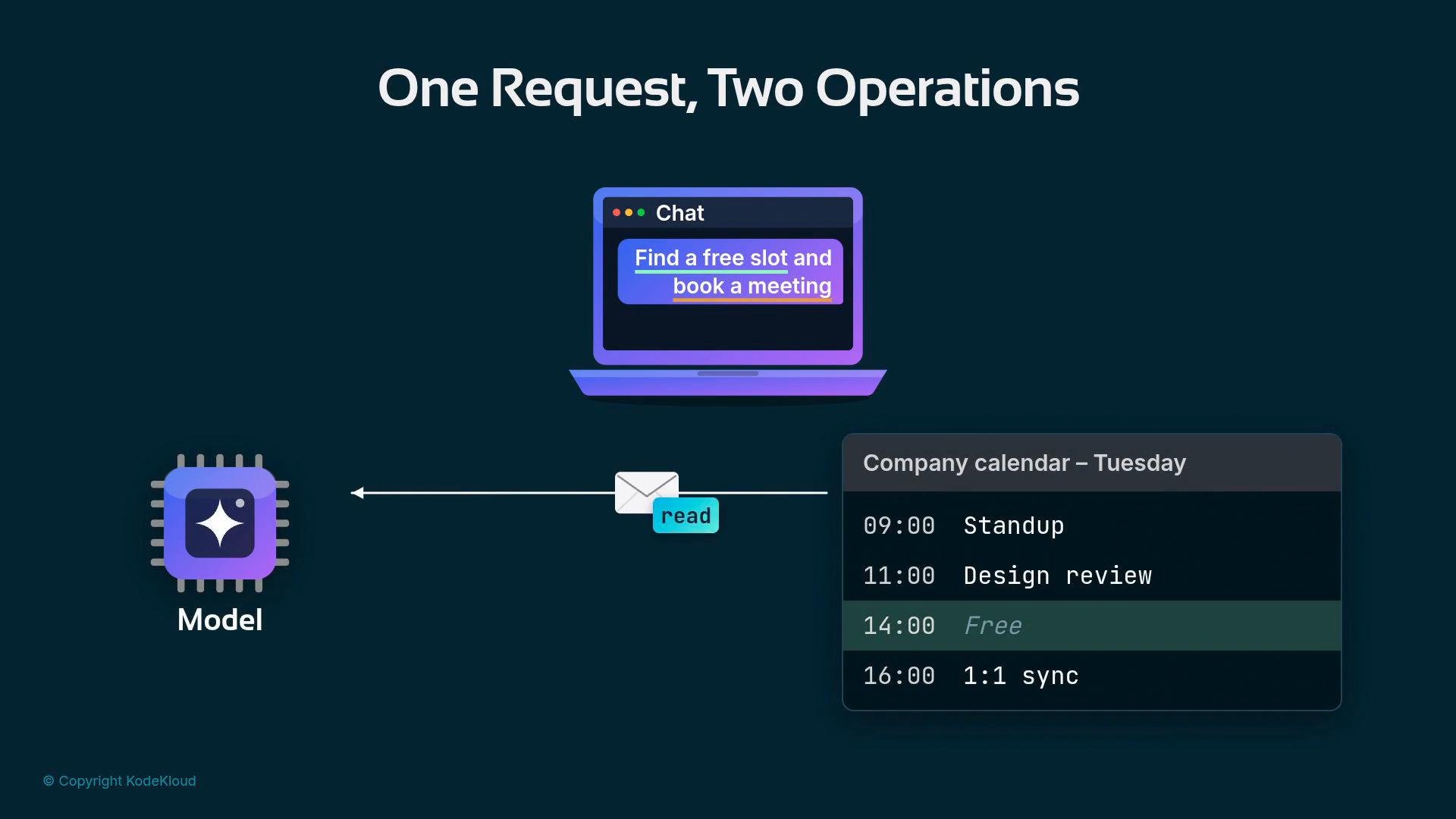
- Reading the calendar is a resource operation: the model needs view-only access to calendar data.
- Booking the meeting is a tool operation: the model triggers an action that changes state.
Primitive mapping: Tool vs Resource vs Prompt
Use this quick reference to decide which primitive applies when architecting model integrations:Common sample use cases and how to classify operations
- Developer tooling
- Resource: reading project files or type information so the model can reason about code.
- Tool: renaming a variable, refactoring, or writing a file (these are actions that modify state).
- Example: editing a simple function in a code editor:
-
Databases
- Resource: exposing a schema or sample rows so the model can craft correct queries.
- Tool: executing queries that modify data (INSERT/UPDATE/DELETE) — these are tool calls.
-
Workflow automation
- Resource: drafting or templating a status report using prompt templates and read-only context.
- Tool: sending the email or triggering an external job (those change state).
- Desktop/file assistants that move or rename files are tool calls; older read-only “roots” utilities that provide directory listings are resources (note: some roots-style tooling is deprecated).
-
Web interaction
- A browser-automation assistant filling a website form will perform many tool calls (click, type, navigate).
-
Multi-agent coordination
- One agent might research prices and perform resource reads + API lookups, while another drafts and submits the purchase order (tool calls).
- Older server-side sampling or orchestration patterns have been deprecated; the recommended approach is for each agent to call provider APIs directly and explicitly.
Deployment patterns and trust boundaries
All of the above examples assume a server component that mediates model interactions. Where that server runs determines the trust model and security controls you must apply. There are three common deployment patterns:-
Local-first
- Both the host (UI) and the server run on the user’s machine and communicate via local IPC or stdio.
- Credentials and tokens are stored locally.
- Nothing needs to cross the network — simplifies privacy and trust assumptions.
-
Remote
- The host communicates with a remote server over HTTP(S).
- Authentication and authorization use standard protocols (for example, OAuth 2.1).
- Network boundaries and third-party control require stricter auditing, monitoring, and trust policies.
-
Hybrid
- Some services run locally, others remotely.
- Each server instance has its own trust level; design separate trust rules and data flows for local vs remote components.
When designing deployments, explicitly document where each server runs (local, remote, or both) and assign trust rules for every location. This prevents accidentally exposing credentials or sensitive data to less-trusted endpoints.
Quick checklist for architects
- Catalog operations as resource-read vs action/tool.
- Map each operation to a deployment location and assign trust policies.
- Minimize the blast radius: grant minimal necessary permissions for tools and keep sensitive data on local-first components when feasible.
- Audit every tool call that can modify state and log resource reads where privacy/regulatory concerns apply.