This guide explores using labels and annotations in Alertmanager to enhance alert context for clearer incident responses.
In this guide, we explore how to use labels and annotations in Alertmanager to enhance the context provided with your alerts. These features allow you to classify alerts effectively and add detailed descriptive information for clearer incident responses.
Labels are essential for classifying and matching alerts in Alertmanager. By adding key-value pairs as labels in your alert rule configuration, you can filter and route alerts according to specific criteria. For example, the following configuration demonstrates two alert rules with different severity levels:
Labels are not only used for alert identification but also play a crucial role in establishing routing rules within Alertmanager, ensuring that alerts reach the appropriate teams.
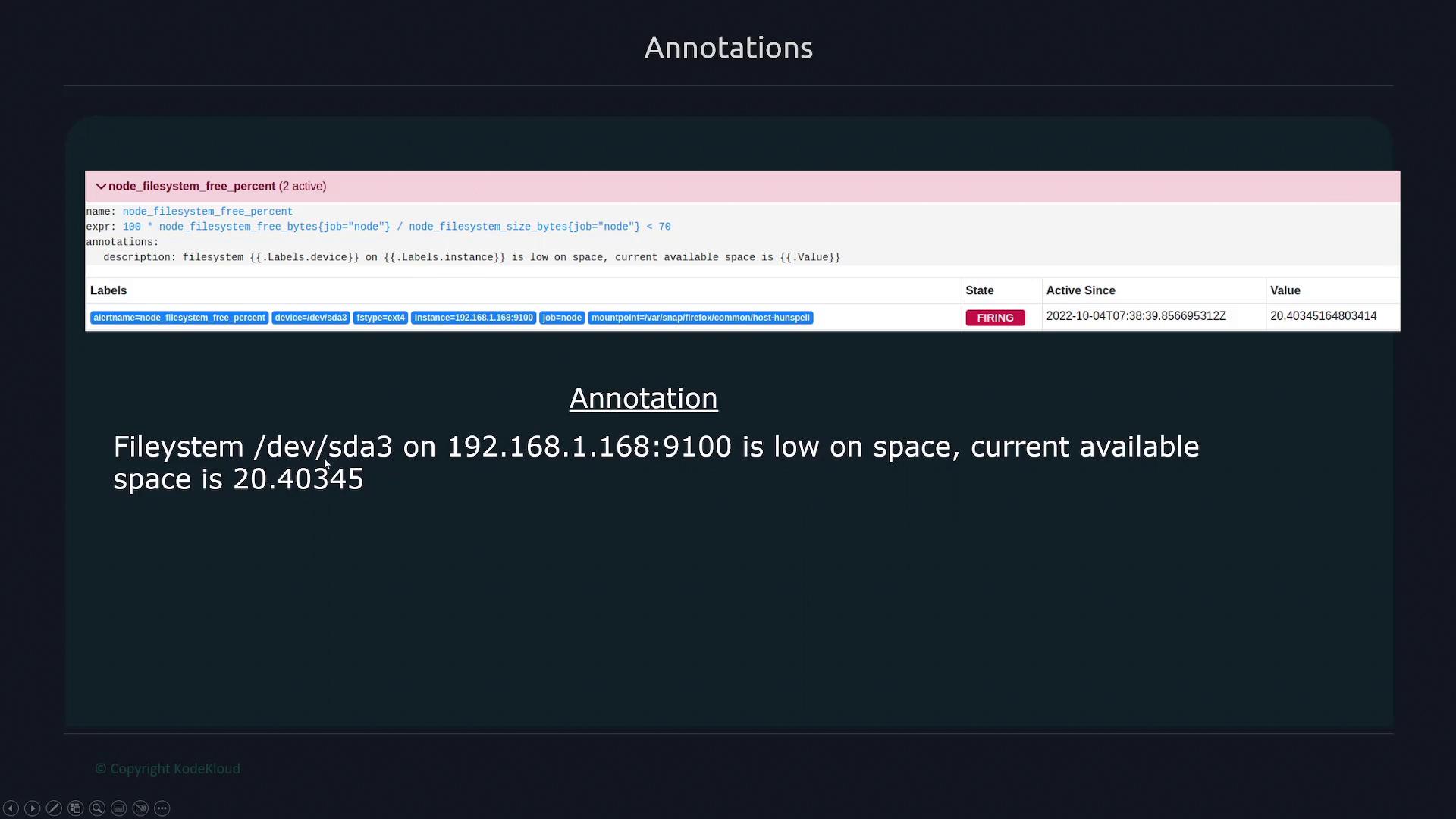
Annotations complement labels by providing additional descriptive details about an alert. They do not influence alert matching or routing but instead offer valuable context for understanding the alert’s condition. Annotations use the Go templating language, enabling dynamic insertion of alert-related information.For instance, you can access alert labels within an annotation using the following syntax:
Use {{ .labels }} to retrieve all labels.
Use {{ .labels.instance }} to get the value of the instance label.
Use {{ .value }} to display the metric value at the time of the alert.
Consider an annotation named “description” that assembles information about the file system, device label, instance name, and current metric value. When triggered, the annotation might state: “file system /dev/sda3 on [target instance] is low on space. Current available space is 20.40345.”
Ensure that the annotations you add are concise and provide only the necessary contextual information to avoid overwhelming the alert recipients.
When alerts are sent via email or SMS, these descriptive annotations provide your team with the crucial context needed to understand and respond to the alert effectively.
Understanding how to implement labels and annotations effectively in Alertmanager will streamline your incident response process and improve overall system monitoring.