This article explains how to secure Prometheus and Node Exporter communications using authentication and TLS encryption.
In this lesson, you will learn how to secure communications between your Prometheus server and its targets by configuring both authentication and TLS encryption. This guide helps ensure that only authorized users or systems can access your metrics and that data remains secure in transit.Below are two primary challenges along with their solutions:
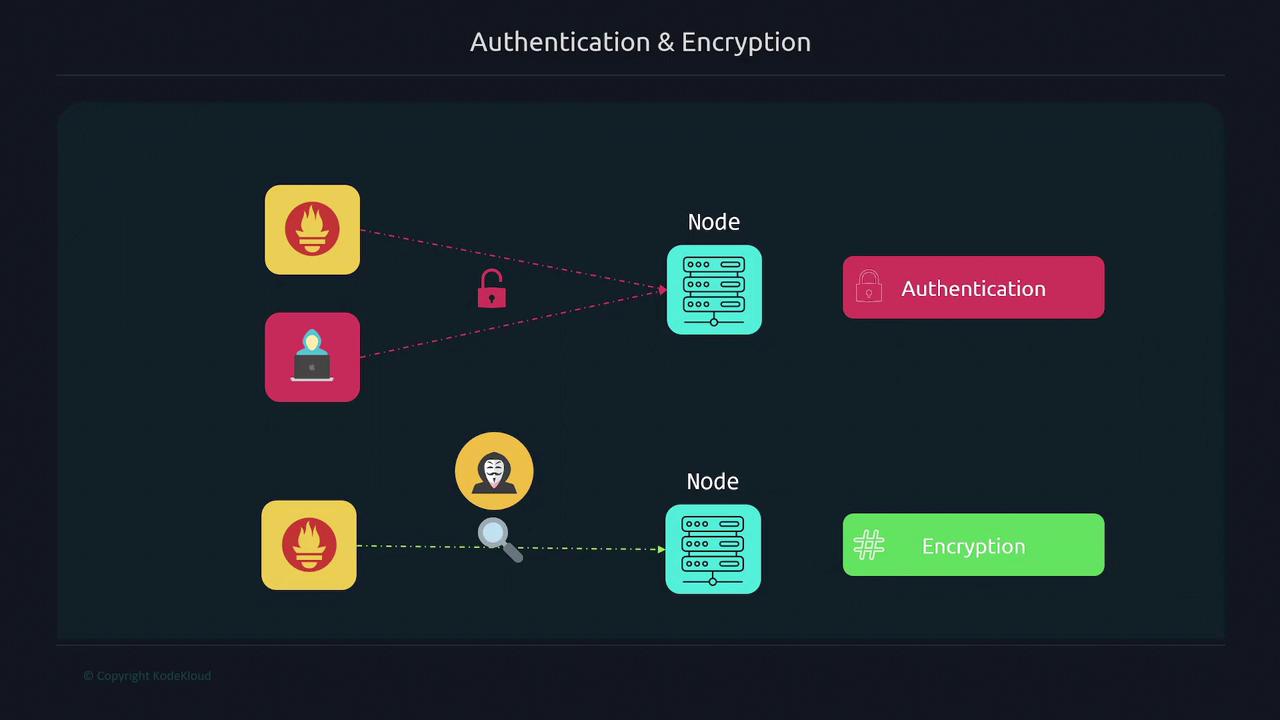
Without authentication, any entity with access to your target can scrape the metrics, potentially exposing sensitive data.
Without encryption, data traveling between Prometheus and the target is sent as plain text and is vulnerable to interception.
Encrypting traffic with TLS ensures that even if someone sniffs the network, they will only see encrypted data. The diagram below outlines the authentication and encryption processes between nodes:
Below, follow the steps to set up encryption and authentication.
To enable secure TLS communications, you first need to generate a certificate. The example below uses OpenSSL to create a self-signed certificate valid for one year. (You can also use a certificate from providers like Let’s Encrypt, VeriSign, or another Certificate Authority based on your organization’s requirements.)
Next, create a config.yml file for the Node Exporter that includes TLS settings. This configuration is similar to Prometheus’s configuration file but is specific to Node Exporter.
For testing, bypass verification using the -k flag:
$ curl -k https://localhost:9100/metrics# HELP promhttp_metric_handler_requests_total Total number of scrapes by HTTP status code.# TYPE promhttp_metric_handler_requests_total counterpromhttp_metric_handler_requests_total{code="200"} 10217promhttp_metric_handler_requests_total{code="500"} 0promhttp_metric_handler_requests_total{code="503"} 0
This hashed password will be used in the Node Exporter configuration.
Update your Node Exporter configuration file (/etc/node_exporter/config.yml) with the basic authentication block. Replace the example hash with the one you generated:
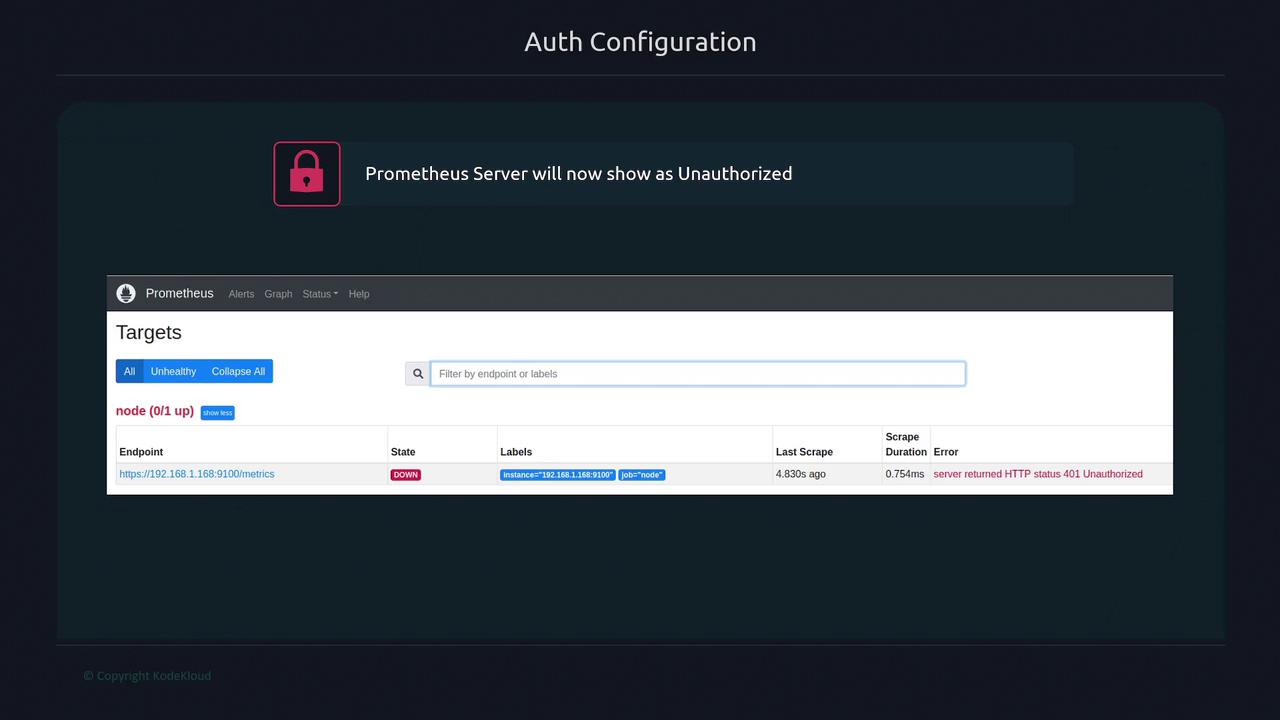
At this point, if you check the Prometheus targets page, you might see one target down because of an HTTP 401 Unauthorized error. This happens because Prometheus is not yet configured to authenticate with the target.The diagram below shows a Prometheus server configuration screen indicating an unauthorized target:
To resolve this issue, update the Prometheus configuration to include basic authentication:
Edit the Prometheus configuration file:
$ vi /etc/prometheus/prometheus.yml
Add the basic_auth configuration with the username and plain text password (the same one used to generate the hash):
After these changes, the Prometheus targets page should show the target as active (up), confirming that both TLS and basic authentication are properly configured.This lesson demonstrated how to enhance the security between Prometheus and Node Exporter by implementing TLS encryption and basic authentication. For further details, refer to related documents like Prometheus Documentation and Kubernetes Basics.