This article explains PromQL operators, including arithmetic, comparison, and logical operators, along with operator precedence and query construction examples.
This article provides an in-depth explanation of PromQL operators, including arithmetic, comparison, and logical operators. You will also learn about operator precedence and how to combine operators to construct powerful queries. The examples provided mirror behaviors in other programming languages, making them familiar and intuitive.
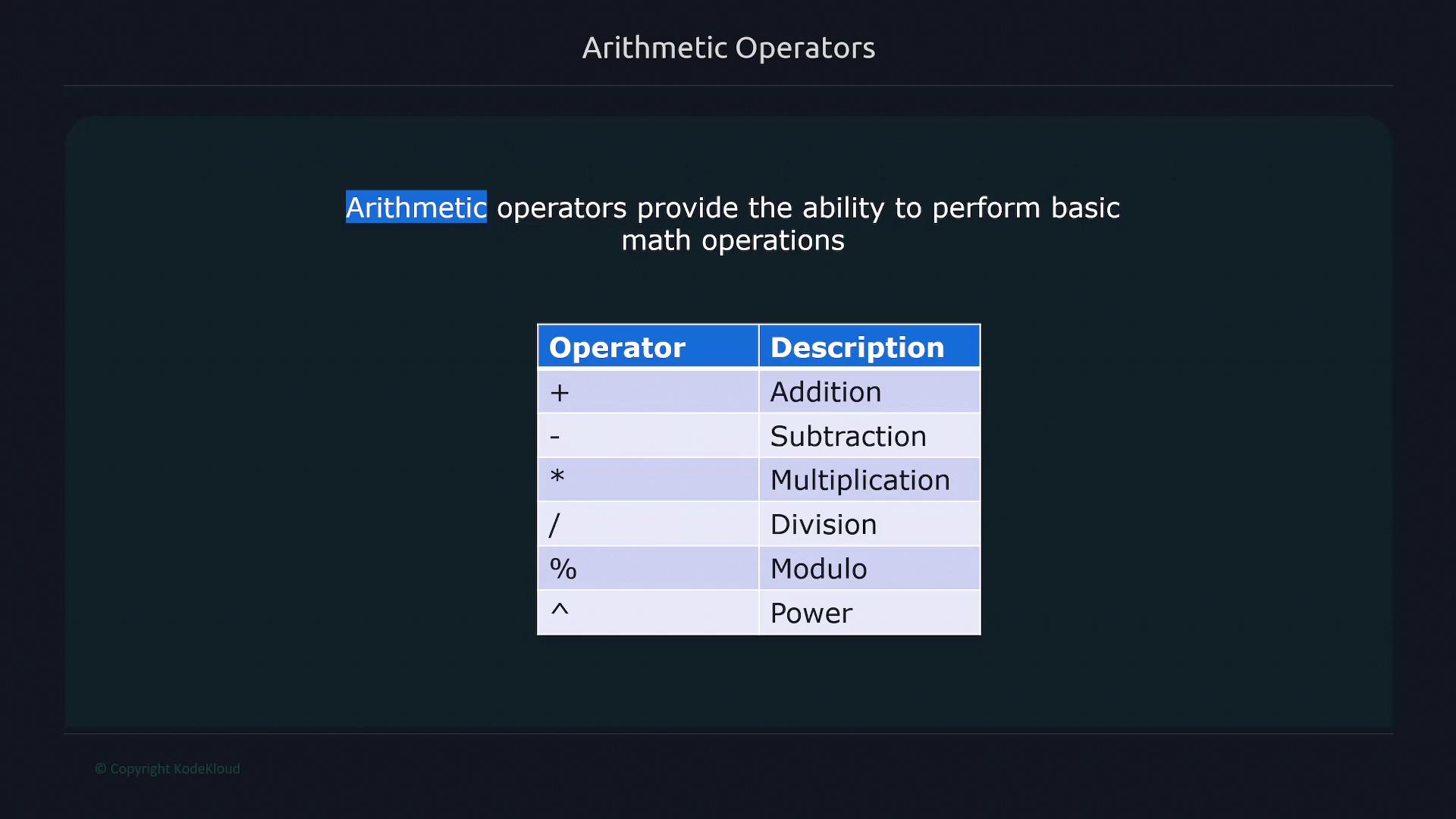
Arithmetic operators in PromQL let you perform basic mathematical operations such as addition, subtraction, multiplication, division, modulo, and exponentiation. For clarity, see the table below, which is represented by the following image:
This query adds 10 to the returned value. A common use case is converting a memory metric from bytes to kilobytes. For instance, the metric node_memory_Active_bytes outputs the active memory in bytes:
Once you perform a mathematical operation on a metric, the result no longer retains the original metric name. This is important when transforming metrics for further analysis.
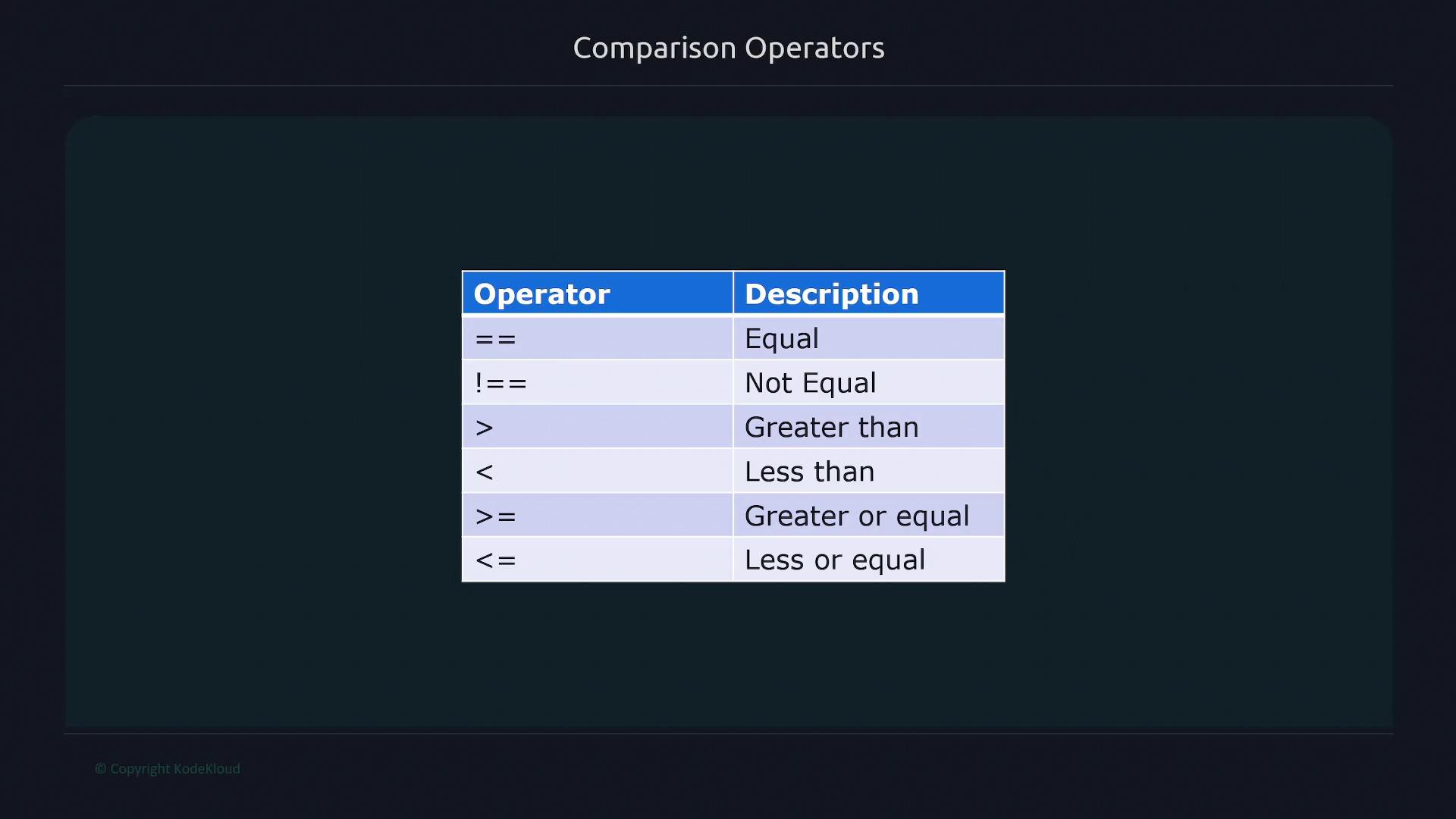
The bool modifier converts the outcome of comparisons into boolean values: returning 1 when the condition is true and 0 otherwise. This is especially useful for alerting scenarios.Consider the metric node_network_receive_packets_total:
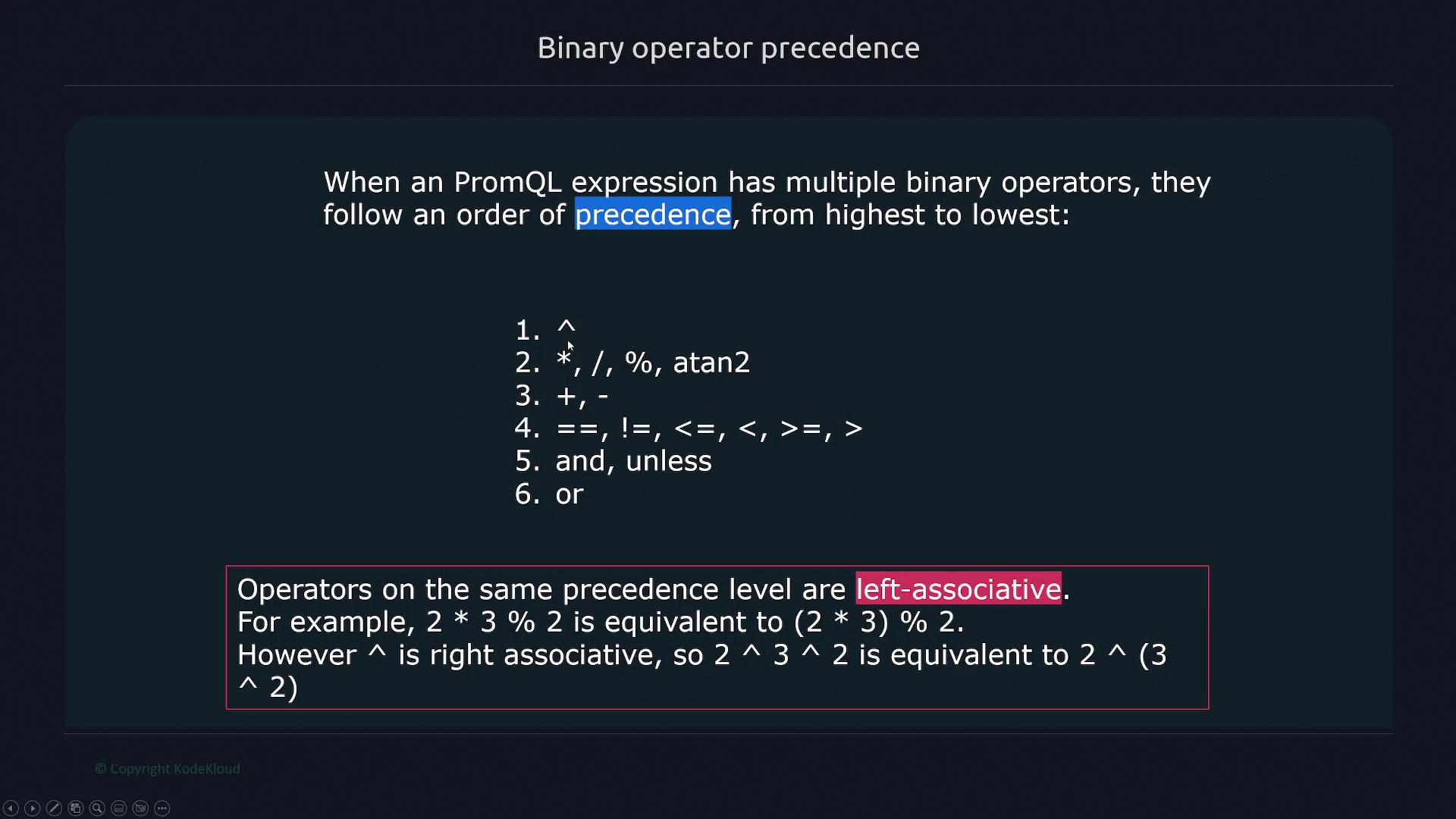
Understanding the order of evaluation is critical when combining multiple operators in a query. PromQL evaluates operators in the following order (from highest to lowest):
Exponentiation (power operator; note that it is right-associative)
Multiplication, Division, and Modulo (left-associative)
Addition and Subtraction
Comparison Operators
Logical Operators
For instance, consider the expression:2 * 3 % 2Since multiplication and modulo are evaluated from left to right, first 2 * 3 is computed, and then the modulo operation follows. Conversely, the exponentiation operator (^) evaluates the right-hand side first, given its right-associative nature.The following diagram outlines the precedence of PromQL binary operators:
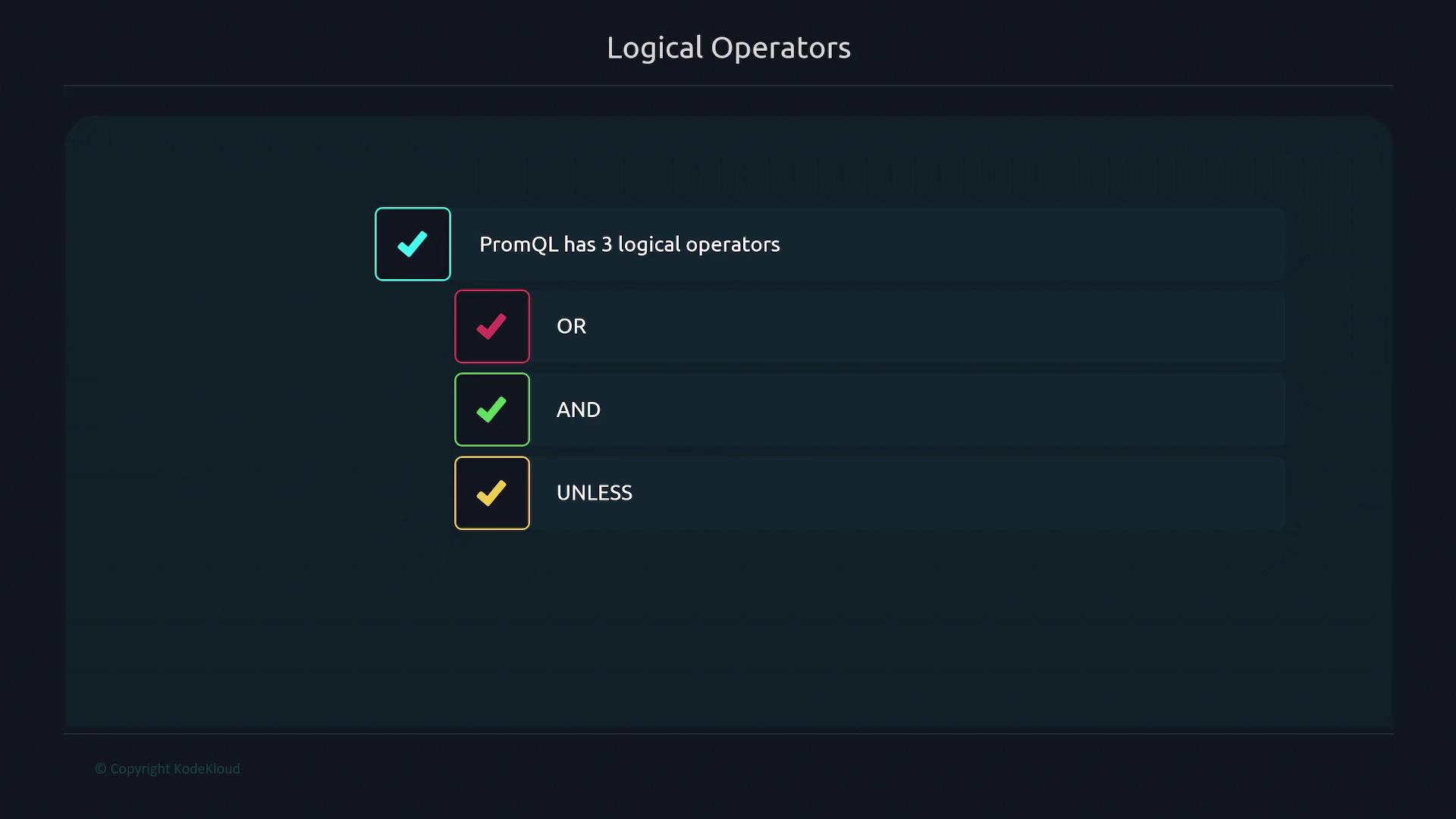
The AND operator returns only the time series that satisfy both specified conditions. For example, to list file systems with available bytes greater than 1,000 and less than 3,000, you can run:
The OR operator fetches time series that satisfy at least one of the conditions. For instance, to select file systems with available bytes either less than 500 or greater than 70,000:
The UNLESS operator works by returning time series elements from the left-hand side that do not have a corresponding match on the right-hand side. For example, to display file systems with available bytes greater than 1,000 unless they are also greater than 30,000:
Another common scenario involves filtering file systems based on available bytes. For example, to display only those file systems with available bytes greater than 6 million, or to refine the filter by combining multiple conditions (such as selecting file systems below one billion bytes), you can leverage the AND and OR operators accordingly. Here’s an demonstration:
Using the OR operator, you could select time series that either fall below the lower threshold of 6 million or exceed the upper threshold of one billion, providing flexible query options for your monitoring needs.
This article provided an overview of arithmetic, comparison, and logical operators in PromQL, along with detailed examples illustrating how to combine them efficiently. By understanding operator precedence and the impact of mathematical operations on your metrics, you can craft accurate and robust queries for your monitoring environment.For more information, check out the Prometheus Documentation and other related resources.