This article explores practical examples of using label selectors and modifiers in PromQL for querying CPU and filesystem metrics.
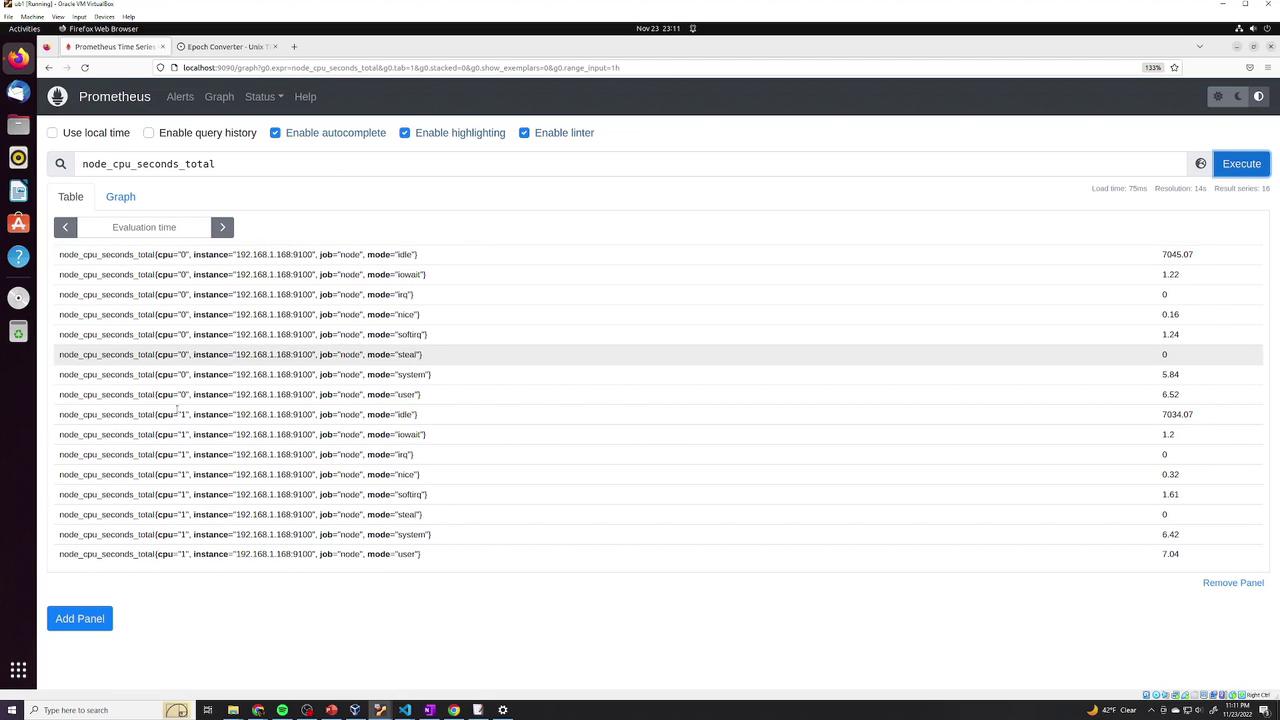
In this lesson, we explore practical examples of using label selectors and modifiers in PromQL. We begin with the metric node_cpu_seconds_total, which provides detailed statistics for each CPU identified by the cpu label (e.g., "0" and "1").
There are two CPUs displayed, each with various CPU modes. To filter data for a single CPU (e.g., CPU 0), specify the label selector accordingly. Keep in mind that label values must be enclosed in quotations. For example, to retrieve details exclusively for CPU 0, you can use:
To examine data for another CPU (for example, CPU 1) and convert the query into a range vector capturing statistics over the past two minutes, adjust the query as shown below:
To narrow down your data further—such as retrieving metrics for CPU 0 with the mode "idle"—you can combine label selectors by separating them with commas:
Next, we analyze the node_filesystem_files metric, which displays different filesystems and their mount points on an instance. For example, you might see information for mount points starting with /boot, /, and /run. Consider the following sample output:
If you are interested in mount points that begin with /run and want to exclude others (for example, /boot/efi), you can use a regular expression in your label selector. To match any mount point starting with /run, use =~ with the pattern /run.*:
node_filesystem_files{mountpoint=~"/run.*"}[5m]
Conversely, to match all mount points that do not start with /run, use the not-equal regular expression operator:
node_filesystem_files{mountpoint!~"/run.*"}[5m]
The query above collects five minutes of data from filesystems whose mount points do not match the /run.* pattern.
To review historical data, you can append an offset modifier. For example, to retrieve five minutes of data starting one hour ago, add offset 1h:
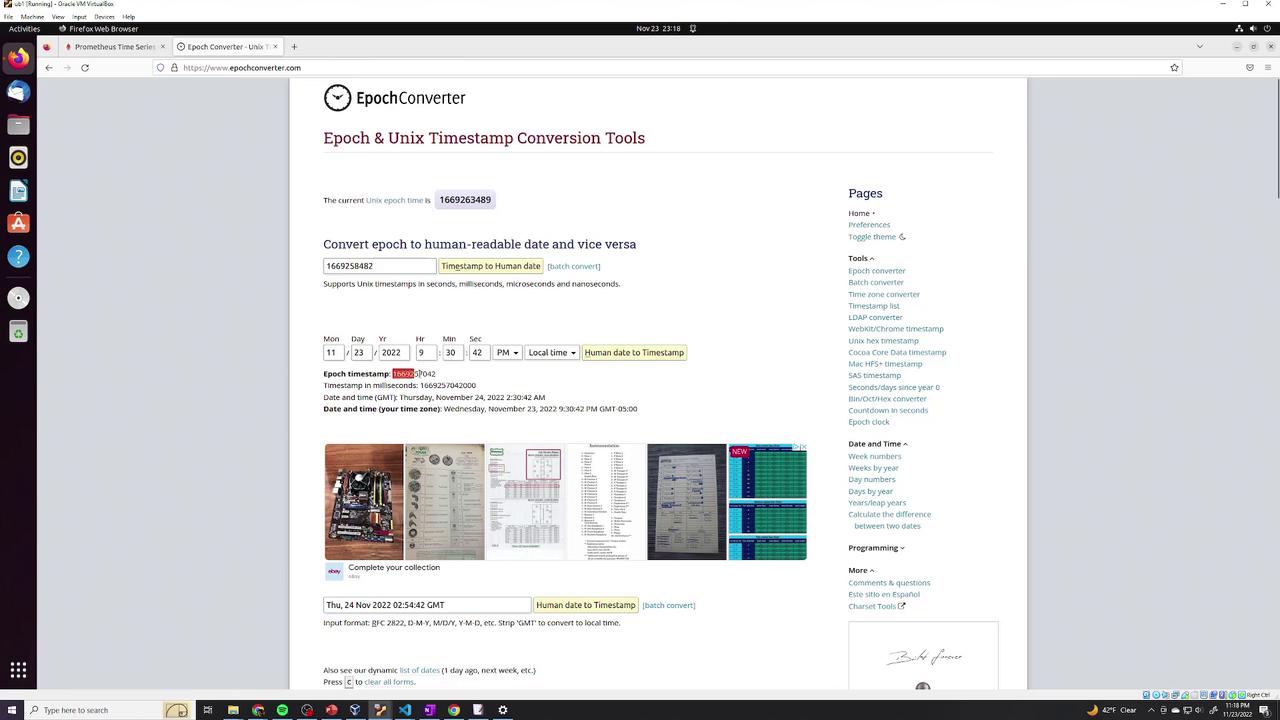
A helpful tip is to use an epoch-to-Unix timestamp conversion tool when specifying exact moments.
When employing visualization tools like Grafana, manual timestamp handling is often unnecessary as they manage time calculations automatically. However, for raw PromQL queries, specifying the precise timestamp using the at modifier can be essential.Below is an example that combines the at modifier with filesystem queries:
This lesson has covered the use of label selectors, regular expressions, range vectors, offsets, and the at modifier within PromQL. These techniques enable precise and flexible querying of your metrics for better monitoring and analysis.For further reading, check out the Prometheus Documentation and PromQL Query Language for additional insights.