

08 folder, then the agents folder and inspect tracker_auditor.py:
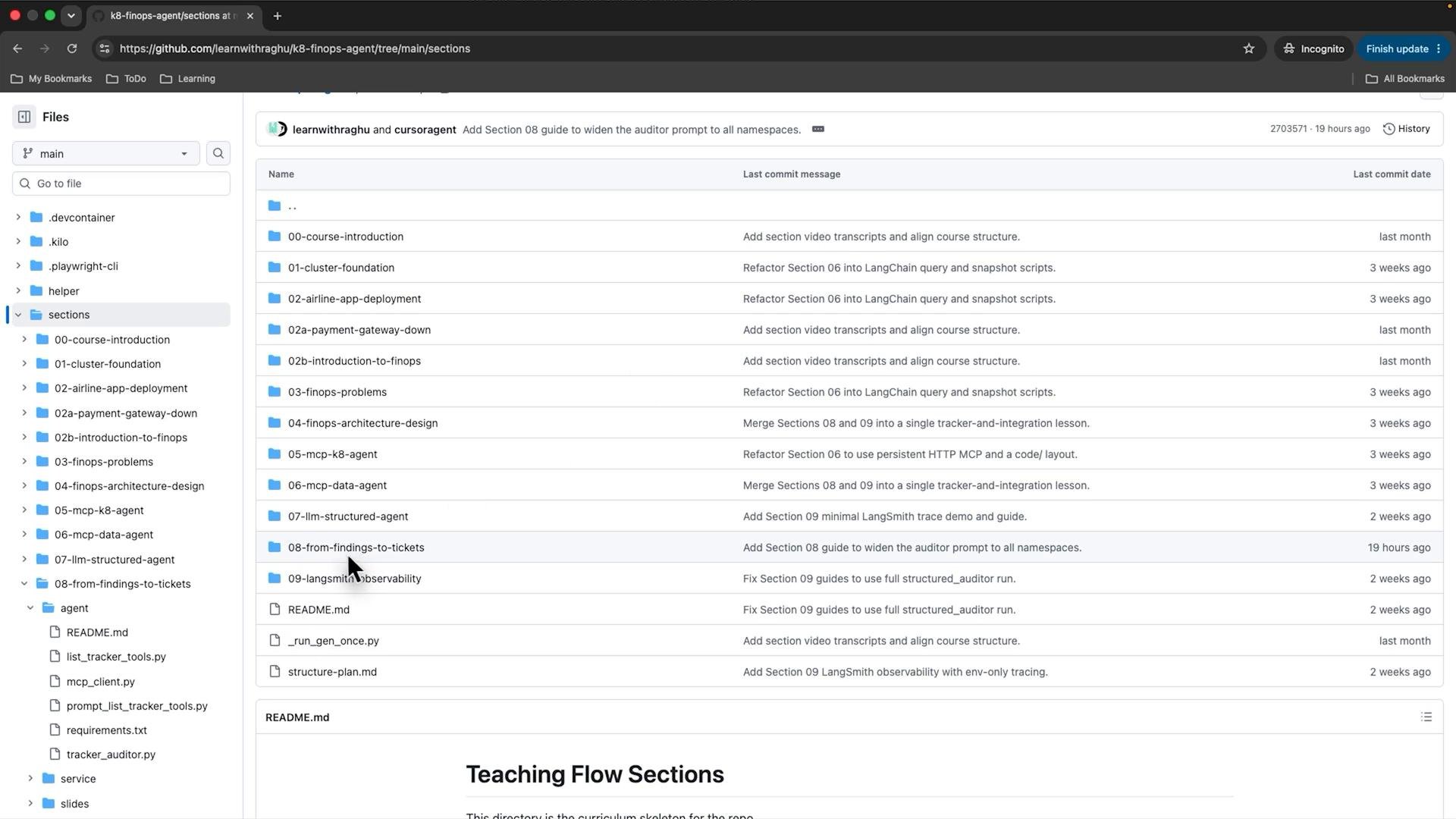
tracker_auditor.py. This file contains the agent prompt, the allowed tools set, the tagging rules loader, and a small async entrypoint that calls run_agent from mcp_client.py. Below is a cleaned, complete, and corrected excerpt of tracker_auditor.py showing the enforced prompt structure and how tagging rules are loaded and forwarded:
- ALLOWED_TOOLS intentionally limits the agent to
kubectl_get,create_issue, andlist_issues. This focuses agent steps on creating tickets rather than exploring other resources. - The PROMPT is prescriptive and scoped to exactly one
kubectl_getcall:deploymentsin thepaymentnamespace. The prompt enforces the tagging evaluation logic and requires onecreate_issuecall per non-compliant Deployment. - Tagging rules are read from
tagging-rules.yamland passed into the agent as a system-level policy message (see later), ensuring consistent evaluation.
mcp_client.py. The snippet below shows environment loading, default MCP URLs, and the MCP_SERVERS mapping that now includes a tracker entry using SSE transport:
- Adding the tracker entry enables the client to route create/list issue operations to the tracker MCP at
TRACKER_MCP_URL. The SSE transport supports streaming updates from the tracker if needed. - Environment variables allow overriding defaults for local and CI environments (
K8S_MCP_URL,TRACKER_MCP_URL).
allowed_tools, how tagging rules are injected as system-level content, and how the agent is invoked:
The tagging rules YAML is embedded as a system message so the LLM evaluates labels strictly according to that YAML. This avoids the model inventing extra policy or exclusions.
Run and verify
- Ensure your environment variables are set (for example in
.env):OPENAI_API_KEY, optionallyK8S_MCP_URL,TRACKER_MCP_URL. - Start your MCP services (k8s MCP and tracker MCP).
- Run the auditor:
python tracker_auditor.py. - The script prints a verification hint: “Done. Verify tickets at http://localhost:8085”. Confirm the tracker UI shows created tickets.
- The agent must issue one
create_issuecall per non-compliant Deployment in the result set and calllist_issuesexactly once before stopping.
Important: The agent is intentionally restricted. If MCP tools required by
ALLOWED_TOOLS are not available, run_agent will raise an error. Make sure the tracker MCP service is reachable at TRACKER_MCP_URL.- Structured prompt: Forces a predictable plan (collect → evaluate → create tickets → list issues), which reduces hallucination and ensures consistent ticket creation.
- Small tool surface: By restricting tools, the agent focuses on remediation (creating issues) rather than additional discovery.
- System-level tagging rules: Passing policy as a SystemMessage ensures the LLM evaluates resources according to authoritative YAML, preventing ad-hoc judgments.
- Tracker MCP integration: Enables end-to-end ticket creation and verification against a dedicated tracker service.
- LangChain Chat Models: https://python.langchain.com/en/latest/modules/agents/how_to/custom_agent.html
- dotenv Python package: https://pypi.org/project/python-dotenv/
- Kubernetes concepts: https://kubernetes.io/docs/concepts/overview/what-is-kubernetes/