

- In the KodeKloud lab UI, open the playground container menu (three dots) → View Port → open the frontend port.
- I recommend opening the resulting URL in an incognito/private window to avoid cached sessions or credentials affecting the test.
- When the page loads, look for an incident banner and the service health box for the Payment API.
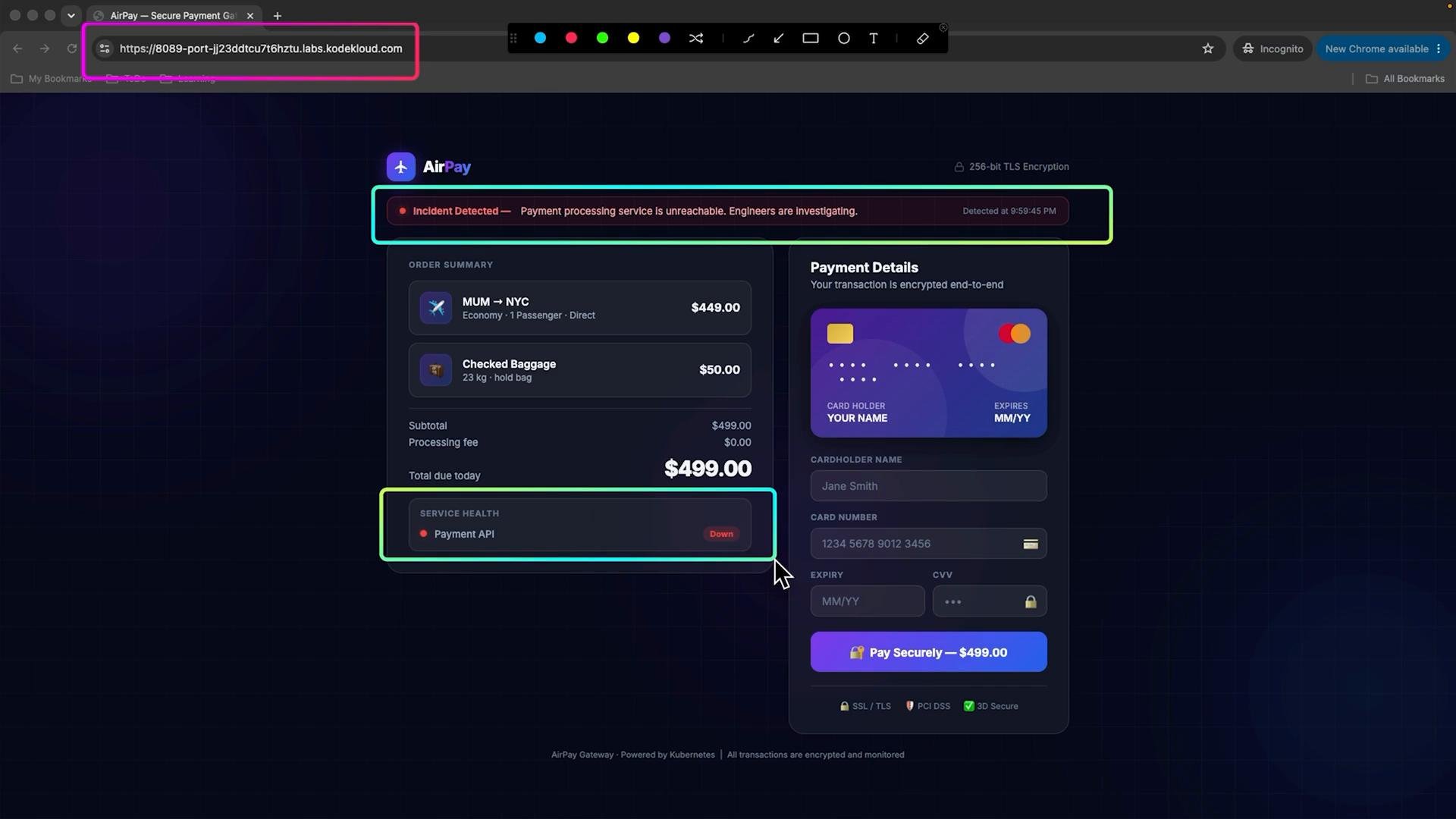
payment-gateway-api service (connection refused / no healthy upstream). That points to an infrastructure-level issue: the frontend cannot connect to healthy backend endpoints.
You are acting as an SRE/DevOps engineer during this lesson. Focus on identifying and fixing the infrastructure/service issue (pods, services, endpoints, readiness/liveness), rather than changing application code.
A typical workflow:
kubectl get pods -n payment— note pod status (Pending, CrashLoopBackOff, Running).- If pods are not Ready or are CrashLooping,
kubectl describe pod <pod> -n paymentandkubectl logs <pod> -n paymentto find errors. kubectl get svc -n paymentandkubectl get endpoints -n payment— confirm the service has endpoint IPs and correct ports.- If Service has no endpoints, check pod labels and Service selectors or readiness probes that may be preventing endpoints from being considered healthy.
- Inspect readiness/liveness probes in the Deployment spec and adjust if misconfigured.
payment namespace (pods, services, endpoints) and identify any misconfiguration, failing pods, or missing endpoints that cause the 503. Resolve the root cause (for example, fix readiness probe, scale pods, correct service selector) and then re-check the frontend to confirm successful payments.
Links and references
That’s it for this lesson — proceed to inspect the payment namespace resources and determine where the failure originates.