This walkthrough takes a deeper look at the Casting Number Lookup project and focuses on prompt engineering techniques, context injection, and using an assistant (Cline) to refactor an application to a new data model. Goal: convert casting numbers (stamped on automotive parts) into structured metadata so you can decide whether to buy a part from a junkyard. Keywords: casting number lookup, Chevrolet small-block, SQLAlchemy refactor, CSV import, data model migration, FastAPI, Pydantic v2. We’ll cover:
  • The original project and its initial data model
  • A real Chevrolet small‑block casting CSV (target dataset)
  • Crafting prompts to refactor the app to the new schema
  • Running the migration and handling errors
  • Validating the refactored API

Project background and original model

The original SQLAlchemy model used generic fields (material, weight, manufacturer, etc.). That general shape doesn’t match the Chevrolet small‑block casting CSV we want to ingest, which uses fields like Years, Casting, CID, factory power ratings, and notes about main caps or comments. Original SQLAlchemy model:
# app/models/casting.py (original)
from sqlalchemy import Column, Integer, String, Float, Text
from app.db.database import Base

class Casting(Base):
    """SQLAlchemy model for casting data."""
    __tablename__ = "castings"

    id = Column(Integer, primary_key=True, index=True)
    casting_number = Column(Integer, unique=True, index=True, nullable=False)
    name = Column(String, index=True)
    description = Column(Text, nullable=True)
    material = Column(String, nullable=True)
    weight = Column(Float, nullable=True)
    dimensions = Column(String, nullable=True)
    manufacturer = Column(String, nullable=True)
    year_introduced = Column(Integer, nullable=True)

Why this matters

Chevrolet casting datasets are organized around production years, casting IDs, displacement (CID), factory power ranges, main cap counts, and free‑form comments. For salvage or parts selection, these attributes are more important than generic material/weight fields. For example, casting 330817 corresponds to engines built 1973–1980 with two‑bolt mains and use in cars and trucks—details that determine interchangeability.

Example: sample generic CSV (incorrect for this domain)

Below is the simple CSV Cline initially inferred from the original model—note it’s the wrong shape for Chevrolet casting information:
# sample_generic_castings.csv
casting_number,name,description,material,weight,dimensions,manufacturer,year_introduced
1001,"Engine Block","V8 engine block for high-performance applications","Cast Iron",75.5,"24x18x12","ABC Castings",1985
1002,"Cylinder Head","4-cylinder head with improved cooling channels","Aluminum",12.3,"18x12x4","XYZ Manufacturing",1990
1003,"Crankshaft","Forged steel crankshaft for durability","Steel",28.7,"36x6x6","Precision Parts Inc.",1988
1004,"Connecting Rod","High-strength connecting rod for performance engines","Forged Steel",1.2,"8x2x1","Performance Engineering",1992
1005,"Piston","Lightweight piston with thermal barrier coating","Aluminum Alloy",0.8,"4x4x5","Advanced Components",1995
1006,"Camshaft","Performance camshaft with hardened lobes","Hardened Steel",5.6,"24x2x2","Valve Train Specialists",1987
1007,"Intake Manifold","Flow-optimized intake manifold","Aluminum",8.9,"18x12x8","Flow Masters",1993
1008,"Exhaust Manifold","High-flow exhaust manifold","Cast Iron",12.4,"16x10x6","Exhaust Systems Co.",1986
1009,"Valve Cover","Decorative valve cover with improved sealing","Aluminum",3.2,"16x8x3","Custom Components",1991
1010,"Oil Pan","Deep sump oil pan for increased capacity","Stamped Steel",6.7,"20x14x8","Lubrication Systems",1989

Target dataset: Real Chevrolet casting CSV

This is the actual Chevy small‑block CSV format we want to adopt. Notice fields oriented to engine specs and application context:
# chev-casting.csv (excerpt)
Years,Casting,CID,Low Power,High Power,Main Caps,Comments
1980-85,332817,400,150,180,2,cars
1973-80,331817,400,150,180,2,"car, truck"
1975,355909,262,110,110,2,"car, truck"
1976-85,355909,305,,-,2,A
1975,360851,262,,-,2,Monza
1976-79,361979,305,,-,2,"car, truck"
1978-86,366245,350,,-,,-,car
1982-86,366286,350,,-,4,"Chevrolet, siamese"
1982,366299,350,,-,4,"Chevrolet, aluminium"
1956-67,383810,283,,-,2,-
1967-68,389257,302,,-,2,Z-28
1968-73,391436,307,,-,2,-
1965-67,393288,283,,-,2,"car, truck"
1976-79,460776,305,,-,2,"car, truck"
1976-79,460777,305,,-,2,car
1978-79,460778,305,,-,2,"car, truck"
1979-82,471511,267,,-,2,"car, truck"
1976-85,581671,305,,-,2,A
1985-94,1489363,350,,-,2,-
1979-82,2135412,267,,-,2,-
1973-76,3030817,400,,-,2,"car, truck"
1958-61,3556519,283,,-,2,"car, truck"
1955,3703524,265,195,,-,2,"car, no filter"

Mapping the change: old model → new schema

Use this table to anchor the refactor mapping between the original generic model and the Chevrolet casting schema:
Original fieldNew Chevrolet fieldPurpose
casting_numbercastingUnique casting identifier (string to allow long IDs)
year_introducedyearsProduction years or ranges (e.g., 1973-80)
name, descriptioncommentsMerged into free‑form comments where applicable
material, weight, dimensionsN/ANot used for the Chevrolet dataset; drop or store in comments if needed
(new) cidcidDisplacement in cubic inches
(new) low_power / high_powerlow_power, high_powerFactory horsepower ranges
(new) main_capsmain_capsNumber of main caps (2, 4, or dash)

Prompt design principles used in this lesson

  1. Intention first, not syntax first — describe what you want (the refactored schema and behavior) rather than low‑level implementation steps.
  2. Anchor with context — provide example rows and the target schema so the assistant can reliably infer field mappings.
  3. One‑shot vs iterative prompts — show a one‑shot example and demonstrate a Plan → Act workflow for large refactors to reduce risk.

Crafting the refactor prompt

Context files provided to the assistant:
  • chev-casting.csv (target data)
  • example CSV(s) and current codebase snapshot
Explicit asks:
  • Refactor the application to ingest the Chevrolet schema.
  • Update models, Pydantic schemas, import utility, CRUD functions, and migrations.
  • Provide a migration plan (alter in place or drop/recreate + reimport).
  • Show example mappings: a current row and a desired target row.

Messy input example (real CSV pitfalls)

Real CSVs can have inconsistent quoting, missing headers, or unnamed columns. The import utility must be defensive. Example of messy rows:
# messy_sample_rows.csv (illustrative only)
7,1006,"Camshaft","Performance camshaft with hardened lobes","Hardened Steel",1987
8,1007,"Intake Manifold","Flow-optimized intake manifold","Aluminum"
9,1008,"Exhaust Manifold","High-flow exhaust manifold","Cast Iron",
10,1009,"Valve Cover","Decorative valve cover with improved sealing",1991
11,1010,"Oil Pan","Deep sump oil pan for increased capacity","Stamped",1989

Refactor plan and the assistant’s plan-mode output

The assistant’s plan-mode outline included:
  • Inventory of the current application: data model, DB, API endpoints, import utility.
  • New requirements: years, casting, cid, low_power, high_power, main_caps, comments.
  • Files to update: SQLAlchemy models, Pydantic schemas, import utilities, CRUDs, migration scripts.
  • Migration approach: either alter existing tables or drop and recreate followed by a reimport.

Applying the plan (Act mode) and migration issues

In Act mode the assistant implemented changes—updated SQLAlchemy model, Pydantic schemas, created a defensive import utility and attempted a migration. During migration a CSV parsing issue (an unnamed column) caused a model instantiation error: Example migration trace (cleaned):
(venv) jeremy@MACSTUDIO CastingLookup % python migrate_database.py --skip-drop
Traceback (most recent call last):
  File ".../sqlalchemy/orm/decl_base.py", line 2142, in _declare
    raise TypeError(...)
TypeError: 'Unnamed: 7' is an invalid keyword argument for Casting
Sound remediation steps:
  • Inspect and drop unnamed or empty CSV columns before creating model instances.
  • Add a cleaning step in the import utility to remove columns with no header.
  • If schema drift is significant, consider resetting the DB and reimporting (only in development or with backups in production).

Improved model (refactored)

The refactored SQLAlchemy model now mirrors the Chevrolet CSV:
# app/models/casting.py (refactored)
from sqlalchemy import Column, Integer, String, Text
from app.db.database import Base

class Casting(Base):
    """SQLAlchemy model for Chevrolet casting data."""
    __tablename__ = "castings"

    id = Column(Integer, primary_key=True, index=True)
    years = Column(String, index=True, nullable=True)
    casting = Column(String, unique=True, index=True, nullable=False)
    cid = Column(Integer, nullable=True)
    low_power = Column(String, nullable=True)
    high_power = Column(String, nullable=True)
    main_caps = Column(String, nullable=True)
    comments = Column(Text, nullable=True)

Pydantic schemas and API changes

Schemas were updated to match the new fields and to use Pydantic v2 ergonomics:
# app/schemas/casting.py
from pydantic import BaseModel

class CastingBase(BaseModel):
    years: str | None = None
    casting: str
    cid: int | None = None
    low_power: str | None = None
    high_power: str | None = None
    main_caps: str | None = None
    comments: str | None = None

class CastingInDB(CastingBase):
    id: int
    model_config = {"from_attributes": True}

class Casting(CastingInDB):
    pass
Note: In Pydantic v2 the previous orm_mode setting is replaced by from_attributes. The assistant updated schemas accordingly to ensure FastAPI can return ORM models as Pydantic objects.

Import utility and cleaning strategy

Make the CSV import robust:
  • Use pandas to read CSV robustly (pd.read_csv(..., dtype=str)).
  • Drop columns where header names start with Unnamed.
  • Normalize column names (lowercase, strip whitespace) and map them to expected fields.
  • Coerce numeric fields (cid) with safe casting and NaN handling.
  • Handle duplicates via skip or upsert logic based on casting uniqueness.
A recommended import flow:
  1. Load CSV as strings to avoid silent numeric coercion.
  2. Drop unnamed/empty headers.
  3. Rename columns to the expected schema.
  4. Validate rows and coerce types.
  5. Insert with upsert/skip duplicate semantics.

Reset and re-import script

Because in-place ALTER migrations failed in this iteration, a reset script was provided to drop and recreate tables and reimport the cleaned Chevrolet CSV. This is useful for development and iterative testing—do not run in production without backups. Example reset/import script skeleton:
#!/usr/bin/env python3
# reset_db.py (generated by assistant)
"""
Script to reset the database and import the Chevrolet casting data.
This script will:
1. Drop the existing database
2. Create the new tables
3. Import the data from chev-casting.csv
"""

import os
import sys
import pandas as pd

# Add the current directory to the path to allow imports
sys.path.append(os.path.dirname(os.path.abspath(__file__)))

from app.db.database import engine, SessionLocal
from app.models import casting as casting_models
from app.models.casting import Casting as CastingModel
from app.utils.import_data import clean_data

def import_data(file_path, db):
    """
    Import data from CSV file, handling duplicates by skipping them.
    """
    df = pd.read_csv(file_path, dtype=str)
    # Drop unnamed columns produced by malformed CSVs
    df = df.loc[:, ~df.columns.str.startswith("Unnamed")]
    for _, row in df.iterrows():
        record = clean_data(row.to_dict())
        # upsert/skip logic here

Note on virtual environments and dependencies

Make sure your virtual environment is activated before running installs or migrations. If a script requires newer packages, update them inside the venv:
pip install --upgrade pandas numpy

Running the app and validating the API

After refactor and import, the FastAPI app exposes Swagger UI at /docs. Common endpoints:
  • GET /api/castings/
  • GET /api/castings?skip=…&limit=…
  • POST /api/castings
Example curl request for casting 366299:
curl -X 'GET' \
  'http://0.0.0.0:8000/api/castings/366299' \
  -H 'accept: application/json'
Example successful response (200 OK):
{
  "casting": "366299",
  "years": "1982",
  "cid": 350,
  "low_power": null,
  "high_power": null,
  "main_caps": "4",
  "comments": "Chevrolet, aluminium",
  "id": 8
}

API docs screenshot

Here’s the API documentation (Swagger / OpenAPI) showing the GET /api/castings endpoint and the interactive “Try it out” control:
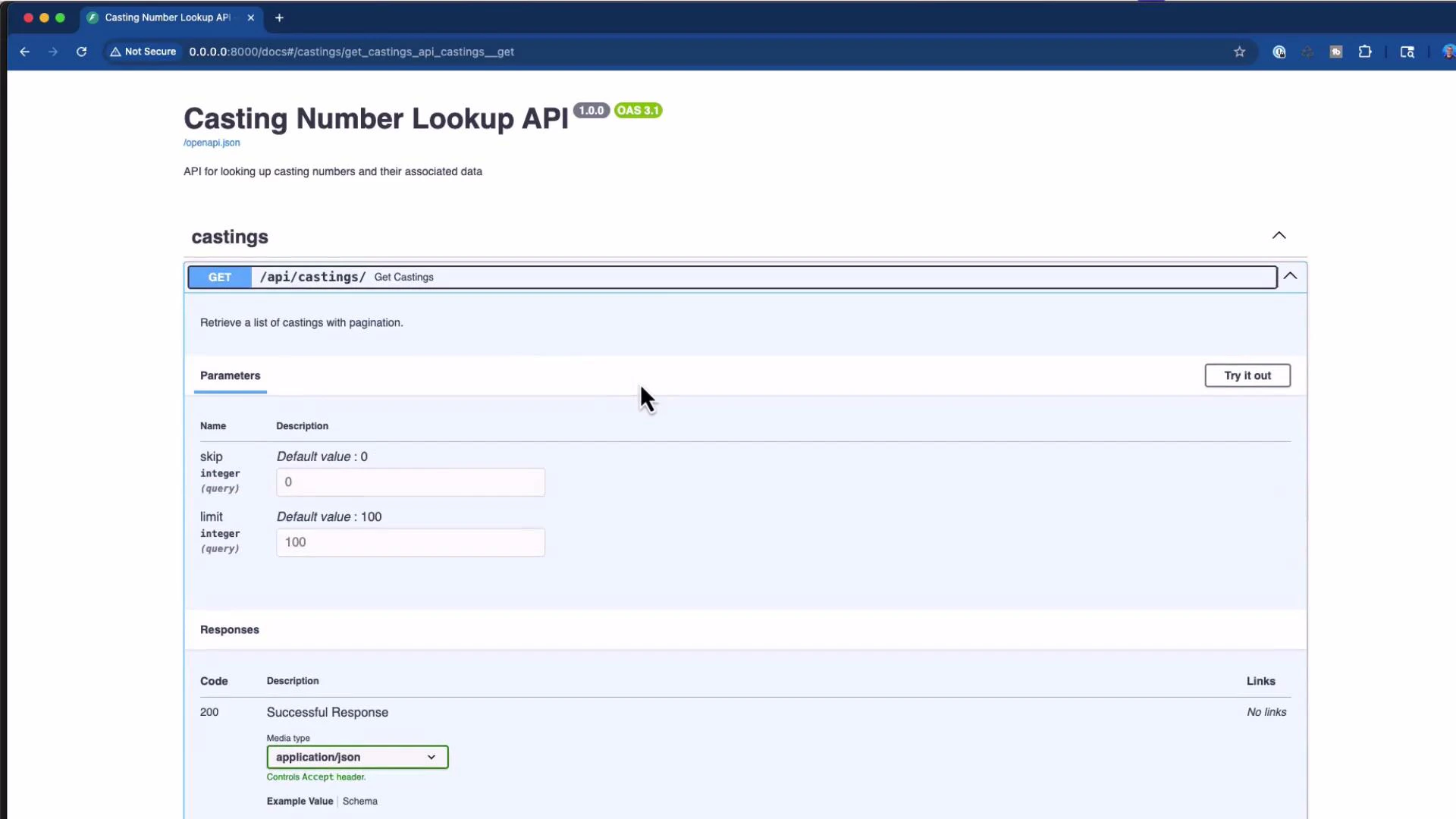
A screenshot of an API documentation page titled "Casting Number Lookup API" showing the GET /api/castings endpoint with parameters like skip and limit and a "Try it out" button. The responses section below lists a 200 Successful Response with application/json as the media type.

Troubleshooting and iteration

When migrations fail because of unnamed CSV columns or UNIQUE constraint conflicts:
  • Drop unnamed columns produced by malformed CSVs.
  • Add a cleaning pass in the import utility to normalize headers and drop empties.
  • Use Plan → Act workflow: validate the assistant’s plan before applying large structural changes.
  • For repeated in-place migration failures, use a reset + reimport workflow in development and keep backups for production.

Screenshot: diagnosing UNIQUE/CSV issues

The assistant diagnosed a UNIQUE constraint / CSV header problem and the developer fixed it in the CSV/editor:
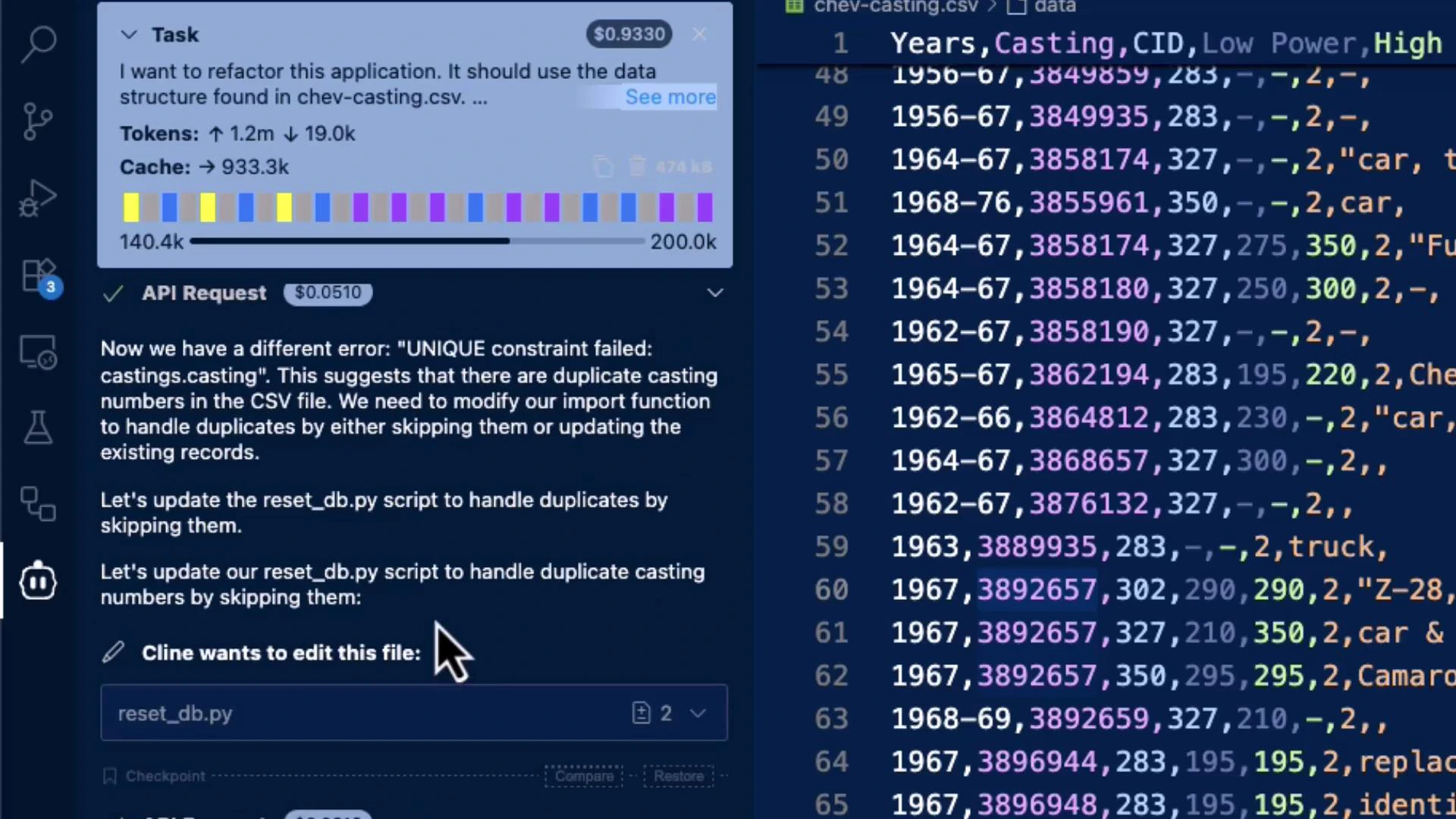
A split-screen screenshot of a developer interface: the left pane shows an AI assistant dialog about a "UNIQUE constraint failed" error and instructions to update reset_db.py, while the right pane displays a color-highlighted CSV/code editor with rows of years and casting IDs. UI elements for tokens, cache, and an API request amount are also visible.

Plan vs Act workflow

Recommended workflow for large codebase changes:
  • Plan mode: ask the assistant to produce a refactoring plan (files to change, mapping, migration approach) and review the plan.
  • Act mode: have the assistant apply changes, update files, run migrations, import data, and start the server.
  • Iterate: address issues uncovered during Act mode (CSV quirks, duplicates, type errors), update the plan, and re-run.

Key takeaways

  • Start prompts with intent — describe the desired result, not every implementation detail.
  • Anchor the assistant with example inputs and the target output schema to reduce ambiguity.
  • When changing a data model, update models, schemas, import utilities, migrations, and API endpoints consistently.
  • Add robust CSV cleaning steps (drop unnamed columns, normalize headers) to handle messy real‑world data.
  • Use Plan mode to review the assistant’s proposed changes, then switch to Act mode to apply them.
  • Validate the API with Swagger or curl and test edge cases (duplicate rows, malformed CSVs).

Next steps and extension ideas

Consider extending the application with:
  • Fuzzy matching on casting numbers (tolerant search)
  • Mobile-friendly web UI for quick lookups in junkyards
  • Batch import with validation reports and error summaries
  • Caching layers for frequently queried castings

References

Watch Video