

Quick overview: model capabilities and limits
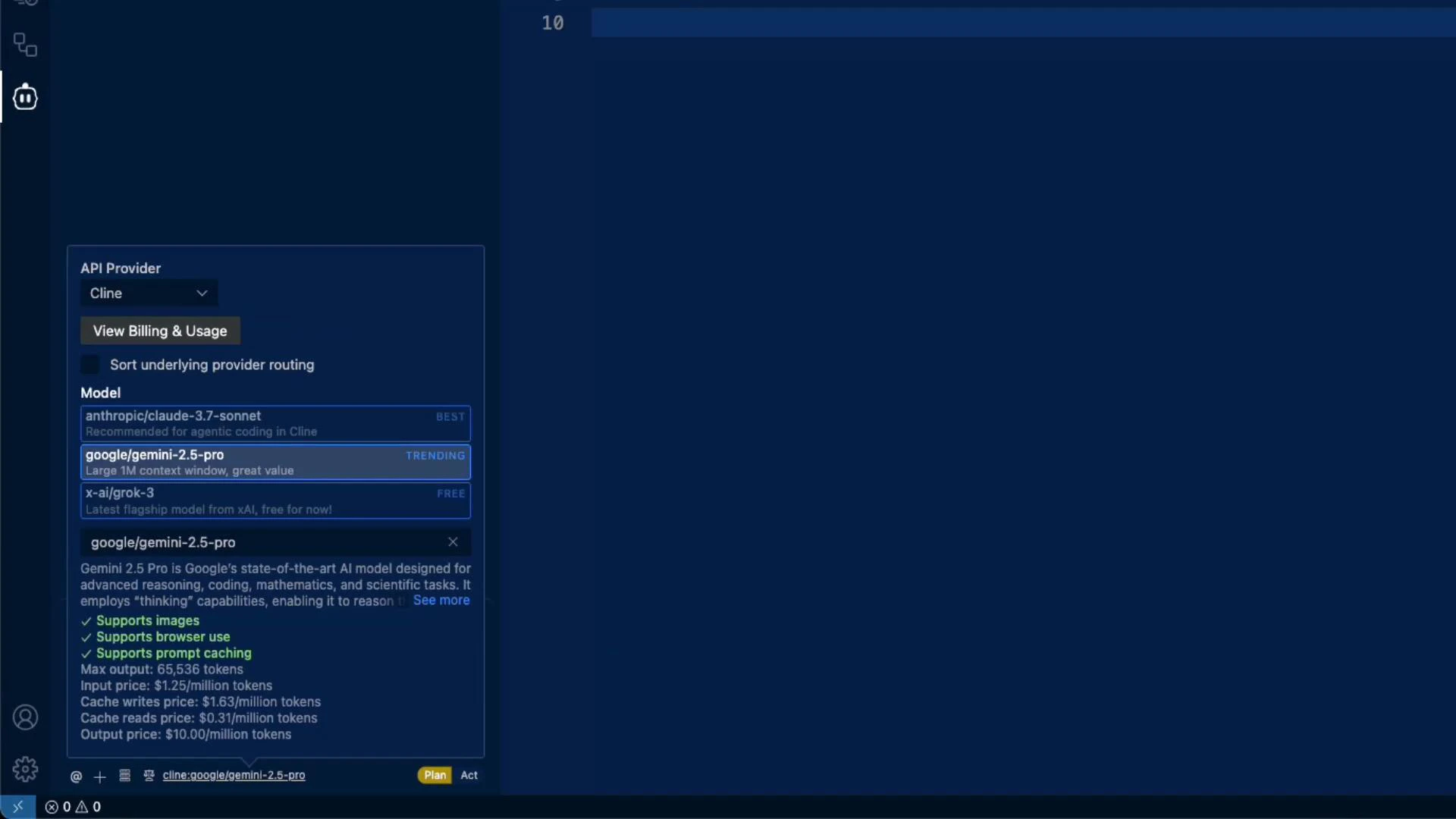
When you open the model browser you’ll see a provider selector (e.g., Anthropic, Google, xAI) and a list of models. Each model card typically shows:- Supported modalities (e.g., images)
- Browser access (the extension performs in-extension web browsing when supported)
- Prompt caching support
- Max output token limit (context window / provider limit)
- Pricing broken down by input tokens, cache writes, cache reads, and output tokens
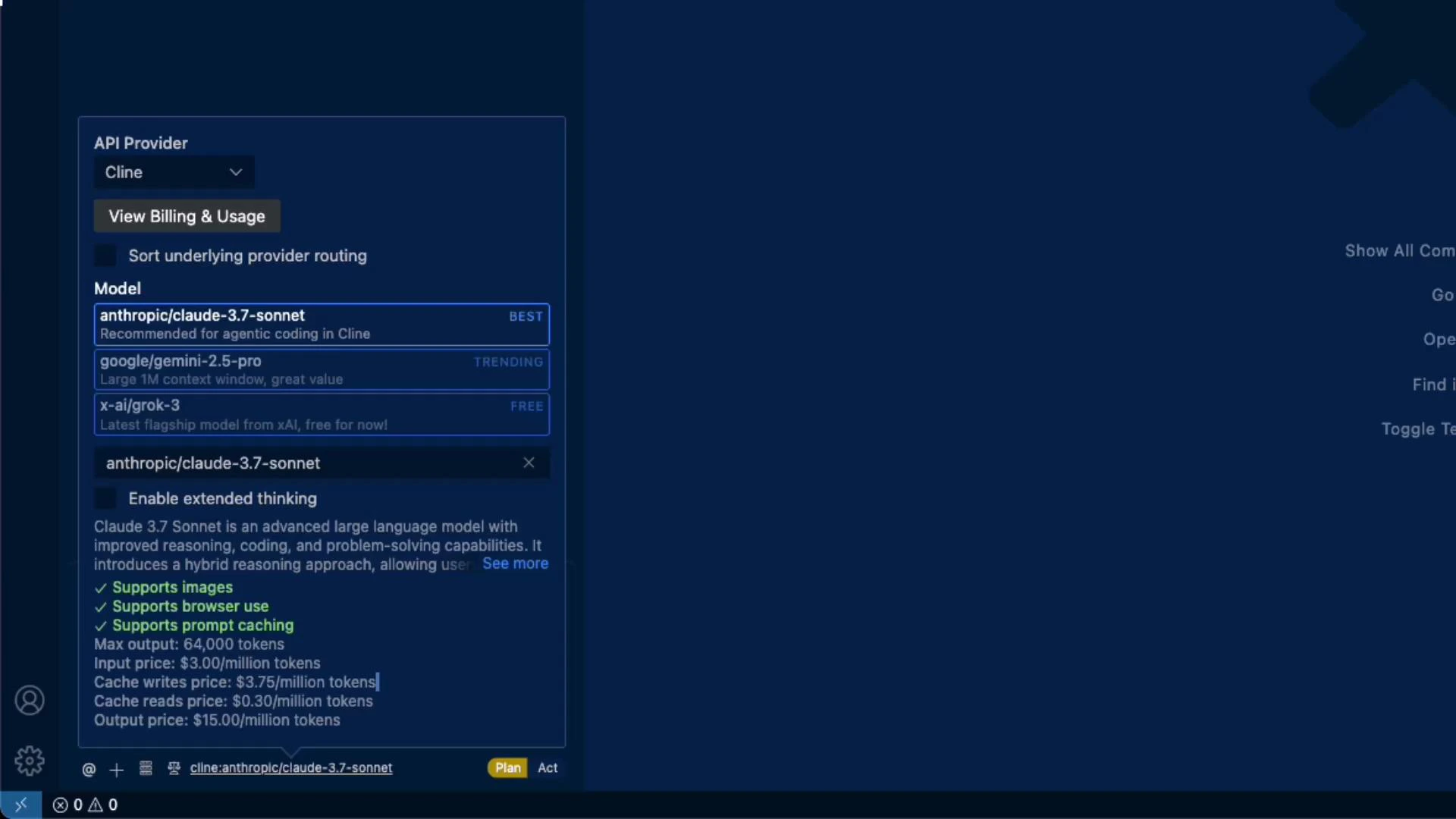
Model comparison (consolidated)
Below is a concise comparison of the models shown in the examples. Use this table to quickly compare max output tokens and the four pricing dimensions so you can estimate cost for your workload.Prices and features change frequently. Always verify token limits and pricing in the UI before running production jobs.
Feature parity and switching models
Many model cards list similar capabilities (images, browsing, prompt caching) and comparable token limits. For example, Gemini 2.5 Pro reports a slightly larger numeric max output (65,536 tokens) than some alternatives. A typical workflow:- Start with a lower-cost model (e.g., Gemini) for experimentation and iteration.
- If quality or features are insufficient, switch to a higher-capability model (e.g., Claude 3.7 Sonnet or GPT-4 variants) for critical tasks.
- Test the same prompt across models to measure quality differences vs cost.
Using your own API keys and cloud-hosted LLMs
If you have provider accounts, you can configure your own API keys in the extension to bill usage to your account. Common options:- Enter an API key and optionally set a custom base URL.
- Keys are typically stored locally by the extension and used only to make API requests from your device.
- Add cloud-hosted options (Amazon Bedrock, LLM Studio, Ollama) by supplying region and credentials where required.
Protect your API keys: only enter keys you control, verify local storage behavior, and avoid sharing sensitive credentials. When using cloud providers, follow their recommended credential and region configuration processes.
Recommendations (practical checklist)
- Start with a lower-cost model to iterate quickly; only escalate to higher-capability models when necessary.
- Compare token limits and all four pricing dimensions (input, cache writes, cache reads, output) to estimate costs precisely.
- Add your own provider API key if you have one — this can reduce cost and centralize billing.
- Double-check feature availability (images, browsing, caching) in the UI before relying on a capability in production.
- Run short A/B tests across candidate models to measure quality vs cost trade-offs for your prompts.
Links and references
- LLM Studio: https://llm.studio
- Ollama: https://ollama.com
- Amazon Bedrock: https://aws.amazon.com/bedrock/
- Provider documentation (general): OpenAI, Anthropic, Google Cloud documentation