

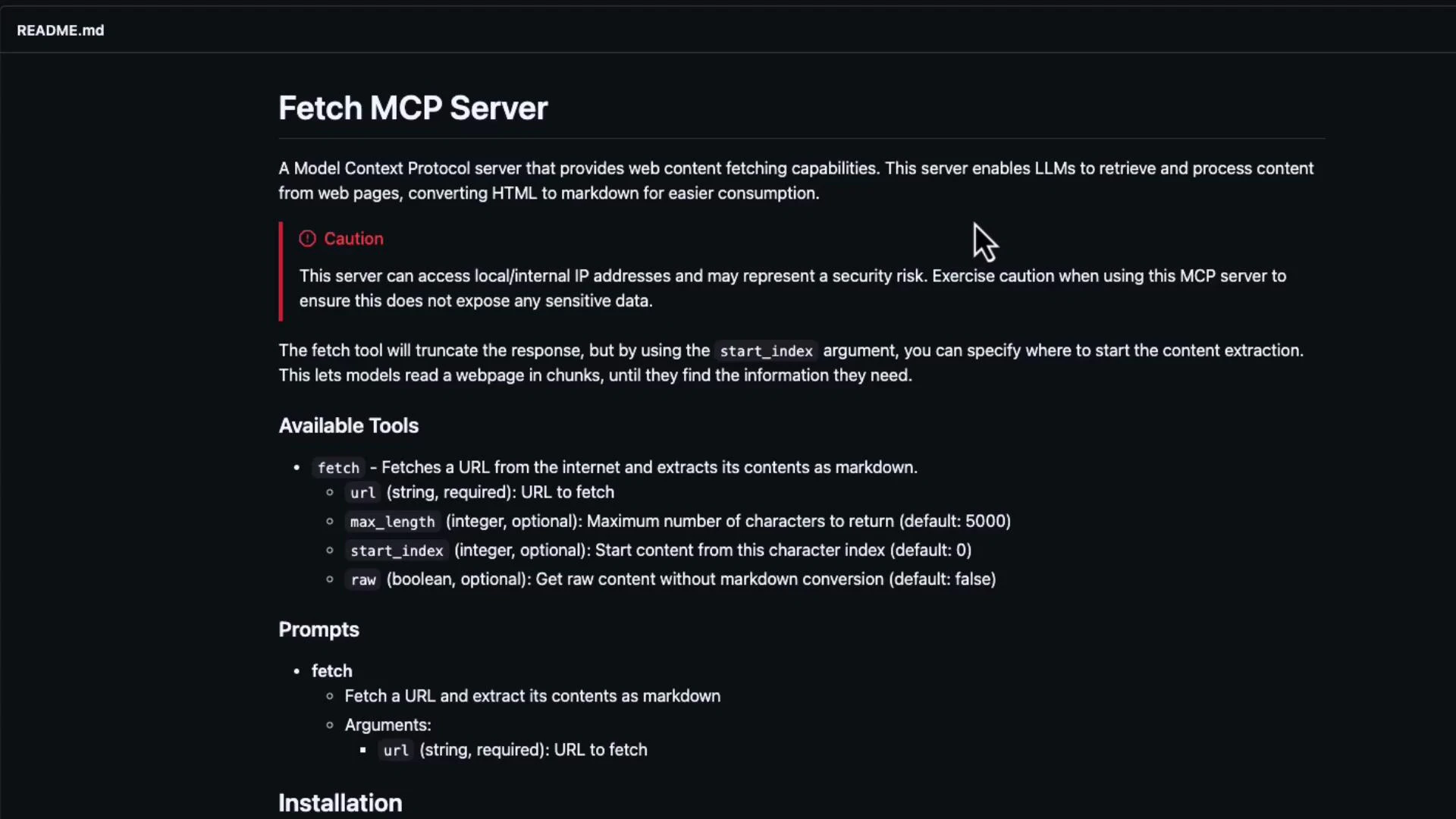
MCP servers can access network resources and run code locally. Be careful about security implications before running third-party MCP servers on sensitive machines or networks.
What the fetch MCP server provides
- Retrieval of web pages and selected content.
- HTML → Markdown conversion for easier LLM consumption.
- Optional content extraction (headings, paragraphs, links).
- A simple, local MCP endpoint that Cline can query for up-to-date web data.
Quick start — step-by-step
- Install the fetch MCP server package
- Start the fetch MCP server to verify it runs
Tip: Use a virtual environment or an isolated container to run MCP servers, especially when testing third‑party modules.
- Add the MCP servers to your Cline workspace settings
settings.json and add an mcp entry describing the servers you want to launch or connect to. The example below includes both a time server and the fetch server. Note that the command is python and we pass -m plus the module name in the args array so it runs the installed module:
- Use the MCP-enabled Cline client
- “Fetch https://learn.kodekloud.com and find a list of courses.”
- “Retrieve the KodeKloud course page and list all course titles and links.”
Why use MCP servers with Cline?
Additional usage tips
- Build custom MCP servers for domain‑specific connectors (internal docs, enterprise APIs).
- Use inspector utilities to debug MCP traffic and observe request/response shapes.
- Prefer isolated environments when testing third-party MCP servers.
- Monitor and control network access and privileges for each MCP server to reduce risk.
Short reference: common MCP server types
Security reminders
- Review the server code before running third-party MCP servers on production or sensitive machines.
- Limit network access and run MCP servers with least privilege where possible.
- Audit logs and set timeouts to prevent long-running or unexpected network operations.