

Where docs might live on your machine
Example local documentation paths:
These paths are examples only; adjust them to match your environment.
Model selection and understanding context windows
The official docs contain a clear, practical explanation of context windows and how they affect model choice. Use this guidance to pick models that balance cost, latency, and the context size you need for tasks like long-form summarization, document question answering, or multimodal input.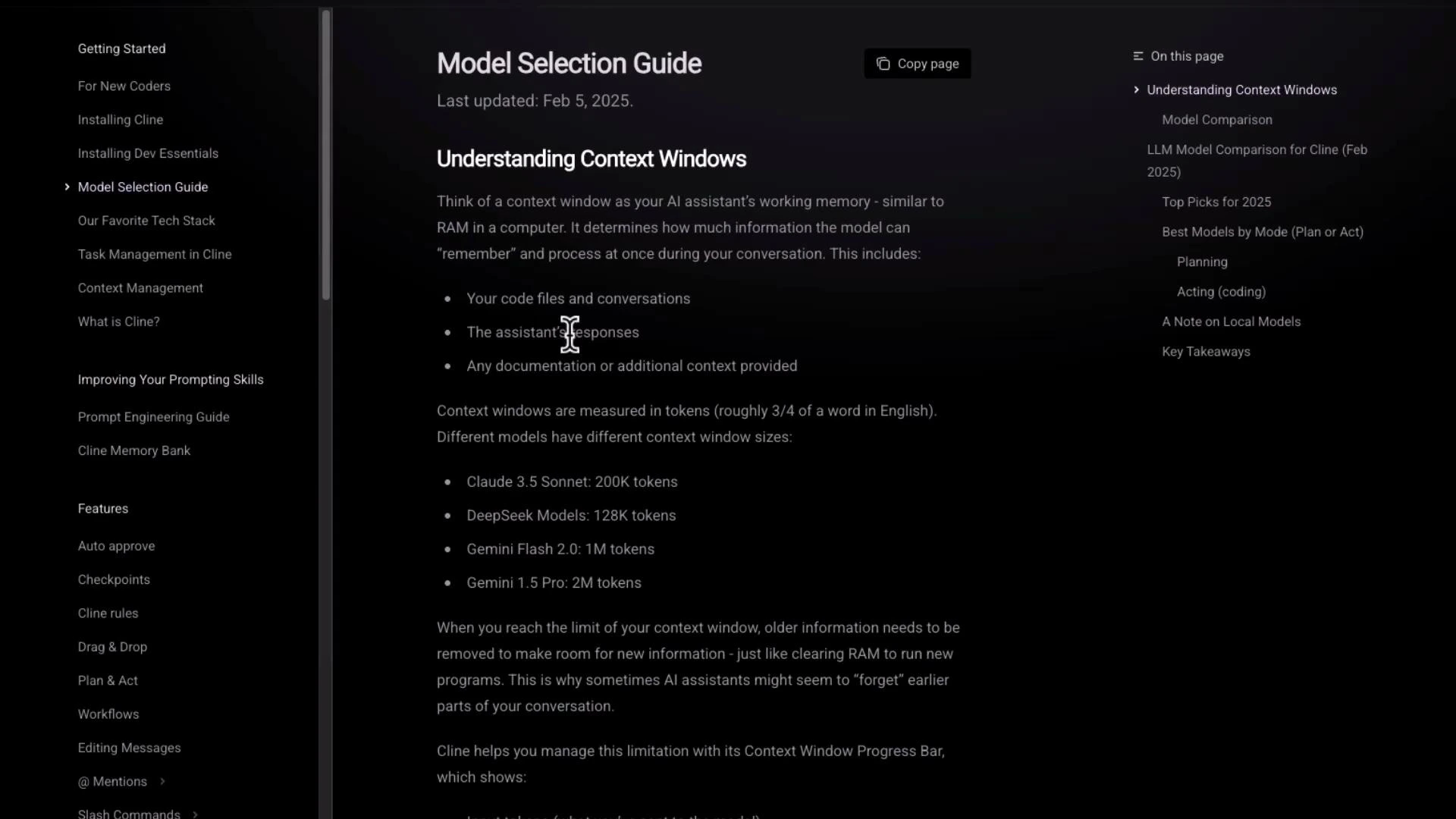
- Context size: choose a model whose context window fits your input plus expected output.
- Cost vs. capability: larger-context models typically cost more; consider chunking/summary strategies for very long inputs.
- Use-case fit: some models are optimized for coding, others for dialogue or vision.
Recommended tech stack for getting started
The docs include a recommended stack—editors, hosting, and common frameworks—so you can bootstrap a Cline-based project quickly.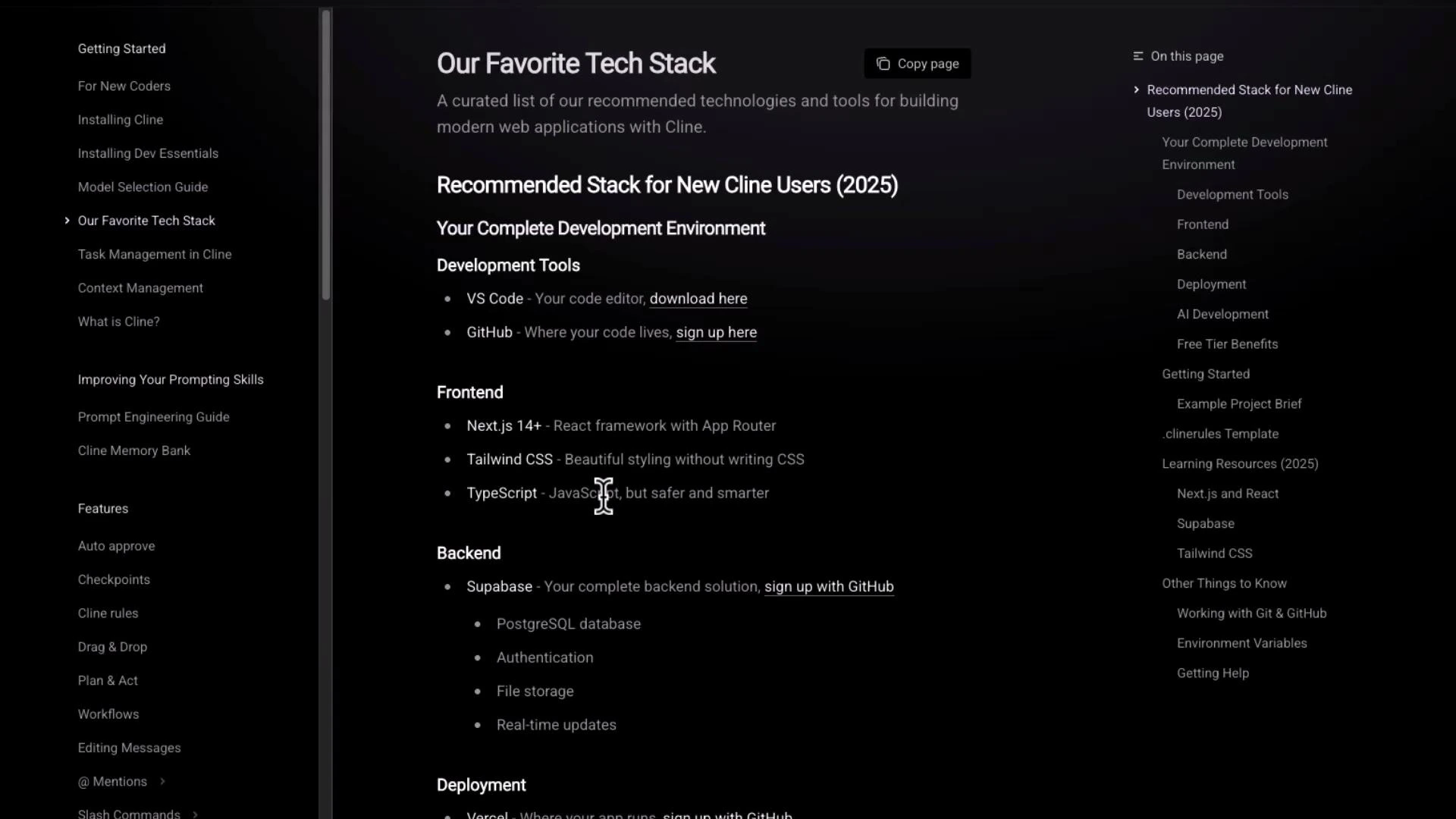
- Editor: VS Code
- Version control / hosting: GitHub (or Git providers of your choice)
- Front-end: Next.js + Tailwind CSS + TypeScript
- Back-end / storage: Supabase, or any managed DB / object store
Hosting, production models, and operational notes
The docs explain production considerations—recommended production models, example cost guidance, and deployment patterns (e.g., model choice for inference latency and throughput). They also discuss operational best practices like checkpointing client memory and “plan and act” workflows. If you need provider-specific instructions, the docs include guides for integrating alternative providers.Provider-specific example: xAI Grok (API keys and models)
Cline’s documentation contains provider-specific guides—here’s the Grok example showing steps for obtaining API keys and a list of supported Grok model names.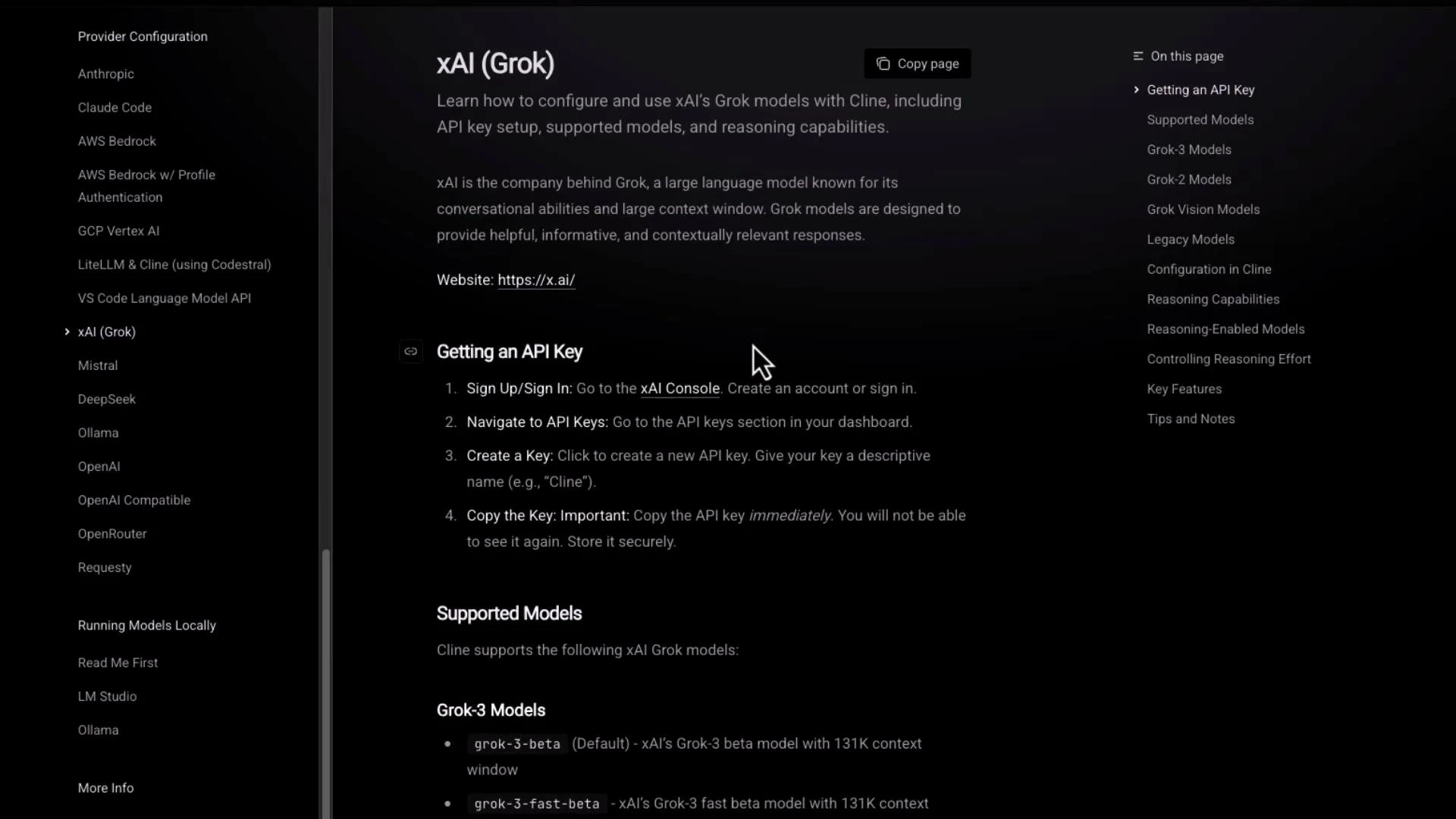
Running local models — hardware requirements and trade-offs
The docs include a detailed “Hardware Requirements” section that lists recommended GPU, RAM, SSD, and cooling. There’s also a comparison table of common model sizes (7B, 14B, 32B, 70B) and their typical capabilities.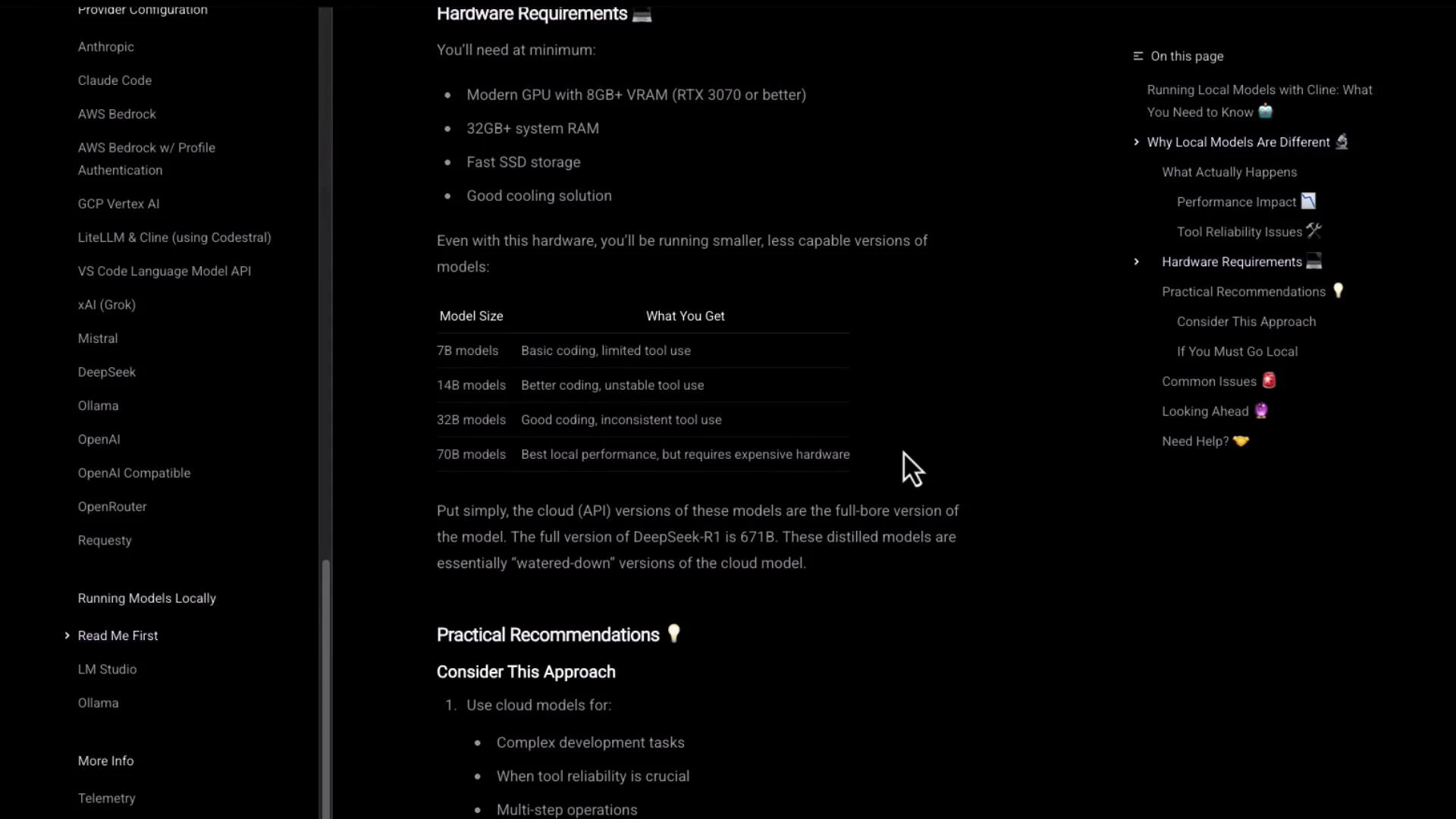
- Hardware cost and availability vs. managed inference costs
- Precision trade-offs (e.g., FP16 / quantization)
- Memory limits and model sharding strategies
- Cooling and long-running inference reliability
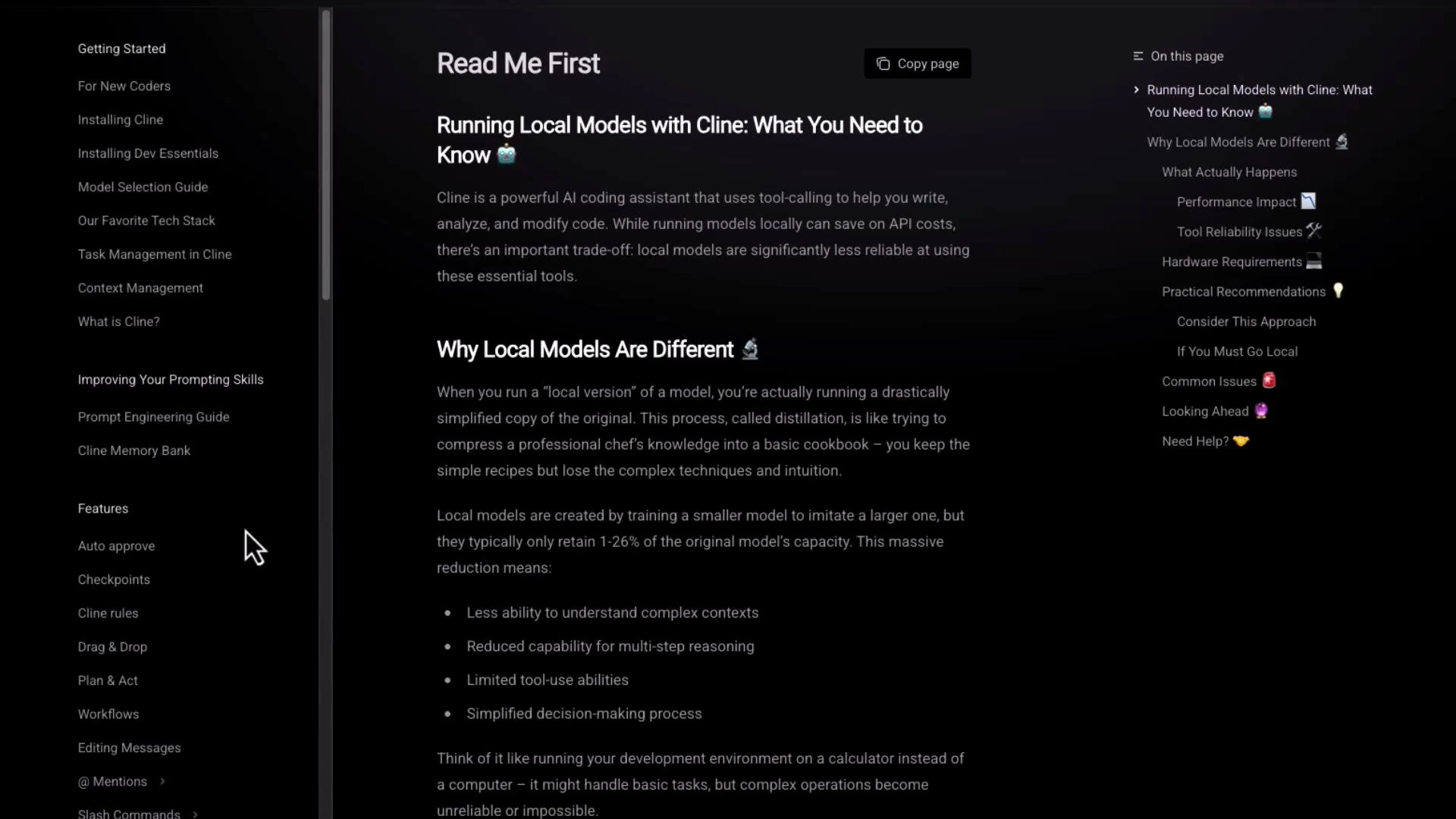
Running local models requires careful hardware planning. Ensure your GPU, RAM, and storage match the model size you intend to use, and test performance characteristics (latency, memory usage) before moving to production.
Example minimal project layout referenced by the docs
A minimal example layout from the docs:Bookmark the official docs for ongoing updates and details: https://docs.agentic.cline.bot. The documentation is actively maintained and is the best source for model names, context window guidance, provider integrations, and hardware notes.
Quick links and references
- Official docs: https://docs.agentic.cline.bot
- Provider guides and model lists: consult each provider’s section in the official docs (e.g., Grok integration)
- Local model guidance: review “Read Me First” and “Running Local Models” before attempting large-model local deployments