

Starting point: current template and quick search
The home page uses a Jinja2 template that extendsbase.html and provides a quick casting-number search. This trimmed template shows the core structure and the simple search form used to look up casting numbers.
Reference: Jinja2 Basics (Mini Course)
Example: creative (vague) prompting — stylistic additions
When the prompt was intentionally vague (for example, “make the design look more professional”), the assistant made many stylistic and UX assumptions. It introduced card elevation, hover feedback, table hover states, responsive tweaks, and even a few new UI elements (API-connected status indicator, advanced search collapse). Representative CSS changes from that creative run: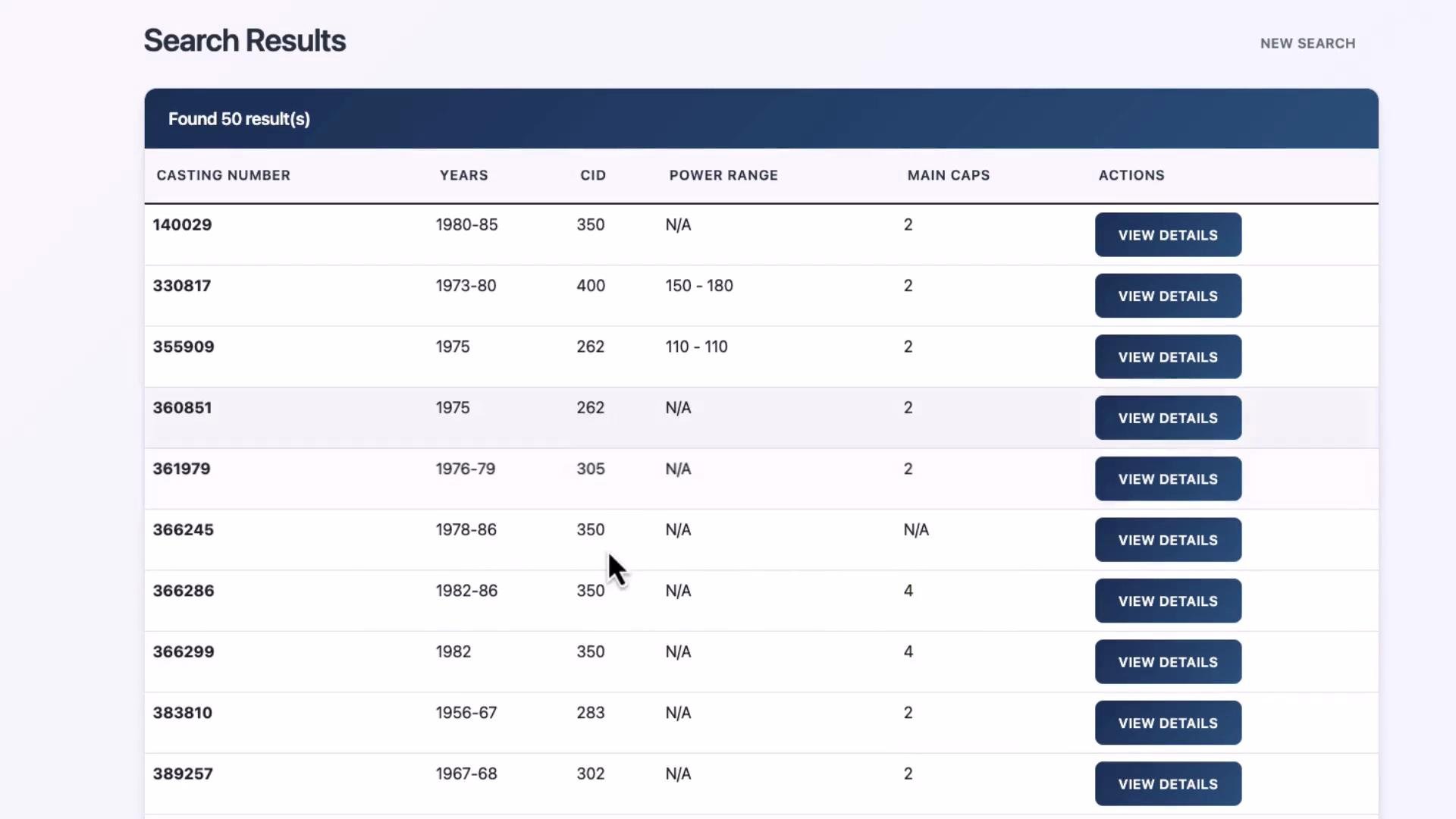
Creative prompting is ideal when you want visual exploration, alternative layouts, or multiple UX suggestions. Expect the model to make reasonable design choices and to introduce new UI elements.
When to use creative prompting
- Visual exploration and moodboarding
- Prototyping alternative layouts quickly
- Generating multiple design variants for review
Example: specific prompting — Chevy orange, dark mode
Then the prompt was made much more specific: use a “Chevy orange” primary color with subtle light-blue highlights, apply a dark mode (dark gray/black backgrounds), and preserve the existing layout and functionality. Representative dark-mode CSS the assistant suggested: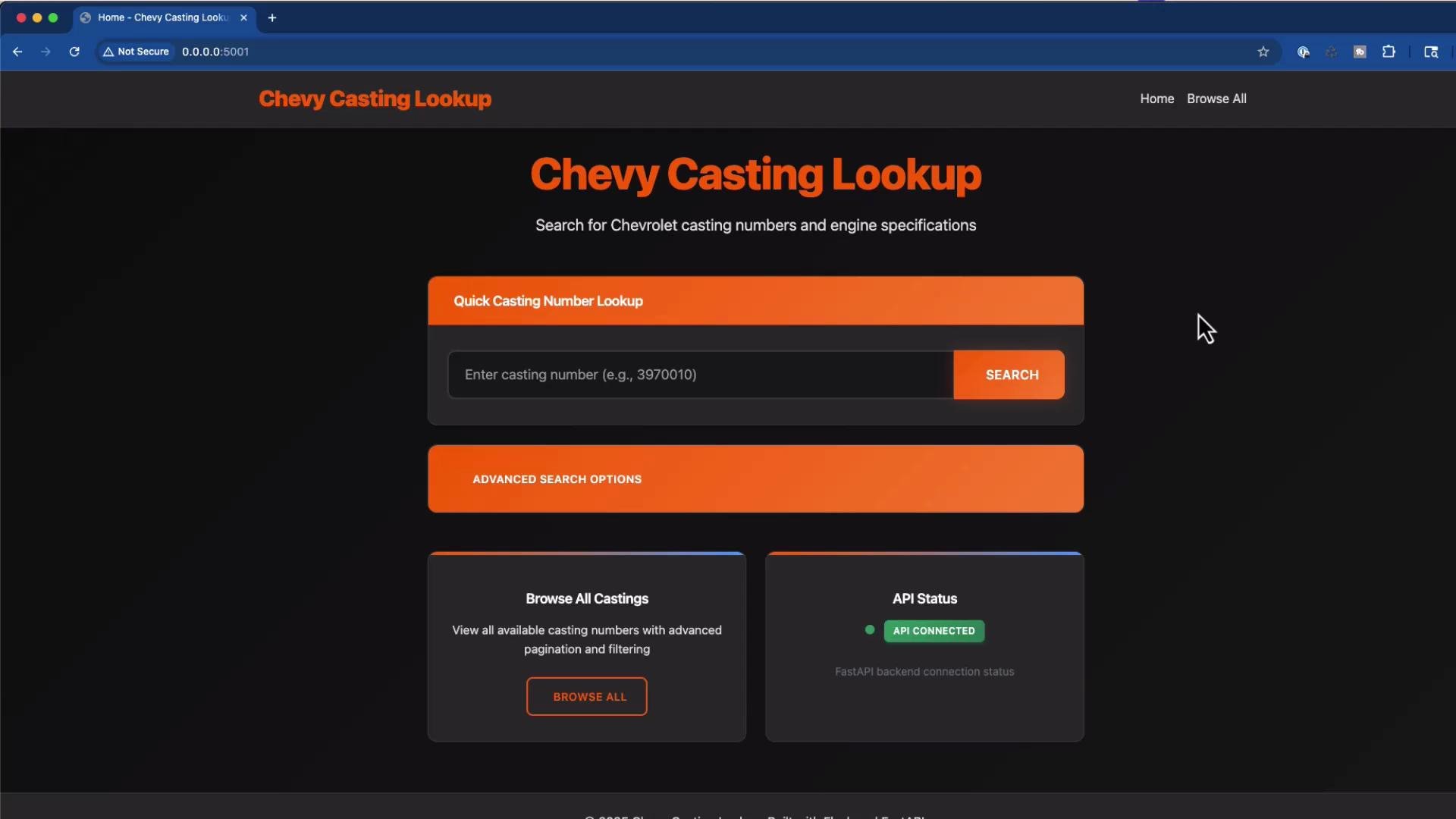
Handling missing context and errors
When the assistant attempted to update templates that were not provided (for example,base.html or 404.html), the runtime raised template-not-found errors. This consolidated traceback illustrates the common error when a required template is missing:
Start with a minimal, focused context: provide only the files you want the assistant to change. That reduces assumptions and prevents runtime errors. If more files are needed, let the model request them explicitly.
Quick comparison: creative vs specific prompts
Practical tips for effective prompting
- Provide the smallest possible context for the change you want to make; include only relevant files.
- For design exploration, allow broad freedom but constrain any non-negotiable items (e.g., accessibility or API contracts).
- For production-critical changes, include explicit requirements (hex values, layout breakpoints, accessibility checks).
- Iterate: request the assistant to explain assumptions before making large changes, or ask for a diff/PR with only the intended edits.
Links and references
Conclusion
- Use creative prompts to surface visual ideas and explore multiple UX directions quickly.
- Use specific prompts to get deterministic, constraint-driven changes (exact colors, layout, or functionality).
- Start with minimal context and add files only as requested to avoid unnecessary assumptions and runtime errors.