

Playground
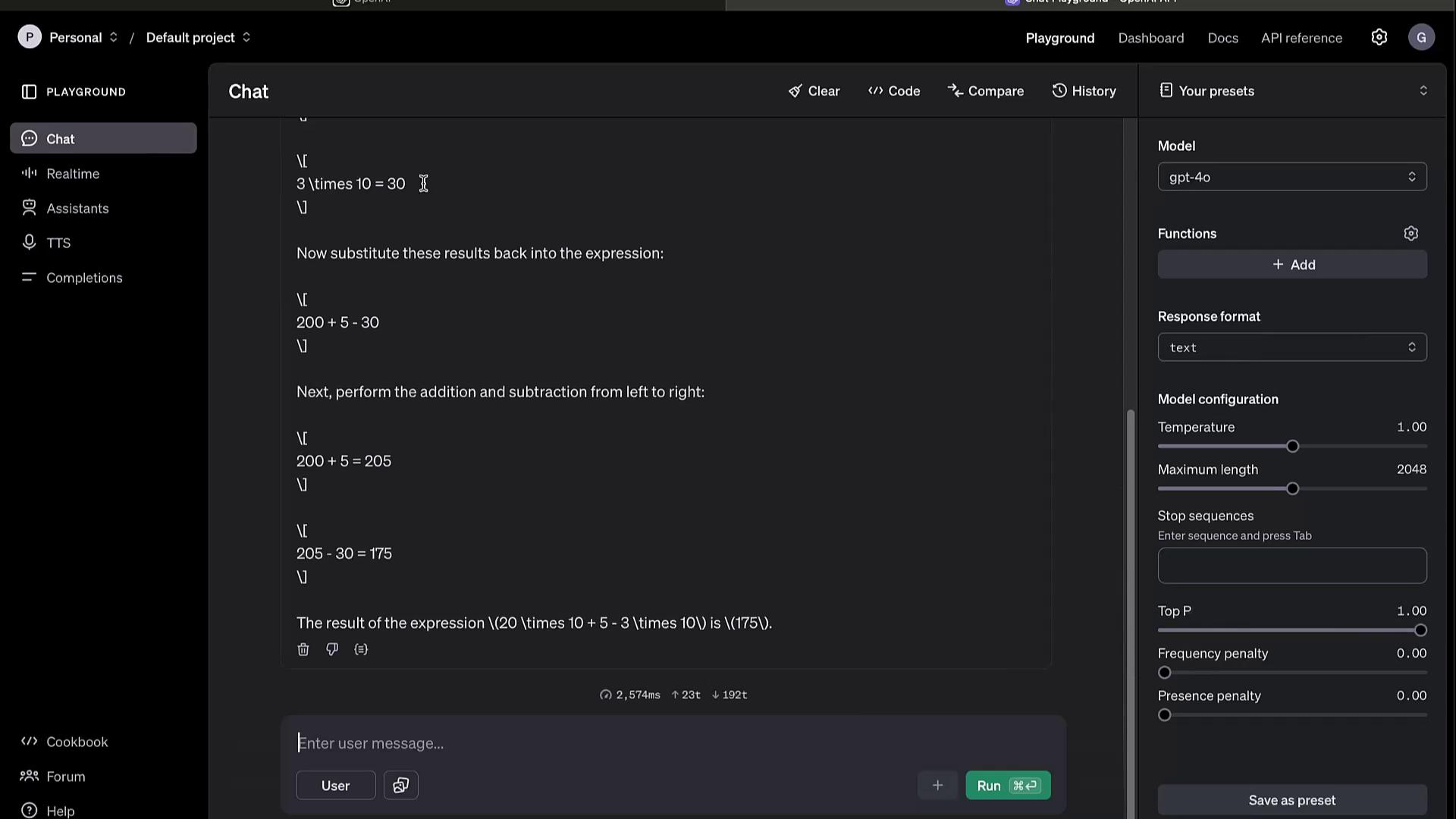
The Playground offers an interactive environment to test models and fine-tune parameters before integrating them into your code.1. Interacting with Models
Switch to the Chat tab for conversational prompts. For example:2. Tuning Parameters
Adjust these settings to influence output quality and creativity:- Temperature: Controls randomness (0.0–1.0)
- Max Tokens: Limits response length
- Top K / Top P: Filters token selection based on probability
3. Additional Features
- Model Switching: Try GPT-3.5, GPT-4, or custom fine-tuned models
- Speech to Text: Real-time audio transcription
- Text to Speech: Generate audio responses
- Assistant Builder: Design your own conversational agent
- Completion Settings: Preconfigure defaults for repeated experiments
The Playground is ideal for rapid prototyping. Once satisfied, copy code snippets directly into your application.
Dashboard
The Dashboard centralizes your account and usage management.
Access your metrics, configure billing alerts, and optimize resource allocation all from one place.
Documentation
Comprehensive docs cover every aspect of the API and its components. Visit OpenAI API Documentation for full details.Models Overview
Browse the Models section to compare capabilities and select the best fit: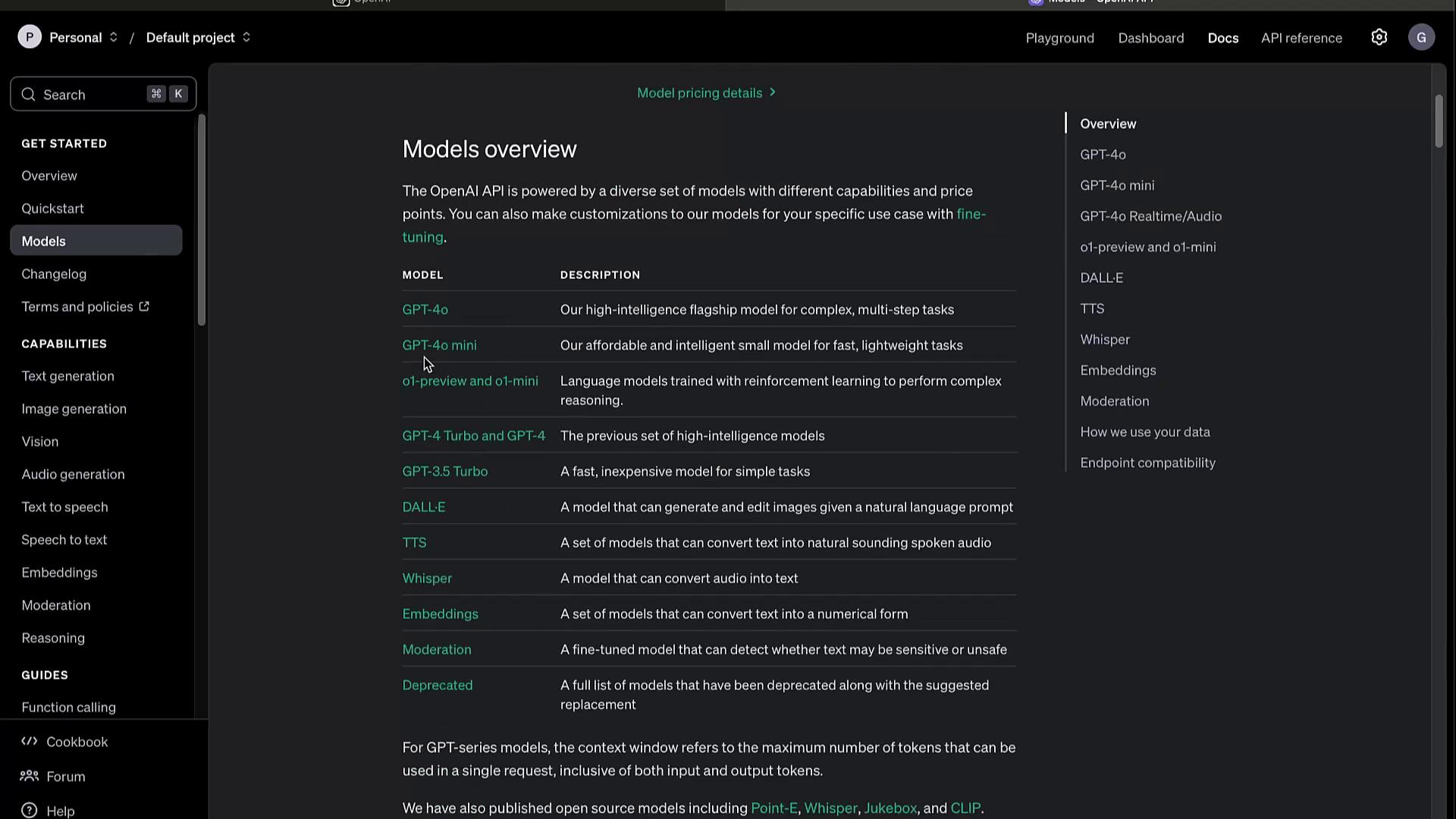
Changelog
Track updates, deprecations, and new features in the Changelog. Staying informed ensures your integrations remain stable.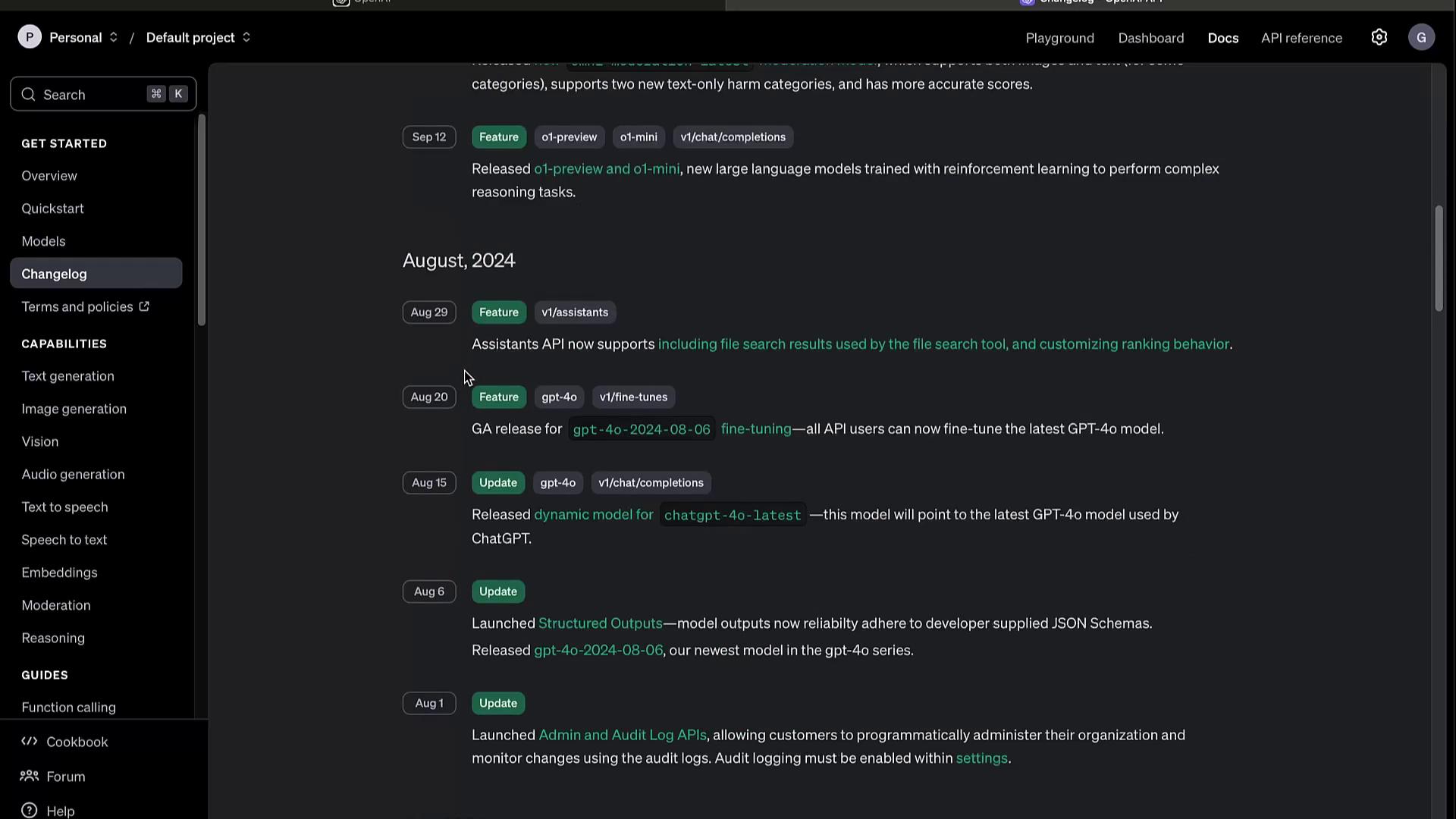
Capabilities
JavaScript Example
Python Example
Be sure to set your
OPENAI_API_KEY in environment variables before running these snippets.Guides and Advanced Topics
Explore specialized tutorials to maximize the API’s potential:- Function Calling
- Model Evaluation & Benchmarks
- Fine-tuning & Distillation
- Batch Processing Workflows
- Official Libraries & SDKs
- Prompt Engineering Best Practices
- Rate Limits, Error Codes, and Retirements
Deprecations
Regularly review the Deprecations section to avoid using sunset features and to plan migrations.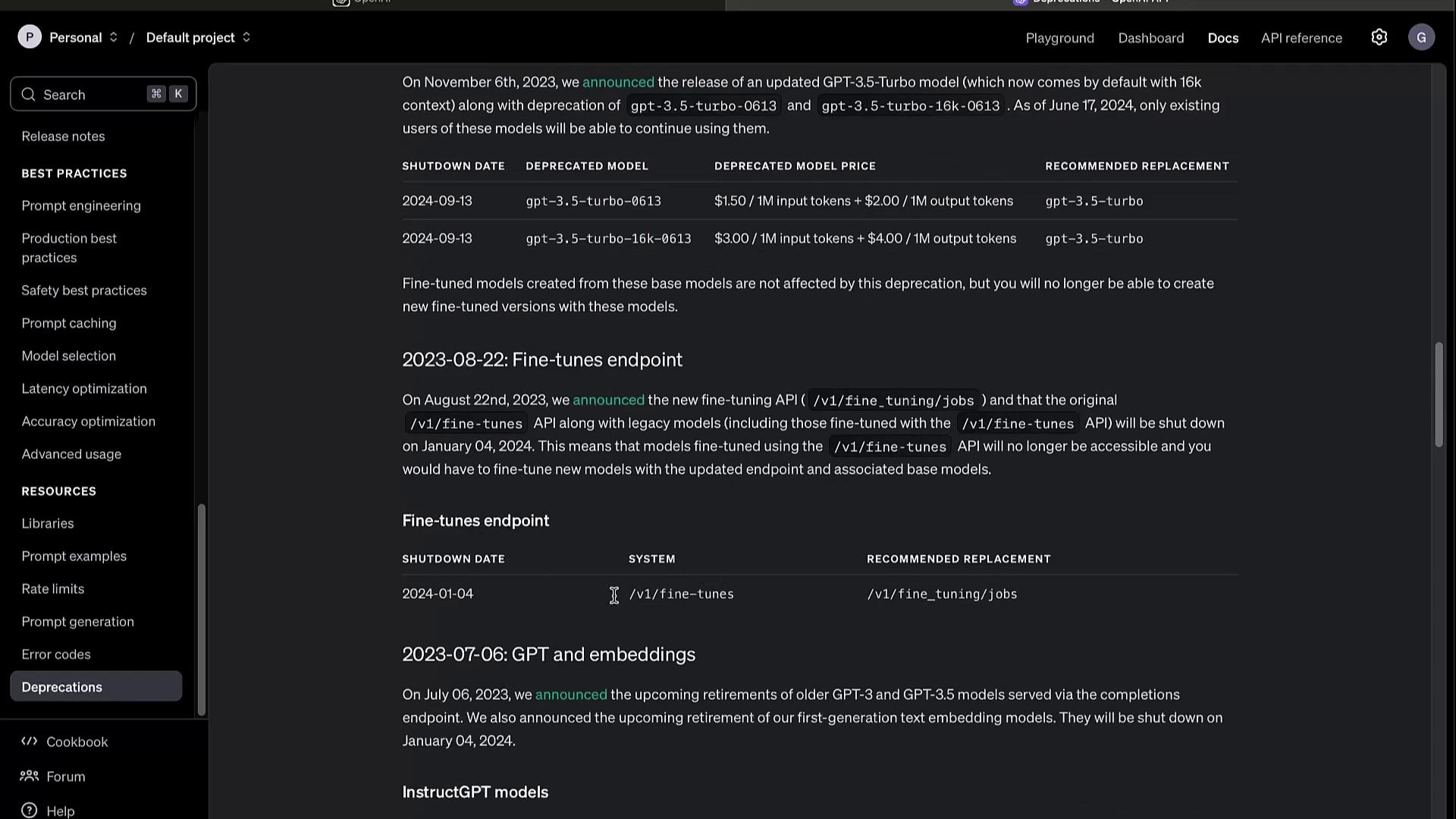
Deprecated endpoints and models will stop functioning after their scheduled sunset dates. Always update to the recommended replacements to prevent downtime.