

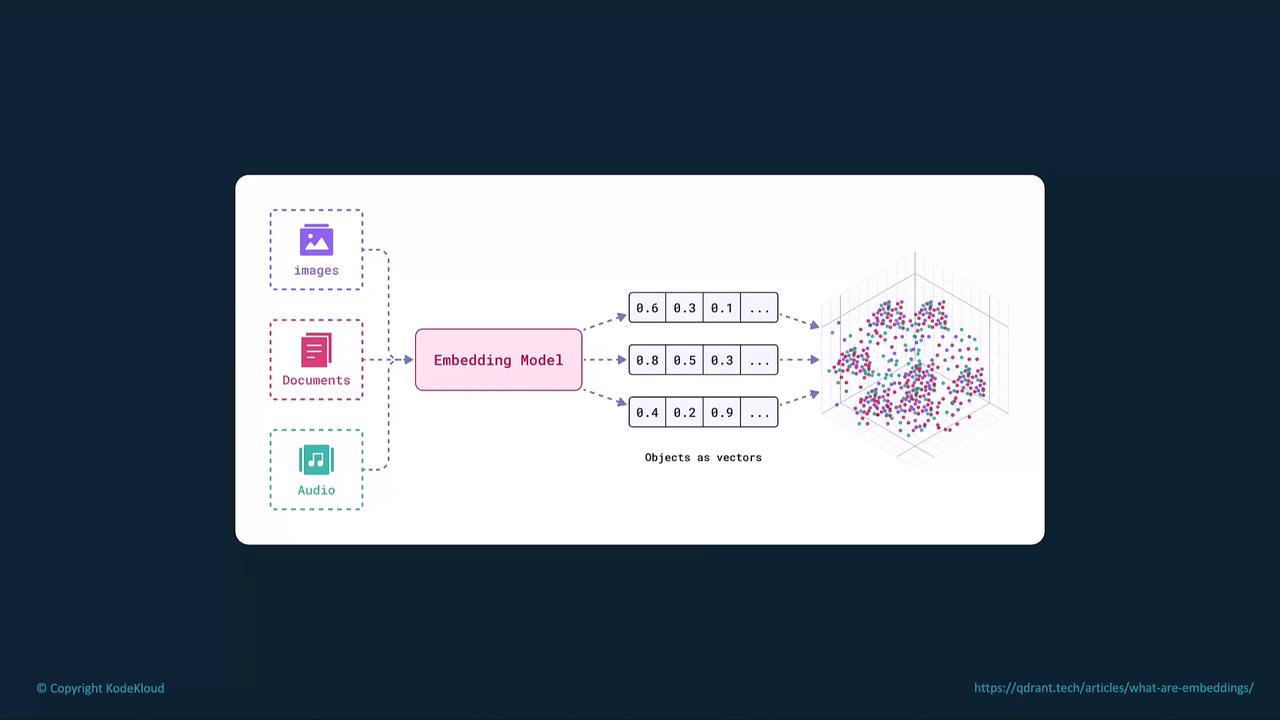
What Are Embeddings?
Embeddings are lists of floating-point numbers that capture the semantic features of text, images, or audio. The closer two vectors are in the embedding space, the more related their underlying data.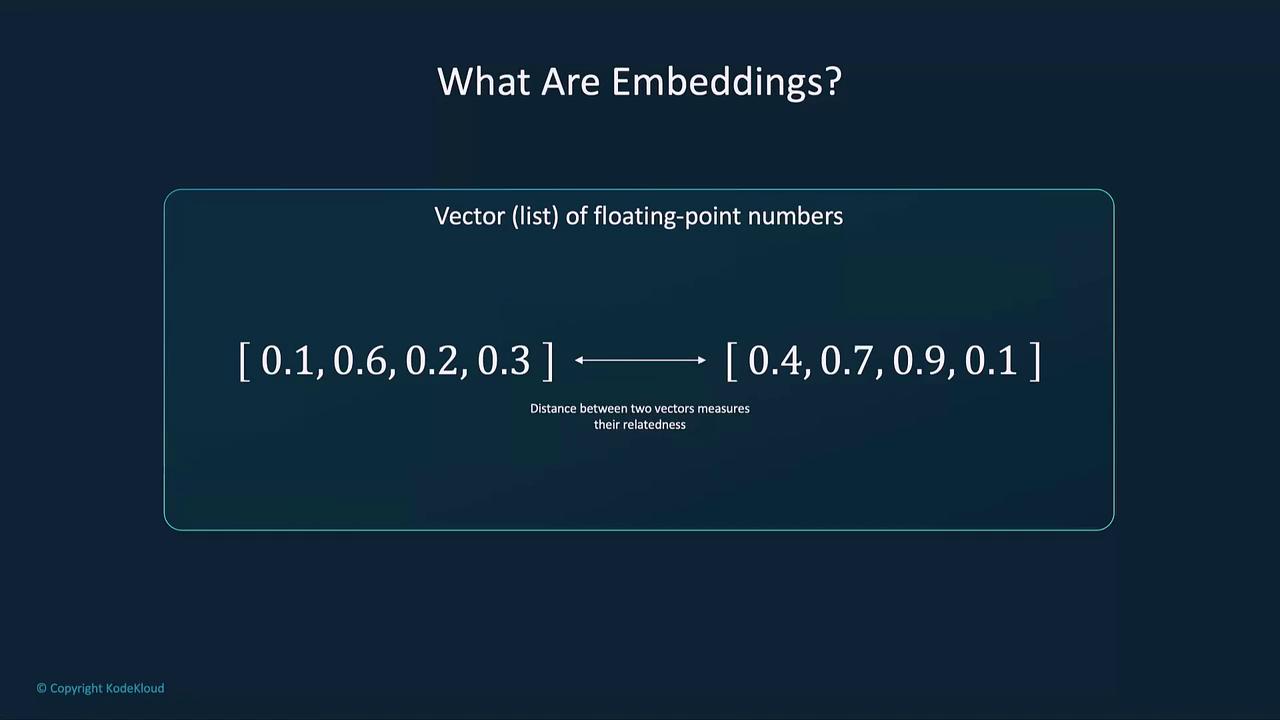
Common Applications of Embeddings
Embedding distances are computed via metrics like cosine similarity or Euclidean distance. Choose the metric that best suits your task.
Why Embeddings Matter
- Semantic Understanding: Retrieve documents by meaning, not just keyword matches (e.g., “best smartphones” → “top mobile devices”).
- Contextual Search: Capture intent and context for more relevant search results.
- Personalization: Align recommendations with user preferences based on past interactions.
- Zero-Shot Learning: Predict unseen categories by positioning new labels near related known concepts.
How Embeddings Work
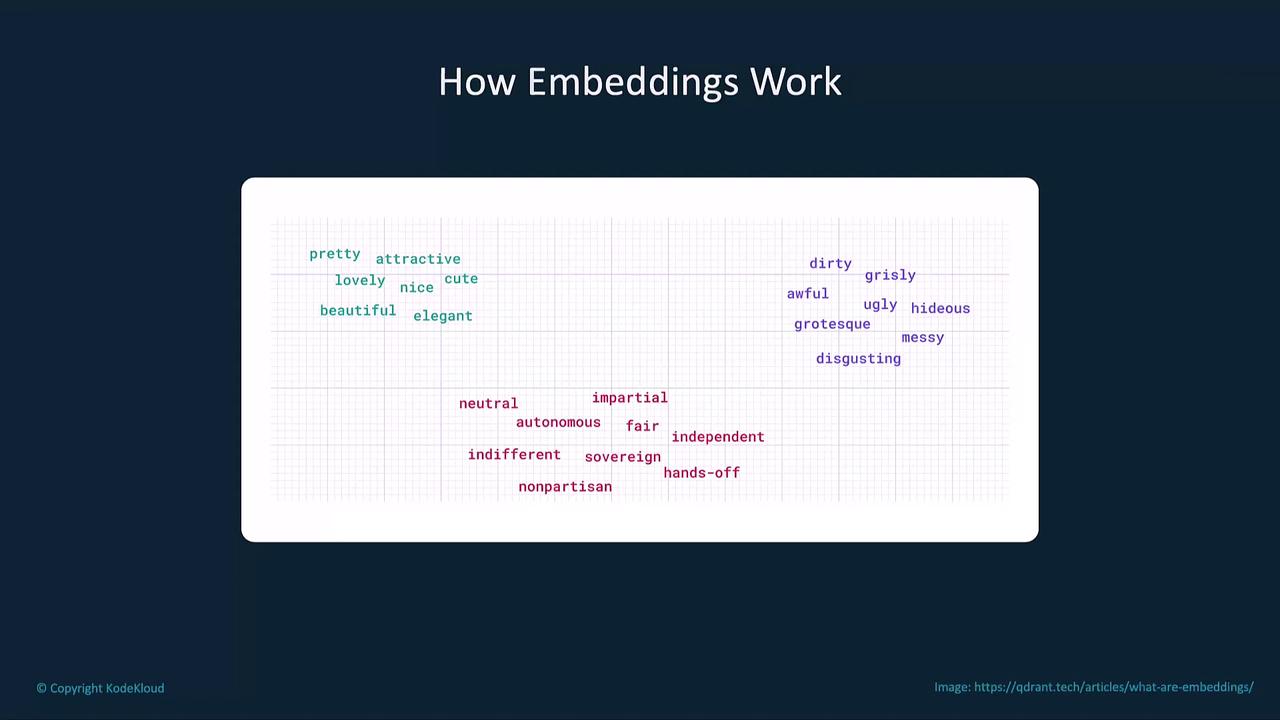
- High-Dimensional Mapping: Each word, phrase, or document is converted into a vector in a multi-dimensional space.
- Clustering by Similarity: Semantically related items (e.g., “cat,” “feline”) cluster together.
- Separation of Unrelated Data: Dissimilar items (e.g., “cat,” “car”) lie far apart.
Generating Embeddings with the OpenAI API
Use the OpenAI Embeddings API to convert text into vectors:
Keep your API key secure. Avoid exposing it in public repositories or client-side code.
Key Use Cases
Example: Question Answering with Chat Models
This Python snippet embeds a Wikipedia article on the 2022 Winter Olympics and uses a chat model to answer a query:Best Practices

- Preprocess Text: Lowercase, remove punctuation, and filter stop words.
- Use Consistent Models: Stick to one embedding model per project for reliable comparisons.
- Leverage Pre-trained Embeddings: Save time and compute by using OpenAI’s optimized models.
Links and References
- OpenAI Embeddings API Guide
- Chat Completions API
- Cosine Similarity Explained
- Semantic Search Techniques