Welcome to this lab-style walkthrough. We’ll extend the previously deployed AWS MCP server by connecting declarative agents to it, then use those agents to query real-time AWS pricing. This guide shows how to:
  • Inspect MCP servers and agents in the KAgent UI
  • Deploy a declarative LLM-only agent and observe its behavior
  • Update the agent to attach AWS Pricing MCP server tools and compare results
  • Run simple and complex pricing queries through the agent
This content assumes you have the AWS Pricing MCP server and KAgent UI already running in your cluster.

Overview — What you’ll learn

  • How to register an agent that relies only on the LLM (no tools)
  • How to attach MCP server tools to the agent so it can call AWS Pricing APIs
  • How the agent invokes tools, receives structured pricing JSON, and produces human-friendly responses
  • Operational checks and debugging patterns for agents + MCP servers

Access the KAgent UI

  • Open the KAgent UI (top-right in your environment).
  • Skip the initial wizard if prompted and go to the main view.

Inspect running agents

  • In the KAgent UI, go to View → Agents to see registered agents.
  • At the start of this demo there are no agents registered.

Deploy an LLM-only agent (no tools)

A declarative agent manifest is provided at /root/no_tool_aws-price-checker.yaml. This agent is named aws-price-check and declares no tools, so it will rely entirely on the LLM (no live pricing calls). Example agent manifest (LLM-only)
apiVersion: kagent.dev/v1alpha2
kind: Agent
metadata:
  name: aws-price-check
  namespace: kagent
spec:
  declarative:
    modelConfig: default-model-config
    stream: true
  systemMessage: |-
    You are an AWS Pricing Expert Agent, designed to help users get accurate and comprehensive AWS pricing information.

    # Core Responsibilities
    - Provide real-time AWS service pricing data using available pricing tools
    - Generate detailed cost reports and analysis
    - Compare pricing across different AWS regions and configurations
    - Help users understand AWS pricing models and cost optimization opportunities

    # Instructions
    - Always use the available AWS pricing tools to get accurate, real-time data
    - If user question is unclear, ask for specific details like service name, region, instance type, or usage patterns
    - Provide pricing in the requested currency and region when specified
    - Include relevant pricing attributes and dimensions in your analysis
    - Always be helpful and provide actionable cost insights
    - If you don't know how to answer, tell the user "Sorry, I don't have that pricing information available" and suggest what details might help

    # Response format:
    - ALWAYS format your response as Markdown
    - Include a summary of pricing queries performed and tools used
    - Present pricing data in clear, easy-to-read tables or lists
    - Provide cost optimization recommendations when relevant
    - Include any assumptions made in pricing calculations
Apply the agent manifest and check status
# Apply the agent manifest
kubectl apply -f /root/no_tool_aws-price-checker.yaml

# Watch pods in the kagent namespace
kubectl get pod -n kagent

# Inspect registered agents
kubectl get agent -n kagent
Representative status progression (condensed)
# Shortly after apply:
NAME                                           READY   STATUS              RESTARTS   AGE
aws-price-check-694757df-x7552                 0/1     ContainerCreating   0          8s
awslabs-aws-pricing-mcp-server-latest-...      1/1     Running             0          12m
kagent-ui-...                                   1/1     Running             0          15m

# A short while later (agent pod ready):
NAME                                           READY   STATUS    RESTARTS   AGE
aws-price-check-694757df-x7552                 1/1     Running   0          69s
awslabs-aws-pricing-mcp-server-latest-...      1/1     Running   0          13m
kagent-ui-...                                   1/1     Running   0          16m

# Agent resource shows READY toggling to True once pod is ready
kubectl get agent -n kagent
NAME            TYPE          READY   ACCEPTED
aws-price-check Declarative    True    True
Agents without declared tools rely entirely on the LLM and cannot fetch live pricing. To obtain live pricing you must attach MCP server tools to the agent.
Try a pricing query (LLM-only)
  • Ask the LLM-only agent about the on-demand price for g4dn.16xlarge on Linux with shared tenancy in us-east-1 and ap-southeast-2.
  • Because the agent has no tool access, results will either be an LLM-derived estimate or a refusal like “Sorry, I do not have that pricing information available.”

Attach the AWS Pricing MCP server tools to the agent

Next, configure the agent to call the MCP server tools that expose the AWS Pricing List API. In the KAgent UI:
  • View → MCP servers → select the AWS Pricing MCP server (e.g. awslabs-aws-pricing-mcp-server-latest)
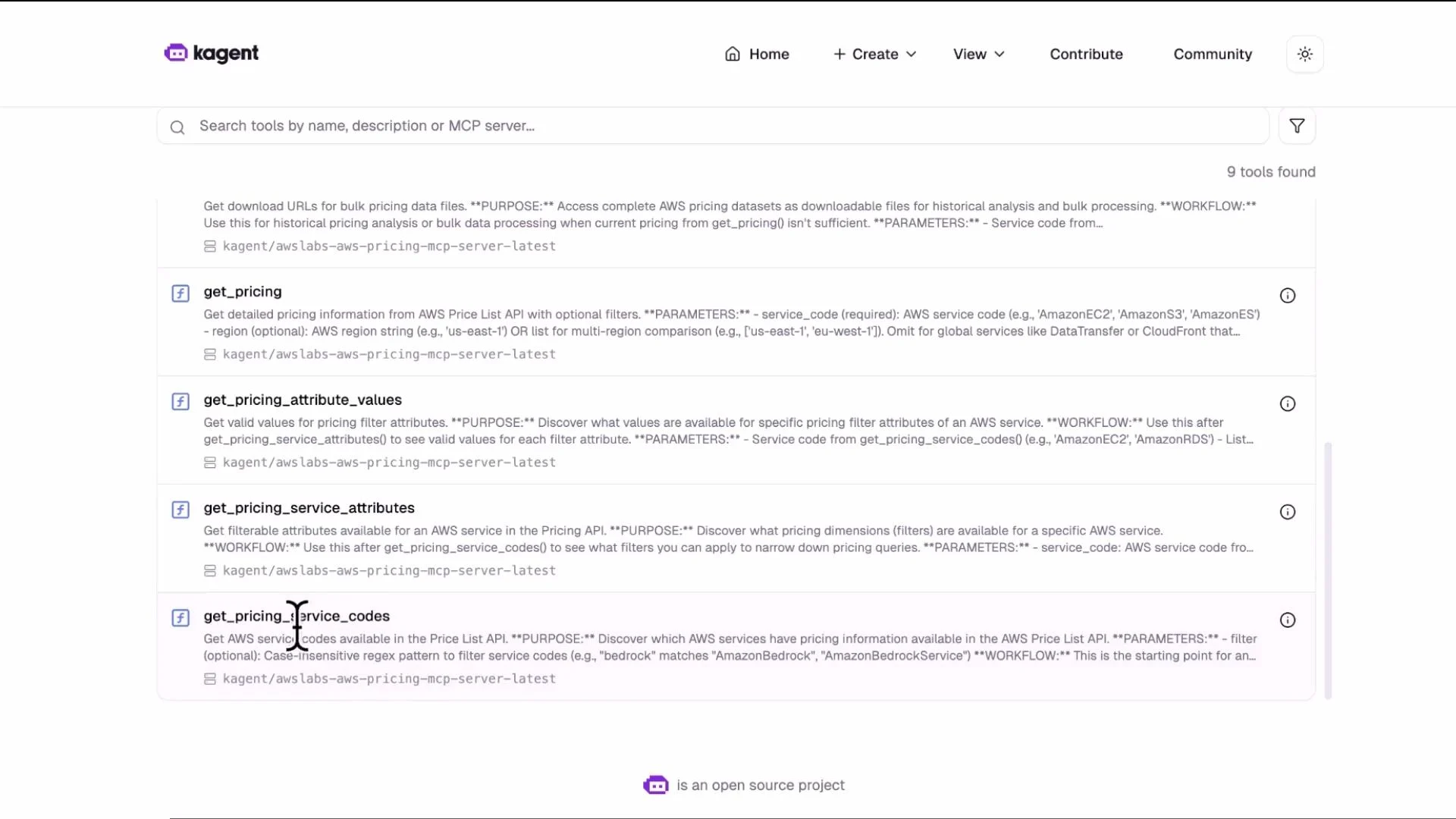
  • View → Tools to inspect available functions such as get_pricing, get_pricing_attribute_values, get_pricing_service_codes, generate_cost_report, etc.
Image: list and search of AWS pricing API tools in the KAgent UI
A webpage screenshot of the "kagent" site showing a search bar and a list of AWS pricing API tools (e.g., get_pricing, get_pricing_attribute_values) with short descriptions. The interface shows navigation links at the top and a count of "9 tools found."
Example tools block added to the agent manifest
tools:
- mcpServer:
    apiGroup: kagent.dev
    kind: MCPServer
    name: awslabs-aws-pricing-mcp-server-latest
    toolNames:
    - get_pricing_service_codes
    - get_pricing_service_attributes
    - get_pricing_attribute_values
    - get_pricing
    - get_price_list_urls
    - generate_cost_report
  type: McpServer
description: aws price checker api
type: Declarative
Apply the edited manifest and confirm
kubectl apply -f /root/with_tool_aws-price-checker.yaml

# Confirm the agent's tools are registered in the resource YAML
kubectl get agent aws-price-check -n kagent -o yaml | grep -A20 "tools:"
Representative pod listing and agent YAML summary
kubectl get pod -n kagent

NAME                                                    READY   STATUS    RESTARTS   AGE
aws-price-check-b9476b56c-qbpt5                         1/1     Running   0          28s
awslabs-aws-pricing-mcp-server-latest-58cc4cc799-6cgbs   1/1     Running   0          26m
kagent-ui-59d5bbd564-6ssnm                               1/1     Running   0          29m

# Agent resource shows the tools block (see example above)
kubectl get agent aws-price-check -n kagent -o yaml | grep -A20 "tools:"
Table: Common tool names exposed by the AWS Pricing MCP server
Tool namePurpose / Example usage
get_pricing_service_codesEnumerate available pricing service codes (e.g., AmazonEC2).
get_pricing_service_attributesRetrieve service attributes (e.g., instanceType, operatingSystem).
get_pricing_attribute_valuesFetch all values for an attribute (e.g., all EC2 instance families).
get_pricingQuery price terms and priceDimensions for a specific product filter.
get_price_list_urlsGet Price List API URLs for a service and region.
generate_cost_reportProduce aggregated cost reports across resources or time windows.

Run the same pricing query with tools attached

Re-run the earlier query for g4dn.16xlarge (Linux, shared tenancy) in us-east-1 and ap-southeast-2. With tools attached: How the call flow works
  1. The agent invokes an MCP server tool such as get_pricing with filters for region, operatingSystem, instanceType, and tenancy.
  2. The MCP server calls the AWS Pricing List API and returns structured JSON to the agent.
  3. The agent’s LLM processes the JSON and formats a human-readable response (tables, lists, or cost recommendations).
Tool response (excerpt)
{
  "terms": {
    "OnDemand": {
      "MD2NZEY6DE5PD6FG.JRTCKXETXF": {
        "priceDimensions": {
          "MD2NZEY6DE5PD6FG.JRTCKXETXF.6YS6EN2CT7": {
            "unit": "Hrs",
            "endRange": "Inf",
            "description": "$5.659 per Unused Reservation Linux g4dn.16xlarge Instance Hour",
            "appliesTo": [],
            "rateCode": "MD2NZEY6DE5PD6FG.JRTCKXETXF.6YS6EN2CT7",
            "beginRange": "0",
            "pricePerUnit": {
              "USD": "5.6590000000"
            }
          }
        }
      }
    }
  }
}
Agent response (with tools)
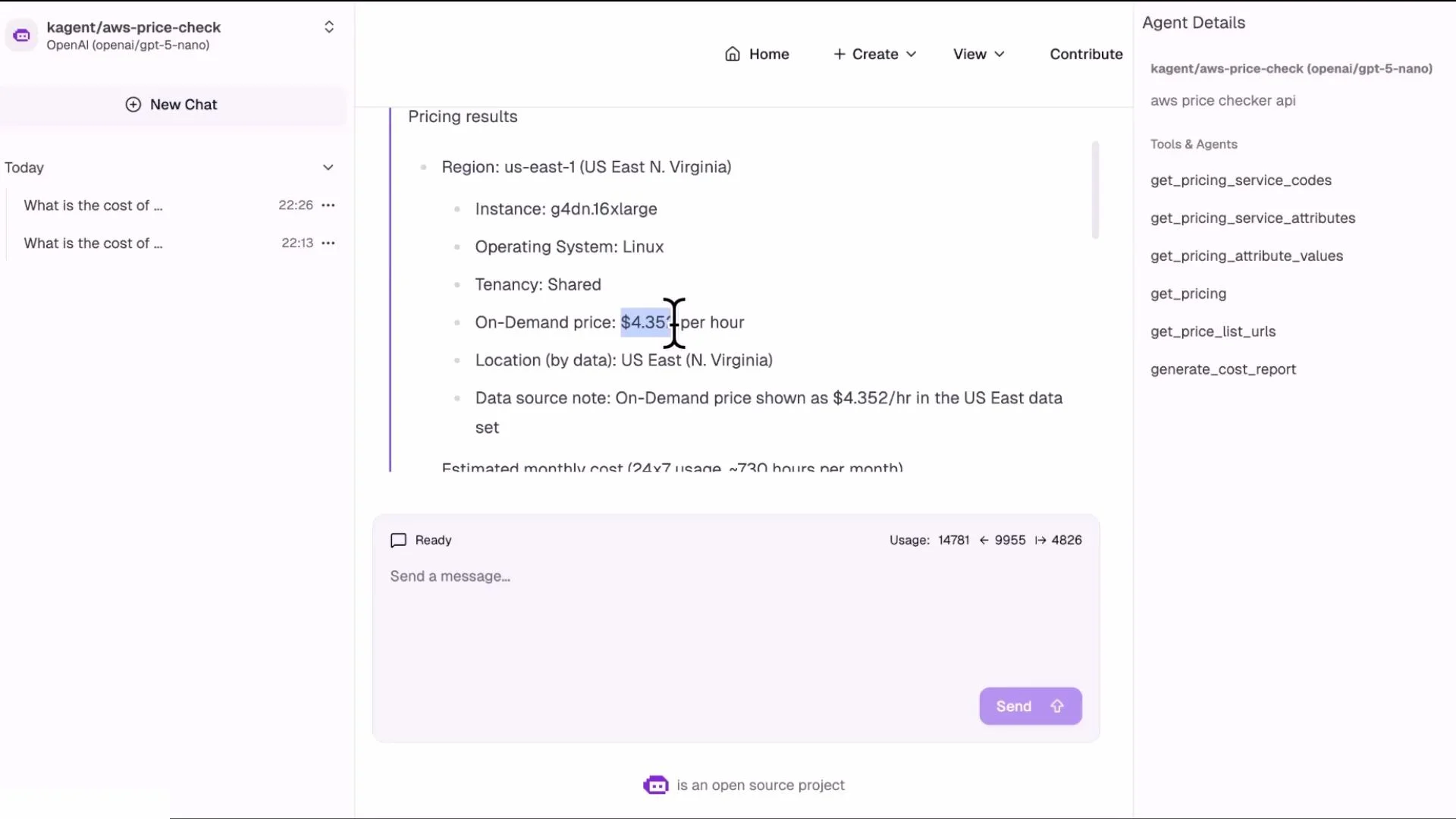
  • Using the returned pricing data the agent can provide accurate results, for example:
    • us-east-1 on-demand price for Linux g4dn.16xlarge: approximately $4.35/hour
    • ap-southeast-2 on-demand price for Linux g4dn.16xlarge: approximately $5.65/hour
Image: chat UI showing pricing result for g4dn.16xlarge in us-east-1
Screenshot of a chat-style interface displaying AWS pricing results for a g4dn.16xlarge Linux instance in us‑east‑1 with an on‑demand price of about $4.35/hr. The right sidebar shows agent details and available pricing API functions.

Run more complex queries

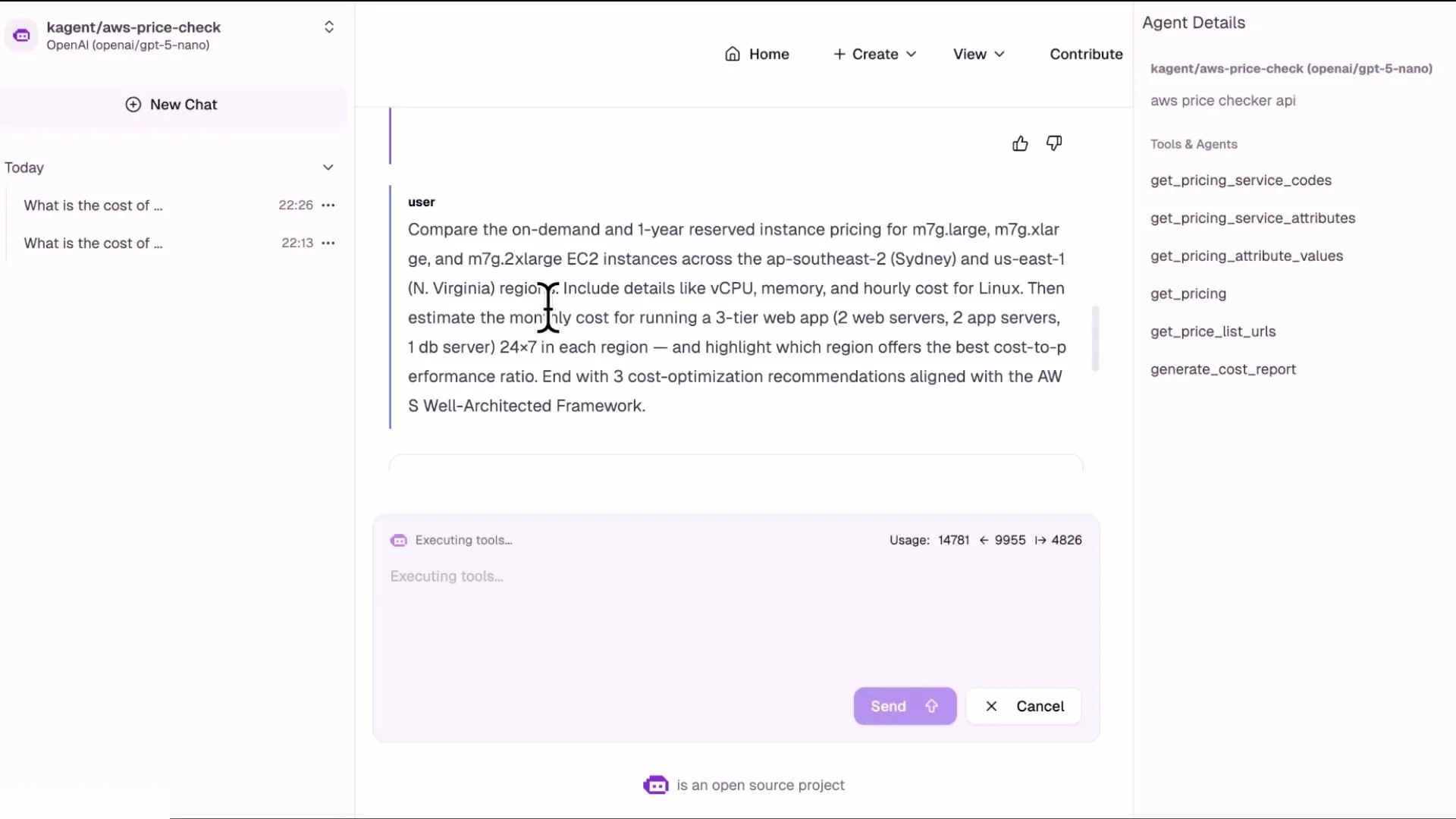
You can request multi-dimensional comparisons in a single user prompt. The agent will orchestrate multiple tool calls (one per region/offer/purchase option), aggregate results, and return a consolidated table or list. Example complex query:
  • Compare on-demand and 1-year reserved pricing for an m7g instance across ap-southeast-2 (Sydney) and us-east-1 (N. Virginia). The agent will:
    • Call get_price_list_urls and get_pricing for each region and purchase option
    • Parse pricePerUnit from the returned JSON
    • Compute and present the comparisons in a table
Image: chat UI where the user requests a cross-region comparison for m7g instances
A screenshot of a chatbot UI where the user asks to compare on‑demand and 1‑year reserved pricing for AWS m7g EC2 instances across Sydney and N. Virginia. The right sidebar shows agent details and tool names, and the lower pane shows an "Executing tools..." area with Send/Cancel buttons.

Operational notes and best practices

Table: Troubleshooting checklist
SymptomCheck
Agent does not return pricingVerify agent pod is Running; check agent YAML includes tools → mcpServer → toolNames.
Tools not listed in UIVerify MCP server is Running and healthy; open View → Tools for that MCP server.
Tool calls time out or failCheck network connectivity, MCP server logs, and required AWS credentials/permissions.
Slow responses for complex queriesReduce parallel calls or cache repeated price list results; consider pre-generating cost reports with generate_cost_report.
Additional patterns
  • Team workflow: Expose centralized pricing tools via an MCP server and create a pricing agent teams can call from CI/CD or chat to get cost estimates during planning or deployment.
  • Debugging: Review logs for the MCP server and agent pods (kubectl logs) to troubleshoot tool invocation failures.
  • Performance: Tool calls depend on MCP server latency, AWS Pricing API response time, and the number of distinct queries; batch or cache where appropriate.
Ensure the MCP server has the necessary AWS credentials and IAM permissions to call the AWS Pricing API. Without proper credentials, tool calls will fail even if the MCP server pod is Running.

References and further reading

That’s it for this lab-style lesson. Experiment with different tool combinations, regions, instance families, and purchase options to explore the full capabilities of agents + MCP servers.

Watch Video

Practice Lab