

- Speech recognition (speech-to-text, STT) — listens to audio and produces text.
- Speech synthesis (text-to-speech, TTS) — takes text and produces spoken audio.
Speech recognition converts audio into text for downstream processing. Speech synthesis converts text into audio for playback. Both are distinct but complementary capabilities.
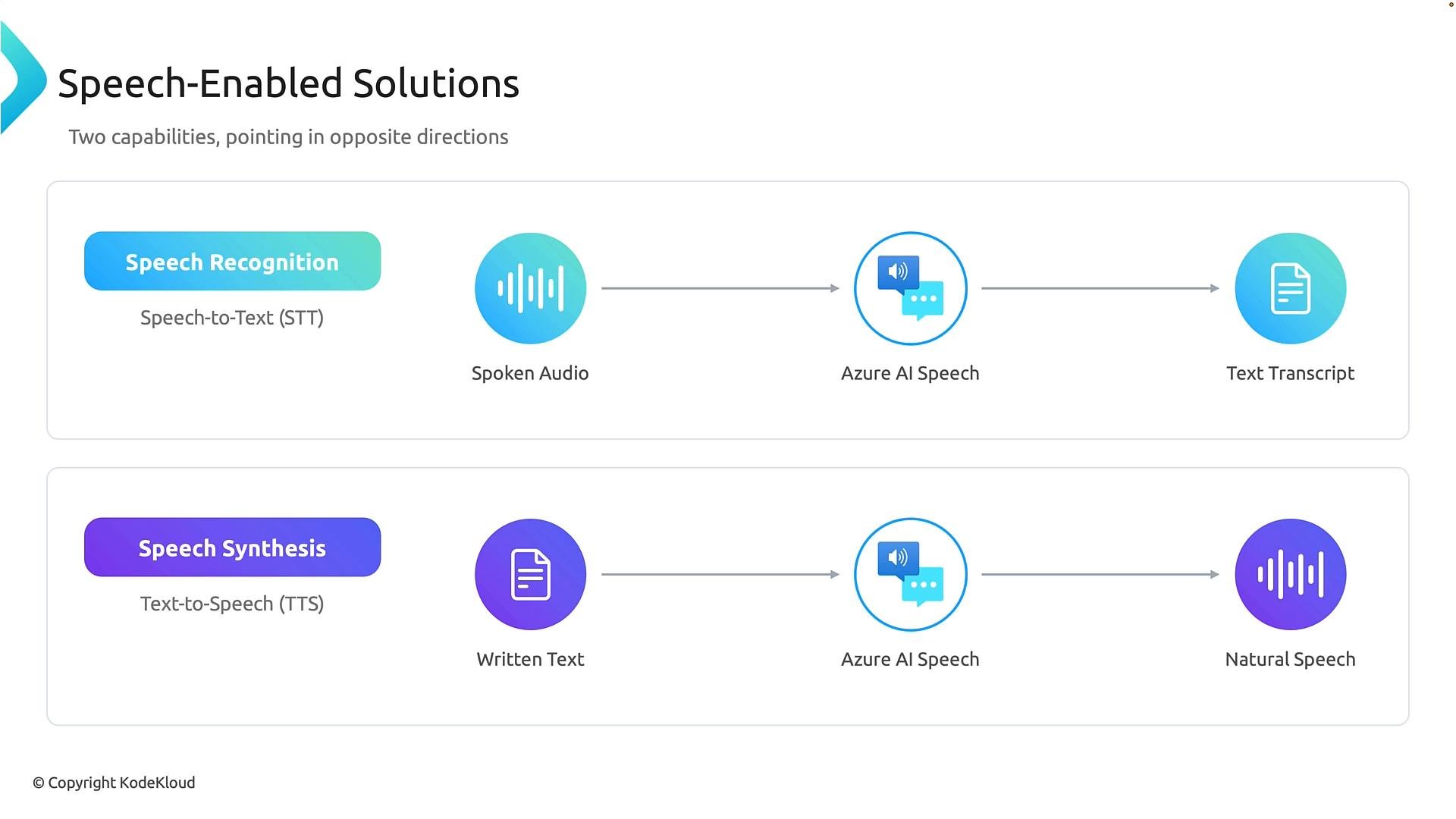
Speech recognition converts a person’s voice into usable text
Speech recognition (STT) enables applications to understand spoken language by converting audio into text. Audio may come from a live microphone, a recorded file, or a live stream. The STT system analyzes that audio and returns a transcript that downstream services or business logic can consume.
Common real-world uses:
- Call transcription for analytics and quality monitoring.
- Voice assistants that convert spoken commands into actionable text.
- Live captions to improve accessibility in videos and meetings.
- Clinical documentation that auto-generates notes from spoken consultations.
Speech transcripts can contain sensitive information. When designing systems that use STT, consider privacy, data retention, and regulatory requirements (e.g., HIPAA) before storing or transmitting audio or transcripts.
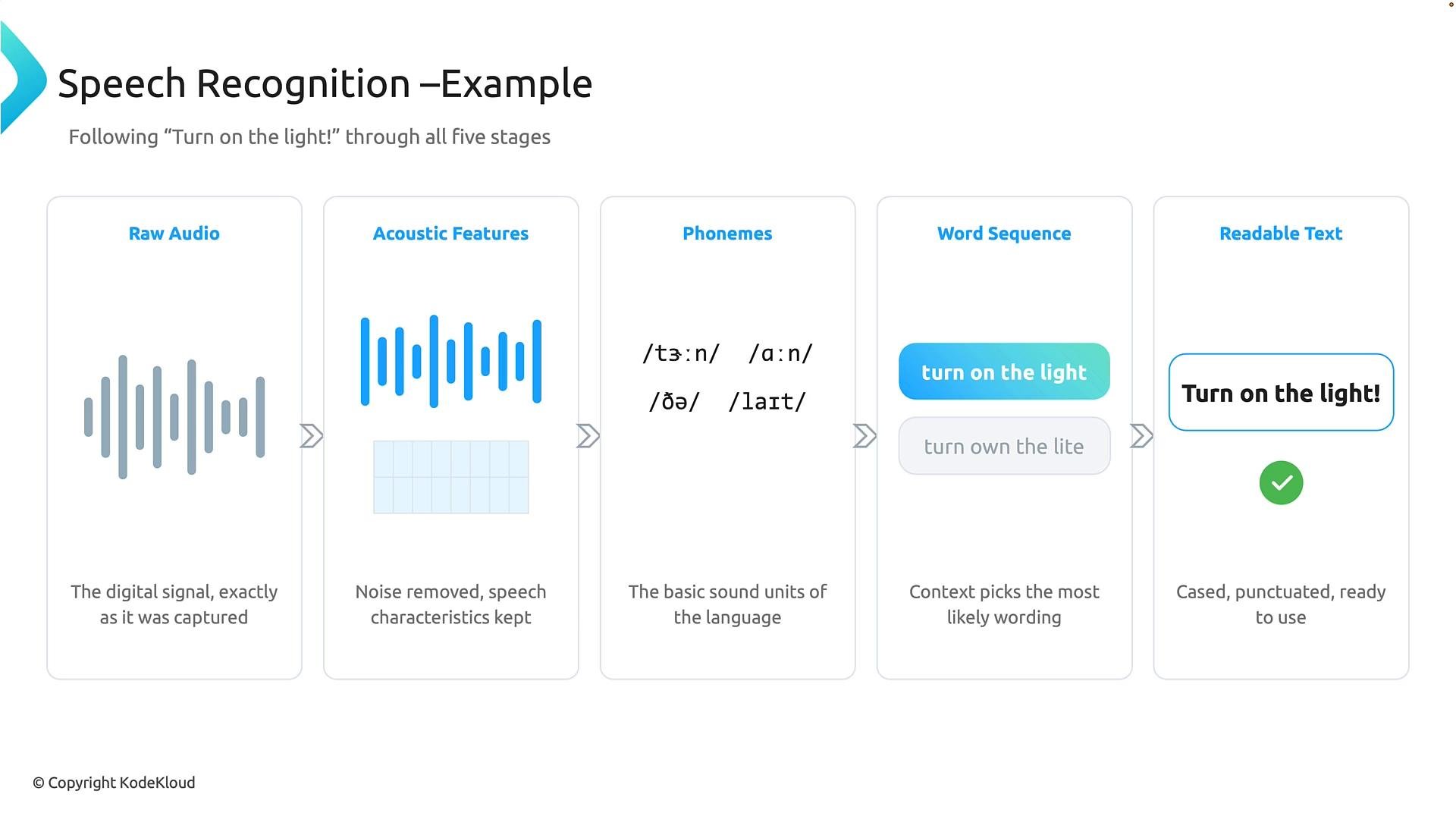
- Raw audio — A digital waveform captured by the microphone; samples representing sound pressure over time.
- Acoustic feature extraction — Transform the waveform into features (e.g., MFCCs, log-mel spectrograms) that highlight speech patterns and reduce noise.
- Phonemes (or frame-level acoustic units) — Map acoustic patterns to basic speech sounds or subword units.
- Word sequence (decoding & language modeling) — Combine acoustic evidence with language models and context to pick the most likely word sequence.
- Readable text — Post-processing adds punctuation and capitalization so the transcript is ready for downstream use.
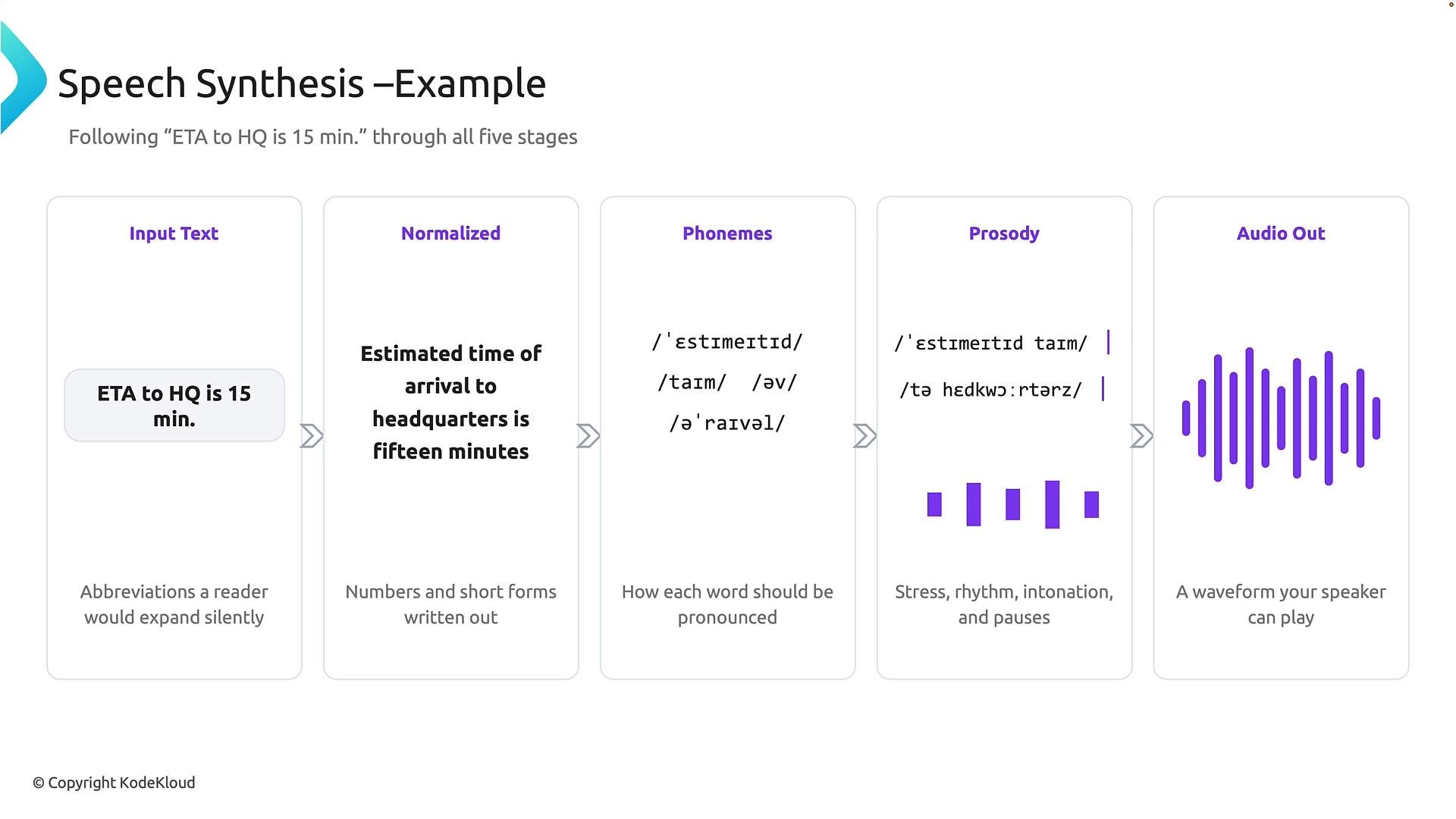
- Input text — The raw text to be spoken (for example, “ETA to HQ is 15 min.”).
- Text normalization — Expand abbreviations, numbers, dates, and other non-standard tokens so they are pronounced correctly (e.g., expand “15 min.” to “fifteen minutes”).
- Phoneme/lexical representation — Convert normalized text into phonemes or subword units that specify pronunciation.
- Prosody modeling — Determine rhythm, stress, intonation, and pauses to create natural delivery.
- Audio synthesis — Use a neural vocoder or concatenative approach to generate the final waveform for playback.
- Input: “ETA to HQ is 15 min.”
- Normalization: Convert to spoken form: “estimated time of arrival to headquarters is fifteen minutes.”
- Phoneme generation: Determine the sequence of sounds needed for pronunciation.
- Prosody: Apply stress, timing, and intonation to make the sentence sound natural.
- Audio output: Synthesize the waveform that plays as natural speech.
To control voice characteristics and pronunciation in TTS, consider using
SSML (Speech Synthesis Markup Language) for fine-grained control over pauses, emphasis, and phoneme-level pronunciation. See the W3C SSML specification for details.- Voice assistants that listen (STT), interpret with NLP, and respond with TTS.
- Accessibility tools that read content aloud (TTS) and accept spoken commands (STT).
- Customer support systems that transcribe calls (STT) and play automated responses (TTS).
- W3C Speech Synthesis Markup Language (SSML)
- Kubernetes Documentation — for deployment considerations
- Azure Speech Services — product overview and APIs