

- Using general-purpose AI models via the OpenAI Python library for flexible, prompt-driven workloads.
- Using Azure AI Language (Text Analytics) SDK for specialized, operation-based NLP tasks that return consistent, structured outputs.
General-purpose models excel at flexible, prompt-driven workflows. Use Azure AI Language when you need deterministic, structured outputs (e.g., NER, PII detection, healthcare analysis) and production-ready APIs.
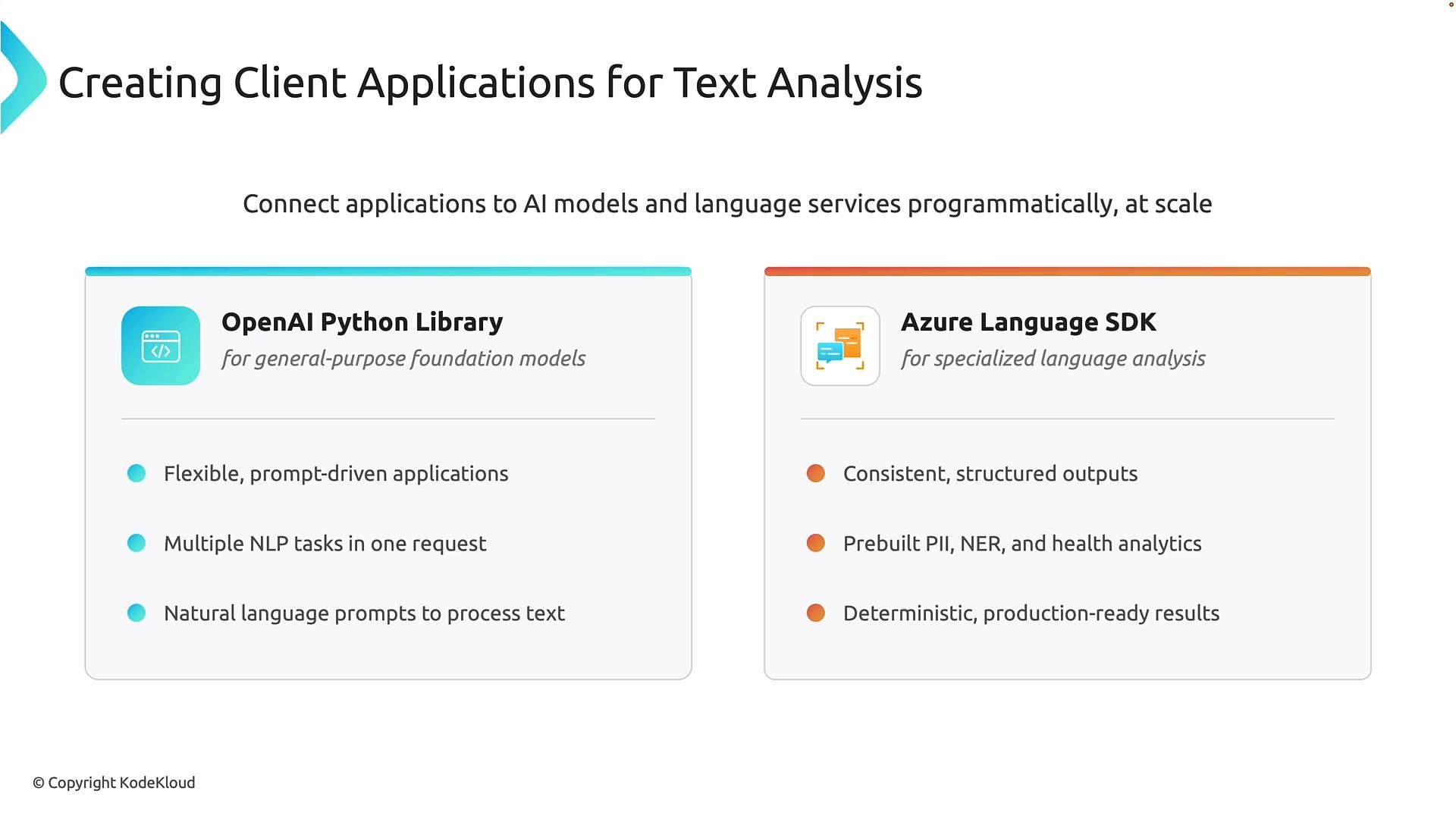
- Use a general-purpose model when you need a single, flexible API that can handle many different language tasks via natural-language prompts.
- Use Azure AI Language when you need predictable, typed outputs (entities, PII labels, sentiment scores) that are easy to validate, store, and process in production pipelines.
Key considerations:
- General-purpose models are powerful and flexible, but outputs can be non-deterministic. Add validation, confidence checks, or reranking for production scenarios.
- Azure AI Language operations are designed for consistent, programmatic consumption and are often a better fit for high-volume or compliance-sensitive workloads.
- Import the client and helpers.
- Load environment variables so secrets are not hard-coded.
- Create the client with endpoint and API key.
- Send the prompt (request) to the model.
- Handle and validate the result in your application.
- Never hard-code API keys. Use environment variables, managed identities, or secret stores.
- Use temperature, system prompts, or few-shot examples to control output style and consistency.
- Validate outputs against expected patterns and add fallback logic for unexpected responses.
Do not hard-code API keys in source files. Use environment variables, managed identities, or a secret store such as
Azure Key Vault for production applications. See Azure Key Vault overview.- Import the language client for the operation you need (e.g.,
TextAnalyticsClient). - Authenticate using
AzureKeyCredentialor other supported mechanisms (Managed Identity via DefaultAzureCredential is recommended in production). - Create the client with your endpoint and credential.
- Submit one or more documents to the target operation.
- Iterate the structured results and use their typed properties programmatically.
- Results come as typed objects (entities, spans, confidence scores), simplifying downstream processing and storage.
- The SDK exposes multiple specialized operations (PII, opinion mining, healthcare) that map directly to common business needs.
- Scales well for high-volume workloads and integrates with Azure security and governance services.
Summary
- Choose a general-purpose model when you need flexibility and prompt-driven behaviors that can adapt to many tasks in a single request.
- Choose Azure AI Language (Text Analytics SDK) when you need consistent, structured outputs for programmatic consumption, compliance, or high-volume production workloads.
- OpenAI Python library: https://github.com/openai/openai-python
- Azure AI Language (Text Analytics) overview: https://learn.microsoft.com/azure/cognitive-services/language-service/text-analytics/overview
- Azure Key Vault: https://learn.microsoft.com/azure/key-vault/general/overview
- Azure SDK for Python documentation: https://learn.microsoft.com/azure/developer/python/