

- Document analysis with pre-built and custom analyzers
- Structured JSON outputs and why they matter
- Extending extraction to audio and video
- Using Content Understanding in Foundry to test and iterate
Document processing: pre-built vs custom analyzers
Organizations often receive large volumes of semi-structured documents (invoices, receipts, IDs, business cards). Storing a file is not the same as extracting the fields you need for automation (invoice number, date, total, customer ID). Pre-built analyzers- Ready to use out of the box for common scenarios (invoices, receipts, business cards, identity documents).
- No training required — provide the document and get structured results.
- Use when documents are specific to your business (special forms, domain-specific fields).
- Require a schema (field names/types) and sample documents that show where fields appear.
- The analyzer is trained on the schema and examples to extract your business-specific fields.
- Define a schema describing the fields and expected data types.
- Provide representative sample documents.
- Create and train the custom analyzer.
- Run new documents through the trained analyzer to extract structured fields.
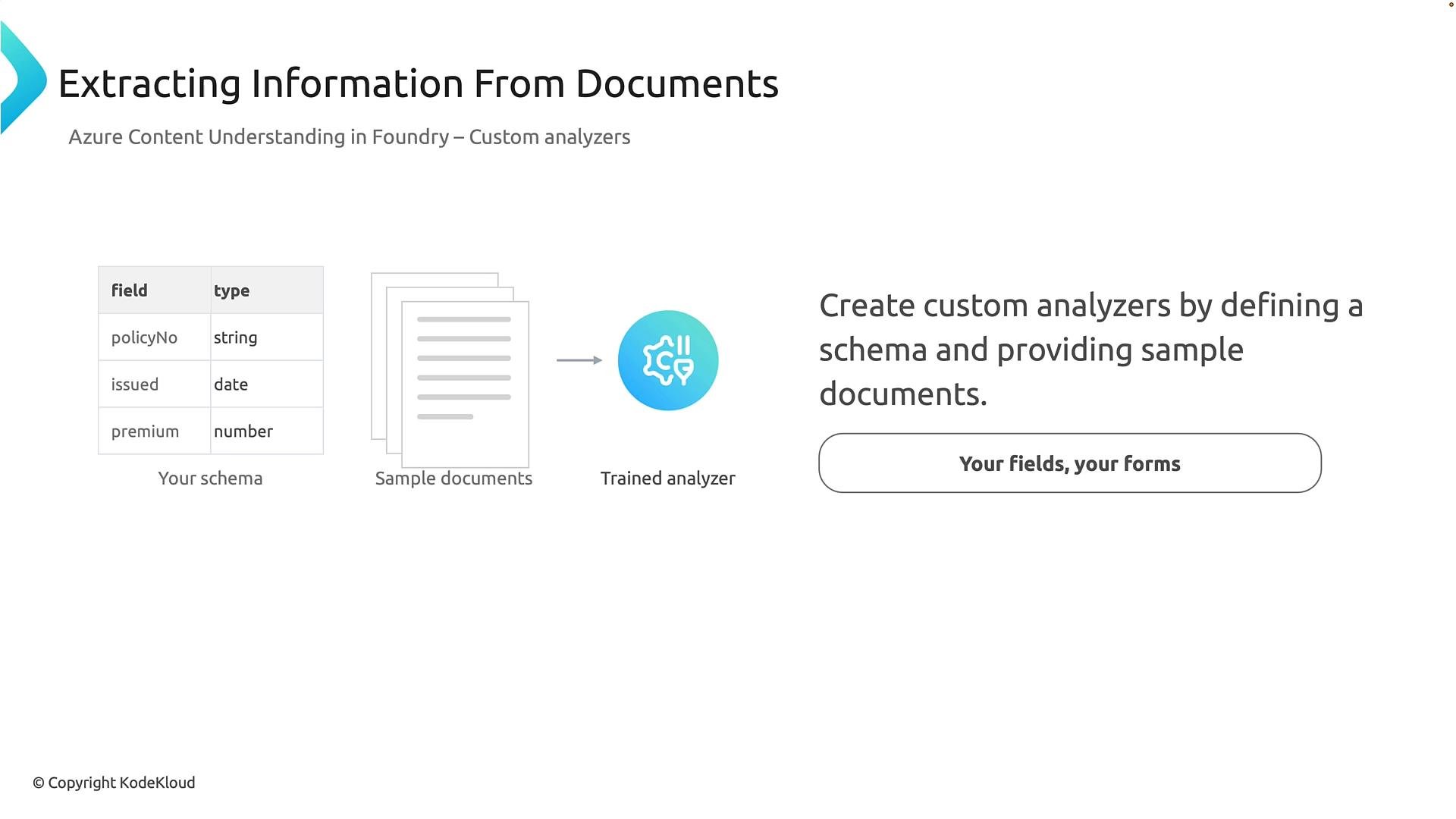
StudentID, CourseName, EnrollmentDate, and TuitionAmount exactly as defined in the schema.
Structured output — why it matters
Analyzers return structured outputs (typically JSON). Structured data enables automation: store values in a database, update records, trigger workflows, or route items for human review. Example extracted JSON (insurance policy):- Machine-readable results for immediate integration
- Confidence scores to guide automation vs manual review
- Time-aligned transcripts and timestamps for audio/video
- Some services specialize in deep document layout, table, and form extraction.
- Content Understanding in Foundry provides analyzers across content types (documents, audio, video) and enables a pattern-based approach for structured extraction.
Document analysis in practice
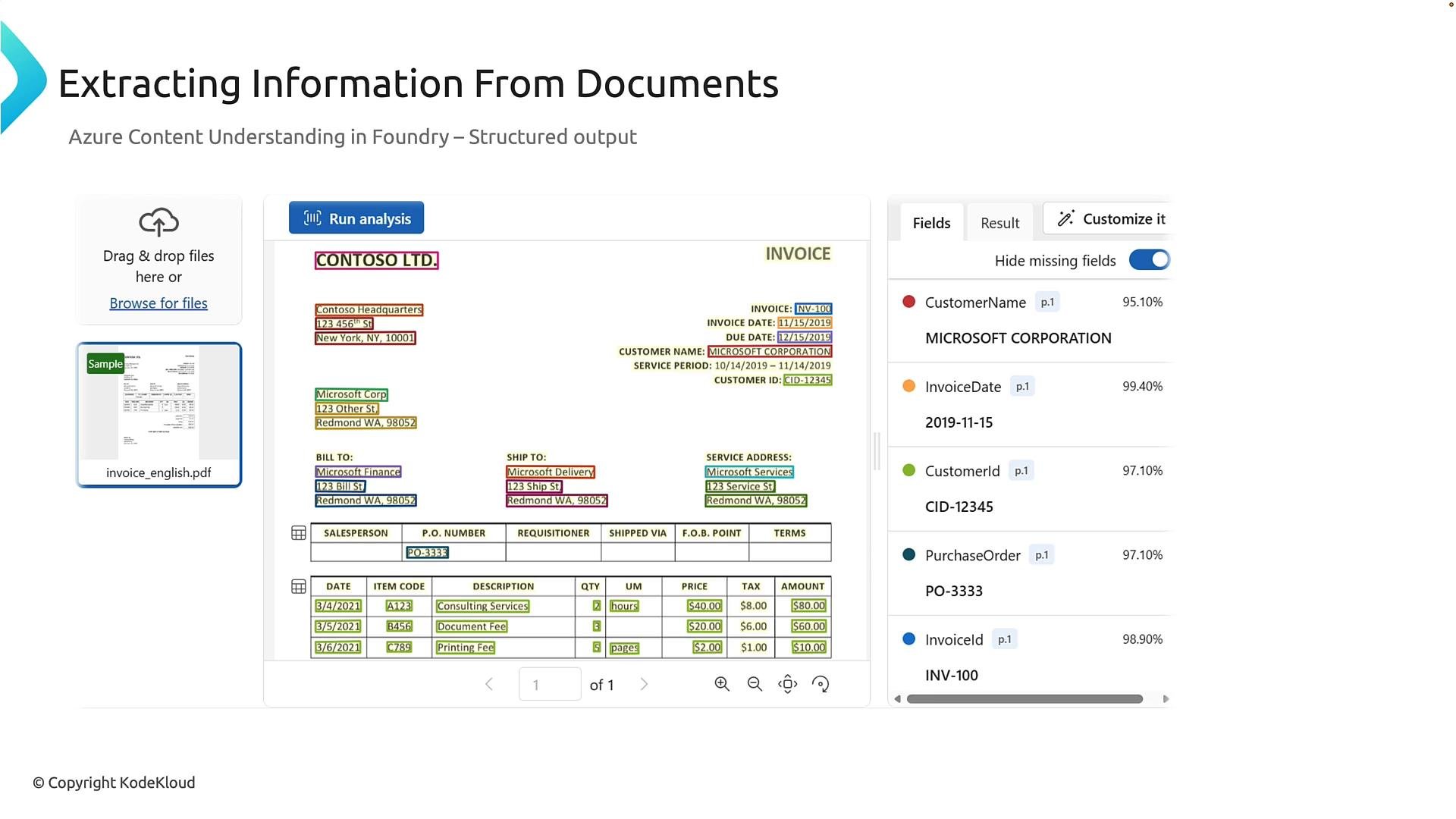
When analyzing documents (for example an invoice), analyzers typically:- Detect layout and form elements (company logo, invoice table, header/footer)
- Extract fields (InvoiceId, InvoiceDate, CustomerName, LineItems)
- Return confidence scores for each field to help you decide whether to auto-process or send for human review
- High confidence → automatic downstream processing
- Low confidence → queue for manual verification
Extending extraction to audio and video
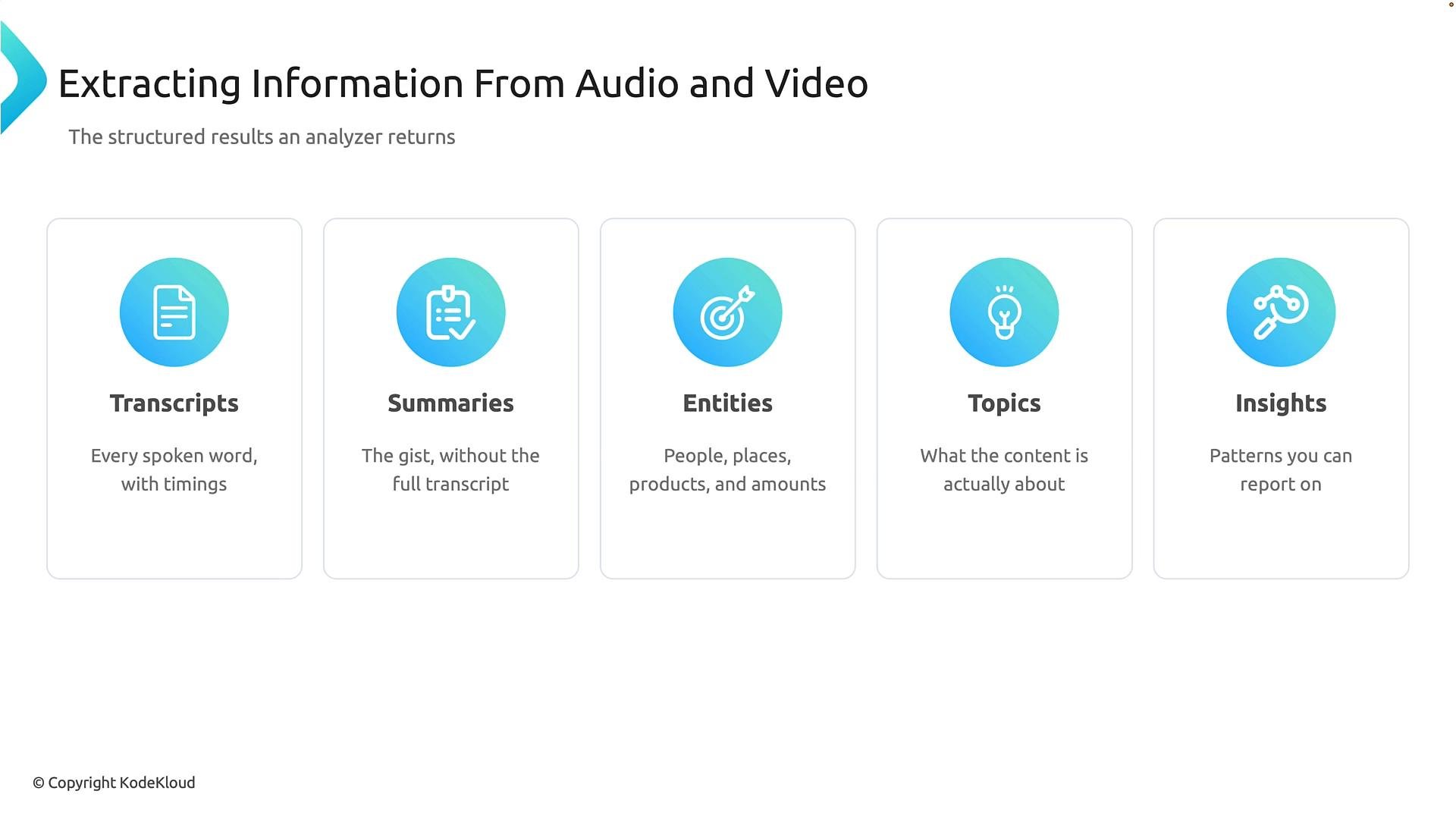
Valuable information often lives in audio recordings and video (customer calls, meetings, interviews, training). Content Understanding in Foundry supports pre-built and custom analyzers for audio/video and returns structured outputs such as transcripts, summaries, entities, topics, and insights. Input flow: audio/video → analyzer (pre-built or custom) → structured output (transcripts, summaries, entities, topics, insights)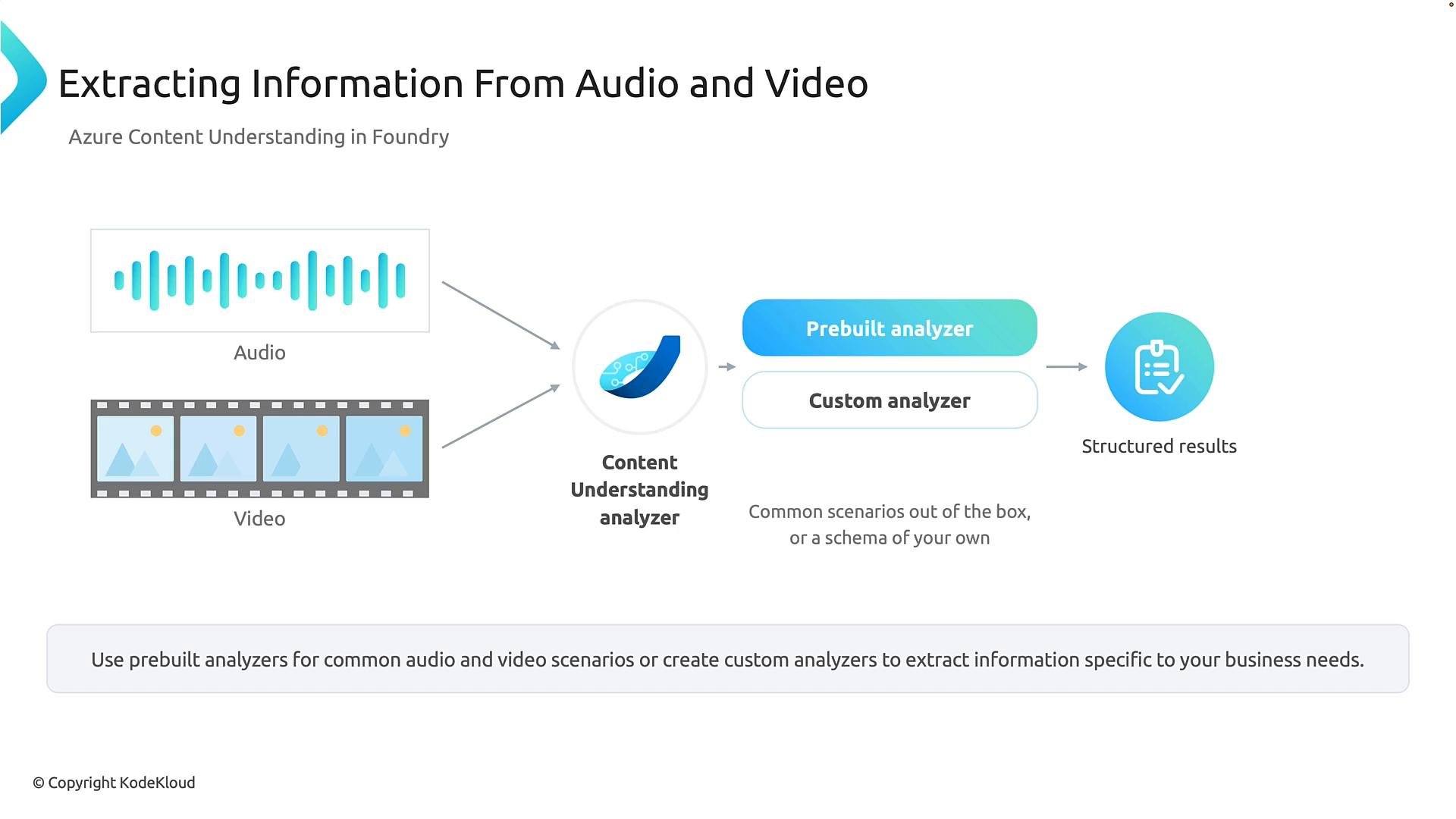
Example: audio analysis workflow
A recorded customer-service call can be processed to produce:- A time-aligned transcript (WEBVTT or similar)
- An automatic summary of the interaction
- Extracted entities (customers, companies)
- Topics and metadata for categorization or SLA tracking
- Customer wants to transfer funds from a matured certificate of deposit to a checking account; agent confirms the transfer can be processed.
companies: ["Contoso"] and people: ["Mary Smith"]. These make it easy to create cases, flag follow-ups, or trigger downstream automation.
Exploring Content Understanding in Foundry
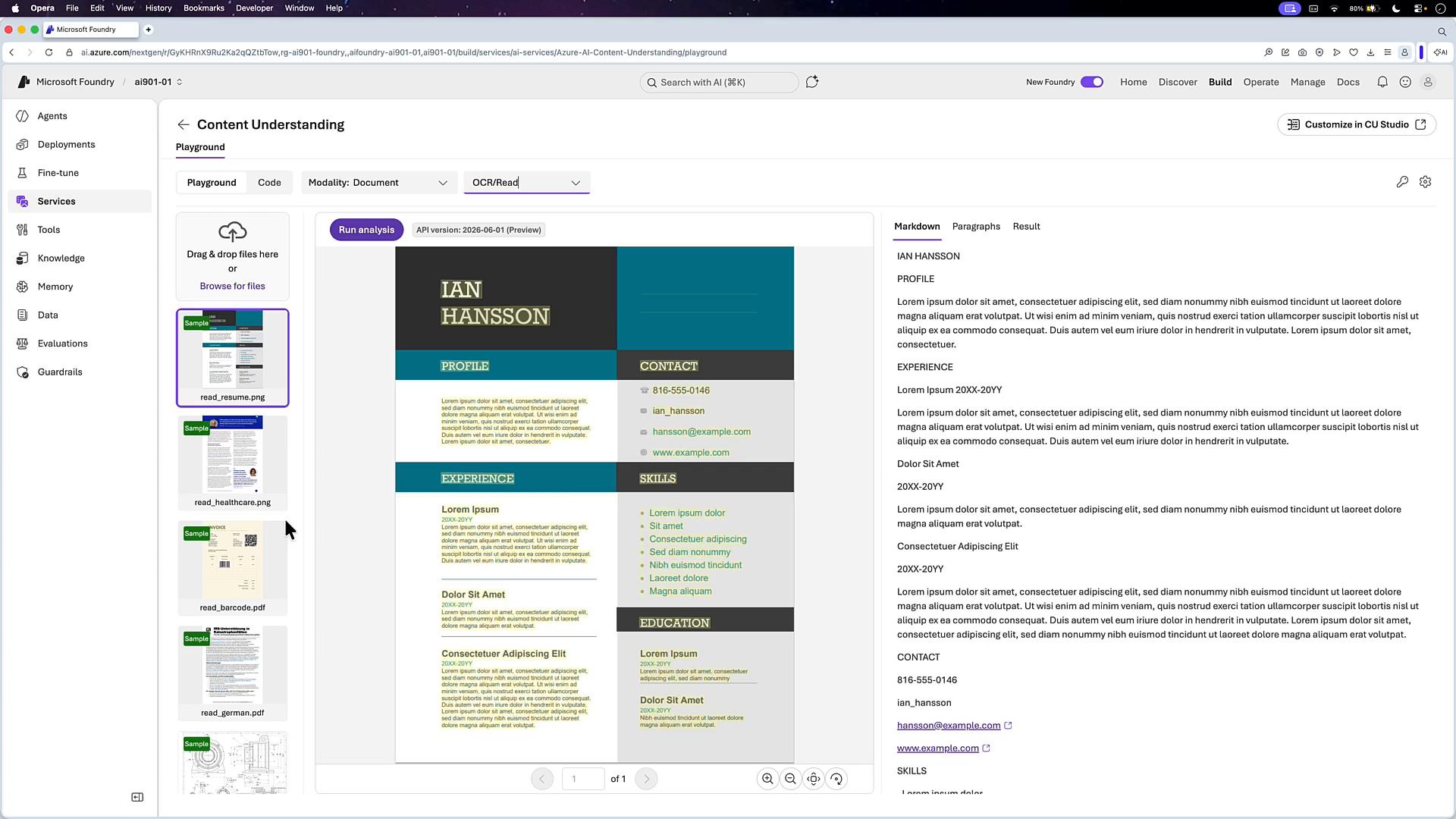
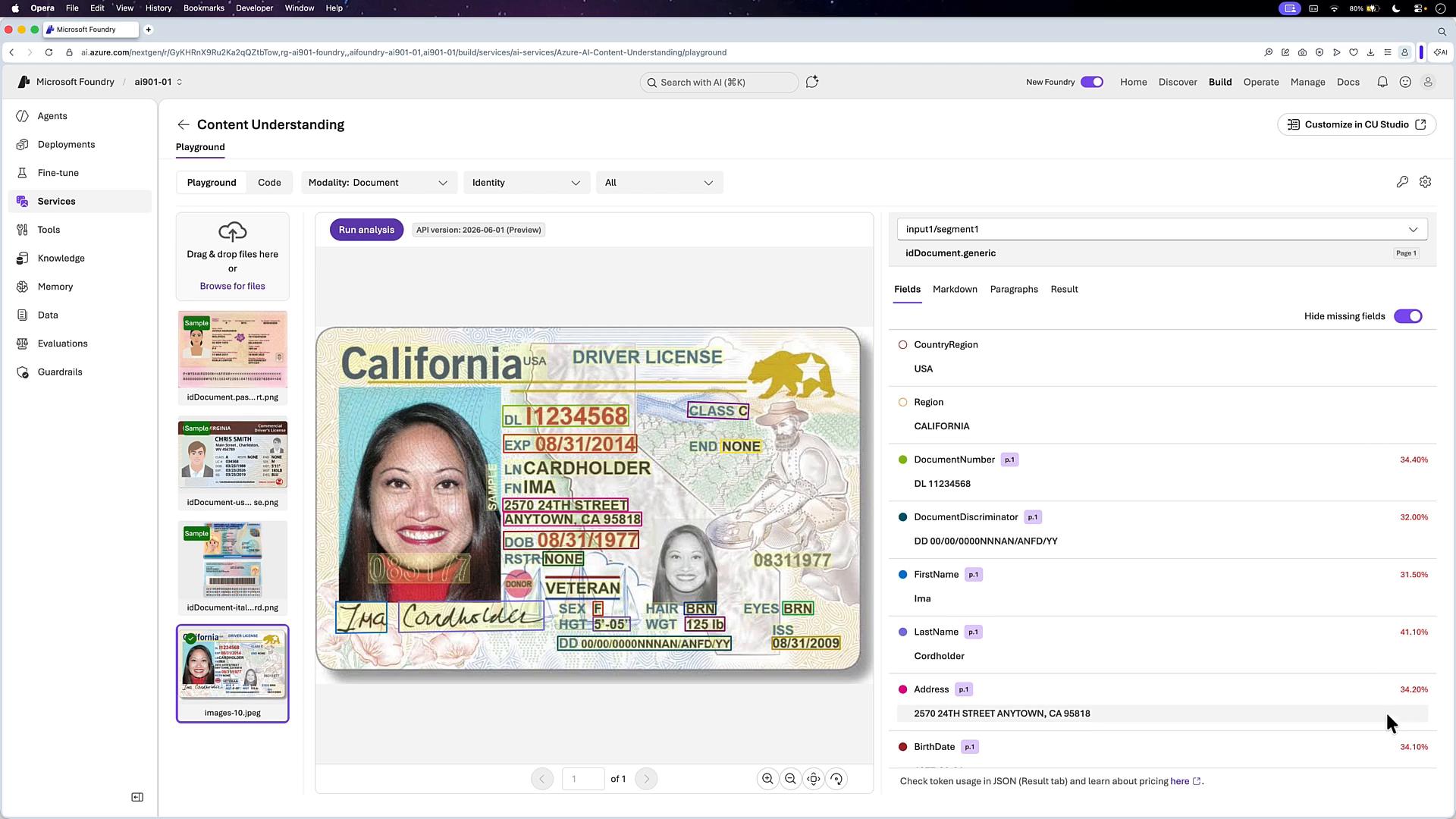
Foundry’s portal and playground let you experiment with analyzers and inspect returned JSON (text, layout, tables, entities). Common tasks in the Foundry portal:- Browse deployments and Services to find analyzers (Document Layout Analyzer, Invoice Analyzer, Call Center Analyzer, Tax US Analyzer, etc.).
- Upload sample files and run the analyzer in the playground to preview results (OCR, layout, tables).
- Inspect returned JSON to integrate text, table structures, and entities into databases and workflows.
- Document Layout Analyzer: layout, paragraphs, spans
- Invoice Analyzer: invoice fields and line items
- Call Center Analyzer: transcripts, speakers, entities
- Identity Analyzer: driver’s license, passport field extraction
Choose a pre-built analyzer when your documents or media match a common scenario. Choose a custom analyzer when you need business-specific fields or domain-specific extraction.
Summary and recommendations
- Use pre-built analyzers for common document and media types — no training required and fast to deploy.
- Use custom analyzers when your organization needs to extract business-specific fields; supply a schema and representative examples to train an effective model.
- Content Understanding in Foundry unifies analyzers across documents, audio, and video — use it for cross-media extraction while leveraging specialized services (e.g., Video Indexer) for deeper video-centric analysis.
- Structured outputs (JSON, transcripts, summaries, entities, topics, insights) enable automation, reporting, and human-in-the-loop workflows.
Links and references
- Azure Content Understanding (Foundry) documentation — search your internal Foundry docs or portal
- Video Indexer — https://www.videoindexer.ai/
- Kubernetes Documentation (example link for general orchestration resources)